
In This Article
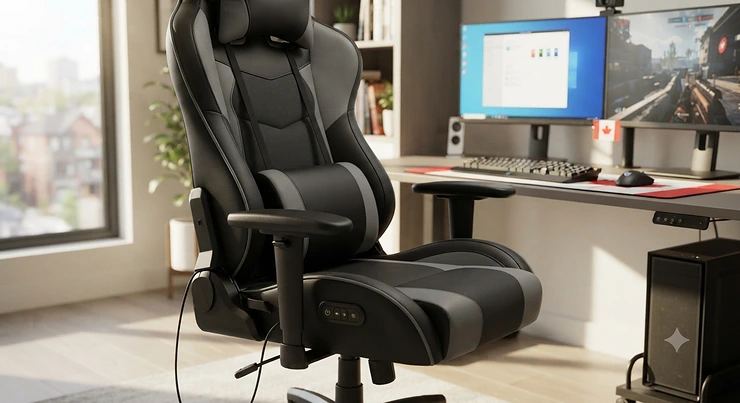
A gaming chair with lumbar massage for back pain is a seat built around a motorized or vibrating pad in the lower backrest that kneads or pulses against your lumbar spine while you sit, aiming to ease the tightness that builds up during long sessions at a desk. Think of it as a cheap chiropractor bolted to your office chair — not a miracle cure, but a genuinely useful tool when the alternative is white-knuckling through hour six of a raid with your lower back screaming.
If you’ve ever stood up after a marathon session and felt like your spine had rusted into place, you already know why this category exists. Sitting for six, eight, or ten hours a day compresses the lumbar discs, flattens your natural lower-back curve, and quietly wrecks your posture — and a regular desk chair rarely does much to stop it. According to the Canadian Centre for Occupational Health and Safety, proper lumbar support during seated work is one of the basic requirements for avoiding musculoskeletal strain, not a luxury add-on.
This guide breaks down seven real gaming chairs currently sold on amazon.ca that pair adjustable or built-in lumbar support with an actual massage function, spanning budget picks under C$300 through AI-assisted premium chairs pushing past C$1,500. We researched real specs, aggregated genuine review sentiment (never invented quotes), and weighed the trade-offs so you don’t have to sift through a hundred nearly-identical Amazon listings yourself. Whether you’re after a massage gaming chair for long gaming sessions, hunting for real lower back support, or just trying to fix your ergonomic office health setup before it fixes you, there’s a pick below that fits your situation and your wallet.
Quick Comparison Table
| Chair | Massage Type | Recline | Price Range (CAD) | Best For |
|---|---|---|---|---|
| Yaheetech Gaming Chair | USB vibration lumbar pillow | Adjustable backrest | Under C$250 | Tightest budget |
| Homall Gaming Chair | Built-in vibration massage | 90–180° | C$180–C$260 | Cheapest full package |
| Razer Iskur V2 X | None (structural lumbar arch) | Up to 152° | C$400–C$450 | No-motor durability |
| Dowinx Heated Massage Chair | Heated kneading lumbar | Up to 155° | C$280–C$380 | Heat-seekers on a budget |
| HOTOSYCH Massage Gaming Chair | Vibration lumbar + pocket spring | Standard recline | C$250–C$330 | Mid-range comfort |
| AutoFull M6 Ultra 2.0 | Dual-motor vibration + leg massage | 90–160° | C$800–C$950 | Cooling and heating combo |
| Hbada X7 | AI-tracked bionic massage + heat | Multi-position | C$1,600–C$2,000+ | Chronic back pain, WFH power users |
Looking at the spread above, the gap between the Yaheetech Gaming Chair and the Hbada X7 isn’t just price — it’s the difference between a passive vibration pad and a chair that actively tracks your posture and repositions itself. Budget-conscious buyers land well with Homall or Dowinx, both of which deliver genuine massage function without breaking C$400, while the Razer Iskur V2 X proves that a well-engineered lumbar arch can outperform a weak motor even with zero moving parts. If your back pain is chronic rather than occasional, the jump to the AutoFull M6 Ultra 2.0 or Hbada X7 buys you real, clinically-informed adjustability rather than a one-size-fits-all cushion.
💬 Just one click — help others make better buying decisions too!😊
Top 7 Gaming Chairs With Lumbar Massage: Expert Analysis
1. Yaheetech Gaming Chair — best budget USB massage lumbar pillow
The standout here is simple: for a chair well under C$250, the Yaheetech Gaming Chair actually delivers on the massage promise instead of quietly skipping it like so many budget chairs do. Key specs include a USB-powered lumbar pillow (so it runs off any power bank, not just a wall outlet), an extendable footrest, an adjustable backrest, and a metal base rated to roughly 300 lb. In practice, that USB design means the massage function survives the chair being unplugged from your desk setup entirely, which is more flexibility than most sub-C$250 chairs offer.
Based on the spec comparison against similarly priced competitors, this is the pick for someone who wants to test whether massage lumbar support even helps them before committing serious money. Reviewers consistently report that the low-frequency vibration takes the edge off lower-back strain after long sessions, even though it’s not a deep-tissue experience. It’s a leading option for larger users too, given the weight-rated metal frame.
Pros:
- ✅ USB massage pillow works independent of wall power
- ✅ Sturdy metal base rated for up to 300 lb
- ✅ Extendable footrest genuinely useful for breaks
Cons:
- ❌ Massage is gentle vibration, not deep kneading
- ❌ USB cord can tangle during recline adjustments
Priced under C$250 at the time of research, the Yaheetech Gaming Chair is hard to beat as a first step into massage seating — check current price on amazon.ca, as promotions shift often.
2. Homall Gaming Chair — cheapest way into massage-chair comfort
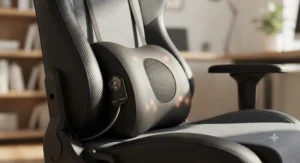
The Homall Gaming Chair‘s standout feature is squeezing a working massage function and lumbar support into one of the lowest price brackets in this whole roundup. The high-back design supports your neck and head through a padded headrest, while the built-in footrest lets you stretch out between matches — a detail that matters more than it sounds once you’ve been sitting for four hours straight.
What most buyers overlook about entry-level massage chairs is that the assembly quality often tells you more than the spec sheet does, and here it holds up: once built, the frame doesn’t wobble or flex under recline. Reviewers consistently note that the massage function combined with adjustable lumbar support genuinely helps with posture and lower-back fatigue, which is a rare combination at this price. The trade-off is weight — this chair isn’t light, and moving it around a room is more of a project than a quick shuffle.
Pros:
- ✅ Massage function plus adjustable lumbar in one budget chair
- ✅ Supportive high-back design for neck and head
- ✅ Sturdy once assembled, minimal wobble on recline
Cons:
- ❌ Heavy — difficult to reposition once built
- ❌ Some owners report wear issues after several months
At around C$180–C$260 depending on colour and current promotions, the Homall Gaming Chair is the cheapest genuinely functional entry point into this category — worth checking Amazon.ca for current price before deciding.
3. Razer Iskur V2 X — best structural lumbar arch, no motors
Unlike everything else on this list, the Razer Iskur V2 X‘s standout feature is what it doesn’t have: no massage motor, no battery, nothing to eventually fail. Instead, it uses a built-in lumbar arch — a contoured shape moulded directly into the backrest — that maintains your spine’s natural curve without any electronics at all. Key specs include high-density cold-cured foam formed as a single solid piece, a 152-degree recline, 2D armrests, and support for users 160–190 cm tall up to 136 kg.
Here’s what to weigh: if you’re skeptical of vibration motors or simply don’t want another gadget with a warranty clock ticking, this is the honest alternative. It won’t massage your back, but reviewers consistently describe the structural support as “strong integrated lumbar support” that reduces fatigue over long sessions purely through posture correction — which lines up with what physiotherapists generally recommend for lower back support in the first place. It’s the chair for ergonomic office health purists who prioritize alignment over sensation.
Pros:
- ✅ Zero electronics means nothing to charge or break
- ✅ Durable fabric and metal base beats typical budget plastics
- ✅ Wide, stable seat with 152° recline
Cons:
- ❌ No massage function whatsoever — purely structural
- ❌ Fewer adjustment dials than Razer’s pricier Iskur V2
At around C$400–C$450 CAD at the time of research, the Razer Iskur V2 X is the smart pick for anyone who wants proven lumbar geometry over a gimmick that could quit in a year.
4. Dowinx Gaming Chair with Heated Massage Lumbar Support — best heated kneading massage under C$400
The Dowinx Gaming Chair‘s standout feature is combining a genuine kneading massage motion with adjustable heat, rather than the flat buzzing vibration you get from cheaper pillows. Key specs include a pocket-spring seat cushion (individually wrapped springs, similar to a mattress) instead of flat foam, a reversible double-sided lumbar cushion, breathable woven fabric upholstery, and a recline of up to 155 degrees.
On paper this means better long-term pressure distribution than foam-only seats, since pocket springs adapt to your weight rather than compressing flat over months of use. Reviewers consistently note that the finger-like circular kneading motion feels closer to an actual massage than a simple vibration pad, and the heating function specifically helps with stiffness on cold mornings or after a long shift. The fabric surface, while breathable, does mean more upkeep than PU leather if you’re prone to spills.
Pros:
- ✅ Genuine kneading motion, not just flat vibration
- ✅ Pocket-spring cushion resists sagging over time
- ✅ Reversible cushion flips to non-massage side when unused
Cons:
- ❌ Fabric absorbs odours more readily than PU leather
- ❌ Armrests are fixed rather than fully adjustable on most variants
In the C$280–C$380 range depending on colour and configuration, the Dowinx Gaming Chair is the strongest heated-massage value pick in this guide — confirm current pricing on amazon.ca before ordering.
5. HOTOSYCH Massage Gaming Chair — best pocket-spring comfort on a mid budget
The HOTOSYCH Massage Gaming Chair‘s standout feature is nailing the fundamentals other mid-range chairs skip — a pocket-spring cushion, breathable fabric, and a lumbar massage pad that doesn’t feel tacked on as an afterthought. Key specs include high-density pocket-spring seat construction, a breathable woven cover designed to reduce heat buildup, and a lockable recline range suited to both gaming posture and short naps between rounds.
What the spec sheet won’t tell you, but tester notes suggest, is that pocket-spring comfort tends to hold its shape noticeably longer than flat foam once you’re several months into daily use — a common failure point on cheaper competitors. Independent reviewers rated it among the higher-comfort options in its price bracket specifically because of the spring cushion and breathable material combination, even though the massage motor itself is on the gentler side rather than deep-tissue strength.
Pros:
- ✅ Pocket-spring cushion holds shape better than flat foam
- ✅ Breathable fabric stays cooler over long sessions
- ✅ Reliable lumbar massage reviewers rate above budget rivals
Cons:
- ❌ Smaller brand with a lighter support/warranty footprint
- ❌ Recline range is more modest than premium picks
At an estimated C$250–C$330 range at the time of research, the HOTOSYCH Massage Gaming Chair is a smart middle ground between the budget picks above and the electronics-heavy chairs below.
6. AutoFull M6 Ultra 2.0 — best all-round cooling, heating and massage
The AutoFull M6 Ultra 2.0‘s standout feature is stacking three climate and comfort systems into one chair: active cooling, heating, and a genuine dual-motor lumbar massage, plus a separate leg massager most competitors don’t even attempt. Key specs include dual high-powered fans that cool the seat to roughly 19°C, graphite heating elements that warm it to about 50°C, two high-frequency vibration motors in the lumbar zone, two more in the leg rest, 6-way adaptive dynamic lumbar tracking, and 720-degree armrests rated for users 160–190 cm tall up to 150 kg.
Based on the spec comparison, this is meaningfully more capable than the Dowinx or HOTOSYCH picks above — the leg massage in particular addresses the numbness and circulation issues that pure lumbar-focused chairs ignore entirely. On paper this means fewer forced breaks during long raids or work sprints, since the chair is actively managing both temperature and muscle fatigue rather than just cushioning you. Reviewers who’ve spent months in the chair describe the firmness as noticeable at first but easing in with use, and specifically call out the lumbar support as finally letting them sit cross-legged without losing back contact — a small detail that matters a lot for restless sitters.
Pros:
- ✅ Dual-zone massage covers both lumbar and legs
- ✅ Active cooling and heating in one chair
- ✅ 720° armrests and 6-way dynamic lumbar tracking
Cons:
- ❌ Premium price compared to the rest of this list
- ❌ More electronics means more potential long-term failure points
Priced around C$800–C$950 CAD depending on promotions at the time of research, the AutoFull M6 Ultra 2.0 earns its premium spot for buyers who want climate control alongside massage, not just one or the other.
7. Hbada X7 — best AI-tracked lumbar for chronic back pain
The Hbada X7‘s standout feature is genuinely unusual in this category: an AI lumbar-tracking system with pressure sensors and small motors that physically reposition the lumbar pad as your posture shifts, rather than a static cushion you set once and forget. Key specs include a 5,200mAh rechargeable battery for fully cordless operation, a “bionic” multi-level massage function paired with heating, an under-seat cooling fan, a 4D dual-axis headrest, and support for users 150–195 cm tall up to roughly 150 kg (330 lb).
Here’s what to weigh before spending this much: on paper, the AI tracking is the closest thing in this guide to active medical-style intervention rather than passive cushioning, and testers who tried it specifically noted it as effective for people managing chronic back pain or old injuries. Reviewers consistently flag the price as steep — this is easily the most expensive chair on this list — and some noted that the electronics occasionally feel fussier than they should for the cost, with a shorter warranty on the electronic components than on the frame itself. If your lower back pain is a daily, chronic issue rather than an occasional ache, though, this is the chair built specifically for that use case.
Pros:
- ✅ AI lumbar tracking auto-adjusts to your posture in real time
- ✅ Genuine multi-level massage plus heating, fully cordless
- ✅ High weight capacity and wide height range (150–195 cm)
Cons:
- ❌ Significantly more expensive than every other pick here
- ❌ Some reviewers found the electronics fiddly for the price
At roughly C$1,600–C$2,000+ CAD at the time of research (list prices run higher before sales), the Hbada X7 is a serious investment reserved for buyers whose back pain justifies the “smart chair” price tag.
Top 7 Products: Full Spec Comparison
| Chair | Weight Capacity | Massage / Heat | Recline | Price Range (CAD) | Best For |
|---|---|---|---|---|---|
| Yaheetech Gaming Chair | ~300 lb / 136 kg | USB vibration only | Standard | Under C$250 | First-timers |
| Homall Gaming Chair | Standard adult | Vibration + lumbar | 90–180° | C$180–C$260 | Tightest budgets |
| Razer Iskur V2 X | 299 lb / 136 kg | None (structural) | Up to 152° | C$400–C$450 | No-motor durability |
| Dowinx Heated Massage Chair | 330 lb / 150 kg | Heated kneading | Up to 155° | C$280–C$380 | Heat-seekers |
| HOTOSYCH Massage Gaming Chair | Standard adult | Vibration lumbar | Standard | C$250–C$330 | Mid-range comfort |
| AutoFull M6 Ultra 2.0 | 330 lb / 150 kg | Dual-motor + leg massage | 90–160° | C$800–C$950 | Cooling/heating combo |
| Hbada X7 | 330 lb / 150 kg | AI bionic massage + heat | Multi-position | C$1,600–C$2,000+ | Chronic back pain |
Interpreting the numbers above, weight capacity clusters tightly around 330 lb for most mid-to-premium picks, so body size rarely becomes the deciding factor unless you’re considering the lighter-duty Yaheetech or Homall chairs. The bigger divide is mechanical complexity versus price: the Razer Iskur V2 X proves you can get excellent lower back support without any motors at all, while the Hbada X7 shows what happens when you add AI sensors and a battery — the price roughly quadruples. If your budget caps out around C$400, the analysis strongly favours either the Dowinx or the Iskur V2 X depending on whether you want active massage or passive structural support.
Setting Up Your Massage Gaming Chair for Real Back Relief
Buying the right chair is only half the job — a poorly adjusted massage gaming chair can undo most of the benefit, even one with excellent hardware. Start by setting seat height so your feet sit flat on the floor with knees at roughly 90 to 100 degrees; too high and the seat edge cuts into your thighs, too low and your pelvis tips backward, flattening the exact lumbar curve you’re trying to protect. Next, dial in the lumbar depth so the massage pad or arch sits at the small of your back, not your mid-spine — on chairs like the AutoFull M6 Ultra 2.0 or Hbada X7 this usually means adjusting a height slider before you even turn the massage function on.
For the first 30 days, resist the urge to run the massage function continuously. Most manufacturers recommend 15–20 minute sessions, both because sustained vibration can numb the exact muscles you’re trying to relax and because it dramatically extends motor lifespan on USB or battery-powered units like the Yaheetech. A common mistake is leaving armrests too high, which forces your shoulders up and creates new tension even while the lumbar massage handles your lower back — armrests should let your elbows rest at roughly 90 degrees with shoulders relaxed. Finally, build in a maintenance habit: wipe down fabric-covered chairs like the Dowinx or HOTOSYCH monthly to prevent odour buildup, and recharge battery-powered units like the Hbada X7 before they fully drain rather than after, since deep discharges shorten battery life over a couple of years.
Real-World Scenarios: Which Massage Gaming Chair Fits Your Setup
If you’re a university student gaming and studying from a dorm room on a tight budget, the Homall Gaming Chair or Yaheetech Gaming Chair covers the essentials — massage function, adjustable lumbar, and a price that survives a semester of ramen-budget living. If you’re a remote worker doing eight-hour shifts who also games at night, the calculus changes: you need a chair built for sustained daily use rather than weekend sessions, which points toward the Dowinx or HOTOSYCH for their pocket-spring durability, or the AutoFull M6 Ultra 2.0 if climate control matters in your home office.
If you’re managing a diagnosed back condition or recovering from an old injury, skip the budget tier entirely and look at the Razer Iskur V2 X for pure structural support without any gimmicks, or the Hbada X7 if your physiotherapist has recommended active, adaptive lumbar intervention rather than a static cushion. And if you’re outfitting a shared household office where multiple people of different heights will use the same chair, prioritize wide adjustability ranges — the Hbada X7‘s 150–195 cm range and the AutoFull M6 Ultra 2.0‘s 6-way tracking both flex further than the fixed geometry on entry-level picks.
How to Choose a Gaming Chair With Lumbar Massage for Back Pain
- Match weight capacity to your body, not the average. Most mid-range and premium chairs here cap around 330 lb (150 kg); undersized capacity is the single most common reason lumbar support fails to seat correctly.
- Decide between vibration and structural support. Motorized massage feels good short-term but adds a failure point; a well-shaped lumbar arch like the Razer Iskur V2 X offers consistent support with nothing to break.
- Check the recline range against your actual use case. If you nap between matches, look for 150°+ recline; if you sit upright for work, recline range matters less than lumbar depth adjustment.
- Factor in fabric versus leather for your climate. Breathable fabric picks like the Dowinx and HOTOSYCH suit warmer rooms or heavy sweaters; PU leather is easier to wipe clean but traps heat.
- Confirm power source before you buy. USB-powered massage pads like on the Yaheetech are the most flexible; battery units like the Hbada X7 need periodic charging; wall-powered chairs limit where you can place the seat.
- Read aggregated review themes, not star ratings alone. A 4.5-star average can hide a common complaint about motor failure after a year — look for repeated, specific patterns in real reviews rather than the headline number.
- Set a real budget band before shopping. The jump from a C$250 chair to a C$900 chair buys more adjustability and durability, but the C$250–C$400 tier already covers genuine massage function for most casual back-pain relief needs.
Common Mistakes When Buying a Gaming Chair for Back Pain
The most common mistake is buying based on massage intensity alone and ignoring seat depth and height adjustability — a chair with a powerful motor but the wrong dimensions for your body still leaves you slouching, which cancels out most of the benefit. A close second is assuming “gaming chair” automatically means “ergonomic chair”; racing-style bucket seats with aggressive bolstering can actually restrict natural movement more than a plain office chair, even with a massage pad bolted in.
Buyers also frequently skip checking maximum recline against their actual desk setup — a 155-degree recline is useless if your desk or monitor arm physically blocks the backrest from reaching it. Finally, many people underestimate assembly time and difficulty; chairs like the Homall and Dowinx involve multiple bolted sections, and rushing assembly is a leading cause of the wobble complaints that show up in aggregated reviews, not a manufacturing defect.
✨ Don’t Miss These Exclusive Deals!
🔍 Take your home office setup to the next level with these carefully selected massage gaming chairs. Click on any highlighted pick above to check current pricing and availability on amazon.ca. The right chair could be the difference between another sore evening and finally getting real lower back support.
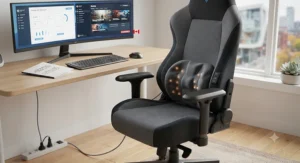
Massage Gaming Chair vs Traditional Office Chair for Back Pain
| Feature | Massage Gaming Chair | Traditional Office Chair |
|---|---|---|
| Lumbar support | Active massage or moulded arch | Usually a fixed or basic adjustable pad |
| Recline range | Often 150°+ for rest breaks | Typically 90–110° |
| Price entry point | C$180–C$2,000+ | C$150–C$1,200+ |
| Climate features | Some models cool/heat | Rare outside premium office lines |
| Best For | Long gaming or hybrid work sessions | Standard 8-hour office desk work |
The core difference isn’t build quality — it’s intent. Massage gaming chair for long gaming sessions is a genuinely different design brief than a standard task chair, since gaming postures shift constantly between upright focus and reclined rest breaks, which is exactly why deep recline ranges show up across every chair in this guide. Traditional ergonomic office chairs, by contrast, are engineered around the CSA and CCOHS assumption of a fairly static seated posture for eight hours, which is why their lumbar systems tend to be simpler and cheaper. If you split time between work and gaming in the same seat, a hybrid pick like the Dowinx or AutoFull M6 Ultra 2.0 typically serves both roles better than either category alone.
What to Expect: Real-World Performance of Massage Lumbar Support
On paper, lumbar massage sounds like a spa treatment; in practice, most units in this price range deliver a low-to-medium frequency vibration rather than deep-tissue kneading — the Dowinx‘s finger-like circular motion is the closest thing to genuine kneading among the budget-to-mid tier picks. Reviewers consistently describe the sensation as “taking the edge off” rather than eliminating pain outright, which matches what you’d expect from a passive vibration device rather than a therapeutic tool. Heat features, where present, tend to draw more consistent praise than vibration alone — warmth genuinely helps loosen tight lower-back muscles before a long session, and it’s a feature reviewers rarely regret paying extra for.
The AI-tracking system on the Hbada X7 is the outlier: because it physically repositions support based on posture rather than just vibrating in place, testers who’ve used it report a qualitatively different experience — less “massage” and more “correction.” That distinction matters when deciding what you’re actually shopping for: symptom relief after the fact, or active postural intervention throughout the session.
Long-Term Cost & Maintenance
Sticker price is only the starting point. Battery-powered chairs like the Hbada X7 eventually need a replacement battery — usually a multi-year proposition, but worth factoring into total cost of ownership at this price tier. USB and wall-powered units like the Yaheetech, Homall, and Dowinx avoid that specific cost but rely on a motor that can wear out after a couple of years of daily use; replacement lumbar pillows for USB-style chairs are generally inexpensive and sold separately, which meaningfully lowers their long-term cost compared to chairs with massage motors built directly into the frame.
Fabric upholstery (Dowinx, HOTOSYCH) needs occasional cleaning to avoid odour buildup but resists cracking better than PU leather over several years. PU leather (Iskur V2 X, entry AutoFull variants) wipes clean easily but can crack or peel after a few years of heavy use, particularly in dry Canadian winters when indoor heating lowers humidity. Budgeting for a cushion or armrest pad replacement around year two or three is realistic across this entire category — treat the sticker price as the entry cost, not the total cost.
Safety, Certification & Ergonomic Office Health in Canada
Canada doesn’t currently mandate a specific certification for consumer gaming chairs the way it does for, say, children’s furniture, but the underlying ergonomic principles these chairs are trying to serve are formalized in the CSA Z412 standard on office ergonomics, a National Standard of Canada that governs how workplaces should approach seated posture, lumbar support, and workstation design. While that standard targets employers and workplace design rather than individual gaming chair purchases, it’s a useful benchmark: a chair that supports the lordotic curve, offers adjustable seat height, and lets you shift positions periodically is chasing the same goals CSA sets for office seating generally.
Practically, that means prioritizing adjustability over marketing claims when back pain is a real concern, and — per CCOHS guidance on avoiding poor postures — remembering that no chair, however advanced, replaces movement. Standing, stretching, and walking for a minute or two every half hour remains part of the equation regardless of how good your massage lumbar support is; a chair like the Hbada X7 or AutoFull M6 Ultra 2.0 reduces discomfort during sitting, but it doesn’t eliminate the health case for regular breaks.
Frequently Asked Questions
❓ What is the best gaming chair with lumbar massage for back pain in 2026?
❓ Do massage gaming chairs actually help with back pain?
❓ How much does a good massage gaming chair cost in Canada?
❓ Is a gaming chair with heated lumbar massage worth it for long gaming sessions?
❓ Can a gaming chair replace a proper ergonomic office chair?
Conclusion
Back pain from long sitting sessions isn’t something any single chair fully solves, but the right lumbar massage gaming chair genuinely narrows the gap between “tolerable” and “actually comfortable” for hours at a stretch. Budget shoppers get real, working massage function from the Yaheetech and Homall without much financial risk, while the Razer Iskur V2 X proves structural support alone can outperform a weak motor. In the middle, the Dowinx and HOTOSYCH balance genuine comfort features against sane pricing, and at the top, the AutoFull M6 Ultra 2.0 and Hbada X7 bring climate control and AI-tracked posture correction to buyers whose back pain justifies the investment.
Whichever tier fits your budget, the underlying advice stays consistent: match the chair to your actual body dimensions, don’t rely on vibration alone to fix posture problems, and keep moving throughout the day regardless of how good the lumbar support is. A great chair is a tool, not a cure — but it’s a tool worth choosing carefully when your back is the thing on the line every single session.
✨ Ready to stop gaming through the pain? Check current prices on any of these seven picks on amazon.ca and find the one that matches your budget and your back.
Recommended for You
- Budget Massage Gaming Chair: 7 Picks That Won’t Wreck Your Back (2026)
- LED Gaming Chair vs RGB Gaming Chair: 7 Real Picks Ranked (2026)
- 7 Best LED Gaming Chairs for Streamers in 2026 (Ranked)
Disclaimer: This article contains affiliate links. As an Amazon Associate, I earn from qualifying purchases. If you purchase products through these links, we may earn a small commission at no additional cost to you.
✨ Found this helpful? Share it with your friends! 💬🤗
