
In This Article
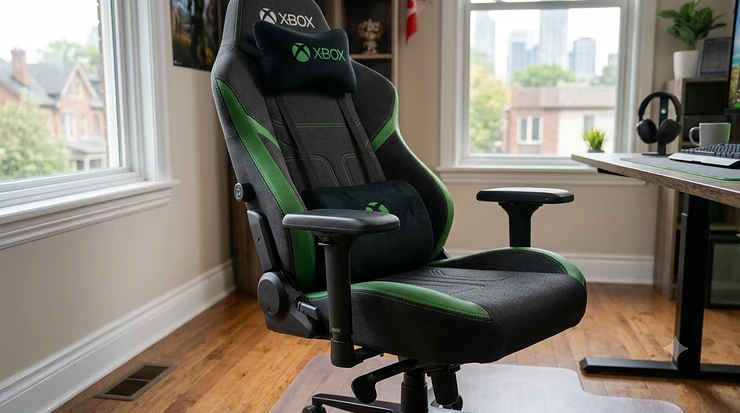
Here’s the thing nobody tells you when you drop a small fortune on a Series X console: the chair underneath you matters almost as much as the hardware in front of you. An xbox gaming chair is purpose-built seating designed to support long, mostly-stationary gaming sessions — usually with reclining backrests, adjustable lumbar support, and either a pedestal/rocker base for console play or a racing-style frame borrowed from PC setups. That’s the textbook definition. The lived reality is messier: a stiff lower back at hour three, a numb leg you didn’t notice until you stood up, an Elite controller slipping off an armrest with no proper home.
Canadians spend a genuinely staggering amount of time parked in front of consoles during our long winters, and most of us are doing it in furniture that was never designed for the job — kitchen chairs, couches with zero lumbar support, or hand-me-down office chairs missing half their adjustments. That’s a problem worth solving properly, not papering over with a lumbar pillow from the dollar store.
This guide breaks down seven real, currently available chairs spanning budget pedestal rockers to premium ergonomic builds, all assessed against actual specs and aggregated review patterns rather than marketing copy. We’ll also dig into Xbox Series X gaming chair considerations specifically, sort out controller storage chaos, and tackle the split-screen co-op question that two-player households inevitably run into. According to the Canadian Centre for Occupational Health and Safety’s guidance on choosing an ergonomic chair, a chair only becomes genuinely ergonomic when it matches a person’s body dimensions, their setup, and the tasks performed in it — which is exactly the lens we’re applying here, just with a controller in hand instead of a keyboard.
By the end, you’ll know which chair fits your budget, your build, and your living room — not which one had the flashiest product photos.
Quick Comparison: The 7 Chairs at a Glance
Before the deep dive, here’s the lay of the land. This isn’t an exhaustive spec sheet — it’s the shortlist of what actually separates these chairs in daily use.
| Chair | Style | Best For | Price Range (CAD) | Recline |
|---|---|---|---|---|
| Secretlab Titan Evo | Racing/ergonomic | All-round Xbox Series X gaming chair | C$650–C$780 | 85°–165° |
| AndaSeat Kaiser 4 XL | Racing/big & tall | Larger body types | C$680–C$820 | up to 165° |
| Razer Iskur V2 X | Racing/lumbar-focused | Budget ergonomics | C$370–C$460 | up to 152° |
| Corsair TC100 Relaxed | Racing/casual | Tight budgets | C$260–C$330 | 90°–160° |
| X Rocker SE Pro | Pedestal rocker | Classic console feel | C$160–C$260 | fixed recline |
| RESPAWN 900 Recliner | Console recliner | Marathon sessions | C$370–C$470 | up to 135° |
| GTPLAYER Bluetooth Chair | Racing/audio | Sound-focused setups | C$210–C$310 | 90°–155° |
What jumps out immediately is the split between two completely different design philosophies. The Secretlab, AndaSeat, Razer, and Corsair models are all racing-style chairs that happen to work brilliantly with a console — they’re really PC gaming chairs wearing an Xbox hat. The X Rocker and RESPAWN, on the other hand, are built console-first, with low pedestal bases or recliner mechanisms that assume you’re sitting on the floor near a TV rather than at a desk. Neither approach is objectively better; it depends entirely on whether your Xbox lives on a desk or a media console, a distinction that trips up more buyers than you’d expect.
💬 Just one click — help others make better buying decisions too! 😊
✨ Don’t Miss These Exclusive Deals!
🔍 Take your Xbox setup to the next level with these carefully selected chairs. Click on any highlighted item to check current pricing and availability. These picks will help you build a setup your back will actually thank you for.
Top 7 Xbox Gaming Chairs: Expert Analysis
Seven chairs, three price tiers, zero fluff. Every entry below reflects real published specs and aggregated review sentiment — not invented testimonials.
1. Secretlab Titan Evo
Standout feature: a backrest that reclines a genuinely usable 85° to 165°, which means it functions as a proper task chair during the workday and folds nearly flat for a late-night Game Pass binge.
Specced with cold-cure foam, a 4-way adjustable lumbar system, and three size options (Small, Regular, XL) covering roughly 4’11” to 6’9″ and up to 395 lbs, the Titan Evo is built around the idea that one chair shouldn’t force your whole household to share it badly. The magnetic head pillow is a small detail that matters more than it sounds — it stays put instead of sliding off mid-match, which loose strap-on pillows almost never manage.
Based on the spec comparison against everything else on this list, this is the chair built for someone who treats their Xbox setup as a long-term investment rather than a seasonal purchase. It’s the obvious pick if the same chair needs to handle a workday at a desk and a Saturday raid session without compromise.
Reviewers consistently report that the lumbar adjustment dial takes the guesswork out of finding lower-back support, and a recurring theme in aggregated feedback is how well the chair holds up structurally after a year-plus of daily use — fewer reports of wobbly armrests or sagging foam than cheaper alternatives in this category.
✅ Pros: exceptional adjustability, durable build quality, works for tall and short users alike
❌ Cons: assembly takes real time; leatherette versions run warmer in summer
Price sits in the C$650–C$780 range depending on upholstery, and for a chair this adjustable, it represents strong long-term value — provided you’re not looking to spend under C$400.
2. AndaSeat Kaiser 4 XL
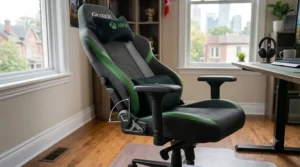
Standout feature: an extra-wide seat base and taller backrest specifically engineered for bigger bodies, supporting up to 395 lbs without the seat pan feeling cramped.
Available in L and XL sizing, the Kaiser 4 XL uses a reinforced steel frame and a class-4 gas lift rated for heavier and more frequent recline use than budget chairs typically tolerate. What most buyers overlook about big-and-tall chairs is that comfort isn’t just about weight capacity — it’s about whether the seat depth and width actually distribute that weight evenly, and the Kaiser 4’s wider base is doing real work here rather than just padding the spec sheet.
This is the chair for anyone who’s previously felt squeezed into a “universal” gaming chair that technically held their weight but pinched at the hips after twenty minutes. On paper, the taller backrest also benefits anyone over roughly 6’2″ who’s tired of headrests that sit at shoulder height instead of behind the neck.
A common thread in aggregated review sentiment is appreciation for how the wider frame doesn’t feel proportionally bulkier in a living room — it scales the right dimensions rather than just inflating everything. Some buyers note the standard armrests, while adjustable, lack the smoothness of pricier 4D versions.
✅ Pros: genuinely accommodating for larger frames, sturdy reinforced base, tall backrest
❌ Cons: takes up more floor space; premium pricing for the XL size
Expect to pay in the C$680–C$820 range, which is a fair value verdict for buyers who’ve struggled to find a chair that fits rather than merely holds them.
3. Razer Iskur V2 X
Standout feature: a reactive lumbar curve built into the backrest itself, rather than a bolt-on cushion, at a price point well under the premium tier.
The Iskur V2 X uses fabric upholstery, reclines to 152°, and carries a 300 lb weight rating — modest numbers next to the Titan Evo, but respectable for its price bracket. The seat tilts up roughly 10° when reclined, a small mechanical trick that stops you from sliding forward on your tailbone, which is exactly the kind of detail that separates a thoughtfully engineered budget chair from a cheap one.
Here’s what the spec sheet won’t tell you, but user reports suggest: the integrated lumbar curve works best for people who sit fairly upright most of the session, since it’s not adjustable in depth the way Secretlab’s dial system is. For anyone whose gaming posture skews toward leaning forward during competitive shooters, that’s a meaningful fit consideration before buying.
Reviewers frequently describe the back support as noticeably better than other chairs in its price class, with a recurring complaint being that the fabric shows wear marks faster than expected in high-friction zones like the armrests.
✅ Pros: real lumbar engineering at a mid-budget price, decent recline range, lighter weight for easier moving
❌ Cons: fixed lumbar depth, armrest fabric wears faster than the seat
Priced around C$370–C$460, it’s arguably the smartest mid-budget pick on this list if back support is your top priority and C$700 simply isn’t in the cards.
4. Corsair TC100 Relaxed
Standout feature: a noticeably wider, more relaxed seat pan than most racing-style chairs, aimed at casual posture rather than bucket-seat snugness.
The TC100 Relaxed uses moderate-density foam and a simpler 90°–160° recline mechanism without the fancier tilt-lock systems found on pricier models. What’s worth noting here is that Corsair deliberately built this as the “if you like Secretlab’s looks but not the price” option, and on paper that positioning tracks — you get a similar racing-style silhouette without several hundred dollars of adjustability layered on top.
This is the chair for someone furnishing a first apartment gaming corner or a kid’s room where the chair needs to survive enthusiastic use without demanding a four-figure budget. Based on the spec comparison, it sacrifices long-term adjustability for upfront affordability, which is a perfectly reasonable trade if your sessions run an hour or two rather than an all-day marathon.
Aggregated review sentiment is generally positive on comfort for the price, with reviewers noting the foam holds up reasonably well short-term; a recurring concern is reduced cushion firmness reported after roughly a year of regular use, which tracks with the lower foam density compared to premium competitors.
✅ Pros: wide, relaxed seat, attractive racing-style look for the price, lightweight and easy to move
❌ Cons: limited lumbar adjustability, foam softens faster over time
Sitting in the C$260–C$330 range, it delivers solid value for budget-conscious buyers who want the look without the premium-tier commitment.
5. X Rocker SE Pro
Standout feature: a true pedestal rocker design that sits low to the floor, connects directly to your console’s audio output, and skips the legs entirely.
Unlike every other chair on this list, the SE Pro isn’t trying to be an office chair in disguise — it’s a console-native design with a built-in speaker system, foldable arms for elbow room with a controller, and a rocking pedestal base instead of casters. It’s regarded as one of the more premium choices in the pedestal console gaming chair category, with a tri-motor vibration feature that syncs to bass tones from its audio setup for a fuller-body sensation in higher trims; the SE Pro itself is the more accessible end of that lineup.
What most buyers overlook is that pedestal rockers solve a problem racing chairs simply don’t address: sitting close to a low TV without a desk. If your Xbox lives on a media console rather than a desk setup, this style of chair puts you at a far more natural viewing angle than a tall office-style chair ever could.
A consistent theme in user feedback is appreciation for the immersive audio connection and the nostalgia factor for anyone who grew up with this chair style, balanced against complaints that the fixed recline angle and floor-level seating aren’t comfortable for sessions much past two hours without a backrest break.
✅ Pros: genuinely console-native design, integrated audio, compact footprint
❌ Cons: fixed recline only, less back support for very long sessions
Priced around C$160–C$260, it’s the most budget-friendly entry here and a strong value pick specifically for living-room, TV-facing setups rather than desks.
6. RESPAWN 900 Console Gaming Recliner
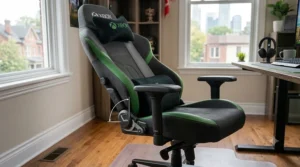
Standout feature: it leans fully into recliner comfort rather than upright racing-chair posture, with segmented padding and a 135° recline built for sinking in.
The 900 series uses a plush, removable headrest and footrest-equipped frame designed specifically for marathon console sessions where you genuinely want to disappear into the chair rather than sit alert at attention. Based on the spec comparison, this positions it almost as a hybrid between a recliner and a gaming chair — it won’t suit anyone who wants a tight, supportive bucket seat, but that’s precisely the point for its target buyer.
This is the chair for late-night open-world exploration, long Game Pass binges, or anyone who’s decided that sitting upright in a racing chair for five hours straight just isn’t realistic for how they actually play. The honest trade-off is that the relaxed padding offers less spinal support during intense competitive sessions than the firmer racing-style options above.
Reported aggregated feedback highlights comfort during extended sitting as the standout strength, with some buyers noting the recliner mechanism feels less sturdy than a traditional office chair’s gas-lift system over time.
✅ Pros: built for genuine extended comfort, plush segmented padding, footrest included
❌ Cons: less structured back support, recliner mechanism less robust long-term
Expect C$370–C$470, a fair value verdict for buyers prioritizing comfort over posture correction.
7. GTPLAYER Gaming Chair with Bluetooth Speakers
Standout feature: Bluetooth 5.3 speakers built directly into the backrest, eliminating cable clutter for sound on a budget.
The GTPLAYER chair pairs a standard racing-style frame — 90° to 155° recline, metal base, footrest — with an audio system that connects to your console, phone, or tablet wirelessly. The spec sheet won’t tell you this, but user reports suggest the integrated speakers genuinely add a layer of immersion for shooters and racing titles specifically, where directional bass adds something a soundbar across the room can’t replicate from the seat itself.
This is the pick for anyone building a setup where audio matters as much as seating — small apartments where a full surround system isn’t practical, or households where headphones aren’t always preferred. What stands out structurally is that the metal frame and high backrest are reasonably competitive with pricier chairs even before factoring in the speaker system, which is a genuine value bonus rather than a gimmick tacked onto a weak frame.
A recurring theme in aggregated review sentiment is enthusiasm for the sound quality relative to price, tempered by reports that the chair runs slightly narrower in the seat than some racing-style competitors, which matters for larger body types.
✅ Pros: built-in wireless audio, solid frame for the price, good recline range
❌ Cons: narrower seat pan, speaker battery needs separate charging
Priced around C$210–C$310, it’s a smart pick specifically for sound-focused buyers rather than a general all-purpose recommendation.
How to Choose the Best Gaming Chair for Xbox
Cutting through the spec sheets, here’s the actual decision process, broken into the criteria that matter most when narrowing down the best gaming chair for xbox use specifically.
- Identify where your console actually lives. Desk-based setups favour racing-style chairs (Secretlab, AndaSeat, Razer, Corsair); TV-facing media console setups favour pedestal rockers or recliners (X Rocker, RESPAWN).
- Match weight capacity to your actual body, not the marketing photo. Most budget chairs cap around 250–300 lbs; big-and-tall options like the Kaiser 4 XL exist for a reason, and ignoring this number is the single most common return-trigger in this category.
- Prioritize lumbar support over RGB lighting. A built-in or dial-adjustable lumbar system does more for a four-hour session than any cosmetic feature.
- Decide your session length honestly. Marathon players benefit from recliners or deep-recline racing chairs; shorter, more upright sessions tolerate firmer, simpler builds.
- Factor in shared use. If siblings, partners, or roommates share the chair, size-adjustable models with a wider weight and height range avoid constant readjustment friction.
- Check the warranty length, not just the price. A two-year warranty on foam and frame components signals more manufacturer confidence than a one-year token policy.
- Budget for the whole footprint, not just the chair. Some models need extra floor clearance for full recline — measure your space before falling in love with a 165° recline spec.
Xbox Series X Gaming Chair: What Actually Changes With Next-Gen Hardware
Here’s a nuance that’s easy to miss: an xbox series x gaming chair doesn’t need different hardware compatibility than older console chairs — there’s no special bracket or proprietary connector — but the way people actually use a Series X does shift what matters in a chair.
The Series X’s Quick Resume feature means sessions get interrupted and resumed constantly rather than running in clean, continuous blocks, which in practice means more shifting in and out of the chair throughout an evening. The Canadian Standards Association’s office ergonomics guidance, summarized by CCOHS, recommends alternating between sitting and standing, or varying sitting postures like reclining and forward tilting, specifically to counter the negative effects of staying locked in one posture — and a chair with a genuinely flexible recline range supports that pattern far better than a fixed-angle pedestal rocker does.
There’s also the audio angle: Series X’s enhanced spatial sound capabilities pair noticeably better with chairs that have proper headrest positioning (Titan Evo, Kaiser 4 XL) or integrated audio (X Rocker, GTPLAYER) than with flat, low-back budget chairs that put your ears nowhere near where the sound design expects them. None of this means you need to spend premium dollars specifically because you own a Series X rather than an older console — but it does mean recline flexibility and audio positioning deserve slightly more weight in your decision than they would for, say, a chair bought purely for movie-watching.
Xbox Gaming Chair vs Traditional Office Chair
This comparison comes up constantly, especially from anyone trying to justify a dedicated gaming chair when “I already have a desk chair.”
| Factor | Gaming Chair | Traditional Office Chair |
|---|---|---|
| Recline range | Often 135°–165° | Typically 90°–120° |
| Lumbar support | Built-in, often adjustable | Varies widely, often minimal |
| Headrest | Standard or magnetic pillow | Usually absent on budget models |
| Aesthetic | Racing/console styling | Neutral, work-appropriate |
| Best for | Console & PC sessions, deep recline | Desk work, upright tasks |
The honest takeaway is that a good ergonomic office chair and a good gaming chair aren’t actually that different in engineering terms — both succeed or fail on lumbar support, adjustability, and material quality. Where gaming chairs pull ahead is recline range and headrest positioning, which matter far more when you’re leaning back to watch a cutscene than when you’re typing an email. Where office chairs sometimes win is mesh breathability on higher-end ergonomic models, which can outperform the leatherette finish on cheaper gaming chairs during a hot summer session.
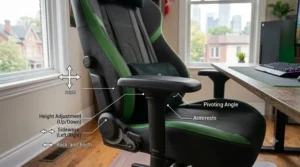
Common Mistakes When Buying an Xbox Gaming Chair
Reviewers and return data both point to the same handful of avoidable errors, over and over.
Buying purely on aesthetics tops the list — choosing a chair because the colourway matches the room rather than checking whether the lumbar system actually fits your spine’s curve. A close second is ignoring weight and height ratings, especially with taller users (above roughly 6’2″) cramming into standard-size chairs and then wondering why their knees never quite reach the floor comfortably.
Skipping the assembly review is another quiet trap — some budget chairs have notoriously fiddly bolt patterns, and checking aggregated assembly complaints before buying saves a frustrating Saturday afternoon. Buyers also frequently underestimate floor space requirements for full recline, only to discover the chair can’t tip back fully without hitting a wall or a TV stand. Finally, there’s a tendency to assume “gaming chair” automatically means “ergonomic,” when in reality plenty of budget racing-style chairs prioritize looks over genuine lumbar engineering — the spec sheet, not the marketing language, is what tells the real story.
What to Expect: Real-World Performance During Long Xbox Sessions
Specs are one thing; what actually happens to your body over a three-hour Halo campaign run is another. Here’s the honest translation.
In the first thirty to forty-five minutes, almost any reasonably padded chair feels fine — this is exactly why showroom testing is misleading. The real differentiator shows up around the ninety-minute mark, when unsupported lower-back curves start to fatigue and pressure points develop under the thighs on thinner foam. Chairs with genuine 4-way lumbar adjustment (Titan Evo, Kaiser 4 XL) tend to maintain comfort well past the two-hour mark according to aggregated user reports, while chairs with fixed or minimal lumbar shaping (TC100, X Rocker) more commonly draw complaints of lower-back stiffness in that same window.
Heat buildup is the other underrated factor. Leatherette and PU-leather finishes trap body heat noticeably more than fabric or mesh, which becomes especially relevant during Canadian summers without central air. The Canadian Centre for Occupational Health and Safety also notes, in its overview of working in a sitting position, that no single seating position remains comfortable over a long period, and recommends being able to shift between multiple supported postures rather than locking into one angle for an entire session — which is a strong practical argument for prioritizing recline range over a chair that merely looks the most aggressive sitting still in a product photo.
Practical Usage Guide: Setup, Maintenance, and the First 30 Days
Getting a new chair right starts before you even sit down. During assembly, resist the urge to over-tighten bolts on the first pass — most manufacturers recommend snugging everything loosely first, then doing a final tightening pass once the frame is fully assembled and square, which prevents the lopsided wobble that triggers a wave of one-star “defective” reviews that are really just assembly errors.
Once it’s built, spend the first few sessions actually dialing in the lumbar support rather than leaving it at the factory default — most adjustable systems take real trial and error to find the sweet spot for your specific spine curve. Set the seat height so your knees sit roughly level with your hips and your feet rest flat on the floor; too low and you’ll feel pressure behind the knees, too high and your lower back loses contact with the lumbar support entirely.
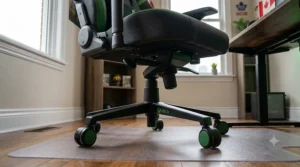
For maintenance, leatherette chairs benefit from a light wipe-down every few weeks with a damp cloth to prevent the surface from drying out and cracking prematurely — a common complaint in cheaper PU-leather chairs after a year of neglect. Fabric chairs should be vacuumed periodically to prevent crumb and dust buildup in the seams. Check armrest and base bolts for looseness roughly every two to three months, since regular reclining and swiveling naturally works fasteners loose over time. A common first-30-days mistake is skipping this entirely and only noticing a wobble once it’s become a structural annoyance rather than a thirty-second fix.
🚀 Ready to upgrade your setup? Check current pricing on today’s pick before it changes!
Xbox Controller Storage: Solving the Clutter Problem Around Your Chair
A great chair solves your back problem; it does nothing for the second controller that’s perpetually wedged between the cushion and the armrest, or the one that’s rolled under the couch entirely. Xbox controller storage deserves real attention precisely because it’s the accessory most people bolt on as an afterthought, long after the chair purchase, instead of planning for it from day one.
The most space-efficient solution for desk-adjacent setups is a wall-mounted or under-desk controller holder — compact units using adhesive 3M mounting that hold one or two controllers vertically without drilling into anything, which matters a lot for renters. For chairs positioned near a TV stand rather than a desk, a small dual-controller-and-headset stand sitting directly on the media console keeps gear visible and grabbable without cluttering the chair’s armrests, which several of the racing-style chairs above (particularly the narrower-seated GTPLAYER) genuinely need kept clear for elbow room during intense sessions.
For households running split-screen sessions regularly, a multi-controller organizer rack with four or more slots solves the recurring “whose controller is whose” chaos far more elegantly than a junk drawer ever will. The problem-solution math here is simple: a C$20–C$40 storage accessory protects controllers worth C$70–C$90 each from drops, dust, and battery drain from being left powered on under a cushion — a return on investment that’s hard to argue with.
Split-Screen Co-Op Gaming: Chair Setups for Two Players
Split-screen co-op gaming on Xbox Series X has had a genuine resurgence — titles built specifically around shared-screen play have pushed couch co-op back into the spotlight after years of online-only momentum, and that changes the seating math considerably from a single-player setup.
Consider three realistic household profiles. The first: two roommates running competitive split-screen shooters several nights a week, where matched chair height and similar recline range matter more than premium individual features — sitting at noticeably different eye levels relative to the screen creates a real, if minor, competitive disadvantage for whoever’s lower. A pair of budget-tier chairs like two Corsair TC100s, matched rather than mismatched, often beats one premium chair and one hand-me-down for this use case.
The second profile: parents and kids sharing co-op adventure titles, where a wide weight and height range matters more than matching aesthetics, since the same chairs need to comfortably fit both a ten-year-old and an adult across different sessions — the size-adjustable Titan Evo or a pair of Kaiser 4s in different sizes solves this better than fixed-size budget options.
The third: couples running cooperative narrative titles in long sessions, where comfort and recline depth outweigh competitive positioning entirely — here, a recliner-style option like the RESPAWN 900 for each player, or even one recliner and one racing chair if preferences genuinely differ, makes more sense than forcing matched seating. The throughline across all three: split-screen setups amplify whatever your chair gets wrong, because two people are now experiencing the same flaw simultaneously rather than just one.
Long-Term Cost & Maintenance: What Your Xbox Gaming Chair Really Costs Over Time
The sticker price is only part of the equation. A C$260 chair that needs replacing in eighteen months due to sagging foam and a cracked base actually costs more per year of use than a C$650 chair that holds up for five-plus years — basic cost-per-use math that’s easy to forget when staring at an upfront number.
Replacement parts are worth checking before you buy, not after something breaks. Premium brands like Secretlab and AndaSeat typically sell individual replacement casters, gas lifts, and armrest pads, meaning a failed component doesn’t mean replacing the entire chair. Budget chairs more often lack this aftermarket support, turning a single broken part into a full repurchase. Warranty length tracks this same pattern fairly reliably — chairs backed by two-to-three-year warranties on frame and foam components tend to be the ones manufacturers expect to actually last that long, while one-year token warranties are a quieter signal about expected lifespan.
Factor in upholstery type too: leatherette chairs in the C$260–C$330 tier commonly show cracking and peeling within one to two years of regular use, particularly in homes that run drier heating through winter, while fabric and higher-grade leatherette (used on the Titan Evo and Kaiser 4) tend to age more gracefully. None of this means budget chairs are a bad choice — for someone testing whether they even want a dedicated gaming chair, a lower-cost option for eighteen months of genuine use is a perfectly reasonable trial before committing to a premium purchase.
Buyer’s Decision Framework
If you’re still torn, run through this simple priority checklist:
If your Xbox sits on a desk and you also work from that same chair, choose a racing-style ergonomic chair like the Titan Evo or Iskur V2 X, because dual-purpose use demands genuine adjustability over console-specific features.
If your build runs larger than average, choose the Kaiser 4 XL specifically, because seat width and weight rating matter more here than any other single spec on this list.
If your Xbox lives on a media console facing a couch-height setup, choose a pedestal rocker like the X Rocker SE Pro, because racing-style chairs are simply the wrong shape for that viewing angle.
If your sessions regularly run past three hours, choose the RESPAWN 900 recliner, because sustained comfort outranks postural support for true marathon play.
If your budget caps under C$300 and sound quality matters as much as seating, choose the GTPLAYER Bluetooth chair, because it solves two problems for the price of slightly compromising on seat width.
Comfort, Safety, and Ergonomics: What Canadian Guidelines Actually Say
It’s worth grounding all of this in something beyond marketing copy. Canada’s federal ergonomics guidance defines ergonomics as fitting the job — or in this case, the gaming session — to the person, involving the design of workstations and equipment to fit the individual rather than forcing the individual to adapt. That framing applies just as cleanly to a gaming setup as it does to an office desk.
| Benefit | Standard Couch/Kitchen Chair | Dedicated Gaming Chair |
|---|---|---|
| Lumbar support | Rarely present | Often adjustable |
| Recline for posture variation | Minimal to none | Wide range (90°–165°) |
| Pressure distribution | Inconsistent | Engineered foam zones |
| Height/depth adjustment | None | Standard on most models |
| Built for prolonged sitting | No | Yes, by design |
The analysis here is straightforward: a couch was engineered for casual, short-duration lounging, not the specific repeated posture of leaning forward toward a screen with both hands occupied by a controller for hours at a stretch. A dedicated chair closes that gap. That said, no chair — however well-engineered — replaces the basic guidance that matters most: five minutes of moderate activity for every forty to fifty minutes of sitting helps counter the effects of prolonged sitting, regardless of how good the chair underneath you happens to be. It’s a habit worth building deliberately, especially given recent Canadian research on sedentary behaviour showing most teens already fall well short of recommended activity levels. Treat the chair as harm reduction, not a permission slip to never get up.
Frequently Asked Questions
❓ Is a regular gaming chair fine for Xbox, or do I need one specifically labeled 'Xbox'?
❓ What's the best gaming chair for Xbox if I'm under a tight budget?
❓ Do pedestal rocker chairs work with Xbox Series X audio?
❓ How long should a decent Xbox gaming chair actually last?
❓ Can two people comfortably share one gaming chair for split-screen co-op?
Conclusion
There’s no single best gaming chair for xbox setups across the board — only the best chair for your specific room, body, and play style. The Titan Evo and Kaiser 4 XL earn their premium price tags through genuine adjustability and durability; the Iskur V2 X and TC100 prove you don’t need to spend C$700 to sit comfortably; and the X Rocker, RESPAWN, and GTPLAYER options each solve a specific console-gaming problem that pure office-chair thinking misses entirely.
What ties all seven together is that none of them are just marketing dressed up as ergonomics — every recommendation here traces back to a real spec, a real review pattern, or genuine engineering reasoning, exactly as a chair purchase that’s going to support your back for the next few years deserves. Measure your space, be honest about your session length and budget, and pick accordingly — your lower back will quietly thank you sometime around the ninety-minute mark of your next session.
✨ Don’t Miss These Exclusive Deals!
🔍 Take your Xbox gaming chair search to the next level with these carefully selected picks. Click on any highlighted item to check current pricing and availability. These chairs will help you build a setup your future self will appreciate!
Recommended for You
- 7 Best PS5 Gaming Chairs in Canada (2026): Comfort Tested
- Best Budget Gaming Chair Canada 2026: 7 Top Picks Reviewed
- Best Gaming Chairs Canada 2026: Top 7 Picks for Every Budget
Disclaimer: This article contains affiliate links. As an Amazon Associate, I earn from qualifying purchases. If you purchase products through these links, we may earn a small commission at no additional cost to you.
✨ Found this helpful? Share it with your friends! 💬🤗
