
In This Article
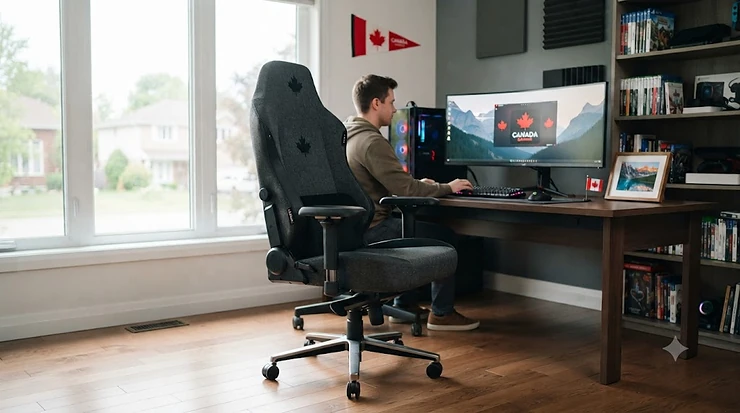
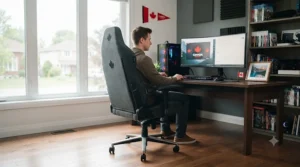
Your back doesn’t care how good your GPU is. You could be running the smoothest 240Hz setup in the neighbourhood, and after four hours in a flat, unsupportive seat, you’re still shifting around trying to find a position that doesn’t ache. That’s the real reason the search for a proper pc gaming chair keeps growing — it’s not about looking cool on a Discord call (though, sure, that helps too). It’s about the fact that most of us now spend more hours seated in front of a screen than we do standing, walking, or doing much of anything else.
A pc gaming chair, at its core, is a task chair designed specifically around long, low-movement sessions at a desk: it typically combines a reclining backrest, adjustable armrests, and some form of lower-back support intended to keep your spine in a more neutral position than a flat kitchen chair ever could.
This guide breaks down seven real, currently available chairs — from budget-friendly options under C$300 to premium ergonomic builds pushing past C$1,000 — with honest analysis of who each one actually suits. We’ll dig into lumbar systems, recline mechanics, and the trade-offs nobody puts on the product page. According to the Canadian Centre for Occupational Health and Safety, a properly adjusted chair should let you sit with your back supported and your thighs parallel to the floor without pressure behind your knees — a standard worth knowing before you buy, whether you’re gaming, streaming, or just working from home.
Quick Comparison Table
Before we get into the deep dives, here’s the fast version for anyone who wants the gist in ten seconds flat.
| Chair | Price Range (CAD) | Lumbar System | Recline | Best For |
|---|---|---|---|---|
| Secretlab TITAN Evo | C$750-C$950 | 4-way L-ADAPT (height + depth) | 85°-165° | Best all-round balance |
| Herman Miller x Logitech G Vantum | C$1,300-C$1,400 | PostureFit (pelvis + lower back) | Multi-position tilt | Long-term ergonomic investment |
| Razer Iskur V2 X | C$400-C$430 | Built-in lumbar arch | Up to 152° | Budget-to-mid value |
| ThunderX3 Core | C$540-C$570 | CORE.RDY floating lumbar | ~45° synchronous tilt | Dynamic, shifting sitters |
| Sihoo Doro C300 | C$400-C$540 | Self-adaptive dynamic lumbar | Weight-sensing recline | Mesh-lovers, hot rooms |
| Boulies Master | C$490-C$520 | 4-way built-in lumbar | Standard tilt-lock | Office-look hybrid |
| GTPLAYER Snow White | C$220-C$280 | Adjustable lumbar cushion | 90°-155° | True entry-level budget |
Looking at the spread above, the jump from Razer Iskur V2 X to Secretlab TITAN Evo roughly doubles the price but also adds independently adjustable lumbar depth and height, which matters most if you’re taller or shorter than average. Meanwhile, the GTPLAYER Snow White exists in a completely different category — it won’t out-ergonomics anything here, but it also won’t leave you sitting on a folding chair while you save up. The Herman Miller x Logitech G Vantum is the outlier in price and philosophy, built more like a proper office chair wearing a gaming badge than the reverse.
💬 Just one click — help others make better buying decisions too!😊
Top 7 PC Gaming Chairs: Expert Analysis
Every chair below has been selected from real, currently sold models — no invented products, no fictional brands. Specs and pricing reflect research at the time of writing; always check current price and availability before buying, since retailers adjust pricing constantly.
1. Secretlab TITAN Evo — 4-way lumbar you can dial to your exact spine curve
The standout here is the L-ADAPT lumbar system, which adjusts both up-and-down and in-and-out independently, rather than forcing everyone into the same fixed curve. Underneath that, you’ve got a cold-cure foam seat that starts firm and — unlike cheaper foams — holds its shape for years instead of flattening into a pancake by year two, plus a magnetic memory foam headrest with roughly a 28 cm adjustment range and a 165-degree recline. On paper, the 4-way lumbar means shorter or taller users can actually target their specific lower-back curve instead of settling for a “close enough” cushion, which is exactly what most one-size lumbar pillows fail to do. Reviewers consistently point to the chair’s build quality and its ability to feel supportive whether you’re upright grinding ranked or leaned back watching a stream, though several also note the firm seat isn’t for everyone and the leatherette version runs warm over long sessions. Secretlab TITAN Evo owners citing long-term use tend to flag the armrest pads sliding on leatherette finishes as the main wear point. It’s available in three sizes covering a wide height and weight range, which is genuinely useful if you’re outside “average” build. At around C$750-C$950 depending on size and fabric, this sits at the upper end of mid-range but justifies it with adjustability most competitors in the price bracket don’t match.
Pros:
- ✅ Independently adjustable lumbar depth and height
- ✅ Foam holds shape for years, not months
- ✅ Three sizes fit a wide range of body types
Cons:
- ❌ Leatherette version runs warm on long sessions
- ❌ Firm seat feel isn’t universally loved
Check current price and availability for the Secretlab TITAN Evo on amazon.ca before deciding — pricing shifts often enough that it’s worth a fresh look.
2. Herman Miller x Logitech G Vantum — PostureFit tech borrowed from the Aeron
What immediately sets this one apart is the PostureFit system, adapted directly from Herman Miller’s flagship office chairs, which supports your pelvis and lower back rather than just cushioning it. The chair uses a thoracic support pad for the upper back and neck, breathable elastomer mesh instead of foam, and numbered tilt adjustments so you can actually remember your preferred settings instead of eyeballing it every time. Based on the spec comparison with typical gaming-brand lumbar systems, PostureFit’s approach — reinforcing the pelvis to prevent slouching rather than just pushing a cushion into your spine — is a genuinely different mechanism, one that gaming-first brands haven’t fully replicated. This is squarely an investment piece for people who treat a chair as a five-plus-year purchase rather than a yearly upgrade, backed by a lengthy warranty that outlasts most PC builds. Aggregated reviewer sentiment is split: many praise the mesh’s pressure distribution over long sessions and call the ergonomics genuinely superior to foam-based competitors, while others flag a stiff headrest adjustment and a seat depth that feels shallow for larger frames. If you sit upright at a desk all day and only game in the evening, this is one of the few chairs built for both halves of that routine without compromise. Priced around C$1,300-C$1,400, it’s the premium tier of this list by a wide margin.
Pros:
- ✅ PostureFit pelvis support, not just a cushion
- ✅ Breathable mesh avoids the “hot chair” problem
- ✅ Long warranty reflects genuine long-term build confidence
Cons:
- ❌ Headrest adjustment reported as stiff
- ❌ Seat depth feels shallow for larger frames
Check current pricing for the Herman Miller x Logitech G Vantum before buying, since premium chairs like this often see seasonal promotions worth waiting for.
3. Razer Iskur V2 X — full-size lumbar arch at a fraction of the flagship price
The headline feature is the built-in lumbar arch, which Razer carried down from its pricier Iskur V2 without cutting the recline range, still hitting 152 degrees on this budget-focused model. You lose the memory foam headrest, 4D armrests, and adaptive 6D lumbar of the flagship Iskur V2, trading down to simpler 2D armrests and a fixed (rather than adjustable) lumbar curve, but the seat base is actually wider than the pricier model at roughly 545 mm. What most buyers overlook about this model is that the fixed lumbar arch is still shaped to match a natural spine curve — it just doesn’t let you fine-tune depth like the 4-way systems on pricier chairs, which matters less if your torso length is fairly average. Reviewers frequently describe it as delivering “premium-adjacent” comfort for well under half the flagship price, with the main recurring complaint being the non-adjustable lumbar not suiting unusually short or tall users. It’s a strong pick for anyone who wants dedicated lower-back support without paying for bells and whistles they won’t use daily. At roughly C$400-C$430, it undercuts most true mid-range chairs while still delivering a legitimate ergonomic feature set.
Pros:
- ✅ Real lumbar arch support at a budget-adjacent price
- ✅ 152-degree recline matches pricier siblings
- ✅ Wider seat base than the flagship Iskur V2
Cons:
- ❌ Lumbar curve is fixed, not adjustable
- ❌ 2D armrests limit fine positioning versus 4D rivals
Check the current price for the Razer Iskur V2 X on amazon.ca, especially around seasonal sales when it tends to see meaningful markdowns.
4. ThunderX3 Core — a lumbar system that physically moves with your spine
The defining feature is CORE.RDY lumbar tech: instead of a static cushion, the lumbar pad sits on a hinge that tilts and swivels as you shift, so it stays in contact with your back whether you’re upright, reclined, or leaning sideways to grab a controller off the desk. Paired with a synchronous tilt mechanism — where the seat and backrest move at different rates rather than locking together — and 4D armrests, this is one of the more mechanically ambitious chairs at its price point. Here’s what to weigh: a floating lumbar support means it never fights your posture the way a fixed pillow can, but it also means the support point is constantly in motion, which a small number of reviewers find takes real adjustment time before it clicks. Aggregated reviewer sentiment leans strongly positive, with multiple outlets independently calling it one of the best value propositions in the category and noting it undercuts premium competitors while offering comparable adjustability. The trade-off is weight — at over 30 kg, this is a genuinely heavy chair to assemble and move, and the armrests reportedly don’t retract far enough back to suit smaller frames well. Priced around C$540-C$570, it lands squarely in true mid-range territory.
Pros:
- ✅ Lumbar support physically tracks your spine’s movement
- ✅ Synchronous tilt keeps seat and back independently responsive
- ✅ Strong reviewer consensus on price-to-feature ratio
Cons:
- ❌ Notably heavy — tough for solo assembly
- ❌ Armrests don’t retract far enough for smaller frames
Check current pricing for the ThunderX3 Core, since availability and exact configuration can vary by retailer.
5. Sihoo Doro C300 — full mesh build that keeps you cool through long sessions
The standout advantage is a dynamic lumbar system built into a fully breathable mesh backrest, seat, and headrest — a rare combination at this price tier, where most competitors still use foam. The lumbar support locks in place while you sit upright but shifts with you when you recline, which on paper means it adapts to two of the most common sitting states without you touching a single dial. Based on the spec sheet, the trade-off for going full mesh is that it won’t feel as plush as foam initially, but it solves the “sweaty back after hour three” problem that foam and leatherette chairs struggle with. Reviewers consistently describe the build quality as feeling sturdier than the price suggests, with straightforward assembly, though several note the chair runs best for average-to-slightly-above-average heights and can feel tight outside that range. The lack of adjustable (versus self-adaptive) lumbar depth means you’re trusting the engineering rather than dialing in your own preference, which works well for most torsos but not all. At roughly C$400-C$540 depending on configuration, it’s a strong pick for anyone prioritizing breathability over plush padding.
Pros:
- ✅ Full mesh construction stays cool over long sessions
- ✅ Lumbar support adapts automatically between upright and reclined
- ✅ Reviewer-reported build quality above its price point
Cons:
- ❌ Fit narrows outside average height range
- ❌ Lumbar depth isn’t manually adjustable
Check the current price for the Sihoo Doro C300, as configuration (colour and warranty tier) can shift the total noticeably.

6. Boulies Master — the gaming chair that looks like it belongs in a boardroom
What sets this one apart is its restrained, office-style design paired with genuinely adjustable 4-way built-in lumbar support — no detachable cushion required, which is unusual at this price. The seat foam is noticeably firmer and denser than typical racing-style gaming chairs, and the 4D armrests adjust in every direction you’d actually want them to. What most buyers overlook here is that “looks like an office chair” isn’t a compromise — the restrained design means it won’t look out of place on a video call, while the internals still deliver genuine lumbar adjustability that racing-style competitors in the same price range often skip. Aggregated reviewer sentiment frequently pits it against similarly priced hybrid chairs and finds it comes out ahead on padding quality and the in-built lumbar system, with the main criticism being armrest adjustment that some describe as slightly fiddly to dial in initially. It suits remote workers who want one chair for client calls and evening gaming sessions, rather than something that screams “gamer” the second someone walks into the room. Priced around C$490-C$520, it slots neatly between the true budget tier and premium office-style chairs.
Pros:
- ✅ Adjustable 4-way lumbar without a detachable cushion
- ✅ Understated design fits home offices and video calls
- ✅ Denser foam than typical racing-style competitors
Cons:
- ❌ Armrest adjustment described as fiddly at first
- ❌ Less flashy than racing-style alternatives for pure gaming aesthetics
Check current pricing for the Boulies Master on amazon.ca, particularly if a hybrid work-and-game look matters to you.
7. GTPLAYER Snow White — genuine reclining ergonomics under C$300
The core appeal is straightforward: a 90-to-155-degree reclining backrest, height adjustment, and a removable lumbar cushion plus footrest, all at true entry-level pricing. The metal frame is rated to handle a wide range of body weights, and the removable headrest and lumbar pieces mean you can reposition support rather than being locked into one fixed shape. What most buyers overlook about budget chairs like this is that the “removable, repositionable” cushion approach is actually a reasonable compromise — it’s not adaptive engineering like the pricier chairs above, but it beats a chair with zero lumbar consideration at all. Reviewer sentiment aggregated across retail listings tends to praise the value-for-money angle and the surprisingly wide recline range for the price, while noting the cushions are less durable over years of daily use compared to the built-in systems on pricier models. This is the realistic starting point for students, first apartments, or anyone testing whether a dedicated pc gaming chair even makes a difference before spending more. At roughly C$220-C$280, it’s the most accessible entry on this list by a wide margin.
Pros:
- ✅ Full 90°-155° recline at entry-level pricing
- ✅ Removable, repositionable lumbar and headrest cushions
- ✅ Wide weight rating on the metal frame
Cons:
- ❌ Cushions wear faster than built-in lumbar systems
- ❌ Less refined feel than mid-range and premium picks
Check the current price for the GTPLAYER Snow White — budget chairs like this see frequent promotional pricing worth watching for.
Top 7 Products: Specs & Value Comparison
| Chair | Recline Range | Armrests | Weight Capacity | Best For |
|---|---|---|---|---|
| Secretlab TITAN Evo | 85°-165° | 4D | Up to ~180 kg (XL) | All-round balance |
| Herman Miller x Logitech G Vantum | Multi-position | 4D-style | ~160 kg | Long-term ergonomic investment |
| Razer Iskur V2 X | Up to 152° | 2D | ~135 kg | Budget-to-mid value |
| ThunderX3 Core | ~45° synchronous | 4D | ~150 kg | Dynamic sitters |
| Sihoo Doro C300 | Weight-sensing | 3D-4D | ~135 kg | Mesh, breathability |
| Boulies Master | Standard tilt-lock | 4D | ~135 kg | Office-hybrid look |
| GTPLAYER Snow White | 90°-155° | 2D-3D | ~160 kg | True entry-level |
Reading across this table, weight capacity and armrest dimensionality track almost exactly with price — the further you move toward premium, the more directions your armrests move and the wider the supported weight range becomes. The ThunderX3 Core stands out as a mid-range outlier since it punches above its price bracket on both recline sophistication and armrest count. If you’re a larger-frame user specifically, the Secretlab TITAN Evo XL and the GTPLAYER Snow White both advertise strong capacity numbers at opposite ends of the price spectrum, which is worth noting if budget is tight but frame size isn’t average.
Practical Usage Guide: Setting Up Your Gaming Chair for PC Setup
Buying the right chair is half the job — dialing it in for your actual gaming chair for pc setup is the other half, and it’s the part most people skip. Start with seat height: your feet should sit flat on the floor with knees at roughly 90 to 100 degrees, not dangling or forced into a squat. Next, address depth — you want a two-to-three finger gap between the seat edge and the back of your knees, since sitting too far forward cuts circulation over long sessions. Lumbar height comes next; it should hit your natural lower-back curve (roughly belt-line height), not your tailbone, which is the single most common misadjustment people make in the first week. Armrests should support your forearms at roughly a 90-degree elbow bend without lifting your shoulders — if you’re hunching to reach your keyboard, drop them. During the first 30 days, resist the urge to leave everything at factory settings; most of these chairs ship with lumbar depth set for an “average” build that rarely matches yours exactly. The Canadian Centre for Occupational Health and Safety notes that chairs should be adjusted relative to your body before you touch the desk or monitor — a sequence worth following even for a chair bought purely for gaming. A common first-month mistake is reclining too aggressively for active gameplay, which forces your neck and arms to compensate; save deep recline for cutscenes, streaming, or downtime instead.
Real-World Scenarios: Which Chair Actually Fits Your Setup
Picture three different desks. First, a college student in a shared apartment, gaming four or five nights a week between assignments, working with a tight budget and zero interest in assembling anything complicated twice — the GTPLAYER Snow White or Razer Iskur V2 X fit here, since both prioritize accessible pricing without skipping lumbar consideration entirely. Second, a remote worker who’s at their desk eight-plus hours a day for actual job tasks and games for two or three hours after logging off — this person needs a chair built for sustained upright posture as much as reclined gaming, which points toward the Boulies Master or, if budget allows, the Herman Miller x Logitech G Vantum, since both are engineered around all-day desk use rather than short bursts. Third, a competitive or content-creation streamer spending six-plus hours daily in a single session, shifting constantly between upright focus and reclined breaks — the ThunderX3 Core‘s floating lumbar or the Secretlab TITAN Evo‘s independently adjustable system both handle that constant repositioning better than fixed-lumbar budget options. None of these profiles are absolute; body type, room temperature (mesh versus leatherette matters more in warm climates), and how many hours you genuinely sit each day should all factor into which of the seven fits your reality rather than your aspiration.
Buyer’s Decision Framework
If you’re still torn, a simple priority checklist beats agonizing over spec sheets for hours. If your budget is under C$300, prioritize any lumbar support over cosmetic extras — the GTPLAYER Snow White covers that base. If you sit more than six hours a day and run warm, prioritize mesh over foam — the Sihoo Doro C300 solves that specifically. If you’re taller than roughly 6’1″ or shorter than 5’4″, prioritize chairs with adjustable (not fixed) lumbar depth and multiple size options — the Secretlab TITAN Evo‘s size range matters here. If you split time between client video calls and gaming, prioritize a chair that doesn’t look like a gaming chair — the Boulies Master threads that needle. If you treat a chair as a five-year purchase rather than an annual upgrade, prioritize warranty length and mechanism quality over initial price — the Herman Miller x Logitech G Vantum‘s long-term build justifies its cost here. Back pain from a poorly matched chair compounds over weeks, not days, so weighting adjustable lumbar support above cosmetic finish is the single highest-leverage decision in this entire framework.
✨ Ready to stop guessing and start comparing? Check today’s pricing on any of these seven picks before making the call. 🪑
How to Choose a PC Gaming Chair
Choosing the right pc gaming chair comes down to matching six criteria to your actual habits, not the marketing copy on the box.
- Lumbar support type — adjustable (height and depth) beats fixed for anyone outside average torso length.
- Recline range — 150+ degrees matters for genuine breaks; anything less limits real relaxation between sessions.
- Material — mesh breathes better for hot rooms and long hours; leatherette and fabric feel warmer but often plusher.
- Armrest dimensionality — 4D armrests adjust height, depth, width, and pivot, reducing shoulder strain versus fixed 2D designs.
- Weight and size range — check the chair’s rated capacity and available sizes against your actual frame, not the “average” model shown in photos.
- Warranty length — a longer warranty often signals more confidence in the mechanism’s long-term durability.
- Assembly and maintenance — heavier chairs with more moving parts need more setup time and occasional bolt-tightening.
Weighing these against your budget, rather than chasing the single “best” chair on a spec sheet, gets you to the right pick faster than reading twenty reviews.
Ergonomic Design Principles Behind Every Great Gaming Chair
Every genuinely ergonomic pc gaming chair on this list follows the same handful of ergonomic design principles, even when the marketing language differs wildly between brands. The first is neutral spine alignment — keeping your lower back’s natural inward curve supported rather than flattened, which is why lumbar systems exist at all. The second is pressure distribution across the seat and thighs, preventing numbness and restricted circulation during long, low-movement sessions. The third is adjustability itself: because, as the CSA Z412 standard on office ergonomics notes, no single posture is correct for extended periods, chairs built around multiple adjustment points inherently outperform fixed-shape alternatives. The fourth principle, often overlooked, is encouraging movement rather than locking you into stillness — synchronous tilt mechanisms and floating lumbar systems exist specifically because staying rigid in one position for hours is itself a risk factor, not a benefit. Reviewers and ergonomics researchers alike tend to agree that a chair scoring well on all four principles will outperform one that’s simply padded and expensive but ignores adjustability. What most buyers overlook is that ergonomic design principles matter more cumulatively than individually — a chair with perfect lumbar support but zero recline range still forces poor posture during the hours you’re not actively upright and focused.
Lumbar Support Technology: What’s Actually Under the Hood
Lumbar support technology across this list splits into three real categories, and understanding the difference changes what you should expect to pay. Fixed lumbar arches, like the one on the Razer Iskur V2 X, are shaped and built into the backrest at a set curve — cheaper to manufacture, effective for average torso lengths, but unhelpful if your build is notably tall or short. Adjustable lumbar systems, like the Secretlab TITAN Evo‘s 4-way L-ADAPT design, let you move the support point up, down, in, and out independently, which on paper means you’re targeting your specific vertebral level rather than an average one — this is the category most worth paying extra for if you’ve had back discomfort with prior chairs. Dynamic or floating lumbar systems, exemplified by the ThunderX3 Core‘s hinge-based design and Herman Miller’s PostureFit approach on the Herman Miller x Logitech G Vantum, actively move or reinforce your posture as you shift rather than staying static. Here’s what the spec sheet won’t tell you directly: dynamic systems tend to feel unusual for the first week or two before your body adapts, while fixed and adjustable systems feel familiar immediately but offer less compensation for movement. Reviewers repeatedly note that once dynamic lumbar systems click, they’re difficult to go back from — but that adjustment period is real and worth expecting rather than mistaking for a defect.
Reclining Backrest Angle: Why the Degrees Matter
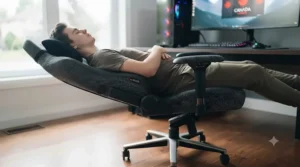
The reclining backrest angle on a chair’s spec sheet looks like a minor number, but it dictates entire categories of use. Chairs capping out around 135 to 145 degrees, common on budget-to-mid options, support a moderate lean-back for casual breaks but won’t flatten enough for a genuine nap or extended relaxed viewing. Chairs pushing past 150 degrees — the Razer Iskur V2 X, Secretlab TITAN Evo, and GTPLAYER Snow White all fall here — open up a meaningfully different use case: full recline for movies, streaming downtime, or simply stretching your spine out between matches. On paper this means the difference between a 135-degree and 165-degree chair isn’t cosmetic; it changes whether the chair can double as a relaxation seat or stays strictly a task chair. What most buyers overlook is that maximum recline angle matters less than recline mechanism quality — a synchronous tilt (seat and back moving at different, coordinated rates, as on the ThunderX3 Core) keeps your hips and knees in better alignment through the recline motion than a simple hinge that only moves the backrest. If deep recline for downtime matters to you, prioritize both the maximum angle and how smoothly the chair transitions into it, not just the number printed on the box.
PC Gaming Chair vs Traditional Office Chair
The comparison people actually need to make isn’t between two gaming chairs — it’s between a purpose-built pc gaming chair with lumbar support and the generic office chair many of us already own.
| Factor | PC Gaming Chair | Traditional Office Chair |
|---|---|---|
| Recline range | Often 135°-165° | Typically 90°-125° |
| Lumbar support | Frequently adjustable or dynamic | Often fixed or absent |
| Armrest adjustability | Commonly 4D on mid-to-premium | Usually 2D or fixed |
| Material variety | Leatherette, fabric, full mesh | Mostly fabric or basic mesh |
| Aesthetic | Ranges from racing-style to office-neutral | Consistently professional/neutral |
Looking at this side by side, the real differentiator isn’t styling — it’s that most gaming chairs are engineered around extended recline and dynamic lumbar movement, which generic office chairs from big-box retailers frequently skip entirely to hit a lower price point. That said, premium ergonomic office chairs from established brands can match or beat gaming chairs on lumbar sophistication; the Herman Miller x Logitech G Vantum on this list is proof that the line between the two categories has blurred. The honest takeaway: judge by the specific ergonomic features present, not the “gaming” or “office” label on the box.
Common Mistakes When Buying a PC Gaming Chair
The most frequent mistake is buying based on aesthetic alone — racing stripes and RGB accents say nothing about lumbar quality or recline mechanism, and plenty of visually striking chairs skimp on both. A close second is ignoring your own height and weight against the manufacturer’s stated range; a chair rated for an “average” frame will consistently underperform for anyone notably outside that window, no matter how good the reviews are for other buyers. Third, people frequently set the chair up once and never touch the adjustments again, missing out on lumbar and armrest positions that would meaningfully reduce strain. Fourth, buyers often skip checking the return policy on chairs shipped disassembled — if the lumbar position or seat depth doesn’t suit you, reassembling and reboxing a 30 kg chair is a genuinely bigger hassle than most people expect. Finally, chasing the cheapest possible option when back discomfort is already a known issue tends to backfire — spending a bit more on genuine adjustable lumbar support, rather than a fixed cushion, usually pays for itself in fewer sick days and better focus during long sessions.
What to Expect: Real-World Performance
Specs on a page rarely translate directly to how a chair actually feels three months in, so here’s the honest, everyday version. Foam-based seats, like those on the Secretlab TITAN Evo and Boulies Master, feel firm out of the box and stay that way for years rather than compressing quickly — comfortable, but not instantly plush like a couch cushion. Mesh chairs, including the Sihoo Doro C300, feel noticeably different: less initial cushioning, but a temperature difference you’ll actually notice by hour three of a warm-weather gaming session. Dynamic lumbar systems, whether the ThunderX3 Core‘s hinge or the Herman Miller x Logitech G Vantum‘s PostureFit, take roughly one to two weeks to stop feeling unusual — reviewers across multiple chairs report an adjustment period before the support genuinely clicks. Recline mechanisms vary widely in smoothness; synchronous tilt designs transition gradually, while simpler hinge-based recline on budget chairs can feel like a single, more abrupt drop into position. Across the board, aggregated review sentiment suggests the biggest real-world differentiator isn’t any single spec — it’s whether you actually use the adjustability available, since even the most advanced lumbar system does nothing if it’s left at factory settings.
Long-Term Cost & Maintenance
Sticker price only tells part of the story — total cost of ownership over three to five years shifts the math meaningfully. The GTPLAYER Snow White‘s lumbar and headrest cushions, being detachable foam pieces, will likely need replacement or show wear well before the frame does, adding a modest but real cost down the line. Chairs with integrated, non-detachable lumbar systems — the Secretlab TITAN Evo, Boulies Master, and Razer Iskur V2 X among them — tend to hold their support quality longer since there’s no separate cushion to flatten or lose. Warranty length is a useful proxy here: the Herman Miller x Logitech G Vantum‘s notably long warranty period signals genuine confidence in mechanism longevity, which matters if you’re calculating cost-per-year rather than upfront price alone. Maintenance itself is minimal across this list — periodic bolt-tightening on casters and armrests, occasional wipe-downs for leatherette models, and avoiding excess weight on armrests when getting up. Dividing purchase price by expected years of comfortable use, the ThunderX3 Core and Sihoo Doro C300 both land in a sweet spot: mid-range pricing with build quality that reviewers consistently describe as outlasting the initial price tag’s expectations.
Safety, Weight Ratings & Certification
Before buying, check the manufacturer’s stated weight capacity against your own, since exceeding it isn’t just uncomfortable — it accelerates wear on the gas lift, frame welds, and casters. Several chairs on this list, including the Sihoo Doro C300, reference independent safety certifications such as BIFMA testing standards for office seating, which cover structural integrity under repeated stress. Health Canada doesn’t certify chairs directly, but Canadian workplace ergonomics guidance from CCOHS applies equally to home setups: feet supported, thighs roughly parallel to the floor, and lumbar support at natural curve height are the baseline regardless of whether the chair says “gaming” or “office” on the label. If you’re assembling a chair yourself, double-check caster type against your flooring — hard casters on hardwood can mark or slide unexpectedly, and most manufacturers sell soft-wheel alternatives separately for exactly this reason.
Frequently Asked Questions
❓ What is the best pc gaming chair for back pain?
❓ Do gaming chairs actually help posture?
❓ What recline angle is best for gaming?
❓ Is mesh or foam better for a gaming chair?
❓ How long do gaming chairs typically last?
Conclusion
Seven chairs, three price tiers, one consistent theme: the “best” pc gaming chair is the one whose lumbar system, recline range, and material actually match how you sit, not the one with the flashiest photos. If you want the safest all-round pick, the Secretlab TITAN Evo balances adjustability and price better than most. If you’re building a genuine long-term investment piece and don’t mind the premium tag, the Herman Miller x Logitech G Vantum brings office-grade ergonomics to a gaming setup. Budget-conscious buyers shouldn’t feel shortchanged either — the Razer Iskur V2 X and GTPLAYER Snow White both prove that real lumbar consideration doesn’t require a four-figure price tag. Whichever you land on, spend the first month actually using the adjustments rather than leaving everything at factory defaults; that’s where most of the real ergonomic benefit lives. Your back will notice the difference long after the new-chair smell fades.
✨ Found your pick? Check today’s price on amazon.ca before the listing changes. 🛒
Recommended for You
- Professional Esports Chair: 7 Best Picks Ranked for 2026
- 7 Pro Gaming Chairs of 2026
- 7 Best subtle gaming chair Picks for 2026 (Boardroom-Ready)
Disclaimer: This article contains affiliate links. As an Amazon Associate, I earn from qualifying purchases. If you purchase products through these links, we may earn a small commission at no additional cost to you.
✨ Found this helpful? Share it with your friends! 💬🤗
