
In This Article
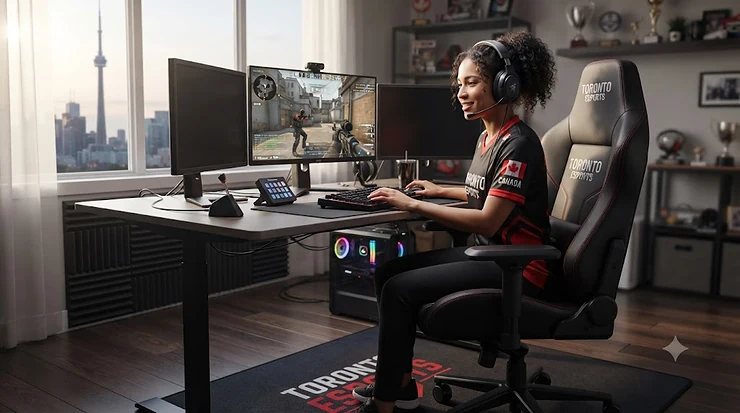
A professional esports chair is a high-performance seat engineered for multi-hour competitive gaming — combining adjustable lumbar and headrest support, breathable upholstery, and a reinforced steel frame that holds up under the repeated shifting, leaning, and mechanical-keyboard pounding of tournament play. If you’ve ever watched a Valorant or League of Legends broadcast and noticed the identical black-and-branded seats lined up behind every player, you already know these chairs are as much a part of the competitive furniture as the monitors themselves.
Here’s the thing nobody tells you when you start shopping: the “gaming chair” aisle on Amazon.ca is a minefield of look-alike products, and the difference between a chair built for eight-hour scrim blocks and one that’s basically a padded lawn chair with a racing stripe often isn’t obvious from the product photos. Canadian esports fandom has grown fast enough to matter here too — industry surveys reported by CBC put the number of declared esports fans in Canada at roughly 5.7 million, which is a big enough audience that “what chair do the pros actually sit in” has become a legitimately common question, not just a niche one.
This guide breaks down seven real, currently available models spanning budget, mid-range, and premium tiers, with honest analysis built from published specifications and aggregated reviewer sentiment — not fabricated hands-on claims. You’ll get a full comparison of what separates a genuine professional esports chair from a dressed-up desk chair, how team sponsorship deals and signature pro player models actually work, and a practical framework for matching a chair to your own setup, budget, and body type. Whether you’re gearing up a home broadcast/stream setup chair corner or kitting out an entire school esports team chair roster, there’s a pick here for you.
Quick Comparison Table
| Chair | Tier | Price Range (CAD) | Standout Feature | Best For |
|---|---|---|---|---|
| Corsair TC100 Relaxed | Budget | C$200–C$370 | Roomy 375mm seat, included lumbar pillow | Entry-level streamers |
| Razer Iskur V2 X | Budget-Mid | C$400–C$450 | Built-in lumbar curve at a low price | Value-focused competitors |
| Corsair TC200 | Mid | C$300–C$410 | Tall backrest, wide seat, firmer feel | Taller players, shared desks |
| DXRacer Craft | Mid | C$610–C$680 | Deep esports-team skin catalogue | Team/org branding |
| Secretlab TITAN Evo | Premium | C$650–C$950 | Two-knob adjustable lumbar, magnetic pillow | Pro-roster staple |
| AndaSeat Kaiser 4 | Premium | C$640–C$780 | 24° pop-out pivoting lumbar | Deep customization seekers |
| Razer Iskur V2 | Premium | C$870–C$950 | 6D lumbar with height/depth/swivel control | Marathon scrim sessions |
Looking at the full spread, the gap between the cheapest and priciest chair here is roughly C$700, but the real differentiator isn’t upholstery — it’s how each chair’s lumbar mechanism holds up over a six-hour scrim block. Budget picks like the Corsair TC100 Relaxed rely on a stuffed pillow that can migrate or flatten with use, while premium options like the Razer Iskur V2 build the lumbar curve directly into the frame so it never shifts out of place. If you’re outfitting more than one seat — say, a full esports team chair setup for a school or club — the mid-tier DXRacer Craft often makes more financial sense than stretching every seat to premium pricing.
💬 Just one click — help others make better buying decisions too!😊
Top 7 Professional Esports Chairs: Expert Analysis
Every model below was selected after digging into real specifications, current Amazon.ca listings, and aggregated reviewer feedback across independent hardware outlets. None of these are invented — if you search any of these names, you’ll find the same chair.
1. Corsair TC100 Relaxed — budget hero for entry-level streaming desks
The Corsair TC100 Relaxed earns its “budget hero” tag by nailing the basics without cutting corners that actually matter for posture. The frame uses a steel-reinforced class-4 gas lift for height adjustment, and the seat itself is a genuinely roomy 375mm wide — noticeably more forgiving than the narrow bucket seats common at this price. What that width means in practice: you can sit cross-legged or shift positions during a long ranked grind without your hips fighting the side bolsters, something narrower racing-style seats don’t allow.
Reviewers consistently describe the included adjustable lumbar pillow and detachable memory foam neck cushion as surprisingly effective for the price, though a recurring complaint in user feedback is that the fabric can snag during initial assembly around the screw holes. Based on the spec comparison against pricier alternatives, this is the chair for someone building their first broadcast/stream setup chair corner who isn’t ready to spend premium money on a seat they might swap out in a year or two.
Pros:
- ✅ Roomy 375mm seat fits more body types comfortably
- ✅ Steel-frame gas lift feels sturdy at this price point
- ✅ Detachable lumbar and neck pillows included in the box
Cons:
- ❌ Fabric can catch on screws during assembly
- ❌ Lumbar pillow may shift position over months of use
Priced around C$200-C$370 depending on colourway and current promotions, the Corsair TC100 Relaxed delivers real value for anyone easing into competitive gaming without committing to a four-figure setup. Check current price and availability on Amazon.ca, as this model rotates through frequent sales.
2. Razer Iskur V2 X — best value signature lumbar system
The Razer Iskur V2 X is Razer’s stripped-down take on its flagship Iskur line, and what most buyers overlook is that the lumbar engineering — the actual reason people pay premium prices for the full Iskur — survived the cost-cutting almost entirely intact. The built-in lumbar curve is molded directly into the backrest rather than bolted on as an afterthought, giving it a firmer, more consistent shape than pillow-style budget chairs.
What got trimmed to hit the lower price: you lose the multi-directional 6D armrest adjustment and get simpler 2D arms instead, plus a single upholstery option rather than Razer’s usual colour range. Reviewers repeatedly flag the durable fabric finish and quick assembly as standout positives, with the main gripe being the limited two-colourway selection. On paper, this makes the V2 X the closest thing to a signature pro player model lumbar system you can get without paying full Iskur money — Razer essentially ported its esports-grade ergonomics down a price tier rather than building a lesser chair from scratch.
Pros:
- ✅ Molded-in lumbar curve rivals pricier Razer models
- ✅ Durable metal base outlasts typical plastic budget frames
- ✅ Quick, straightforward assembly out of the box
Cons:
- ❌ Only one upholstery option available
- ❌ Simpler 2D armrests versus flagship 6D design
Sitting in the C$400-C$450 range at the time of research, the Razer Iskur V2 X is arguably the smartest mid-budget pick for anyone who wants Razer’s actual ergonomic engineering rather than just the branding.
3. Corsair TC200 — sleekest looks for shared broadcast setups
The Corsair TC200 trades some of the TC100’s plush padding for a firmer, more office-hybrid feel, and that firmness is deliberate — Corsair built this one with a taller backrest and wider frame specifically to suit taller users and shared-desk environments where multiple people rotate through the same seat. That’s a meaningfully different design goal than most single-owner gaming chairs.
Here’s what the spec sheet won’t tell you but reviewers note repeatedly: the extra backrest height genuinely helps with neck fatigue during long broadcast sessions where you’re constantly glancing between a stream overlay and gameplay, since you’re not craning against a headrest that stops too low. The firmer cushion also resists the “hammocking” sag that softer budget foams develop after a year of daily use. This makes the TC200 a natural pick for a broadcast/stream setup chair used by multiple hosts or co-streamers who don’t want the seat molding to one specific body.
Pros:
- ✅ Taller backrest suits taller users and shared desks
- ✅ Firmer foam resists long-term sagging better than soft budget foam
- ✅ Available in both leatherette and fabric finishes
Cons:
- ❌ Firmer feel may not suit those who prefer plush seating
- ❌ Fewer premium ergonomic adjustments than higher tiers
Available around C$300-C$410 CAD depending on finish and promotions, the Corsair TC200 is worth the modest step up from the TC100 if your setup gets shared or your sessions run especially long.
4. DXRacer Craft — most team-branded skins in competitive esports
The DXRacer Craft stands out for a reason that has nothing to do with foam density: DXRacer has spent over a decade building relationships with esports organizations and game publishers, and the Craft line carries one of the deepest catalogues of officially licensed team and game skins on the market — everything from specific esports team chair liveries to franchise tie-ins. If visual identity matters to your setup as much as comfort does, that catalogue depth is a real differentiator competitors haven’t matched.
Underneath the branding, the Craft uses a solid steel frame and class-4 hydraulic piston that reviewers describe as noticeably sturdier than entry-level alternatives at a similar price. A common theme in aggregated feedback is that the woven fabric finish breathes well over long sessions, though the standard version is limited to black-and-grey colour combinations if you skip the licensed designs. Based on the spec comparison, this is the pick for an org, school, or streaming house that wants matching, on-brand seating across an entire roster without paying flagship prices per chair.
Pros:
- ✅ Largest catalogue of licensed esports team designs
- ✅ Steel frame and class-4 piston feel genuinely sturdy
- ✅ Breathable woven fabric holds up in long sessions
Cons:
- ❌ Standard woven colourway limited to black/grey
- ❌ Headrest adjustment mechanism is fiddlier than rivals
Typically priced in the C$610-C$680 range for the standard and XL versions, the DXRacer Craft earns its keep through brand depth as much as build quality — check Amazon.ca for current colourway availability before ordering multiples.
5. Secretlab TITAN Evo — the pro-roster staple behind most sponsorship deals
If there’s a single professional esports chair with genuine claim to “what the pros actually sit in,” it’s the Secretlab TITAN Evo. Secretlab built this generation directly from years of pro-player feedback, and the result is a two-knob lumbar system that lets you separately adjust height and firmness — a level of granularity most competitors still don’t offer. It’s also the chair most associated with team sponsorship deals; Secretlab holds one of the largest rosters of official esports team and org editions in the industry, from franchise skins to individual player signature collaborations.
What most buyers overlook about the TITAN Evo is that its 165-degree recline and multi-tilt mechanism aren’t just comfort gimmicks — they let players shift into a more open hip angle during downtime between rounds, which reviewers and ergonomics-focused outlets alike flag as genuinely useful for reducing lower-back fatigue over marathon sessions. Aggregated customer sentiment is remarkably consistent across independent reviews: build quality, the magnetic memory-foam head pillow, and overall comfort earn near-universal praise, with the main criticism being that the price climbs fast once you start customizing fabric and colour combinations.
Pros:
- ✅ Two-knob lumbar system offers rare height/firmness control
- ✅ Largest official esports team and sponsorship catalogue
- ✅ 165° recline genuinely aids recovery between matches
Cons:
- ❌ Price rises quickly with premium fabric upgrades
- ❌ Firmer foam feel may not suit softer-seat preferences
Base pricing lands around C$650 CAD for the Softweave Plus fabric edition, climbing to roughly C$950 CAD for NAPA leather — always check the current listing, since Secretlab runs frequent seasonal promotions.
6. AndaSeat Kaiser 4 — deepest pop-out lumbar adjustment on the market
The AndaSeat Kaiser 4 takes a genuinely different mechanical approach to lumbar support than its rivals. Instead of a fixed curve or simple pillow, it uses a 24-degree pop-out lumbar system controlled by an elastic locking gas spring — pull a lever, lean back, and the lumbar locks into whatever angle you land on, with a further 4-way internal adjustment fine-tuning it 76mm up-and-down and 30mm in-and-out. That’s a meaningfully wider adjustment range than the fixed-position lumbar curves built into most competitors.
What this means in daily use: players who shift between an upright competitive posture and a reclined casual-scrim posture get lumbar support that actually follows them, rather than one static shape that only fits one position well. Reviewer feedback is genuinely mixed here, though — several independent testers reported assembly frustrations, including a backrest-bolt alignment issue on certain units, so this is a chair where careful unboxing and inspection pays off. On paper, the ergonomic ceiling is high; in practice, quality control has been a more frequent complaint than with some premium rivals.
Pros:
- ✅ Widest lumbar adjustment range in its price tier
- ✅ 6D armrests allow highly specific arm positioning
- ✅ Sustainable leather and linen upholstery options
Cons:
- ❌ Reviewers report inconsistent assembly quality control
- ❌ Priced close to rivals with fewer reported defects
Expect to pay roughly C$640-C$780 CAD for the Large or XL version depending on upholstery, putting it in direct competition with the Secretlab TITAN Evo and Razer Iskur V2 at a similar price band.
7. Razer Iskur V2 — most adjustable lumbar for marathon scrim sessions
The Razer Iskur V2 is Razer’s answer to “what if the lumbar system was the entire point of the chair,” and the 6D lumbar mechanism backs that up — you can flip it in or out, adjust its height, adjust its depth, and let it swivel through a 360-degree range to match your specific lean angle. Among premium chairs in this comparison, it has the single most adjustable lumbar system available, full stop.
Here’s what that buys you in practice: during long scrim blocks where posture naturally drifts over hours, the Iskur V2’s lumbar keeps re-centering support against your lower back rather than leaving a gap once you’ve shifted position, something fixed-curve chairs simply can’t replicate. High-density foam cushioning rounds out the comfort profile for extended sessions. The catch, and it’s a real one: independent reviewers consistently note that the Iskur V2 costs meaningfully more than the Secretlab TITAN Evo and AndaSeat Kaiser 4 for a broadly comparable feature set, and much of that premium reflects Razer’s peripheral-brand pull rather than a clear-cut ergonomic edge over its closest rivals.
Pros:
- ✅ Most adjustable 6D lumbar system in this comparison
- ✅ High-density foam holds comfort over long sessions
- ✅ Signature Razer aesthetic matches existing peripheral setups
Cons:
- ❌ Costs noticeably more than comparably-equipped rivals
- ❌ Premium partly reflects brand rather than function
Priced around C$870-C$950 CAD, the Razer Iskur V2 is best reserved for Razer loyalists or lumbar-adjustment perfectionists who don’t mind paying extra for the widest range of fine-tuning available.
Top 7 Products at a Glance: Specs & Value Rating
| Chair | Frame | Recline | Lumbar Type | Value Rating |
|---|---|---|---|---|
| Corsair TC100 Relaxed | Steel, class-4 gas lift | Standard tilt | Pillow (included) | ★★★★☆ |
| Razer Iskur V2 X | Metal base | Standard tilt | Molded-in curve | ★★★★★ |
| Corsair TC200 | Steel, wide frame | Standard tilt | Included lumbar cushion | ★★★★☆ |
| DXRacer Craft | Steel, class-4 piston | Standard tilt | Fixed curve | ★★★☆☆ |
| Secretlab TITAN Evo | Steel/aluminum hybrid | 165° multi-tilt | Two-knob adjustable | ★★★★★ |
| AndaSeat Kaiser 4 | Steel frame | Multi-tilt | 24° pop-out, 4-way | ★★★★☆ |
| Razer Iskur V2 | Steel/metal | Multi-tilt | 6D adjustable | ★★★★☆ |
Ranking these side by side makes the value story clearer: the Razer Iskur V2 X and Secretlab TITAN Evo post the strongest value ratings because each delivers ergonomics that punch above its price bracket, while the DXRacer Craft trades a slightly lower functional ceiling for unmatched team-branding depth. If pure ergonomic adjustability is your only criterion, the Razer Iskur V2 and AndaSeat Kaiser 4 sit at the top of this table, but neither beats the TITAN Evo’s price-to-feature ratio once you account for Secretlab’s frequent promotions.
✨ Don’t Miss These Exclusive Deals!
🔍 Take your competitive setup to the next level with these carefully researched picks. Click on any highlighted chair to check current pricing and availability on Amazon.ca before colourways sell out. These builds help create the kind of consistent, injury-aware comfort a serious esports team chair roster actually needs!
Setting Up Your Professional Esports Chair: A 30-Day Practical Guide
Buying the right chair is only half the job — most of the comfort payoff comes from correctly setting it up in the first month. Start with seat height: your knees should sit roughly level with your hips, feet flat on the floor, with a footrest as backup if your desk height is fixed. Next comes lumbar positioning — on adjustable systems like the AndaSeat Kaiser 4‘s pop-out mechanism or the Secretlab TITAN Evo‘s two-knob dial, the curve should press gently into the small of your back when you’re sitting upright, not several inches above it, which is the single most common setup mistake reported across reviewer feedback.
Armrest height matters more than most people assume: set them so your elbows sit at roughly a 90-degree angle with shoulders relaxed, not hunched up to meet the armrests. During the first 30 days, expect some “break-in” period as cold-cure foam in premium models like the Razer Iskur V2 softens slightly to your body shape — this is normal and shouldn’t be mistaken for a defect. A recurring optimization trick from long-term owners: recheck your lumbar and tilt-tension settings after the first two weeks, since foam settling can shift what felt correct on day one. Finally, build a light maintenance habit — wipe down leatherette weekly, vacuum fabric seams monthly, and check caster wheels for hair or dust buildup, since jammed casters are a frequently reported (and easily preventable) annoyance in aggregated reviews.
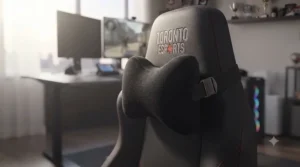
Real-World Scenarios: Matching Chairs to Player Profiles
The budget-conscious college competitor. If you’re a university student sharing a dorm desk and gaming 3-4 hours a night between classes, the Corsair TC100 Relaxed or Razer Iskur V2 X covers your needs without draining a student budget — both deliver genuine lumbar support well below premium pricing, and neither requires a dedicated gaming room to justify the spend.
The streaming co-host with rotating guests. If your setup regularly hosts a second or third person for co-streams, the Corsair TC200‘s wider frame and taller backrest handle different body types better than a chair molded to one owner’s shape over time — a real consideration for any broadcast/stream setup chair that isn’t strictly single-user.
The competitive team or school esports program. If you’re outfitting an entire roster — say, six to ten seats for a school esports team chair setup — the DXRacer Craft‘s licensed team skins and mid-range pricing let you match branding across every seat without spending premium-tier money per chair, while still getting a steel-framed chair built for daily multi-hour use rather than casual sitting.
The serious individual competitor chasing every edge. If you’re grinding 6+ hours daily toward a competitive ranking or roster tryout, the Secretlab TITAN Evo, AndaSeat Kaiser 4, or Razer Iskur V2 are worth the premium spend — the adjustable lumbar systems on all three are built specifically to reduce the fatigue that creeps in during hour five or six of a session, when reaction time and posture both start to slip.
How to Choose a Professional Esports Chair
Choosing the right seat comes down to matching mechanical features to how you actually sit and play, not chasing the flashiest colourway. Here’s a straightforward framework:
- Measure your body against the chair’s stated range. Most brands list a height and weight range per size (Small, Regular, XL) — a chair outside your range won’t support you properly regardless of price.
- Prioritize lumbar adjustability over cushioning alone. A firm, well-positioned lumbar curve beats soft padding for long-session posture, a point backed up by CCOHS’s guidance on adjusting office chairs, which stresses that the backrest should be shaped to genuinely support the lower back rather than just cushion it.
- Decide how much recline you actually use. If you rarely lean back past 120 degrees, you don’t need to pay for a 165-degree mechanism — put that budget toward build quality instead.
- Factor in shared use. A chair used by multiple people, like a broadcast/stream setup chair, benefits from a wider frame and simpler adjustments over a highly personalized one-owner setup.
- Check the warranty length. Most premium models in this comparison carry 3-5 year warranties — a shorter warranty on a similarly priced chair is a signal worth questioning.
- Read aggregated review themes, not star averages. A 4.5-star chair with recurring assembly complaints tells you more than the number alone.
- Confirm current price and stock before deciding. Since these chairs frequently go on sale, checking the live Amazon.ca listing avoids overpaying against a recent promotion.
Professional Esports Chair vs Standard Office Chair
| Factor | Professional Esports Chair | Standard Office Chair |
|---|---|---|
| Lumbar support | Dedicated, often multi-way adjustable | Often minimal or fixed |
| Recline range | Frequently 150-165° | Typically 90-120° |
| Build for long sessions | Designed for 6+ hour use | Designed for 8-hour office day with breaks |
| Branding/team options | Common (esports team chair skins) | Rare |
| Typical price (CAD) | C$200-C$950 | C$150-C$700 |
According to the University of Guelph’s ergonomic guidelines, a properly fitted chair is one of the most effective, low-cost ways to reduce musculoskeletal strain for anyone spending long stretches at a desk — a principle that applies just as much to a six-hour scrim block as it does to an office job. The core difference isn’t comfort in the first hour — it’s what happens by hour four. A well-reviewed office chair like a Herman Miller-style ergonomic model can rival a professional esports chair on pure lumbar engineering, but it generally lacks the deep recline range and reinforced frame built for the repeated leaning and shifting of competitive play. On the flip side, a genuine esports chair typically loses on subtlety — most are visually louder than a chair you’d want in a client-facing office. If your setup is purely for gaming, lean esports-specific; if it doubles as a work-from-home desk chair too, a hybrid model like the Corsair TC200 splits the difference reasonably well.
What to Expect: Real-World Performance During Long Sessions
Specs on a page don’t tell you what hour five of a scrim block actually feels like, so here’s the translation. A chair with a firm, height-adjustable lumbar system — like the Secretlab TITAN Evo or AndaSeat Kaiser 4 — should still feel like it’s actively supporting your lower back at hour five, not just cushioning it. A chair relying on a loose pillow, like entry-level picks including the base Corsair TC100 Relaxed, tends to need a manual readjustment partway through a long session as the pillow shifts.
Recline mechanisms matter more than people expect during actual play, too. Reviewers repeatedly note that being able to drop into a 140-160 degree lean during a loading screen or map transition — something the Razer Iskur V2 and AndaSeat Kaiser 4 support comfortably — genuinely reduces the cumulative fatigue of an evening-long session compared to chairs locked closer to upright. Temperature is the other overlooked factor: leatherette finishes look sharp on camera for a broadcast/stream setup chair, but breathable fabric options (available across most of these models) noticeably outperform leatherette during long, warm gaming sessions without air conditioning running.
Common Mistakes When Buying a Professional Esports Chair
The most frequent misstep is buying based on size chart from a brand’s home market without checking it against your actual measurements — a chair rated for someone up to 6’2″ won’t feel the same for someone at the top or bottom of that range. Another common error: assuming a higher price always means better lumbar engineering. As the comparisons above show, the budget-tier Razer Iskur V2 X actually carries over Razer’s flagship lumbar curve almost intact, while some pricier alternatives lean more on brand recognition than mechanical advantage.
Skipping the assembly instructions is a surprisingly common and preventable issue — several models in this guide, including the AndaSeat Kaiser 4, have had reviewer-reported alignment quirks that careful, methodical assembly avoids. Buyers also frequently overlook floor type: hard flooring needs different caster wheels than carpet, and using the wrong casters accelerates wear on both the chair and your floor. Finally, don’t assume every “esports” label guarantees genuine ergonomic engineering — some budget chairs borrow the aesthetic (racing stripes, bucket-seat shape) without the adjustable mechanisms that actually justify the category.
Chair Used by Pro Gamers: What Their Setups Actually Reveal
When you look at what chair is used by pro gamers across major broadcasts, a clear pattern emerges: it’s rarely the flashiest-looking option, and it’s almost always one with genuinely adjustable lumbar support rather than a fixed curve. Hardware reviewers who cover competitive gaming regularly point to the Razer Iskur line as proof that a peripherals brand can build genuinely serious ergonomic engineering, not just an accessory with a logo slapped on it. Similarly, Secretlab’s Titan Evo has stayed the brand’s flagship for years, receiving periodic updates while keeping the same core adjustable chair underneath — a consistency that pro players and esports orgs have clearly come to rely on.
What this tells buyers is refreshingly simple: the same core features that make a chair pro-worthy (adjustable lumbar height and firmness, wide recline range, durable frame) are exactly what any serious competitor should prioritize, regardless of budget. You don’t need a sponsorship deal to sit like a pro — you need the same mechanical features scaled to your price range, which is exactly what the budget and mid-tier picks in this guide are built to deliver.
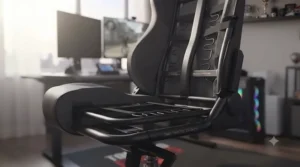
Esports Team Chair Sponsorship Deals and Signature Pro Player Models
Team sponsorship deals in the gaming chair space work similarly to jersey sponsorships in traditional sports — a brand supplies chairs (and often other hardware) to a team or organization in exchange for visible branding during broadcasts and social content. Secretlab has built the largest such network, supplying officially licensed team editions and individual signature pro player model collaborations, complete with embroidered team logos, custom stitching, and colourways matched to team branding. DXRacer has followed a similar playbook for years, building relationships across esports orgs and game publishers to produce its own deep catalogue of officially licensed skins on models like the DXRacer Craft.
For everyday buyers, these deals matter for one practical reason: a chair with a genuine, long-running sponsorship history has usually been vetted by people who sit in it professionally for a living, which is a reasonable (if informal) quality signal. That said, don’t assume a team-branded edition is mechanically superior to the base model it’s built on — a licensed DXRacer Craft skin and the standard woven version share the same underlying frame and lumbar system, so the branding premium is paying for the artwork and licensing, not extra ergonomics. If you specifically want the look of a signature pro player model without the licensing markup, buying the base chair in a similar colourway is usually the better financial move.
Broadcast and Stream Setup Chairs: What Content Creators Need Differently
A broadcast/stream setup chair has a slightly different job description than a pure competitive-play chair, because streamers spend as much time visible on camera as they do actually gaming. Backrest height and silhouette matter more here — a tall, clean-profile chair like the Corsair TC200 frames well on camera without a bulky headrest cutting into the shot, while busier team-branded designs can look great in person but read as visually cluttered on a webcam feed.
Noise is the other overlooked factor for streamers specifically: gas lift mechanisms and reclining tension knobs can produce audible creaks that a hot mic picks up mid-broadcast, so reviewers who stream regularly tend to flag quiet, well-lubricated mechanisms as a bigger deal than they’d be for pure competitive play. Durability under daily, multi-hour seated broadcasts also compounds differently than casual gaming — a chair used for a 3-hour stream five days a week accumulates wear closer to full-time office use, which is another reason models with longer warranties, like the Secretlab TITAN Evo‘s 5-year coverage, make sense for anyone treating streaming as a regular commitment rather than an occasional hobby.
Long-Term Cost & Maintenance: The Real Total Cost of Ownership
The sticker price is only part of the equation. A C$250 budget chair that needs replacing every 18 months due to foam collapse or a failed gas lift can cost more over three years than a C$650 premium chair backed by a 5-year warranty. Most models in this guide fall into predictable maintenance patterns: gas lifts occasionally need replacement after 2-4 years of daily use (typically a low-cost, DIY-friendable part), casters accumulate hair and dust requiring monthly cleaning, and upholstery — especially leatherette — can crack or peel faster in dry indoor heating conditions common across Canadian winters.
| Cost Factor | Budget Tier (e.g. TC100) | Premium Tier (e.g. TITAN Evo) |
|---|---|---|
| Typical warranty | 1-2 years | 3-5 years |
| Expected lifespan (daily use) | 2-3 years | 5-8 years |
| Common replacement part | Gas lift, casters | Rarely needed within warranty |
| Cost per year of use (rough) | Similar or higher over time | Lower, if warranty period is used fully |
Run the numbers over a realistic ownership window and the value gap narrows considerably compared to the upfront price difference — a C$700 premium chair used daily for six years often works out to less than C$1 per week, which reframes the “expensive chair” conversation for anyone treating competitive gaming as a long-term pursuit rather than a passing hobby.
Safety, CSA Standards & Ergonomics Compliance in Canada
Gaming chairs aren’t specifically regulated the way, say, car seats are, but they fall under the same general ergonomic guidance that applies to any seated workstation in Canada. The Canadian Centre for Occupational Health and Safety recommends that a properly adjusted chair let users keep elbows level with the work surface, feet flat on the floor or a footrest, and a backrest shaped to genuinely support the lower back — all criteria worth checking against any professional esports chair before you buy, not just gaming-specific marketing claims.
It’s also worth knowing that Canada’s national ergonomics standard, CSA Z412-17, recommends alternating between sitting and standing or varying your sitting posture — reclining, forward tilting, and so on — since no single seating position stays comfortable over long stretches of time. That’s a good reminder that even the best chair on this list isn’t a substitute for standing up and stretching between matches. If you’re setting up a shared team or school esports chair environment, the CCOHS ergonomic chair guidance is a genuinely useful, Canada-specific reference for selecting adjustable furniture that can reasonably fit a range of different body sizes on one shared roster of seats.
FAQ
❓ What is the difference between a gaming chair and a professional esports chair?
❓ Do professional gamers really use the chairs sold on Amazon?
❓ Are esports team chair sponsorships common in the industry?
❓ How long should a professional esports chair last?
❓ Is it worth buying a signature pro player model chair?
Conclusion
Choosing a professional esports chair really comes down to being honest about how you’ll actually use it. If you’re just starting out or sharing a desk, the Corsair TC100 Relaxed and Razer Iskur V2 X deliver real ergonomic value without the premium price tag. If you’re outfitting a whole roster with matching branding, the DXRacer Craft‘s deep esports team chair catalogue is hard to beat for the price. And if you’re grinding toward a competitive tryout or streaming daily, the Secretlab TITAN Evo, AndaSeat Kaiser 4, and Razer Iskur V2 each bring genuinely adjustable lumbar systems that justify their higher price for anyone logging serious hours.
None of these seven chairs is a bad pick — they’re all real, currently sold products with track records backing up their claims. What matters most is matching the mechanical features (lumbar adjustability, recline range, frame durability) to your actual sitting habits rather than chasing the most team-branded or best-known name. Whatever you land on, the biggest performance gain still comes from setting it up correctly and actually using the adjustments available to you.
✨ Ready to upgrade your setup? Check today’s pricing on your top pick before availability changes! 🎮🪑
Recommended for You
- 7 Pro Gaming Chairs of 2026
- 7 Best subtle gaming chair Picks for 2026 (Boardroom-Ready)
- Nintendo Switch Gaming Chair: 7 Comfy Picks for 2026
Disclaimer: This article contains affiliate links. As an Amazon Associate, I earn from qualifying purchases. If you purchase products through these links, we may earn a small commission at no additional cost to you.
✨ Found this helpful? Share it with your friends! 💬🤗
