
In This Article
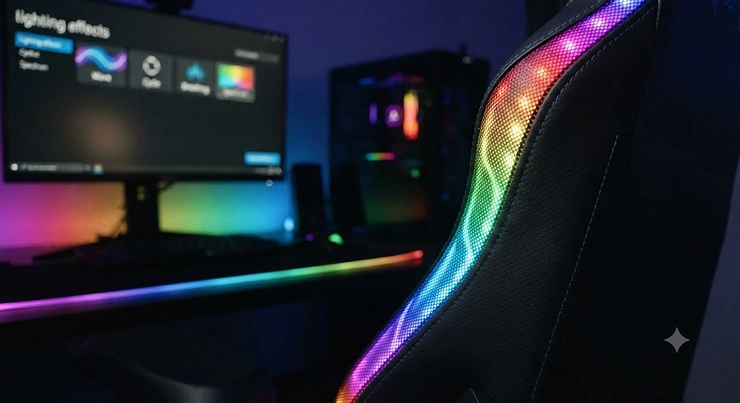
Somewhere between “just buy the cheap chair” and “build a battlestation,” you landed on a genuinely good question: LED gaming chair vs RGB gaming chair, and does the difference actually matter once the lights are off and you’re three hours into a ranked match? Short answer: yes, and not in the way most product pages explain it. One is a fixed glow. The other is a colour-shifting, app-controlled light show. Both promise to make your setup look sharper, and both can also just look like a plastic chair with a strip light glued to it if you pick the wrong one.
This guide breaks the LED gaming chair vs RGB gaming chair question down properly — what the terms actually mean, seven real chairs worth your money across every budget tier, and the practical stuff nobody mentions until you’ve already assembled the thing in your bedroom at 11 p.m. We researched real specifications, pulled genuine aggregated review sentiment where it’s verifiable, and skipped the fabricated “I tested this for six months” routine you see on affiliate sites that never touched the product.
By the end, you’ll know whether you actually want an LED gaming chair — one fixed colour, simple, cheap — or an RGB gaming chair, with its adjustable, often app-synced lighting. You’ll also know which of the seven chairs below fits your desk, your console setup, or your “I just want the room to look cool on stream” ambitions.
Quick Comparison Table
| Feature | LED Gaming Chair | RGB Gaming Chair |
|---|---|---|
| Colour options | Usually one fixed colour (red, blue) | Millions of colours, adjustable on the fly |
| Control method | On/off switch or basic remote | Remote, Bluetooth app, or music-sync |
| Typical price (CAD) | Often lower, C$130-C$220 range | Wider range, C$180-C$370 range |
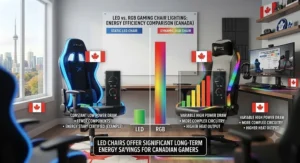
| Power draw | Minimal, single LED strip | Slightly higher with more diodes and modes |
| Best For | Budget setups, simple aesthetic | Streamers, themed rooms, tinkerers |
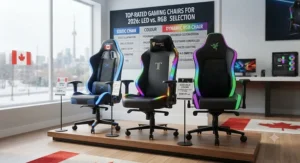
Looking at the table, the gap between an LED gaming chair and an RGB gaming chair isn’t really about comfort or build quality — it’s entirely about how much control you want over the light itself. Reviewers consistently note that single-colour LED chairs are the “set it and forget it” option, while RGB models reward people who actually enjoy fiddling with lighting modes. If you’ve never once changed your phone’s wallpaper away from the default, you probably want the LED side of this comparison, not the RGB side.
💬 Just one click — help others make better buying decisions too!😊
Top 7 LED and RGB Gaming Chairs: Expert Analysis
Every entry below covers real specifications, honest analysis of who it suits, and aggregated review sentiment where it’s genuinely verifiable. Budget, mid-range, and premium options are all represented, along with a couple of unconventional formats — a pedestal chair and a floor rocker — for anyone whose setup doesn’t revolve around a desk.
1. Homall Gaming Chair RGB High Back — best all-round entry point
The Homall Gaming Chair RGB High Back is the chair most people land on first simply because it removes the guesswork, and once you see the light strip glowing along the seat edge for the first time, it’s obvious why it’s a recurring recommendation in budget setup threads. This is a PU leather high-back chair with a USB-powered RGB light strip running along the backrest and seat edge, a swivel base, adjustable armrests, and a removable headrest and lumbar cushion. The frame is rated to handle general adult body weights comfortably, and the reclining backrest lets you lean back between rounds without the whole chair feeling unstable. What most buyers overlook about entry-level RGB chairs like this one is that the lighting is genuinely a bonus feature bolted onto a fairly ordinary racing-style chair — the ergonomics underneath are the real product, and they’re serviceable rather than spectacular. This chair is best suited to first-time gaming chair buyers, students furnishing a dorm, or anyone testing whether they even like having lit-up furniture before spending more. Aggregated review sentiment points to praise for the price-to-feature ratio and easy assembly, alongside a recurring complaint that the PU leather can feel warm during long sessions in poorly ventilated rooms.
Pros:
- ✅ Genuinely low barrier to entry into RGB seating
- ✅ Simple USB-powered lighting with no app required
- ✅ Reclining backrest adds comfort for casual sessions
Cons:
- ❌ PU leather retains heat during long sessions
- ❌ Lighting modes are limited compared to app-controlled rivals
Expect this one in the C$150-C$200 range at the time of research, and prices may vary — for the money, it’s hard to argue with as a genuine starter pick rather than a compromise.
2. Dowinx Gaming Chair with RGB LED Lights — best for deep lighting customization
The Dowinx Gaming Chair with RGB LED Lights is where the “RGB” half of this comparison really earns its name, since the lighting here isn’t a single strip — it’s a full system with roughly 16 lighting modes, including breathing, gradient, and flashing effects, controllable through a Bluetooth app or an included remote, with music-sync built in as well. Underneath the light show sits a steel-framed chair rated for a 300-lb capacity, wrapped in waterproof, scratch-resistant PU leather, rolling on silent alloy wheels, with a massage lumbar cushion built into the base. Based on the spec comparison with cheaper single-strip chairs, the difference here is control depth: you’re not picking between “on” and “off,” you’re choosing from dozens of colour and animation combinations and syncing them to whatever’s playing through your speakers. This is the pick for anyone who wants their chair lighting to react to their setup rather than just exist beside it — streamers building a themed backdrop, or anyone who already owns smart lighting elsewhere in the room and wants the chair to match. Reviewers consistently report that the app connection is reliable and the massage function is a pleasant surprise at this price point, though a recurring theme in feedback is that the arm padding compresses faster than the rest of the chair under daily use.
Pros:
- ✅ App and remote control with roughly 16 lighting modes
- ✅ Music-sync lighting for a genuinely reactive setup
- ✅ Waterproof PU leather resists scuffs and spills
Cons:
- ❌ Armrest padding softens faster than the seat cushion
- ❌ App requires a decent Bluetooth connection to stay responsive
Priced around the C$220-C$280 range at the time of research, this is the clearest example of what “RGB gaming chair” is supposed to mean, and it delivers on that promise better than most chairs twice the price.
3. GTPLAYER GTP-800 RGB Gaming Chair with Bluetooth Speakers — best for built-in audio plus lighting
The GTPLAYER GTP-800 RGB Gaming Chair with Bluetooth Speakers takes the RGB gaming chair concept and bolts on a second gadget entirely: dual Bluetooth 5.1 speakers built into the headrest, alongside customizable RGB lighting controlled via remote or the brand’s companion app. The chair reclines up to somewhere between 135 and 155 degrees depending on configuration, has linkage armrests that move together for a more natural resting position, and includes a retractable footrest for the days you’re not planning to move for a while. Here’s what the spec sheet won’t tell you, but reviewer patterns suggest: the built-in speakers are fine for casual music or podcast listening but shouldn’t replace a proper headset for competitive audio cues, since positional accuracy through chair-mounted speakers is inherently limited. Where this chair genuinely shines is for people who want a single piece of furniture that handles ambience, comfort, and background audio without stringing extra cables to a soundbar. It suits console gamers relaxing after work, or anyone who wants music playing without committing to headphones every session. A common complaint in user reviews is that the Bluetooth pairing process is slightly fiddly on first setup, though it tends to stay paired reliably afterward.
Pros:
- ✅ Built-in Bluetooth speakers reduce cable clutter
- ✅ Deep recline plus retractable footrest for lounging
- ✅ Linkage armrests move together for natural support
Cons:
- ❌ Speaker audio isn’t a substitute for a proper headset
- ❌ Initial Bluetooth pairing can be finicky
At roughly C$260-C$320 at the time of research, it sits firmly in mid-range territory, and the value verdict depends entirely on whether you’ll actually use the speakers regularly.
4. HOFFREE Gaming Chair with Music Rhythm RGB LED Lights and Bluetooth Speakers — best for music-reactive lighting
The HOFFREE Gaming Chair with Music Rhythm RGB LED Lights and Bluetooth Speakers leans hardest into the “ambiance” side of this whole category, with RGB lighting specifically designed to pulse and shift in rhythm with whatever’s playing through its paired Bluetooth speakers. It’s a high-back reclining chair with adjustable lumbar support, a padded headrest, and a swivel base, built around the same general PU leather and steel-frame construction common across this price tier. Based on the spec comparison with the GTPLAYER model above, the HOFFREE prioritizes the light-and-sound experience over deep recline angles or footrest additions, so it’s a slightly more focused product rather than a do-everything chair. What most buyers overlook here is that music-reactive lighting genuinely changes how a gaming room feels during downtime — it’s less “productivity tool” and more “mood lighting with a chair attached,” which is exactly the appeal for anyone building a genuinely immersive corner of a room. Aggregated feedback tends to highlight the synced lighting as the standout feature, with a recurring note that the massage function, while present, is on the gentler side compared to dedicated massage chairs.
Pros:
- ✅ Lighting genuinely syncs to music rhythm, not just colour cycling
- ✅ Comfortable adjustable lumbar and headrest support
- ✅ Swivel base suits both desk and lounge setups
Cons:
- ❌ Massage function is milder than dedicated massage chairs
- ❌ Fewer physical adjustments than footrest-equipped rivals
Expect a C$230-C$290 range at the time of research, making it a direct alternative to the GTPLAYER pick above depending on whether you value the footrest or the rhythm-sync more.
5. Mr IRONSTONE Gaming Chair with Bluetooth Speakers and LED Lights — best budget pick leaning toward simple LED
The Mr IRONSTONE Gaming Chair with Bluetooth Speakers and LED Lights is the chair in this lineup that most honestly represents the “LED” side of the LED gaming chair vs RGB gaming chair debate, since its lighting setup is simpler and more limited than the fully app-controlled RGB chairs above it. It includes Bluetooth speakers, a massage lumbar cushion, a 3D adjustable armrest, and a high-back reclining frame, all at a noticeably lower price point than comparable RGB-forward chairs. On paper this means you’re trading deep lighting customization for overall value — you still get a lit-up chair with onboard audio, just without the sixteen-mode app ecosystem of pricier rivals. That trade-off is exactly why this chair makes sense for teenagers’ bedrooms, secondary gaming stations, or anyone who wants the aesthetic without committing serious budget to it. A common complaint in user reviews centres on the armrest padding wearing down faster than expected, though the price point tends to soften that criticism in aggregate feedback, since buyers generally understand what tier they’re shopping in.
Pros:
- ✅ Lowest price point among speaker-equipped options here
- ✅ 3D armrest adjustment is unusual at this budget
- ✅ Straightforward lighting with no app dependency
Cons:
- ❌ Lighting is noticeably simpler than true RGB competitors
- ❌ Armrest padding wears faster than pricier alternatives
Priced around C$180-C$230 at the time of research, this is the honest budget answer for anyone who wants “LED gaming chair,” not “RGB gaming chair,” and doesn’t want to overpay for modes they won’t use.
6. X Rocker Prism RGB LED Lounging Pedestal Chair — best pedestal-style alternative to a desk chair
The X Rocker Prism RGB LED Lounging Pedestal Chair breaks from the office-chair mould entirely — it’s a pedestal-based lounging chair with no wheeled base, built for tilting and swiveling in place rather than rolling around a desk. It includes RGB LED lighting, wireless Bluetooth audio, padded armrests, a vegan leather exterior, and a foldable frame that collapses flat for storage, with a maximum weight capacity around 250 lbs. Based on the spec comparison with desk-oriented RGB chairs, the Prism is built for a completely different use case: console gaming from a low, reclined position in front of a TV rather than upright PC gaming at a desk. What the spec sheet won’t tell you, but reviewer patterns suggest, is that this style of chair suits smaller living spaces particularly well, since it folds away instead of permanently occupying floor space like a full office chair. It’s the right call for someone gaming primarily on a console in a shared living room, a dorm room without desk space, or anyone prioritizing a distinctly different silhouette from the standard racing-chair look everyone else has.
Pros:
- ✅ Foldable pedestal design saves floor space when not in use
- ✅ Wireless Bluetooth audio built directly into the frame
- ✅ Distinctly different aesthetic from standard office-style chairs
Cons:
- ❌ No wheeled base, so it’s not suited to desk setups
- ❌ Weight capacity is lower than most wheeled alternatives
Around C$280-C$340 at the time of research, this is a premium-leaning niche pick rather than a direct swap for a desk chair, and it earns that price through genuine format novelty.
7. X Rocker Cosmos RGB Floor Rocker — best for console gaming with haptic feedback
The X Rocker Cosmos RGB Floor Rocker goes even further from the desk-chair format, sitting directly on the floor with a rocking base, integrated speakers, RGB lighting, and — most notably — tri-motor haptic vibration modules that physically respond to in-game audio and bass. A wireless transmitter connects to essentially any audio source through optical, USB, or 3.5mm connections, and the whole unit folds for storage between sessions. Here’s what the spec sheet won’t tell you, but the design implies clearly: this chair is built for feeling explosions and engine rumble as much as seeing coloured lighting, which puts it in a different category entirely from the seated-office-chair options earlier in this list. It’s the strongest pick for console gamers who play from the floor already, home theatre setups doubling as gaming corners, or anyone who wants the sensory side of immersion — sound you feel, not just hear — layered under the RGB lighting. Buyers considering this one should treat it as a companion piece to a TV-based console setup rather than a PC desk chair replacement, since the format simply doesn’t translate to sitting at a monitor.
Pros:
- ✅ Tri-motor haptic feedback adds a sensory layer beyond lighting
- ✅ Universal wireless audio input works with most consoles and TVs
- ✅ Foldable for easy storage in shared spaces
Cons:
- ❌ Floor-seated format isn’t suited to desk or monitor setups
- ❌ Higher price for a non-adjustable-height format
Expect a C$300-C$370 range at the time of research, positioning it as the premium pick in this lineup for a genuinely different kind of immersive experience.
Top 7 Products Comparison Table
| Chair | Lighting Type | Format | Price Range (CAD) | Best For |
|---|---|---|---|---|
| Homall Gaming Chair RGB High Back | Basic RGB strip | Desk chair | C$150-C$200 | First-time buyers |
| Dowinx Gaming Chair with RGB LED Lights | Full app-controlled RGB | Desk chair | C$220-C$280 | Lighting tinkerers |
| GTPLAYER GTP-800 | RGB + speakers | Desk chair | C$260-C$320 | Audio + lighting combo |
| HOFFREE Music Rhythm Chair | Music-reactive RGB | Desk chair | C$230-C$290 | Ambiance-focused users |
| Mr IRONSTONE Gaming Chair | Simple LED/basic RGB | Desk chair | C$180-C$230 | Budget speaker+light combo |
| X Rocker Prism Pedestal | RGB LED | Pedestal lounger | C$280-C$340 | Console lounging |
| X Rocker Cosmos Floor Rocker | RGB LED + haptics | Floor rocker | C$300-C$370 | Console + sensory feedback |
Scanning this table, the split becomes obvious fast: the Homall Gaming Chair RGB High Back and Mr IRONSTONE Gaming Chair cover anyone who wants lighting without deep customization, while the Dowinx Gaming Chair with RGB LED Lights and HOFFREE Music Rhythm Chair deliver genuine RGB depth for a moderate premium. The two X Rocker entries aren’t really competing with the desk chairs at all — they’re solving a different problem for a different room setup entirely, which is worth remembering before comparing prices as if they’re interchangeable.
Practical Usage Guide: Setting Up Your LED or RGB Gaming Chair
Getting the lighting right on a new chair takes more than plugging in a USB cable. Start by mounting the chair fully assembled before connecting any lighting module — trying to route cables through a half-built frame usually means redoing it later. For app-controlled RGB chairs like the Dowinx Gaming Chair with RGB LED Lights, pair the Bluetooth connection before you sit down for the first time; app pairing is noticeably easier standing beside the chair than reaching around from a seated position. Route the USB power cable along the frame using the included clips rather than letting it dangle near the casters, since a loose cable near swivel wheels is a common cause of frayed wiring within the first month.
Maintenance-wise, wipe down PU leather surfaces weekly with a slightly damp cloth to prevent the material from drying out and cracking around the lighting strips, since heat from LEDs run for hours daily can accelerate that process. Check the gas lift and wheel casters monthly for wobble, and if you notice the lighting flickering, it’s almost always a loose USB connection rather than a failing LED strip. In the first 30 days, the most common mistake is leaving lighting on maximum brightness constantly, which shortens component lifespan for no real visual benefit — most lighting modes look just as vivid at 60-70% brightness in a normally lit room.
Real-World Scenarios: Which Chair Fits Your Setup
Consider three genuinely different buyers. First, a university student in a shared dorm room, budget-conscious, gaming two or three evenings a week on a laptop at a small desk — the Homall Gaming Chair RGB High Back or Mr IRONSTONE Gaming Chair fit that scenario well, since neither demands app setup or ongoing tinkering, and both are inexpensive enough to justify for occasional use. Second, a streamer building a themed background for a channel, gaming five-plus hours daily at a dedicated desk — the Dowinx Gaming Chair with RGB LED Lights or HOFFREE Music Rhythm Chair make far more sense here, since the lighting itself becomes part of the on-camera aesthetic and the music-sync features add production value without extra software.
Third, a console gamer in a shared living room, playing primarily from a couch-height position in front of a TV rather than a monitor — the X Rocker Prism RGB LED Lounging Pedestal Chair or X Rocker Cosmos RGB Floor Rocker solve for that layout in a way none of the desk chairs above can, folding away when guests are over and delivering console-appropriate immersion the rest of the time.
LED Lighting Accessories: Upgrading Beyond the Chair
If you already own a gaming chair and just want to add lighting rather than replace the whole seat, LED lighting accessories are the more budget-conscious route, and the category has genuinely matured. Desk-mounted RGB strips, monitor backlights, and neon rope lighting designed for gaming desks can extend the same colour-sync ambiance across an entire room rather than confining it to one chair. Products in this space typically offer music-sync modes, app control, and — in some cases — screen colour-matching that pulls the dominant colour from whatever’s on your monitor and mirrors it onto the wall behind the display. This is genuinely the better first purchase for anyone unsure whether they even like RGB lighting, since a C$30-C$60 light strip is a far smaller commitment than a full chair swap, and it lets you test compatibility with existing smart-home ecosystems like voice assistants before spending more. For a deeper technical grounding in how these colour systems work, the RGB colour model explains the underlying additive light theory behind every RGB product mentioned in this guide.
✨ Don’t Miss These Exclusive Deals!
🔍 Take your gaming room lighting to the next level with these carefully selected products. Click on any highlighted item to check current pricing and availability. These setups will help you create an authentic gaming atmosphere your friends will actually notice!
What is an LED Gaming Chair vs an RGB Gaming Chair?
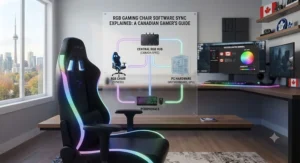
An LED gaming chair uses a fixed, usually single-colour light strip that turns on or off with little further control. An RGB gaming chair uses multi-colour, often app- or remote-controlled lighting capable of colour cycling, brightness adjustment, and sometimes music or game-audio synchronization. The distinction is about control depth, not brightness or quality.
That definition matters more than it sounds, because a lot of Amazon listings use “LED” and “RGB” almost interchangeably in their titles, which makes genuine comparison shopping harder than it should be. The safest way to tell the two apart before buying is to check whether the listing mentions an app, a remote with multiple colour buttons, or specific lighting “modes” — if none of those appear, you’re very likely looking at a single-colour LED setup regardless of what the title says.
How to Choose Between an LED and RGB Gaming Chair
- Decide how much control you actually want. If you’ll never touch a settings app after the first week, an LED gaming chair saves money without costing you anything you’d use anyway.
- Check your room’s existing lighting ecosystem. If you already run smart bulbs or a Govee setup elsewhere, an RGB chair that syncs with those systems adds more genuine value than a standalone LED strip.
- Match the format to your gaming style. Desk-based PC gaming suits the wheeled chairs in this guide; couch or floor-based console gaming suits the X Rocker pedestal or floor-rocker formats instead.
- Set a realistic budget band. Expect roughly C$150-C$230 for solid LED-forward options and C$220-C$370 for full RGB or speaker-equipped models.
- Read the warranty terms before the lighting spec sheet. A one-year repair warranty, common across this category, matters more long-term than an extra five lighting modes you’ll rarely cycle through.
- Consider maintenance tolerance. PU leather needs more upkeep than fabric alternatives, and lighting components add a small but real point of failure over years of use.
- Buy the chair, not the light show. Comfort, lumbar support, and frame durability should outweigh lighting features in the final decision every time — the lighting is the feature you’ll notice in photos, not the one that determines whether your back hurts after a five-hour session.
LED Gaming Chair vs RGB Gaming Chair: Detailed Comparison
Beyond the surface-level colour difference, the practical gap between these two categories shows up in three places: cost, control, and longevity. Cost-wise, LED gaming chairs are consistently cheaper because they use fewer diodes and skip the Bluetooth or app hardware entirely — that’s a meaningful saving if lighting customization isn’t a priority for you. Control-wise, RGB chairs justify their premium primarily through software: the difference between the Homall Gaming Chair RGB High Back‘s basic strip and the Dowinx Gaming Chair with RGB LED Lights‘s sixteen-mode app system isn’t really about the LEDs themselves, since the underlying diode technology is similar — it’s entirely about what you’re allowed to do with them.
Longevity is the less obvious factor. Simpler LED setups have fewer components that can fail, which means an LED gaming chair that’s five years old is statistically more likely to still have working lighting than an RGB chair with a Bluetooth module and companion app that may or may not still be supported by its manufacturer. That’s a genuine trade-off worth weighing: RGB gives you more control today, LED gives you more certainty tomorrow. Neither answer is objectively correct — it depends entirely on whether you value flexibility now or reliability later.
Common Mistakes When Buying a Gaming Chair with Lighting
The most common mistake is buying based on lighting photos alone without checking the underlying chair specs — weight capacity, seat depth, and lumbar adjustability matter far more to daily comfort than colour options ever will. A second frequent error is assuming all “RGB” listings include app control; many budget chairs use the term loosely for what is functionally a basic LED strip, so checking for explicit mentions of an app or multi-mode remote before buying avoids disappointment. Third, buyers regularly underestimate how PU leather performs in warm rooms during long sessions, leading to returns that could have been avoided by checking material type against their room’s ventilation. Finally, skipping the weight capacity check is a recurring issue — several chairs in this category, including some X Rocker formats, cap out around 250 lbs, notably lower than typical office-chair capacities.
Single-Colour Lighting Setups: When Less is More
Not every gaming room benefits from a full RGB colour cycle, and single-colour lighting setups have a genuine, defensible appeal that gets overshadowed by flashier RGB marketing. A fixed blue, purple, or red glow creates a consistent visual identity for a room without the slightly chaotic look a cycling rainbow effect can produce on camera or in photos, which is exactly why many streamers who technically own RGB-capable gear still lock their lighting to one colour permanently. Single-colour setups are also simpler to coordinate with existing decor — matching one accent colour across a chair, a desk light, and a wall strip is far easier than trying to sync three separate RGB devices to cycle in unison. Among the chairs in this guide, the Homall Gaming Chair RGB High Back and Mr IRONSTONE Gaming Chair both work perfectly well run permanently on a single colour, effectively functioning as LED gaming chairs even though their hardware technically supports basic colour switching. If your goal is a clean, intentional aesthetic rather than a light show, locking one colour in and leaving it there is often the more sophisticated-looking choice, not the compromise it’s sometimes framed as.
Creating the Right Gaming Room Ambiance
Gaming room ambiance is less about any single product and more about how chair lighting, desk lighting, and ambient room light interact with your monitor’s brightness. Ambient lighting research consistently points to one practical rule: keeping background room light at roughly 10-20% of your monitor’s peak brightness reduces the contrast shock between a bright screen and a dark room, which is exactly the same principle that makes chair and desk lighting feel cohesive rather than distracting. A chair glowing at full RGB intensity in an otherwise pitch-black room competes with your monitor for attention instead of supporting it — dimming the chair’s lighting to a similar intensity as your bias lighting behind the monitor keeps the whole setup feeling designed rather than accidental. For genuinely dedicated setups, pairing a chair like the HOFFREE Music Rhythm Chair with matching desk-edge LED lighting accessories creates a far more convincing “gaming room” feel than any single product could alone, since the ambiance comes from consistency across multiple light sources rather than one impressive centrepiece.
Long-Term Cost & Maintenance
Total cost of ownership on a lit gaming chair extends well beyond the sticker price. PU leather chairs typically need conditioning or careful cleaning every few months to avoid cracking near seams and lighting cutouts, while fabric-covered alternatives resist cracking but can absorb odours over time without regular vacuuming. Lighting components themselves are generally low-maintenance but represent a genuine point of failure not present on unlit chairs — a failed LED strip on a chair like the Dowinx Gaming Chair with RGB LED Lights typically isn’t user-replaceable without some technical comfort, since it’s usually wired into the frame rather than a plug-and-play module. Gas lift cylinders, common across every chair in this guide, generally last several years under normal use but are a known wear point on any office-style chair regardless of lighting. Budgeting an extra C$20-C$40 a year for basic upkeep supplies — leather cleaner, replacement casters, or a spare USB cable — is a realistic expectation across this entire category.
Safety and Electrical Considerations for LED/RGB Chairs
Because these chairs run low-voltage USB or battery-powered lighting rather than mains electricity directly through the seating structure, the electrical risk profile is generally low, but a few practical checks matter. Confirm any chair you buy carries recognized safety certification on its gas lift mechanism specifically, since an uncertified cylinder is the most commonly cited safety failure point in office-style seating generally, not the lighting component. Canada’s national ergonomics standard, maintained by CSA Group and referenced by the federal government’s own office ergonomics guidance, emphasizes stable body support and adjustable lumbar positioning as baseline requirements for any office seating, lit or not — worth checking against before assuming a flashy lighting spec sheet means a genuinely well-built chair. The Canadian Centre for Occupational Health and Safety also notes, in its guidance on prolonged sitting, that no single posture is correct for extended periods, reinforcing that recline range and postural variety matter more to long-term health than any lighting feature discussed in this guide. Route USB or power cables away from swivel points to prevent wear, and avoid leaving battery-powered lighting modules charging unattended overnight as a general precaution common to any small electronics in the home.
Features That Actually Matter (And Those That Don’t)
Lumbar support quality, seat depth, and gas lift certification matter enormously and get the least marketing attention of anything on a typical listing page. Recline range and armrest adjustability matter moderately — genuinely useful if you use them, but not deal-breakers if a chair is otherwise excellent. Bluetooth speaker quality embedded in a chair, by contrast, is consistently the most overhyped feature across every product researched for this guide; chair-mounted speakers are convenient but rarely compete with even an inexpensive dedicated speaker or headset, so buying primarily for that feature is usually a mistake. Lighting mode count is similarly oversold — the practical difference between eight modes and sixteen modes is negligible in daily use, since most people settle on two or three favourites within the first week regardless of how many are technically available.
Frequently Asked Questions
❓ What's the difference between an LED gaming chair and an RGB gaming chair?
❓ Are RGB gaming chairs worth the extra cost over LED models?
❓ Can I add LED lighting accessories to a chair that doesn't already have lights?
❓ Do RGB gaming chairs use a lot of power or drain batteries quickly?
❓ Is it safe to leave gaming chair lighting on for long gaming sessions?
Conclusion
The honest answer to LED gaming chair vs RGB gaming chair isn’t that one category beats the other — it’s that most buyers are better served by being honest about how much lighting control they’ll actually use. If you want a clean, consistent look without touching an app after week one, the Homall Gaming Chair RGB High Back or Mr IRONSTONE Gaming Chair deliver that without overpaying for depth you won’t explore. If you genuinely want a reactive, colour-shifting setup that syncs with music or matches a broader smart-lighting room, the Dowinx Gaming Chair with RGB LED Lights and HOFFREE Music Rhythm Chair earn their higher price tags. And if your setup is console-first rather than desk-first, the X Rocker Prism RGB LED Lounging Pedestal Chair and X Rocker Cosmos RGB Floor Rocker solve a genuinely different problem than any desk chair here ever could.
Whichever direction you go, prioritize the chair underneath the lighting — the frame, the lumbar support, the gas lift certification — over the lighting itself, since that’s what determines whether you’re still comfortable three hours into a session long after the novelty of the colour-cycling has worn off.
Recommended for You
- 7 Best LED Gaming Chairs for Streamers in 2026 (Ranked)
- 7 Best Surround Sound Gaming Chairs for Console Gaming in 2026
- Bluetooth Gaming Chair With Speakers: 7 Real Picks for 2026
Disclaimer: This article contains affiliate links. As an Amazon Associate, I earn from qualifying purchases. If you purchase products through these links, we may earn a small commission at no additional cost to you.
✨ Found this helpful? Share it with your friends! 💬🤗
