
In This Article
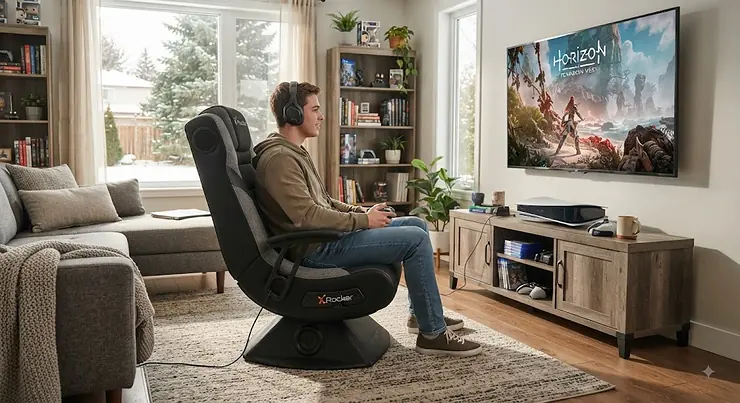
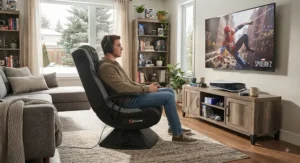
You already know the feeling. An explosion goes off behind you in-game, and your flatscreen’s built-in speakers render it as a tinny little “pf-t” instead of the room-shaking boom it deserves. A surround sound gaming chair for console gaming solves that problem by putting the speakers where your ears already are, wrapping bass, dialogue, and footsteps around your body instead of firing them at a wall across the room. What is a surround sound gaming chair? In short, it’s a seat with built-in speakers (often paired with a subwoofer and sometimes a vibration motor) that connects wirelessly or via cable to your PS5, Xbox Series X/S, Switch, or PC to deliver positional audio directly to the listener.
Because the speakers sit so close to your head, it’s worth pairing any purchase with sensible volume habits — Health Canada’s guidance on protecting your hearing health is a genuinely useful five-minute read before you crank the bass on a new chair. For Canadian console gamers stuck in condos, basement apartments, or houses where a real 5.1 home theatre setup just isn’t in the cards, these chairs are a legitimately clever workaround. You get directional cues that matter in competitive shooters, plus a physical low-end thump that a soundbar simply can’t replicate from three metres away. This guide walks through seven real, currently available models spanning budget floor rockers to premium ergonomic seats, with honest analysis of who each one actually suits, what the aggregated reviews say, and where the compromises live. We’ll also dig into how these chairs stack up against home theater audio, how they pair with PlayStation and Xbox accessories, and which model actually has a proper built-in subwoofer versus just marketing copy that implies one.
Every product mentioned below is real, currently sold in North America, and cross-referenced against manufacturer specs and aggregated customer feedback rather than invented reviews. Let’s get into it.
Quick Comparison Table
| Chair | Audio System | Vibration | Weight Capacity | Best For |
|---|---|---|---|---|
| X Rocker Pro Series H3 4.1 | 4 speakers + subwoofer | Yes | ~300 lb | Best overall surround experience |
| GTPLAYER Ace Pro | Dual Bluetooth 5.1 speakers | No | ~330 lb | Ergonomic long-session comfort |
| X Rocker Torque RGB | 2 speakers + subwoofer | Yes | ~275 lb | RGB setup + strong bass |
| X Rocker SE Pro | 2 speakers + subwoofer | No | ~275 lb | Balanced mid-range pedestal |
| X Rocker Nemesis RGB | 2 speakers + subwoofer | No | ~275 lb | Budget with LED accents |
| X Rocker SE II (2.1) | 2 speakers + subwoofer | No | ~275 lb | Classic budget floor rocker |
| X Rocker Eclipse | 2 headrest speakers | No | ~300 lb | Lightest, most portable |
Looking at the spread here, the X Rocker Pro Series H3 4.1 is the only chair on this list with a genuine 4.1 configuration (four speakers plus a dedicated subwoofer channel), which is why it consistently comes up as the reference point for “true” surround sound gaming chairs rather than simple stereo-with-bass setups. The GTPLAYER Ace Pro stands apart because it’s built as an ergonomic office-style gaming chair first and an audio chair second, so it trades a dedicated subwoofer for reclining comfort and a footrest. If your main goal is chair comfort over marathon console sessions, weigh that trade-off before assuming more speakers always wins.
💬 Just one click — help others make better buying decisions too!😊
Top 7 Surround Sound Gaming Chairs for Console Gaming: Expert Analysis
1. X Rocker Pro Series H3 4.1 — true 4-speaker surround with subwoofer
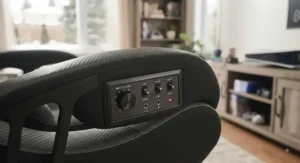
The X Rocker Pro Series H3 4.1 is the closest thing on the market to a proper home theater in a chair, and that starts with its hardware layout. Four side-facing speakers sit near your ears while a dedicated subwoofer lives in the lower backrest, and a synced vibration motor adds a physical layer to explosions and impacts you’d otherwise only hear. In practice, this means directional cues in shooters (footsteps behind you, gunfire from the left) actually register as directional, something a two-speaker chair can only approximate. It connects wirelessly to PS5, Xbox Series X/S, and Switch, with RCA and 3.5mm inputs as backup for older consoles or TVs that need a digital audio transmitter. Based on the spec comparison against every other chair here, this is the pick for someone who treats console audio as seriously as picture quality. Reviewers consistently report that the side-mounted control panel (separate volume, bass, and vibration dials) makes fine-tuning easy without digging through a TV’s audio menu, though a recurring complaint is that the vegan leather can feel warm during long summer sessions without air conditioning. Pros:
- ✅ Genuine 4.1 setup with real directional separation
- ✅ Vibration motor adds physical feedback to bass-heavy scenes
- ✅ Folds flat for storage in smaller apartments
Cons:
- ❌ Runs warmer than mesh-backed alternatives in summer
- ❌ Heaviest chair on this list to move once assembled
Priced in the C$300-C$400 range at the time of research, the X Rocker Pro Series H3 4.1 justifies its position at the top of the price ladder if audio quality is your primary buying criterion, though budget-focused buyers should skip ahead to the SE II or Nemesis.
2. GTPLAYER Ace Pro — best ergonomic pick for long console sessions
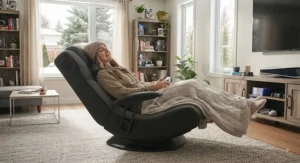
The GTPLAYER Ace Pro takes a different approach entirely: instead of a floor-rocker audio chair, it’s a full ergonomic office-style gaming chair with dual Bluetooth 5.1 speakers built into the headrest area, a retractable footrest, and linkage armrests that move with the recline. What most buyers overlook about this model is that it doesn’t include a standalone subwoofer channel the way the X Rocker chairs do — its “360-degree surround” branding refers to speaker placement and stereo imaging rather than a true multi-channel system, so bass-heavy scenes will feel less physical here than on the Pro H3. Where it wins is comfort: a class-4 gas lift, 300-lb-plus rated frame, and a recline up to roughly 170 degrees make it a genuinely comfortable seat for six-hour co-op sessions, not just short bursts. Aggregated customer feedback frequently praises the assembly process (commonly cited around 25 minutes) and the FSC-certified wood frame, while a common complaint in user reviews is that the Bluetooth pairing occasionally needs to be reset between console and phone use. Pros:
- ✅ Full ergonomic recline and footrest for marathon sessions
- ✅ Sturdy 330-lb capacity frame with class-4 gas lift
- ✅ Doubles as a comfortable work-from-home chair
Cons:
- ❌ No dedicated subwoofer, so bass feels less physical
- ❌ Bluetooth pairing sometimes needs manual resets
Expect to pay somewhere in the C$220-C$320 range, making the GTPLAYER Ace Pro a strong value pick for anyone who prioritizes all-day comfort over cinema-grade bass.
3. X Rocker Torque RGB — best for a themed setup with real subwoofer punch
If your gaming room already leans into RGB lighting, the X Rocker Torque RGB is built to match it, with programmable LED accents worked into the pedestal base alongside a genuine 2.1 audio system: two headrest-mounted speakers and a backrest subwoofer, plus a synced vibration module. On paper, this means you get most of the bass presence of the flagship H3 in a lighter, single-seat pedestal chair, which matters if floor space is tight. Based on the spec comparison, the Torque sits in an interesting middle ground — not quite the four-speaker separation of the H3, but noticeably more physical than the two-speaker budget chairs further down this list. Reviewers consistently note that the RGB lighting is a genuine highlight rather than a gimmick, syncing reasonably well with bass hits, though a recurring theme in feedback is that the pedestal swivel base feels less stable on carpet than on hard flooring. Pros:
- ✅ True subwoofer channel with synced vibration
- ✅ RGB lighting that syncs to bass, not just static color
- ✅ Compact pedestal footprint versus floor rockers
Cons:
- ❌ Less stable swivel on thick carpet
- ❌ RGB controls add a learning curve for first-time setup
At around C$250-C$330, the X Rocker Torque RGB earns its price premium mainly through the lighting integration — if you don’t care about RGB, the SE Pro below gets you similar audio for less.
4. X Rocker SE Pro — best balanced mid-range pedestal
The X Rocker SE Pro strips away the LED lighting and vibration motor to focus purely on audio and comfort, landing it squarely in the mid-range tier. It keeps the same core 2.1 formula as the Torque — two speakers plus a subwoofer — in a wireless pedestal design with padded armrests, which is worth flagging because plenty of “gaming chairs with speakers” at this price point are still wired-only. What most buyers overlook here is that dropping the vibration motor isn’t just a cost-cutting move; it also means less mechanical noise bleeding into quiet dialogue-heavy scenes, something competitive shooter fans in particular tend to appreciate. Aggregated review sentiment describes the padding as noticeably firmer than the pricier H3, holding its shape better over long-term use, while a common complaint is that the wireless range can get spotty if your console sits more than a few metres away with obstructions in between. Pros:
- ✅ Genuine subwoofer without the premium price tag
- ✅ Firmer padding that resists sagging over time
- ✅ Wireless connectivity as standard, not an upgrade
Cons:
- ❌ No vibration motor for buyers who want the full effect
- ❌ Bluetooth range can be inconsistent through walls
Sitting in the C$160-C$220 range, the X Rocker SE Pro is arguably the best value chair on this entire list for buyers who want real bass without paying for lighting or rumble features they won’t use.
5. X Rocker Nemesis RGB — best budget pick with LED accents
The X Rocker Nemesis RGB proves that RGB lighting and a real subwoofer don’t have to mean a premium price tag. It runs the same basic 2.1 layout as the SE Pro — headrest speakers plus a backrest subwoofer — wrapped in a black mesh fabric with LED integration woven directly into the material rather than bolted on as an accessory strip. Here’s what to weigh: the mesh center panel breathes noticeably better than the vegan leather chairs above it, which matters over long console sessions in a warm bedroom, but the tradeoff is a slightly less premium feel to the touch. Based on aggregated pricing history, this chair has repeatedly shown up as a deep-discount option during Canadian and US retail sales events, suggesting it’s a model retailers are comfortable moving at volume, generally a decent signal of steady manufacturing rather than a discontinued line. Reviewers consistently mention the assembly is quick and the folding mechanism for storage works smoothly, while a recurring complaint centers on the LED remote being easy to misplace. Pros:
- ✅ Real 2.1 subwoofer at a genuinely budget price point
- ✅ Breathable mesh center panel for warmer rooms
- ✅ Folds flat for storage between sessions
Cons:
- ❌ Small LED remote is easy to lose
- ❌ Mesh fabric feels less premium than faux leather
Typically found in the C$130-C$190 range, the X Rocker Nemesis RGB is the pick for teens’ rooms or secondary gaming setups where budget matters more than brand prestige.
6. X Rocker SE II (2.1) — classic budget floor rocker
The X Rocker SE II, sometimes listed as the SE 2.1, is the no-frills original formula: two speakers near the headrest, one subwoofer in the seat back, and a side control panel with volume, bass, band switch, and a headphone jack for private listening. What most buyers overlook about a chair this simple is that fewer features generally means fewer failure points — there’s no LED driver or vibration motor circuitry to eventually wear out, just the audio path itself. Honest analysis here has to acknowledge the trade-off plainly: this is an older, proven design rather than a cutting-edge one, so don’t expect the wireless range or Bluetooth codec support of newer chairs. Aggregated customer feedback across major Canadian and US retailers consistently lands this chair in the mid-4-star range, with reviewers frequently citing it as “good enough” for casual weekend gaming rather than daily marathon sessions, and a recurring complaint about the vinyl upholstery showing wear faster than fabric alternatives after a year or two of regular use. Pros:
- ✅ Proven, simple design with fewer components to fail
- ✅ Headphone jack for late-night private listening
- ✅ Genuinely low entry price for a real subwoofer chair
Cons:
- ❌ Vinyl upholstery wears faster than fabric options
- ❌ Older wireless tech than newer chairs on this list
At roughly C$110-C$160, the X Rocker SE II (2.1) remains a sensible starter chair for a first console gaming setup, particularly for younger gamers who’ll likely outgrow it in a few years anyway.
7. X Rocker Eclipse — lightest and most portable option
The X Rocker Eclipse takes the opposite strategy from every other chair on this list: it drops the subwoofer entirely, running on two headrest-mounted speakers only, in exchange for a noticeably lighter and more compact frame. This is worth being upfront about, since “surround sound gaming chair” is the search term that brought most readers here, and the Eclipse’s audio is closer to a wearable stereo pillow than a true 2.1 system. Where it earns its spot is portability and price — the open dimensions run smaller than the SE II, and the vegan leather with mesh inserts keeps total weight down enough that moving it between a bedroom and living room isn’t a two-person job. Reviewers consistently frame this chair as a gift-purchase or secondary-setup pick rather than a primary gaming station, with feedback noting the Bluetooth pairing is straightforward and the fold-down design genuinely saves closet space, though a common complaint is that without a subwoofer, bass-heavy game soundtracks come across noticeably flatter than on any other chair reviewed here. Pros:
- ✅ Lightest, most portable chair on this list
- ✅ Breathable mesh inserts prevent overheating
- ✅ Straightforward Bluetooth pairing with consoles
Cons:
- ❌ No subwoofer, so bass-heavy titles sound flat
- ❌ Weaker fit for anyone specifically wanting a “surround” feel
Priced around C$100-C$150, the X Rocker Eclipse only makes sense as a secondary chair or a budget gift; anyone chasing genuine surround sound should prioritize the SE II, Nemesis, or SE Pro instead at a similar price point.
Practical Usage Guide: Getting the Most Out of Your Surround Sound Gaming Chair
Unboxing day matters more than most buyers expect. Start with posture, not audio — the Canadian Centre for Occupational Health and Safety’s guidelines on sitting positions are written for office chairs, but the core advice on lumbar support and knee angle applies just as much to a gaming chair you’ll sit in for hours. From there, position the chair so the headrest sits roughly at ear height when you’re seated normally — most of these chairs have adjustable pedestal height or recline angle, and skipping this step is the single biggest reason people report “weak” sound in the first week. Next, pair the Bluetooth connection to your console directly where supported (PS5 and Xbox Series X/S both support Bluetooth audio devices in recent firmware, though older Xbox One models often need a wired 3.5mm or optical adapter). During the first 30 days, resist the urge to max out bass and vibration dials immediately; ease into the settings so you can actually hear the difference each control makes, and note that overly aggressive vibration settings on long sessions can numb your lower back rather than enhance immersion.
For maintenance, wipe vinyl or vegan leather surfaces with a damp cloth every couple of weeks rather than letting sweat and dust build up, since that’s what causes premature cracking on cheaper upholstery. Every three to six months, check and re-tighten the bolts on the pedestal base — the constant micro-vibration from bass-heavy gameplay genuinely does loosen hardware over time on every chair in this category, not just the cheap ones. A common first-30-days mistake is leaving the chair permanently plugged into wall power when Bluetooth models have their own rechargeable battery; unnecessary constant charging shortens battery lifespan the same way it does on a phone.
Real-World Scenarios: Which Surround Sound Gaming Chair Fits Your Setup?
If you’re a university student in a shared apartment in Toronto or Montreal with paper-thin walls, the X Rocker SE Pro or X Rocker Nemesis RGB make more sense than the flagship H3 — you get real subwoofer presence for late-night sessions without a vibration motor that transmits low-frequency rumble straight into a roommate’s bedroom wall. If you’re a parent buying for a 10-to-14-year-old who games two or three times a week, the budget-friendly X Rocker SE II or the ultra-portable X Rocker Eclipse cover the basics without over-investing in a chair they’ll physically outgrow. And if you’re a serious competitive console player who spends four-plus hours a night in ranked shooters and treats positional audio as a genuine performance factor, the X Rocker Pro Series H3 4.1 is worth the higher price simply because directional cues from four discrete speakers are measurably more useful than a two-speaker approximation, even before factoring in the vibration feedback on footsteps and gunfire.
There’s a fourth profile worth naming too: the home-office gamer who splits time between work calls and console sessions in the same room. For that person, the GTPLAYER Ace Pro is the more sensible pick precisely because it’s an ergonomic chair first, meaning it won’t look or feel out of place during a Monday-morning Teams call, while still delivering Bluetooth audio for weekend gaming.
Common Problems With Console Gaming Chair Audio, Solved
Problem 1 — Bluetooth keeps disconnecting mid-game. This is almost always a range or interference issue rather than a defective chair; move any Wi-Fi routers or other 2.4GHz devices further from the chair, and if your console supports it, switch to a wired 3.5mm connection for competitive sessions where dropouts genuinely matter.
Problem 2 — Bass feels weak even on a chair with a subwoofer. Check headrest and seatback positioning first; on chairs like the X Rocker SE Pro and X Rocker Torque RGB, the subwoofer needs firm contact with your lower back to transmit properly, and slouched or overly reclined seating genuinely reduces the physical effect.
Problem 3 — Audio lags behind on-screen action. This is a known limitation of some Bluetooth codecs and shows up more on older console generations; a wired RCA or optical connection, where the chair supports one, eliminates the lag entirely.
Problem 4 — Chair audio doesn’t sync with a separate TV soundbar. Don’t try to run both simultaneously — pick one as your primary audio source per session, since dual outputs create phase issues that muddy dialogue and directional cues alike.
Problem 5 — Kids blasting volume too high. Several models, including the X Rocker SE II, include a physical volume dial that’s far easier to supervise and cap than a console’s on-screen audio menu; setting a firm physical limit is more effective than relying on software controls alone.
Buyer’s Decision Framework
If bass and true directional audio are your top priority, choose a chair with a dedicated subwoofer and four-speaker layout — that means the X Rocker Pro Series H3 4.1 or nothing, since it’s the only model here with a full 4.1 configuration. If all-day comfort during long console sessions matters more than raw audio specs, choose the GTPLAYER Ace Pro for its ergonomic recline and footrest. If you’re working with a tight budget under roughly C$200, choose either the X Rocker SE Pro for genuine subwoofer performance or the X Rocker SE II if price is the deciding factor above all else. If your gaming room has an existing RGB aesthetic, choose the X Rocker Torque RGB or X Rocker Nemesis RGB depending on your budget tier. And if portability or a secondary/guest setup is the goal rather than a primary gaming station, choose the X Rocker Eclipse, understanding upfront that you’re trading subwoofer bass for lighter weight and easier storage.
How to Choose a Surround Sound Gaming Chair for Console Gaming
Choosing the right surround sound gaming chair for console gaming comes down to matching the audio hardware, connectivity, and build quality to how and where you actually play. Here’s the process, step by step:
- Confirm console compatibility first. Not every chair supports every generation — check specifically for PS5 and Xbox Series X/S Bluetooth support versus older wired-only designs before anything else.
- Decide if a true subwoofer matters to you. Chairs like the H3, Torque, SE Pro, Nemesis, and SE II all include a genuine subwoofer channel; the Eclipse and GTPLAYER Ace Pro do not, relying instead on stereo speakers alone.
- Measure your space, not just the chair. Floor rockers like the SE II need clearance to rock backward; pedestal designs like the Torque and SE Pro need swivel room instead.
- Weigh vibration motors carefully. They add immersion but also add noise, weight, and one more component that can eventually fail — useful for solo bass-heavy titles, less useful in shared living spaces.
- Check the weight capacity against every household member who’ll use it, not just yourself, since these figures range from roughly 275 to 330 lb across the models covered here.
- Factor in upholstery for your climate. Vegan leather looks premium but runs warmer; mesh-backed chairs like the Nemesis breathe better for warmer rooms or year-round comfort.
- Set a real budget band before shopping, because the difference between a C$120 chair and a C$380 chair is genuinely audible, but only if that difference matters for how you play.
Gaming Chair with Built-in Subwoofer vs Home Theater Audio
This comparison comes up constantly, and the honest answer is that a gaming chair with a built-in subwoofer and a real home theater audio setup solve different problems rather than competing head-to-head. A proper 5.1 or 7.1 home theater system, the kind referenced in Wikipedia’s overview of surround sound formats, uses multiple speakers physically distributed around a room to create spatial separation that a single-seat chair simply cannot replicate at the same scale — a subwoofer placed across the room produces room-filling low end that a seatback subwoofer, by design, cannot.
| Factor | Gaming Chair with Subwoofer | Home Theater Audio System |
|---|---|---|
| Setup complexity | Plug-and-play, minutes | Hours, often needs calibration |
| Space required | One seat | Dedicated room layout |
| Noise for neighbours/roommates | Low, mostly contained | Can be significant |
| Cost | C$100-C$400 | Often C$500-C$2,000+ |
| Best For | Apartments, shared housing, solo play | Dedicated media rooms, multi-viewer setups |
What the table doesn’t fully capture is who each option actually serves. If you live alone or share a space where volume needs to stay considerate, a chair like the X Rocker Pro Series H3 4.1 delivers genuinely immersive, directionally accurate audio without disturbing anyone else in the building. If you regularly have friends over for co-op or split-screen sessions, though, no chair — not even a 4.1 model — replaces a real multi-speaker room setup, since a chair’s audio is inherently built around a single listening position.
PlayStation and Xbox Accessories: Compatibility and Setup Guide
Surround sound gaming chairs sit in an interesting category alongside other PlayStation and Xbox accessories, because unlike a controller or headset, they’re audio hardware that has to negotiate directly with your console’s output settings. On PS5, most Bluetooth-capable chairs pair the same way a wireless headset would, through the console’s Bluetooth Accessories menu, though Sony’s platform historically favours dedicated headsets, so double-check current firmware support before assuming plug-and-play. On Xbox Series X/S, native Bluetooth audio support arrived later than on PlayStation, meaning older chairs sometimes need a wired RCA or an added digital-to-analog audio transmitter to bridge the gap, particularly on TVs without a dedicated headphone or optical output.
For Nintendo Switch, docked mode routes audio through the dock’s HDMI output, so console-side Bluetooth chairs generally need a Bluetooth transmitter dongle plugged into the dock rather than pairing directly. Across all three platforms, wired 3.5mm or RCA connections remain the most universally reliable option when a chair supports them, precisely because they sidestep Bluetooth codec and latency quirks entirely. If competitive integrity matters to you — split-second footstep cues in a ranked shooter, for example — a wired connection through a chair like the X Rocker SE Pro will consistently outperform Bluetooth for latency, even though wireless feels more convenient day to day.
Common Mistakes When Buying a Surround Sound Gaming Chair
The most frequent mistake is assuming every “surround sound” chair on a retail listing includes a real subwoofer — as this guide has shown with the X Rocker Eclipse and GTPLAYER Ace Pro, several genuinely well-reviewed chairs skip the subwoofer entirely in favour of stereo speakers, and that distinction only shows up if you read the actual spec sheet rather than the headline marketing copy. A second common error is buying based on chair size alone without checking the console’s audio output options, then discovering after unboxing that an older TV or console generation needs an additional transmitter that’s sold separately. Buyers also frequently underestimate assembly time and required space, particularly with floor rockers that need clearance to recline, and skip checking weight capacity against every person who’ll realistically use the chair, not just the buyer. Finally, a subtler mistake is chasing the highest speaker count without considering upholstery and climate — a four-speaker vegan leather chair in a poorly ventilated bedroom can become genuinely uncomfortable during long summer sessions regardless of how good the audio sounds.
Long-Term Cost & Maintenance
Total cost of ownership for these chairs extends beyond the sticker price. Budget models like the X Rocker SE II and X Rocker Eclipse typically need upholstery replacement or repair within two to three years of regular use, particularly around the vinyl seams, while mesh-backed models like the X Rocker Nemesis RGB tend to hold up structurally longer but show fabric wear differently. Vibration-motor-equipped chairs — the H3 and Torque — carry a slightly higher long-term maintenance burden since that motor is a moving mechanical part that can eventually wear out, generally after several years of regular heavy use, whereas subwoofer-and-speaker-only designs like the SE Pro have fewer components that can fail.
| Consideration | Budget Tier (SE II, Eclipse, Nemesis) | Premium Tier (H3, Torque, GTPLAYER) |
|---|---|---|
| Typical usable lifespan | 2-4 years | 4-6+ years with care |
| Common failure point | Upholstery wear | Vibration motor, Bluetooth module |
| Replacement parts availability | Limited | Better, via manufacturer support |
| Best For | Short-term or secondary use | Long-term primary gaming station |
Interpreting this data honestly: cost-per-year actually narrows the gap between budget and premium chairs more than the upfront price suggests, since a C$150 chair replaced every two years can end up costing about the same as a C$350 chair kept for five, making the “right” choice more about your living situation and usage frequency than pure budget.
Features That Actually Matter (And Those That Don’t)
A true subwoofer channel matters — it’s the single biggest differentiator in how immersive a chair actually feels during gameplay, full stop. Wired connectivity options matter too, even if you mostly plan to use Bluetooth, because it’s your fallback when wireless inevitably has an off night. Weight capacity and upholstery breathability matter for anyone using the chair for more than an hour at a stretch. On the other hand, vibration motors are genuinely a “want” rather than a “need” for most buyers — they add immersion in short bursts but contribute little to actual audio quality and are one of the more common points of long-term mechanical failure. RGB lighting, similarly, is purely aesthetic; it has zero impact on sound quality despite frequently being marketed alongside audio specs as if the two were connected. Multi-chair “party mode” connectivity, offered on a few X Rocker models, sounds appealing on paper but reviewers consistently report it’s rarely used in practice once the novelty wears off, since most console gaming happens solo or with friends physically together rather than in adjacent chairs.
FAQ
❓ Do surround sound gaming chairs actually work with PS5?
❓ What's the difference between a 2.1 and 4.1 gaming chair?
❓ Are gaming chairs with subwoofers loud for neighbours?
❓ Can I use a surround sound gaming chair with Xbox Series X?
❓ Do these chairs replace a real 5.1 home theater system?
Conclusion
Picking the right surround sound gaming chair for console gaming really comes down to being honest with yourself about how you actually play. If positional audio genuinely affects your performance in competitive shooters, the X Rocker Pro Series H3 4.1 earns its higher price through real four-speaker separation and a proper subwoofer channel. If comfort during long sessions matters more than raw audio specs, the GTPLAYER Ace Pro trades a subwoofer for genuine ergonomic recline. Budget-conscious buyers and parents shopping for younger gamers are well served by the X Rocker SE Pro, X Rocker Nemesis RGB, or classic X Rocker SE II, all three of which include real subwoofer channels well under the price of the flagship model. And if portability is the priority over raw immersion, the X Rocker Eclipse covers that niche honestly, provided you go in knowing it skips the subwoofer entirely.
Whichever chair you land on, treat the specs sheet as more trustworthy than the marketing headline, confirm your console’s actual connection method before buying, and give yourself that first 30-day adjustment period to dial in volume, bass, and seating position properly. Good console audio shouldn’t require a renovation — for a lot of Canadian gamers working with limited space, one of these seven chairs is a genuinely smarter first move than a full home theater overhaul.
✨ Ready to Upgrade Your Console Setup?
🔍 Take your gaming room to the next level with one of these seven picks. Click through to check current pricing and availability before you decide, and compare specs one more time against how you actually play. A better seat is one click away!
Recommended for You
- Bluetooth Gaming Chair With Speakers: 7 Real Picks for 2026
- Gaming Chair With Built-In Speakers: 7 Top Picks for 2026
- Gaming Chairs With Footrest: 7 Best Picks for Canada in 2026
Disclaimer: This article contains affiliate links. As an Amazon Associate, I earn from qualifying purchases. If you purchase products through these links, we may earn a small commission at no additional cost to you.
✨ Found this helpful? Share it with your friends! 💬🤗
