
In This Article
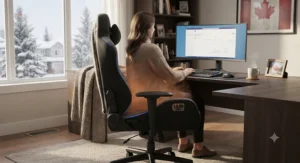
Somewhere around the third week of a Winnipeg or Sudbury winter, most home-office gamers hit the same wall: the furnace is doing its best, the space heater under the desk is either scorching your shins or doing nothing at all, and your feet have gone the colour of old snow. That’s usually the exact moment someone starts googling heated gaming chair for cold home offices at 11 p.m., half-frozen and fully done with wearing three sweaters indoors. Fair enough — it’s a real problem, and it has a genuinely good solution.
It’s also not just a comfort issue — Canada’s own home office health and safety guidance points out that ergonomics and environmental factors like temperature are part of a properly set-up home workstation, not an afterthought. A heated gaming chair isn’t a gimmick bolted onto a regular chair for the box art. Done properly, it’s a small heating element — usually built into the seat pan or the lumbar pillow — paired with a low-voltage controller, so you get direct, localized warmth exactly where your body loses the most heat to a cold chair surface. Combine that with a massage function and you’re basically getting a space heater and a mini spa chair rolled into your desk setup, minus the fire hazard of pointing a ceramic heater at your ankles for six hours straight.
This guide walks through seven real, currently available chairs spanning budget to premium, explains what the heat and massage specs actually mean for someone gaming or working through a Canadian winter, and digs into the honest trade-offs — battery-versus-plugged heating, fabric versus leather in a dry heated house, and where CSA certification actually matters. Every price below is a range in Canadian dollars, because exact Amazon.ca pricing shifts too often to quote reliably — always check the current price on the product page before buying.
Quick Comparison Table
| Chair | Heat Zone | Massage | Price Range (CAD) | Best For |
|---|---|---|---|---|
| AutoFull M6 Ultra 2.0 | Heated + ventilated seat | Thigh + lumbar vibration | C$450–C$600 | All-in-one climate control |
| Dowinx LS-6659 | Heated Shiatsu headrest | Neck + lumbar Shiatsu | C$220–C$300 | Big & tall, cold necks |
| HOMREST 6-Point | Heated lumbar (up to ~38°C) | 6-point, 8 modes | C$200–C$260 | Strongest heat output |
| HOFFREE Massage + Heat | Heated lumbar pillow | Dual-motor lumbar | C$150–C$210 | Best value mid-range |
| Homall Heat + 6-Point | Heated lumbar | 6-point vibration | C$140–C$190 | Hybrid work/gaming |
| GOOSEA Heated Massage | Heated lumbar | Basic lumbar massage | C$110–C$150 | Budget big & tall |
| WAILOR Heated Massage | Heated lumbar | Basic lumbar massage | C$80–C$120 | Entry-level budget |
Looking at the spread, there’s a clear pattern: heat placement drives price almost as much as brand does. Chairs that heat the whole seat pan (like the AutoFull M6 Ultra 2.0) cost noticeably more than lumbar-only heating because they need a bigger element and more careful wiring around a surface you’re actually sitting on. If your main complaint is cold thighs on a leather seat, seat-based heating is worth the premium; if it’s just a stiff, chilly lower back, a lumbar-only heated pillow like the HOFFREE or GOOSEA gets you 80% of the benefit for half the price.
💬 Just one click — help others make better buying decisions too!😊
Top 7 Heated Gaming Chairs for Cold Home Offices: Expert Analysis
1. AutoFull M6 Ultra 2.0 — best all-in-one climate control for serious sessions
The M6 Ultra 2.0 is the chair to buy if you want to stop thinking about temperature entirely, in either direction. Its ventilated-and-heated seat pan runs both ways: three cooling fan speeds for a stuffy office in July, and a heating element for January mornings when the room hasn’t caught up with the thermostat yet. Paired with a third-generation dynamic lumbar system that auto-adjusts as you shift position, plus thigh-and-lumbar vibration massage and five-way mechanical armrests, this is less “gaming chair” and more “climate-controlled workstation.” Based on the spec comparison against every other chair here, it’s the only one offering active seat heating rather than lumbar-only warmth, which matters most for people whose desk sits directly in a drafty corner or basement conversion. Reviewers consistently note the dynamic lumbar as the standout feature — it’s the kind of thing you don’t appreciate until you switch back to a static lumbar pillow and immediately miss it. The trade-off is straightforward: this is a premium chair, and the extra engineering shows up in the price tag, not just the marketing copy.
Pros:
- ✅ Full seat heating, not just lumbar-only warmth
- ✅ Auto-adjusting lumbar support reacts to movement
- ✅ Dual-purpose heating and ventilation in one seat
Cons:
- ❌ Highest price point of the seven featured here
- ❌ More electronics inside means more that can eventually fail
Priced around C$450–C$600, the AutoFull M6 Ultra 2.0 sits at the top of this list for a reason — if you’re going to own one climate-controlled chair for the next several winters, this is the one that earns its premium.
2. Dowinx LS-6659 — best heated Shiatsu neck massage for big & tall frames
Most heated chairs put the warmth in the lumbar pillow and call it a day. The Dowinx LS-6659 does something a little different: it puts a genuine heated Shiatsu massage system in the headrest, with rotating nodes rather than simple buzzing motors, plus a separate dual-node lumbar pillow for the lower back. On paper this means two distinct comfort zones instead of one, which is a bigger deal than it sounds — neck and shoulder tension from hunching toward a monitor is arguably the more common cold-office complaint, and it’s the one most heated chairs ignore entirely. The fabric upholstery and pocket-spring cushion are rated to 350 lb, making this one of the more genuinely big-and-tall-friendly picks in this roundup rather than a standard frame with an XL sticker slapped on it. Aggregated review sentiment for the Dowinx Shiatsu line consistently highlights the neck massage as the differentiator versus competitors that only vibrate the lower back; some reviewers do note the fabric traps heat more than PU leather during long summer sessions, though that’s arguably a non-issue for the cold-office use case this guide is built around.
Pros:
- ✅ True kneading Shiatsu massage, not just vibration
- ✅ Separate heated zones for neck and lumbar
- ✅ 350 lb capacity fits genuinely larger frames
Cons:
- ❌ Fabric can feel warm in poorly ventilated summer rooms
- ❌ Bulkier footprint than slimmer PU leather chairs
At roughly C$220–C$300, the Dowinx LS-6659 is the pick for anyone whose “cold office” problem is really a “stiff neck and cold office” problem.
3. HOMREST 6-Point Massage Gaming Chair with Heat — strongest heat output for a genuinely cold room
If your home office is a converted garage, a basement, or just the coldest corner of the house, the HOMREST 6-Point is worth a look specifically because of how far its heat output goes — up to roughly 38°C (100°F) at the lumbar zone, which is noticeably warmer than the low-heat lumbar pads on cheaper chairs. What most buyers overlook about heat specs is that a lot of budget chairs list “heating function” without ever stating a temperature ceiling, so a chair that actually publishes a number is worth extra trust. Combined with an 8-mode, 6-point vibration massage system and a BIFMA-certified metal base rated to 400 lb, this reads as a chair built by people who assumed it would be used in genuinely uncomfortable rooms, not just staged for a product photo in a climate-controlled studio. The 25D high-density foam holds its shape noticeably better over time than the cheaper 15–20D foam found in entry-level competitors, which matters if you’re sitting in this chair eight hours a day through an entire Canadian winter. Reviewers frequently mention the heat as “actually noticeable,” which — again — is a real differentiator, since a surprising number of heated chairs at this price point produce warmth so mild it’s barely perceptible through winter clothing.
Pros:
- ✅ Published heat ceiling around 38°C, genuinely warm
- ✅ 8 massage modes across 6 points
- ✅ BIFMA-certified base rated to 400 lb
Cons:
- ❌ No seat-level heating, lumbar zone only
- ❌ Heavier build makes it harder to move between rooms
Landing around C$200–C$260, this is the practical mid-range choice for anyone whose office temperature is the actual problem, not just their back.
4. HOFFREE Gaming Chair with Massage and Heated Lumbar Support — best value in the mid-range
The HOFFREE occupies an interesting spot: it’s priced closer to the budget tier but includes a dual-motor heated lumbar pillow that punches above its price class. Here’s what to weigh — the heating element is lumbar-only, so don’t expect the whole-seat warmth of the AutoFull, but the dual vibration motors simulate a kneading sensation rather than a single flat buzz, which is a noticeably more comfortable massage than what most sub-C$200 chairs offer. The breathable Dutch velvet fabric is a smart material choice for a heated chair specifically, since fabric doesn’t trap and re-radiate heat the way PU leather does, so the warmth stays where it’s supposed to instead of turning the whole seat clammy. SGS-certified level-3 gas cylinders and a 350 lb weight rating round out a build that feels sturdier than its price tag suggests. The spec sheet won’t tell you this, but user reports suggest the linked armrests — which move together rather than independently — are either a love-it or a mild annoyance depending on whether you like resting your arms asymmetrically while gaming.
Pros:
- ✅ Dual-motor kneading massage, not single-point buzz
- ✅ Breathable fabric pairs well with a heating element
- ✅ SGS-certified cylinder and 350 lb capacity
Cons:
- ❌ Linked armrests move together, not independently
- ❌ Heat is lumbar-only, no seat warmth
At around C$150–C$210, the HOFFREE is the chair to recommend to anyone asking “what’s the cheapest heated massage chair that doesn’t feel cheap.”
5. Homall Massage Office Chair with Heat and 6 Vibration Points — best hybrid pick for work-and-play
Not everyone using a heated gaming chair is exclusively gaming — plenty of people are running spreadsheets from 9 to 5 and queueing up ranked matches at 9 p.m., in the same chair, in the same cold room. The Homall leans into that dual-purpose reality with a more understated executive-office look, linen upholstery instead of racing-stripe PU leather, and a 135-degree recline that’s genuinely useful for a midday break rather than just a marketing bullet point. Its six vibration points plus lumbar heat cover a wider surface area than single-pillow competitors, which is a real advantage if your discomfort isn’t localized to one spot. Based on the spec comparison, this is one of the few chairs on this list that would look equally at home on a video call as it does in a gaming setup — a meaningful consideration if your home office doubles as a background for work meetings. Reviewers commonly describe the linen finish as easier to keep clean than PU leather, though a few note it shows wear on the armrests faster than expected under daily heavy use.
Pros:
- ✅ Wider 6-point massage coverage than single-pillow chairs
- ✅ Neutral linen look works for both office and gaming
- ✅ 135° recline genuinely usable for breaks
Cons:
- ❌ Armrest fabric shows wear faster than PU leather
- ❌ Less “gamer aesthetic” if that’s what you’re after
Priced roughly C$140–C$190, the Homall is the practical choice for anyone who needs one chair to do two jobs.
6. GOOSEA Fabric Gaming Chair with Heated Massage Lumbar Support — best budget big & tall option
Big-and-tall shoppers get shortchanged constantly in the budget gaming chair category, where “big and tall” often just means a slightly wider cushion on the same undersized frame. The GOOSEA avoids that trap with a genuinely wider high-back frame, a pocket-spring cushion for support that holds up better than flat foam over time, and a heated massage lumbar pillow that, while basic, does the actual job — warming and lightly kneading the lower back during long sessions. What most buyers overlook about pocket-spring cushions specifically is that they resist the “bottoming out” feeling that flat foam develops after a few months of daily use, which is a bigger factor in long-term comfort than the massage function itself. This isn’t a chair that’s going to wow anyone with tech, but it consistently shows up in budget roundups specifically because it delivers a working heated massage feature at a price where several competitors cut that feature entirely. Aggregated review sentiment leans positive on durability for the price point, with the most common complaint being a plain, basic aesthetic rather than any functional shortfall.
Pros:
- ✅ Genuinely wider frame, not just wider marketing
- ✅ Pocket-spring cushion resists bottoming out
- ✅ Heated lumbar massage works at a low price
Cons:
- ❌ Plain aesthetic compared to RGB-heavy competitors
- ❌ Basic single-mode massage, no intensity settings
At around C$110–C$150, the GOOSEA proves you don’t need a premium budget to get functional heat and support in a properly sized frame.
7. WAILOR Gaming Chair with Heated Massage — best entry-level pick for testing the waters
If you’re not sure whether a heated gaming chair is actually going to solve your cold-office problem, the WAILOR is the low-risk way to find out. It sticks to the basics — a single heated lumbar zone, a straightforward vibration massage motor, and a standard PU-leather racing-style build — without trying to bundle in RGB lighting, Bluetooth speakers, or other features that inflate the price without addressing the actual complaint of a cold back. Here’s what to weigh: the heating element on a chair at this price tier is usually a lower-wattage pad than what you’d find on the HOMREST or HOFFREE, so don’t expect dramatic warmth — think “noticeably better than an unheated chair” rather than “space heater replacement.” For someone testing whether heated seating is worth the investment before committing to a pricier model, that’s a completely reasonable trade-off. It also makes a sensible secondary chair for a spare room, guest office, or a student’s first proper desk setup where budget matters more than features.
Pros:
- ✅ Lowest price point of any chair on this list
- ✅ No unnecessary extras inflating the cost
- ✅ Easy way to trial heated seating before upgrading
Cons:
- ❌ Lower-wattage heat than pricier competitors
- ❌ Basic single-speed massage motor only
Around C$80–C$120, the WAILOR earns its spot as the entry point for anyone who wants to try heated seating without a big commitment.
Practical Usage Guide: Setting Up Your Heated Gaming Chair for a Canadian Winter
Getting the most out of a heated gaming chair isn’t just plug-and-sit. Start by positioning the chair away from direct drafts — an exterior wall or a window in a Canadian winter can undercut even the strongest heating element, since the chair is fighting a constant cold breeze rather than just warming still air. On first use, run the heat function for 10–15 minutes before you actually sit down; most elements need a short warm-up period to reach a stable temperature rather than instantly hitting full heat. During your first 30 days, resist the urge to run massage and heat simultaneously for hours at a stretch — most manufacturers recommend limiting continuous massage motor use to about 30 minutes at a time to avoid premature motor wear, even though the heating element itself can usually run longer.
For a proper winter home office setup, pair the chair with a draft-stopper at the base of your office door and, if your floor is hardwood or tile, a small area rug under the chair’s caster wheels — cold flooring pulls heat away from your feet regardless of how warm the seat gets, and a rug closes that gap. Wipe down PU leather chairs weekly during heating season, since dry winter air combined with a heated seat can make synthetic leather crack faster than in humid months; fabric chairs are more forgiving here but should be vacuumed regularly to keep the heating element’s airflow clear. Once a month, check and retighten the base bolts and lubricate the recline mechanism — heated components can cause minor material expansion and contraction over a season, and a quick check catches wobble before it becomes a real problem.
✨ Don’t Miss These Exclusive Deals!
🔍 Take your winter home office setup to the next level with these carefully selected chairs. Click on any highlighted item to check current pricing and availability. These picks will help you build a genuinely comfortable cold-weather gaming space you’ll actually want to sit in.
Real-World Scenarios: Who Actually Needs a Heated Gaming Chair
The basement-office streamer. If your setup lives in an unfinished or partially finished basement — common across older homes in Ontario and Quebec — you’re dealing with cold concrete underfoot and ambient temperatures that can run several degrees below the rest of the house. For this situation, seat-level heating like the AutoFull M6 Ultra 2.0 matters more than lumbar-only warmth, since the cold is coming up through the floor and the chair itself, not just settling on your back.
The budget-conscious student in a shared house. A student working and gaming from a bedroom in a shared rental, where the landlord controls the thermostat and keeps it conservative, doesn’t need a C$500 chair — they need reliable, basic warmth without breaking a part-time-job budget. The WAILOR or GOOSEA covers this use case well: enough heat to notice, low enough cost to justify on a tight budget.
The remote worker doubling as a competitive gamer. Someone splitting eight-hour workdays and evening ranked sessions in the same chair benefits most from a hybrid pick like the Homall, where the neutral look holds up on video calls and the wider massage coverage helps with the cumulative strain of a genuinely long sitting day, not just an evening gaming session.
The big-and-tall gamer in a drafty older home. Older Canadian housing stock — especially century homes in cities like Halifax or Kingston — often has uneven heating and drafty rooms that were never built for modern insulation standards. A big-and-tall option like the Dowinx LS-6659 or GOOSEA, sized properly rather than just labeled “big and tall,” matters more here than in a newer, well-insulated build.
Problem → Solution: Fixing Common Cold Home Office Complaints
Problem: Cold thighs and seat, warm everywhere else. This points to a lumbar-only heating element trying to compensate for a problem it wasn’t designed to solve. Solution: prioritize seat-level heating like the AutoFull M6 Ultra 2.0, or add a plug-in heated seat cushion under a lumbar-only chair as a stopgap.
Problem: Warm chair, still cold feet. Chair heating rarely reaches the floor. Solution: pair any heated chair with a small area rug or a footrest — a few of the chairs above, like the Dowinx, include a retractable footrest that helps here directly.
Problem: Massage motor stopped working after a few months. This is usually a symptom of running the motor continuously rather than in intervals. Solution: stick to 30-minute massage sessions as most manufacturers recommend, and let the motor rest between uses — the heating element itself typically has a longer duty cycle and isn’t the usual point of failure.
Problem: PU leather cracking near the heating element. Dry winter heat plus a chair-level heating pad accelerates wear on synthetic leather specifically. Solution: choose a fabric-upholstered heated chair like the HOFFREE or GOOSEA if your home runs dry in winter, or apply a leather conditioner monthly on PU models.
Problem: Chair heat feels barely noticeable. Some budget chairs use low-wattage elements that struggle in a genuinely cold room. Solution: check for a published temperature spec before buying — chairs like the HOMREST that state an actual heat ceiling are more reliable than ones that just say “heated” with no number attached.
How to Choose a Heated Gaming Chair for Cold Home Offices
What is a heated gaming chair for cold home offices? It’s a gaming chair with a built-in low-voltage heating element — typically in the seat pan, lumbar pillow, or both — designed to add localized warmth for people working or gaming in rooms that run cold, without needing a separate space heater running constantly nearby.
Choosing the right one comes down to a handful of concrete criteria rather than brand loyalty:
- Heat zone placement. Decide whether your cold spot is your seat, your lower back, or your neck — and match the chair’s heating zone to that specific complaint rather than assuming any “heated chair” solves the same problem.
- Published heat output. Look for a stated temperature or wattage rather than a vague “heating function” bullet point; chairs that publish a number, like the HOMREST’s roughly 38°C ceiling, tend to deliver more consistent warmth.
- Upholstery material for your climate. Fabric breathes better with a heating element and tends to hold up longer in dry winter heat; PU leather looks sleeker but can crack faster under repeated heat cycling.
- Weight capacity and frame size. Confirm the actual capacity rating rather than trusting a “big and tall” label alone — the difference between a genuinely wider frame and a standard frame with extra padding matters over years of daily use.
- Massage type. Simple vibration motors are fine for general relaxation; Shiatsu-style kneading nodes, like on the Dowinx, cost more but deliver a noticeably different, more targeted sensation.
- Power source and control. Most heated chairs run through a wall-plug adapter rather than batteries — check cord length against your desk setup so you’re not fighting an awkward reach every time you sit down.
- CSA or equivalent electrical certification. Because you’re dealing with an electrical heating element you’ll sit on for hours, confirm the product carries recognized safety certification rather than an unbranded low-cost knockoff — a detail covered further in the Canadian Electrical Code, which governs how electrical products are approved for sale and use across Canadian provinces.
Massage Gaming Chair vs Heated Gaming Chair: What’s the Real Difference
These two categories get lumped together constantly, but they solve different problems. A massage gaming chair vs heated gaming chair comparison really comes down to what kind of discomfort you’re dealing with. A pure massage gaming chair uses vibration or kneading motors to relieve muscle tension and improve circulation during long sitting sessions — it does nothing for ambient cold, since a vibrating motor doesn’t generate warmth. A pure heated gaming chair, on the other hand, does the opposite: it adds warmth to combat a cold room or cold seat surface but offers no muscle relief on its own. If your main issue is stiffness and soreness after long sessions, a massage-only chair solves that regardless of room temperature. If your main issue is literally being cold at your desk, heat is the feature that actually matters, and a fancy massage system won’t touch that problem.
Why Combo Chairs Are the Practical Middle Ground
This is exactly where a gaming chair with massage and heat combo earns its keep, and it’s why every chair featured in this guide includes both functions rather than just one. Reviewers consistently note that heat actually improves the effectiveness of the massage function — warming muscles first makes kneading and vibration feel more relaxing than the same massage delivered cold, similar to how a warm-up stretch works better than a cold one. What most buyers overlook is that combo chairs don’t cost dramatically more than heat-only or massage-only models at the same build quality tier; the added cost is mostly in the second motor and wiring, not a massive premium. For anyone in a genuinely cold Canadian home office, a combo chair is close to a default recommendation over either standalone feature — you’re rarely dealing with only stiffness or only cold, and a combo chair covers both without needing two separate purchases.
Features That Actually Matter (And Those That Don’t)
Not every spec on a gaming chair box translates to real comfort, and it’s worth filtering the signal from the marketing noise. RGB lighting, Bluetooth speakers, and app-controlled colour modes look great in product photos but do nothing for the cold-office problem this guide is solving — treat those as a nice-to-have, not a deciding factor. Weight capacity and frame width, on the other hand, matter enormously and are frequently underreported; a chair rated for 300 lb with a narrow seat pan will feel cramped for plenty of average-sized adults well under that weight limit. Recline range past 150 degrees sounds impressive but is rarely used in practice for gaming — 135 to 145 degrees covers the vast majority of real use cases, including short breaks. The genuinely important specs are heat zone and output, massage motor type, cushion material (pocket spring versus flat foam), and certified weight capacity — everything else is largely aesthetic preference dressed up as a functional feature.
Canadian Climate Considerations & Safety Guide
Canadian winters put real demands on any electrical heating product, and a heated gaming chair isn’t exempt from basic electrical safety practices just because it looks like furniture rather than a space heater. Any electrical product sold in Canada should carry recognized safety certification — CSA is the most common mark you’ll see on legitimate heated chairs, and it indicates the product and its components passed testing under Canadian standards rather than skipping that process entirely. As with any winter heating appliance, plug the chair directly into a wall outlet rather than a power bar where possible, and avoid daisy-chaining it with other heat-producing devices on the same circuit — fire safety officials across Canada consistently flag overloaded circuits as a leading cause of winter heating fires, a warning that applies just as much to a heated chair as it does to a portable space heater — the same winter heating safety guidance issued by Canadian fire departments each year.
Dry indoor air is another distinctly Canadian winter factor: homes heated through a forced-air furnace often drop to uncomfortably low humidity levels by January, which affects both your skin and your chair’s upholstery. Fabric-upholstered heated chairs tend to hold up better in these conditions than PU leather, which can crack or peel faster when repeatedly warmed in a dry environment. If you’re working from a basement office — common in colder regions like the Prairies and Northern Ontario — pay extra attention to cord placement and avoid running extension cords across high-traffic floor areas, since basements often lack the outlet coverage of upstairs rooms. None of this is exotic advice, but it’s the kind of practical detail that gets skipped in a typical product listing, and it’s worth reading through basic winter heating safety guidance before your chair becomes the newest electrical appliance running in your home for hours every day.
Common Mistakes When Buying a Heated Gaming Chair
The most common mistake is buying based on massage features alone and assuming heat is basically the same across every chair — it isn’t, and the difference between a 38°C lumbar pad and a barely-warm budget element is significant in a genuinely cold room. A close second is ignoring upholstery material for the climate you actually live in; PU leather looks premium in photos but performs worse than fabric specifically in dry, heated Canadian winters. Buyers also frequently skip checking the actual weight capacity rating in favour of trusting a “big and tall” label at face value, which leads to a chair that technically holds the weight but feels undersized in the seat pan. Another overlooked detail: not checking cord length and outlet placement before ordering, which turns into an annoying extension-cord workaround after the chair arrives. Finally, plenty of buyers assume all heated chairs are interchangeable in terms of electrical safety — always confirm CSA or equivalent certification rather than assuming an unbranded budget listing has been through the same testing as an established brand.
Long-Term Cost & Maintenance: Is a Heated Gaming Chair Worth It
A heated gaming chair typically costs C$20 to C$80 more than an equivalent non-heated model at the same build quality, which is a modest premium against the alternative of running a dedicated space heater for hours daily throughout an entire Canadian winter. A basic 1,500-watt space heater running for six hours a day over a four-month heating season adds up in electricity costs in a way a low-wattage chair heating element simply doesn’t — the chair only warms a small, localized area rather than trying to heat an entire room. On the maintenance side, massage motors are typically the first component to wear out, usually somewhere in the 12–24 month range with regular daily use, while heating elements tend to outlast them when used within recommended intervals rather than run continuously for entire workdays. Total cost of ownership over three years generally favours the mid-range picks in this guide — the HOMREST or HOFFREE tier — since ultra-budget chairs often need motor or cushion replacement sooner, while ultra-premium chairs rarely recoup their extra cost purely through durability gains. If you’re weighing this purely as a return-on-investment question, a mid-tier combo chair used consistently through a Canadian winter is the most defensible pick on cost-per-comfortable-hour.
What to Expect: Real-World Performance in a Cold Office
On paper, a heated lumbar pillow sounds modest, but in practice it changes the first ten minutes of sitting down in a cold room noticeably — that initial shock of a cold chair surface simply doesn’t happen. Expect the heat to take a few minutes to build to a stable, noticeable warmth rather than switching on instantly like a heat lamp; this is normal for low-voltage heating elements and isn’t a sign of a defective unit. Massage function performance varies more by motor type than by price point specifically — Shiatsu kneading nodes feel meaningfully different from simple vibration, and that difference is more noticeable in daily use than most spec sheets convey. Across a full winter of regular use, most owners report the combination of heat and massage reducing how often they reach for a secondary space heater, though it doesn’t fully replace room-level heating in a genuinely cold basement or garage conversion — think of it as solving the immediate, localized discomfort rather than the entire room’s temperature.
FAQ
❓ Do heated gaming chairs use a lot of electricity?
❓ Can I use a heated gaming chair without the massage function?
❓ Is a heated gaming chair safe to leave on for a full workday?
❓ Do heated gaming chairs work well in a cold basement office?
❓ What's the difference between a heated gaming chair and a heated office chair?
Conclusion
A cold home office is one of those problems that’s easy to underestimate until you’re the one sitting in it for the fourth consecutive hour with numb feet and a stiff back. The good news is that a heated gaming chair for cold home offices is a genuinely practical fix rather than a novelty purchase, provided you match the heat zone and output to your actual complaint rather than buying on massage features or RGB lighting alone. Whether that means the full climate-controlled comfort of the AutoFull M6 Ultra 2.0, the targeted heated Shiatsu relief of the Dowinx LS-6659, or the no-frills budget warmth of the WAILOR, there’s a real, currently available option across every price point covered here. Pair whichever chair fits your budget with a few basic winter home office habits — a rug under the casters, sensible cord placement, and a confirmed CSA or equivalent safety certification — and you’ve got a setup that can genuinely carry you through another Canadian winter without dreading the walk to your desk.
Recommended for You
- Gaming Chair With Lumbar Massage for Back Pain: 7 Top Picks (2026)
- Budget Massage Gaming Chair: 7 Picks That Won’t Wreck Your Back (2026)
- LED Gaming Chair vs RGB Gaming Chair: 7 Real Picks Ranked (2026)
Disclaimer: This article contains affiliate links. As an Amazon Associate, I earn from qualifying purchases. If you purchase products through these links, we may earn a small commission at no additional cost to you.
✨ Found this helpful? Share it with your friends! 💬🤗
