
In This Article
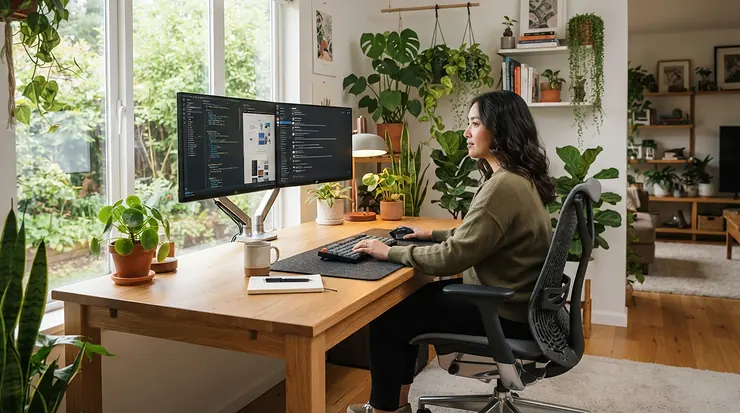
A mesh gaming chair for back support is a seat built around a breathable, tensioned mesh backrest, sometimes with a mesh seat too, paired with adjustable lumbar support. Air moves across your spine while the chair holds the natural curve of your lower back. Think office-chair engineering wearing a gamer’s jacket.

Here’s the problem with the classic racing-bucket chair. It looks fierce, and then it cooks you. Foam and faux leather trap heat, the “lumbar pillow” is a lump you strap on and forget, and by hour three you’re slumped like a dropped hoodie. A well-chosen mesh gaming chair for back support fixes the heat and, with the right mechanism, the slouch too.
Canadian workplace-safety guidance is blunt about what matters in a chair. The Canadian Centre for Occupational Health and Safety treats adjustability and a properly fitted backrest as the foundation of a healthy seat. A CCOHS occupational health and safety specialist has pointed to adjustability, lumbar support and the ability to sit close to your work as the key things to look for. Notice what’s missing from that list: flames, wings and RGB.
This guide compares seven real chairs, from budget to flagship, with plain-language commentary on what each spec means for your spine. We lean on published reviews and aggregated buyer feedback, not invented testing. We also cover lumbar support, posture correction, a mesh gaming chair for long work hours, and ergonomic seating design, so you can buy once and sit well. Prices below are ranges in Canadian dollars, so check current pricing on amazon.ca before you buy.
Quick Comparison: Mesh Gaming Chair for Back Support at a Glance
| Chair | Mesh Type | Lumbar Style | Price Range (CAD) | Best For |
|---|---|---|---|---|
| Dowinx Fabric Gaming Chair | Mesh fabric over spring seat | Detachable massage pillow | C$200–C$330 | Tight budgets, casual sessions |
| ELABEST T96 | Full mesh seat and back | Adjustable, built into frame | C$250–C$400 | Value-driven desk workers |
| Sihoo Doro C300 | Full mesh seat and back | Dynamic, self-adjusting | C$400–C$650 | Mid-range ergonomic seating |
| Cooler Master Hybrid 1 | Mesh back, perforated PU seat | 4-way adjustable | C$600–C$750 | Gamers who want the look |
| AutoFull G7 | Mesh seat and back | 3-zone dynamic | C$700–C$850 | Marathon sessions |
| Secretlab Titan Evo | Fabric or mesh variants | 4-way built-in | C$700–C$1,000 | Customizers who recline often |
| Razer Fujin Pro | Full mesh, aluminum frame | 2D adjustable | C$1,300+ | Premium suspension feel |
Price bands are approximations based on reviews and conversions at the time of research (October 2026). The cheapest chairs in the table trade features for price. The ELABEST T96 gives the most true mesh per dollar, while the Sihoo Doro C300 adds a lumbar system that follows your spine as you recline. At the top, the Razer Fujin Pro is the purest suspension-style seat, but it costs more than twice what the AutoFull G7 does. If you want gaming looks without full mesh, the Cooler Master Hybrid 1 is the compromise.
💬 Just one click — help others make better buying decisions too!😊
Top 7 Mesh Gaming Chair for Back Support Picks: Expert Analysis
1. Dowinx Fabric Gaming Chair — cheapest way into pocket-spring comfort
The hook is the pocket-spring seat cushion, which delivers a sofa-like bounce that budget foam rarely manages. The backrest is wrapped in breathable mesh fabric, and the chair reclines roughly 90°–135° (some listings claim a bit more). It also has an extendable footrest, a headrest and a detachable massage lumbar pillow.
In practice, the springs spread pressure under your sit bones, and the recline range lets you unload your spine between bouts of focus. The catch is that the lumbar pillow sits on the chair rather than inside it. It can’t follow your back as you recline the way a built-in system can. The listing also notes that the spring support may fade above about 100 kg (220 lb).
Based on the spec sheet, this is a comfort-first chair for casual-to-moderate sessions rather than a posture-engineering tool. Aggregated buyer feedback across retailer listings tends to praise comfort for the money. Recurring cautions involve small plastic attachment parts on the lumbar pillow and a “massage” function that behaves more like gentle vibration than kneading. Ratings on the listings found sit in the low-to-mid 4-star range, though that varies by retailer.
Pros:
- ✅ Pocket-spring seat feels plush and forgiving
- ✅ Generous recline plus footrest for breaks
- ✅ Lowest entry price in this round-up
Cons:
- ❌ Lumbar pillow isn’t built in or self-adjusting
- ❌ Spring support reportedly fades for heavier users
Expect roughly C$200–C$330. For occasional gaming and light desk time it’s good value, but not the pick for an eight-hour workday.
2. ELABEST T96 — the office chair in a gamer-friendly price bracket
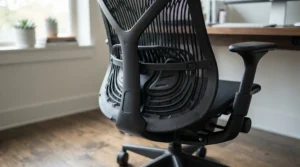
The standout is a full mesh seat and back at a price that usually buys foam and faux leather. Roundups describe a bionic-curve backrest that mirrors the spine’s natural S-shape, adjustable lumbar support, 3D armrests, synchro-style tilt and a 350 lb (about 159 kg) capacity. Several buying guides also cite BIFMA 5.1 certification, a North American commercial durability standard. Confirm that on the current listing.
What this means for your back is simple. A full-mesh seat eliminates the heat build-up and slow compression that plague foam cushions, and the shaped backrest supports your shoulder blades during forward-leaning work. One review notes the lumbar mechanism adds bulk behind the backrest, which can nudge you forward on smaller frames. The maker suggests it for roughly 157–185 cm (5’2″–6’1″) users.
To be clear, this is an ergonomic office chair that happens to suit gamers, not a styled gaming throne. That’s mostly a compliment. Reviewers repeatedly frame it as a budget alternative to premium suspension seats, and the common praise is breathability that holds up over long sessions. Common caveats are a firmer feel than foam and a plain look. We couldn’t verify consistent star ratings across Canadian listings, so check current amazon.ca reviews.
Pros:
- ✅ Full mesh seat and back stay cool
- ✅ Commercial-style build and high weight rating
- ✅ Adjustable lumbar for an entry-level price
Cons:
- ❌ Firmer feel than foam-seat gaming chairs
- ❌ Lumbar mechanism adds backrest bulk
Expect roughly C$250–C$400. It’s the best true-mesh value here.
3. Sihoo Doro C300 — lumbar that moves with you
The star feature is a dynamic lumbar system that automatically tracks your back as you shift or recline. Specs include a mesh back and seat, 3D linked armrests, a backrest that lifts about 6 cm (2.36 in) in four steps, tilt at 110°, 120° and 130°, and a capacity near 136 kg (300 lb).
The linked design matters because most static lumbar supports are right at one angle and wrong at the next. Here, the support is meant to keep touching the small of your back as you lean. A mesh headrest with several adjustments handles the neck.
Reviews are positive but not unanimous, which is a useful signal. Windows Central called the lumbar one of the best it had used on an office chair, and Creative Bloq loved the springy mesh. Tom’s Guide noted the plastic parts feel less premium than some rivals, and KitGuru felt the lumbar adjustability and tilt angles were limited for the full UK price. A US retailer listing shows a rating around 4.4 from several hundred reviews. Versions vary by region, so check you’re buying the current model.
Pros:
- ✅ Self-adjusting lumbar suits changing postures
- ✅ Breathable mesh seat, back and headrest
- ✅ Strong adjustability for the price
Cons:
- ❌ Some plastic parts feel less premium
- ❌ Few tilt positions per reviewers
Expect roughly C$400–C$650, depending on version and sales. It’s the sweet spot for a mesh gaming chair for long work hours without flagship money.
4. Cooler Master Hybrid 1 — gamer styling with a mesh back
The hook is the stretchy MuscleFlex mesh backrest stretched over high-density cold-moulded foam, so it keeps a gaming look while venting heat. The seat uses perforated PU leather. Cooler Master lists a four-direction adjustable lumbar, full recline to flat (180°), and a class 4 gas lift.
The mix has trade-offs. The mesh back breathes and flexes to your contours, but the seat is still foam under PU, so your thighs run warmer than on a full-mesh chair. The 4-way lumbar suits a wide range of body heights, which is the right spec for a chair meant to be shared or resized to your torso.
Tom’s Hardware called it a surprisingly comfortable, no-nonsense office/gaming chair with a wide seat, though it criticized the solid, bolted-on headrest and questioned the price. Reviewers consistently describe it as a mature design rather than a flashy one. That’s good news if you want a chair that survives a video call.
Pros:
- ✅ Flexing mesh back keeps your spine cool
- ✅ Four-direction lumbar for varied torso lengths
- ✅ Wide seat and full recline
Cons:
- ❌ Perforated PU seat runs warmer than mesh
- ❌ Rigid headrest draws criticism
Expect roughly C$600–C$750. Fair value if the aesthetics matter to you, but an all-mesh rival undercuts it on cooling.
5. AutoFull G7 — three-zone lumbar for marathon sessions
The headline is a 3-zone floating lumbar system, which the maker says was developed with chiropractors. It sits in an elastic CloudTech mesh back, with a mesh seat, a footrest, 140° recline, multi-axis armrests and about 22 adjustment points.
The idea is that your lower back isn’t a single flat zone. Three independent pieces of support wrap the curve rather than poking one spot. If it works as described, that’s useful for anyone who feels pressure points from a single fixed pad. Treat chiropractor and certification claims as the manufacturer’s, and verify them on the current listing.
Reviewer sentiment is mostly warm, with several describing a “thoughtfully designed” feel and good breathability. Some sources are affiliate review sites with an incentive to praise, so weigh them accordingly. The caution flag is service. Trustpilot reviews of the maker include complaints about defective parts on arrival and slow warranty handling, mostly on other AutoFull models. That’s a real risk to price in, not a verdict on every unit.
Pros:
- ✅ Multi-zone lumbar wraps the lower back
- ✅ Mesh seat and back for long sessions
- ✅ Highly adjustable with a detachable footrest
Cons:
- ❌ Mixed reports on customer service
- ❌ Heavier on features than on proven track record
Expect roughly C$700–C$850. Strong spec value, so buy from a seller with an easy return policy.
6. Secretlab Titan Evo — the gaming-chair benchmark for customizers
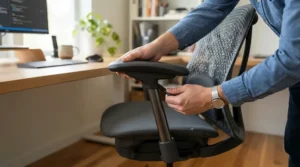
The signature is the built-in L-ADAPT 4-way lumbar, tuned by a dial on each side of the backrest. It’s offered in several fabrics, and reviews mention mesh variants, so confirm what’s offered in Canada. The recline reaches roughly 165°, and the chair carries a three-year base warranty, extendable to five years.
What the dials mean in practice is that height and depth are both dialable. The L-ADAPT system is the reason this chair reads as an ergonomic seat rather than a pillow-on-a-bucket. One reviewer suggests most people back the lumbar off a few notches from its default, and that an undersized chair puts the lumbar in the wrong spot. Pick the right size.
Reviews are strong overall. MobileSyrup said it didn’t hurt their back after a month of use, though it noted a creak from the lumbar when leaning back and suggested a dedicated ergonomic chair might suit some buyers better. A forum reviewer found the standard seat too firm. The standard foam-and-fabric builds also breathe worse than full mesh, which is why the mesh variant matters for hot rooms.
Pros:
- ✅ Dial-adjustable built-in lumbar support
- ✅ Long warranty and wide customization
- ✅ Excellent recline for off-duty posture
Cons:
- ❌ Standard fabrics run warmer than full mesh
- ❌ Accessories and parts add up
Expect roughly C$700–C$1,000 depending on options. Availability on amazon.ca may vary, since the brand has historically sold through its own site.
7. Razer Fujin Pro — premium suspension-style mesh
The hook is a breathable mesh seat and back on an aluminum alloy frame, with synchro-tilt, tilt-tension control, a 2D adjustable lumbar and a mesh headrest included. The standard Fujin leaves the headrest as an add-on, which is why the Pro matters.
Here the mesh does the heavy lifting. TechRadar said the mesh and design gave solid back, neck and lumbar support, with no cushions needed, and called it among the best gaming chairs it had tested. A reviewer at Press Start noted the lumbar knob adjusts depth and height, though the first setup was fiddly. The strongest dissent came from Galaxus, where a tester called the screw-style lumbar mechanism the chair’s weakest point and the support inadequate for them. That split is the honest picture: great mesh and adjustability, with a lumbar system that suits some spines better than others.
The chair is also built large, with one size reported, and it’s priced like a premium office chair. If you’re petite, check dimensions first.
Pros:
- ✅ Cool, supportive suspension-style mesh
- ✅ Synchro-tilt with tension control
- ✅ Headrest included on the Pro
Cons:
- ❌ Lumbar mechanism draws criticism
- ❌ Expensive, and sized on the large side
Expect C$1,300 or more. Worth it only if you sit for work all day and have tried one in person.
How to Choose a Mesh Gaming Chair for Back Support
Choosing well comes down to matching the chair to your body and your day, not the thumbnail. Work through these steps in order:
- Measure yourself first. Sit with your feet flat and note hip width, knee-to-hip leg length and torso height. Guidance from the University of Guelph suggests two to three finger widths between the seat edge and the back of your calves, which tells you the right seat depth.
- Insist on adjustable lumbar. A fixed bump only fits one spine. Look for height adjustment at minimum, and depth or dynamic tracking if you can. CSA Z412 guidance says height-adjustable supports need the right shape and height to support the lower back.
- Check the mesh quality. Elastic, high-tension mesh holds shape longer. Sagging, thin mesh on a sub-C$250 chair is the usual failure.
- Decide full mesh or mesh back. Full mesh runs coolest, but a foam seat feels plusher.
- Confirm recline and tension. You want a tilt that follows you, plus tension control matched to your weight.
- Look at armrests. Adjustable arms let your shoulders relax while you type or hold a controller.
- Check weight rating, warranty and returns. Mesh chairs usually handle 110–160 kg, and a decent return window is your insurance.

Lumbar Support: What It Really Does for Your Spine
Lumbar support exists to preserve the gentle inward curve of your lower spine when you sit. Without it, the pelvis rolls back, the curve flattens and the muscles and ligaments of your lower back carry the strain. Ergonomists describe good lumbar support as helping maintain that S-shaped curve.
Placement matters more than thickness. Guidance from North American ergonomics sources puts the support at the small of the back, roughly belt height. A support that sits too low pushes you into a slouch, which is the opposite of what you paid for. For lumbar support to actually work, it has to meet your back at that spot in every posture you use, which is why dynamic and multi-zone systems on chairs like the Sihoo Doro C300 and AutoFull G7 are interesting.
Adjustable lumbar support beats a pillow every time. A strapped-on cushion slides, can’t track your recline and often stops where your back needs it most. If you’re stuck with a pillow-style chair such as the Dowinx Fabric Gaming Chair, fix its position at belt height and check it after every recline. If you feel pressure rather than support, the support is too aggressive, so back it off.
A Mesh Gaming Chair for Long Work Hours: What to Expect
Long days expose every compromise. A mesh gaming chair for long work hours earns its keep through three things: heat, pressure and movement.
On heat, mesh wins decisively. Moving air keeps your back dry, and that stops the slow stiffening many people feel after sweating into upholstery. On pressure, a full-mesh seat spreads load without bottoming out, but it can feel firm at first. Reviewers of mesh seats often say the feel settles with use.
Movement is the underrated one. No chair can rescue you from sitting still for eight hours. Workplace guidance consistently notes that no posture is ideal indefinitely and that you should change position often. A chair that reclines, tilts and supports you in several positions, like the Secretlab Titan Evo or AutoFull G7, makes those changes easier.
For work-heavy days, put these on your checklist: a seat width that fits your hips, armrests that let you sit close to the desk, and a backrest tall enough to support your shoulders. A mesh gaming chair for long work hours should also let you recline briefly during calls without losing lumbar contact.
Posture Correction: What a Chair Can and Can’t Do
Let’s set expectations honestly. Posture correction is mostly something you do, not something a chair does to you. Public-sector ergonomics guidance in Canada puts it plainly: an ergonomic chair doesn’t guarantee good posture, it only makes a neutral posture easier to hold.
What the chair can do is remove excuses. Properly set up, a mesh gaming chair for back support puts your hips back in the seat, supports your lower back and lets your feet land flat, so slouching takes effort instead of being the default. Posture correction then becomes a habit supported by furniture.
Be wary of any chair that promises to force your spine into position. An overly aggressive lumbar can create its own discomfort, as some Secretlab Titan Evo reviewers note when they say it feels too pushy out of the box. Neutral posture means relaxed shoulders, elbows around 90°–100°, and a trunk slightly reclined rather than rigidly upright. If you have ongoing pain, a chair isn’t treatment. See a physiotherapist or doctor.
Ergonomic Seating Design: Features That Actually Matter (And Those That Don’t)
Good ergonomic seating design is about fit and adjustability, not decoration. Here’s the sorting.
Features that matter: adjustable lumbar support, a seat height range that lets your thighs sit roughly parallel to the floor, adjustable seat depth where offered, tilt with tension control, and armrests that adjust in height and width. According to the Wikipedia overview of human factors and ergonomics, the field’s whole point is fitting the design to the person, which is exactly this list.
Features that mostly don’t: RGB, race-car stitching, a “massage” motor, and a pile of branded cushions. A detachable massage pillow, like the one on the Dowinx Fabric Gaming Chair, is pleasant but not a substitute for a real lumbar mechanism. A footrest is a luxury for short sessions and a trap for long ones if it encourages sprawling.
Headrests are a judgement call. They help when you recline, but a rigid, poorly placed one, which reviewers flagged on the Cooler Master Hybrid 1, can push your head forward. The honest rule: pay for adjustability, skip the extras.
Mesh vs Foam and Leatherette: Which Is Better for Your Back?
Mesh isn’t automatically better. It’s better at heat and, in good tension designs, at holding its shape. Foam and leatherette win on plushness and, in some cases, cold-weather comfort.
| Factor | Mesh | Foam / Leatherette |
|---|---|---|
| Breathability | Excellent | Fair to poor |
| Pressure feel | Firm, even | Plush, can compress |
| Longevity | Good if high-tension | Foam compresses over years |
| Look | Office-clean | Gaming-bold |
| Best For | Hot rooms, long days | Short sessions, cold rooms |
In the table, mesh clearly wins for long, warm sessions, and the cost is a firmer, less cushy first impression. Reviewers of full-mesh chairs often say that firmness softens into comfort over time. A mesh back on a foam seat, like the Cooler Master Hybrid 1, splits the difference, while the ELABEST T96 commits fully to mesh.
If you live somewhere cold or game in short bursts, a foam-seat chair is a perfectly reasonable choice. For a mesh gaming chair for back support used daily, full mesh is the safer bet.
Setup Guide: Dial In Your Chair in Ten Minutes
A great chair set up badly is a bad chair. Here’s an order that follows standard workplace guidance:
- Seat height: stand in front of the chair and set the seat to just below your kneecap. Sit and check that your feet are flat and thighs roughly parallel to the floor.
- Seat depth: if adjustable, leave two to three finger widths between the seat edge and your calves.
- Lumbar height: raise or lower it until the support meets the small of your back, around belt height.
- Lumbar depth: start light and add pressure until you feel supported, not pushed.
- Recline and tension: set a slight recline of roughly 100°–110° and match tension to your weight so the chair moves with you.
- Armrests: bring them up until your shoulders relax and your forearms are supported close to your body.
- Screen: put the top of your monitor near eye level.
Then re-check after a week. Your body adjusts, and the first setup is rarely the last. A common first-month mistake is cranking the lumbar to the maximum, which tends to feel good for ten minutes and bad by lunch.
Case Studies: Matching a Mesh Gaming Chair for Back Support to Your Life
The remote worker on a budget. Eight hours at the kitchen table, a C$400 ceiling, a warm apartment. The ELABEST T96 fits: full mesh, adjustable lumbar and a commercial-style build. If the budget stretches, the Sihoo Doro C300 adds a lumbar that follows posture changes.
The streamer who games four hours a night. The setup lives on camera, the room is warm and the chair has to look like it belongs. The Cooler Master Hybrid 1 gives a restrained gaming look with a venting mesh back, while the AutoFull G7 is the pick if comfort outranks looks.
The big-and-tall buyer. Weight rating, seat width and durable materials matter most. The ELABEST T96 and Sihoo Doro C300 list roughly 136–159 kg capacities. Be careful with spring-seat chairs like the Dowinx Fabric Gaming Chair, where support can fade above about 100 kg.
The pattern is simple: pick for your hours, your room and your body, then budget for the lumbar mechanism before the looks.
Problem → Solution: Fixing Common Mesh Chair Complaints
“My lower back aches after an hour.” Check lumbar height first. If the support sits below your belt line, you’ll slouch over it. Raise it, then reduce depth.
“The mesh feels hard.” Give it a week or two, since reviewers often report mesh feel softens. If it’s still harsh, a thin seat cushion can help, though it reduces airflow.
“My neck is sore.” Your monitor is probably too low or too far. Adjust the screen before touching the headrest.
“The chair creaks.” Tighten the bolts and check the recline mechanism. Some reviewers noted a lumbar creak on the Secretlab Titan Evo when leaning back, which is worth testing during your return window.
“I keep sliding forward.” Your seat is probably too deep or your recline too far for your task. Bring the backrest closer to upright while typing.
“My legs go numb.” Raise the chair or add a footrest so thighs aren’t pressed against the seat edge.
Common Mistakes When Buying a Mesh Gaming Chair for Back Support
The biggest mistake is buying on photos. A chair that looks supportive can hide a fixed foam lump labelled “lumbar.” Always check whether the support is adjustable and whether it’s built in or strapped on.
The second is ignoring size. Seat depth and backrest height that suit a tall person can swallow a petite one, and the reverse is just as bad. The Razer Fujin Pro is reportedly built large with a single size, so measure.
Third is trusting a rating without context. A 4.5-star average can hide a quality-control problem, and glowing affiliate roundups can read like brochures. Look for recurring complaints, such as broken lumbar levers, rather than the average.
Fourth is skipping the return policy, especially for a chair you can’t sit in first. Finally, don’t expect a chair to fix posture on its own. As noted above, posture correction still needs movement breaks and a well-set workstation.
Long-Term Cost & Maintenance
Cost per year of use is the fairest way to compare. A C$300 chair that sags in two years costs more per year than a C$700 chair that lasts six.
| Chair | Price Band | Typical Warranty Notes | Best For |
|---|---|---|---|
| Dowinx Fabric Gaming Chair | C$200–C$330 | About 2-year repair service on some listings | Light use |
| ELABEST T96 | C$250–C$400 | Check seller | Value mesh |
| Sihoo Doro C300 | C$400–C$650 | Check seller | Mid-range ergonomics |
| Cooler Master Hybrid 1 | C$600–C$750 | 1-year on some regional listings | Gaming looks |
| AutoFull G7 | C$700–C$850 | Check seller; service reports mixed | Feature value |
| Secretlab Titan Evo | C$700–C$1,000 | 3 years, extendable to 5 | Longevity |
| Razer Fujin Pro | C$1,300+ | Check seller | Premium mesh |
On a per-year basis, the Secretlab Titan Evo‘s long warranty narrows the gap with cheaper chairs, and the ELABEST T96 looks strongest if its commercial-style build holds up. Warranty terms vary by region and seller, so confirm them on the listing. Maintenance is simple: vacuum mesh to clear dust, tighten bolts every few months, and keep the gas lift clean and dry.
Canadian Standards, Warranty and Buying Safely
Canada’s main reference for office seating practice is CSA Z412, the office ergonomics application standard. Its chair setup guidance covers backrest height, seat width, armrest position and seat angle, which are useful checks on any chair. It also says height-adjustable lumbar supports need the right height and shape to support your lower back.
A few buying habits keep you safe. Check whether the listing states a durability certification such as BIFMA, and verify it rather than trusting the headline. Read the warranty for what it excludes, and for who handles claims in Canada. Save order confirmations, and photograph damage on arrival.
For employers and home-office deductions, workplace rules vary by province, so check your provincial occupational health and safety body. For personal use, the best protection is a return window long enough to test the chair across a full work week. The University of Guelph’s chair guidance is a handy plain-language checklist to run through on arrival.

FAQ
❓ Is a mesh chair good for lower back pain?
❓ How much should I spend on a mesh gaming chair in Canada?
❓ Does a mesh chair sag over time?
❓ Is mesh too hot or too cold in winter?
❓ Can I use a mesh gaming chair for work calls and video meetings?
Conclusion
The best mesh gaming chair for back support isn’t the loudest or the priciest. It’s the one whose lumbar support meets your spine where it actually sits, that breathes through a long day and that you can adjust until it disappears. For tight budgets, the ELABEST T96 delivers the most real mesh per dollar. For most people who sit all day, the Sihoo Doro C300 is the smart middle path, with the AutoFull G7 and Secretlab Titan Evo worth a look if you want more features and longer-term polish. Keep the Razer Fujin Pro for when budget is no object and you’ve sat in one.
Whatever you choose, remember what the research says. A chair makes good posture easier, but you still have to move, take breaks and set up your desk properly. Take your measurements, check the lumbar mechanism and confirm the return policy before you commit.
✨ Ready to upgrade your setup?
🔍 Use the comparison above, check current pricing and availability on amazon.ca, and pick the chair that fits your back and your budget. Your spine will thank you for it! 🪑
Recommended for You
- Mesh Gaming Chair For Hot Climates: 7 Ultimate Picks 2026
- Mesh Gaming Chair: 7 Proven Cool Picks For Canada In 2026
- Budget Fabric Gaming Chair: 7 Smart Buys For Canadians (2026)
Disclaimer: This article contains affiliate links. As an Amazon Associate, I earn from qualifying purchases. If you purchase products through these links, we may earn a small commission at no additional cost to you.
✨ Found this helpful? Share it with your friends! 💬🤗
