
In This Article
It’s 31 °C in the GTA. Your condo’s air conditioner is losing the fight. The back of your shirt has fused with your faux-leather seat. A mesh gaming chair fixes this at the root instead of with a desk fan and a prayer, because air can actually move through the thing you’re sitting on.
Canadian summers are short but not gentle. Humid heat runs from Windsor to Québec City, west-facing apartments turn into greenhouses by 4 p.m., and a PC pumping out 400 watts doesn’t help. Then there’s the other side of the calendar. In January a leatherette chair in a basement feels like sitting on a frozen lake. Mesh stays closer to room temperature year-round.
A quick note on how this guide works. I haven’t sat in these chairs, and I won’t pretend otherwise. Everything here comes from real specs, published reviews from outlets such as TechRadar, Tom’s Guide and Windows Central, and aggregated sentiment from retailer listings. Where evidence is thin, I’ll say so.
You’ll get seven real chairs across budget, mid-range and premium tiers. You’ll also get a clear look at breathable mesh material, a head-to-head of mesh gaming chair vs leather gaming chair for summer, a breakdown of ventilated seating, and a frank section on office chair alternatives. Prices below are ranges in Canadian dollars, converted from published figures. They change constantly, so check current pricing before you buy.
What Is a Mesh Gaming Chair?
A mesh gaming chair is a desk chair built for long sessions that swaps some or all of the foam-and-vinyl upholstery for tensioned, woven mesh. The open weave lets heat and moisture escape. Adjustable lumbar support, headrest and recline settings keep your posture supported for hours.
The idea isn’t new. The Aeron chair, introduced by Herman Miller in 1994, broke from traditional upholstered office chairs by using fabric mesh instead. Gaming brands spent the next two decades selling racing-car seats, then circled back. Razer’s Fujin line and AutoFull’s G7 are recent examples of the shift.
Two layouts dominate the market:
- Mesh back, foam seat: The back breathes while the seat stays cushioned.
- Full mesh: Seat, back and sometimes the headrest are all mesh. It runs coolest and feels firmer.
Which one you pick matters more than the brand name on the box, and we’ll return to that.
Quick Comparison Table: Seven Mesh Gaming Chairs at a Glance
| Chair | Mesh Setup | Approx. Price (CAD) | Best For |
|---|---|---|---|
| Razer Fujin Pro | Full mesh, mesh headrest | C$1,300–C$1,600 | Premium all-day comfort |
| Razer Fujin | Full mesh seat and back | C$850–C$1,050 | Razer fans wanting mesh |
| AutoFull G7 | Mesh back, elastic mesh seat | C$750–C$1,100 | Tinkerers who love adjustability |
| Sihoo Doro C300 | Full mesh, headrest included | C$400–C$600 | Best value mid-range |
| HON Ignition 2.0 | 4-way stretch mesh back | C$600–C$800 | Durability-focused buyers |
| ELABEST X100 | Mesh with built-in footrest | C$300–C$500 | Budget-conscious recliners |
| Sihoo M18 | Mesh back, foam seat | C$200–C$350 | First-time ergonomic buyers |
Look at the table as a ladder. The Sihoo M18 and ELABEST X100 get you a genuine ergonomic start for the price of a decent monitor. The Sihoo Doro C300 adds full mesh and a headrest for a modest jump. The Razer chairs and the AutoFull G7 charge for polish and adjustability. If hours-per-day is your deciding factor, the Sihoo Doro C300 is the sweet spot on paper.
💬 Just one click — help others make better buying decisions too!😊
Top 7 Mesh Gaming Chairs in Canada: Expert Analysis
1. Razer Fujin Pro — flagship all-mesh comfort for marathon sessions
The Razer Fujin Pro is what happens when a gaming brand puts on a blazer. Mesh seat, mesh back and mesh headrest, with no racing stripes anywhere.
Razer says the mesh is a thermoplastic elastomer and polyester blend. In practice that means it flexes with you but springs back instead of sagging into a hammock. The aluminum alloy frame is rated for up to 136 kg (300 lb), and the recommended fit range runs roughly 170–200 cm. Synchronized tilt reclines to about 130°, so the seat and backrest move together and your hips don’t fight the chair. The lumbar support adjusts in height and depth.
Based on the spec comparison, this is a chair for people who use one desk for both work and play and would rather buy once. Note that 130° is shallower than racing-style chairs, so it’s built for leaning back, not napping.
Reviewers at outlets such as TechRadar and Tom’s Guide consistently praise the comfort, build quality and adjustability, and consistently flag the price. One early reviewer noted that mesh seats feel firm at first and ease with time.
Pros:
- ✅ Full mesh seat, back and headrest
- ✅ Aluminum alloy frame rated to 136 kg
- ✅ Highly adjustable lumbar and headrest
Cons:
- ❌ Premium price that’s hard to justify casually
- ❌ Understated looks won’t suit gamer-aesthetic fans
Expect roughly C$1,300–C$1,600. It’s a strong value verdict only if you sit six-plus hours daily.
2. Razer Fujin — same airflow-first philosophy, lower entry price
The standard Razer Fujin shares its bigger sibling’s mesh-first approach but trims the extras, which makes it a gateway into Razer’s mesh line.
According to Tom’s Guide, it lacks the aluminum alloy frame and mesh headrest found on the Pro. Razer sells a headrest as an optional add-on, so budget for that if neck support matters to you. Here’s what the spec sheet won’t tell you: dropping the metal frame saves money, but it may change how the chair feels under heavy use.
The analysis is simple. If you’re drawn to Razer’s clean styling and want full mesh without the flagship invoice, this fits. But it sits in a crowded middle, and chairs like the Sihoo Doro C300 include a headrest for less.
Independent coverage of the standard model is thinner than for the Pro, since most reviews focus on the Pro. Tom’s Guide describes it as comfortable and feature-packed, but I couldn’t verify a deep pool of long-term user data.
Pros:
- ✅ Same breathable mesh approach as the Pro
- ✅ Subtle styling blends into home offices
- ✅ Cheaper way into Razer’s mesh range
Cons:
- ❌ Headrest costs extra
- ❌ No aluminum alloy frame like the Pro
Expect around C$850–C$1,050. It’s good, not a bargain.
3. AutoFull G7 — the most adjustable pick on the list
The AutoFull G7 is for people who like turning knobs. The listing advertises a 3-zone lumbar system, 22 adjustment points, a 140° recline and BIFMA-certified ergonomics, plus armrests that move in many directions (the listing cites 720° rotation).
What does that mean practically? Three lumbar zones can wrap the lower back more precisely than a single bump, and 140° gives you a proper lean-back angle for movie breaks. Its CloudTech mesh is claimed to have been tested over 200,000 cycles. That’s a manufacturer claim, so treat it as marketing until long-term owner data accumulates.
Based on the specs, the G7 suits tall, broad or fidgety sitters who find fixed chairs always slightly wrong. The trade-off is a learning curve: more adjustments mean more ways to set it up badly.
Reviewers in several roundups highlight the adjustability and cooler mesh. Much of that coverage comes from affiliate-driven sites, so independent long-term feedback is thinner than I’d like. Check the exact weight rating on the current listing, since AutoFull’s range varies.
Pros:
- ✅ 3-zone lumbar and 22-point adjustment
- ✅ Elastic mesh with generous 140° recline
- ✅ BIFMA-certified ergonomic build
Cons:
- ❌ Steep price for a younger brand
- ❌ Many adjustments mean a setup learning curve
Expect roughly C$750–C$1,100, depending on promotions. Worth it if adjustability is your top priority.
4. Sihoo Doro C300 — full mesh and headrest at a mid-range price
The Sihoo Doro C300 is the “why does this cost so little?” chair. Mesh covers the back, seat and headrest, with PU-coated 3D armrests and an adaptive lumbar system.
Specs from published reviews: a maximum load of 136 kg (300 lb), a seat depth of about 42 cm (16.5 in) and a maximum hip width of about 51 cm (20 in). Hip width matters because fit failures usually come from the seat being too narrow or too deep.
On paper this is the best value in the list. Windows Central called it a standout for the price. TechRadar praised the all-day comfort and lumbar support, though it found the armrests overly mobile and thought the chair suited people of the right height. KitGuru flagged flimsy-feeling armrests and only three tilt-lock settings, and noted that taller users may struggle. Tom’s Guide found the mesh a bit plasticky compared with some pricier mesh chairs.
If you’re average height and want a cool chair that doesn’t wreck your budget, this is where I’d start looking.
Pros:
- ✅ Full mesh with headrest included
- ✅ Adaptive lumbar support
- ✅ Strong value for the feature count
Cons:
- ❌ Armrests feel loose to several reviewers
- ❌ Taller users may find the fit limited
Expect around C$400–C$600. Strong value verdict.
5. HON Ignition 2.0 — the durability-first office veteran
The HON Ignition 2.0 isn’t a gaming chair by marketing, but it’s one of the most sensible mesh back chairs you can put under a gamer.
It uses a 4-way stretch mesh back. Reviewers note that HON’s Ilira-Stretch mesh holds shape better than basic polyester and resists the sag cheaper mesh develops in the first year. Adjustable lumbar, a seat slider and synchro-tilt come standard. It’s rated for 136 kg (300 lb), weighs around 24 kg (54 lb), and retailer listings cite a long warranty on the mesh and controls. Verify current warranty terms on the listing.
The honest take: it’s a deliberate choice for people who want the chair to outlast their PC. It isn’t a deep-recline chair, and it won’t win any gamer-aesthetic awards.
Tom’s Guide found the mesh back kept them cool and the synchro-tilt easy to use. Long-term owner reports summarized by one chair review site generally support the durability claims.
Pros:
- ✅ Durable 4-way stretch mesh back
- ✅ Adjustable lumbar and synchro-tilt
- ✅ Built for commercial-grade longevity
Cons:
- ❌ Not a deep-recline chair
- ❌ Plain office styling, fewer arm adjustments
Expect roughly C$600–C$800. Good long-term value if you keep chairs for years.
6. ELABEST X100 — footrest and flip-up arms on a tight budget
The ELABEST X100 is the “I want to lean back and put my feet up” pick. It pairs a mesh build with an integrated footrest, 5D flip-up armrests and 3D adjustable lumbar support.
Flip-up arms let you slide closer to the desk or tuck in for console play. The footrest turns the chair into a lounger for story games and movies. The footrest is the main reason to choose this chair over the Sihoo M18.
Roundups describe it as a value pick, but be cautious: many of those comparisons are affiliate-driven, the review count is lower than for established brands, and listed weight capacities vary between sources (roughly 136–180 kg). Confirm the exact rating on the current listing, especially for bigger users. Reviewers also note it’s on the heavy side.
Pros:
- ✅ Built-in footrest for lounging
- ✅ Flip-up arms add desk flexibility
- ✅ Adjustable 3D lumbar support
Cons:
- ❌ Fewer reviews than established brands
- ❌ Listed capacity varies, so verify before buying
Expect around C$300–C$500. Good value if the footrest appeals; otherwise the Sihoo Doro C300 is the safer bet.
7. Sihoo M18 — the budget entry into real ergonomics
The Sihoo M18 is the chair for someone upgrading from a kitchen stool. It pairs a breathable mesh back with a thick W-shaped foam seat of about 8 cm (3.15 in), so you get airflow where it matters and softness underneath.
Specs: dual-adjustable lumbar, a headrest with about 10 cm (3.9 in) of height adjustment and 45° pivot, height-adjustable armrests and up to 126° of recline. The manufacturer cites BIFMA and SGS testing and a three-year warranty. Weight ratings differ by listing (150 kg on one retailer, 136 kg on others), so check yours.
Retailer reviewers generally rate it highly for value, with a high-4s average across well over a thousand ratings on a major US listing. Those who found fault said the arms felt too narrow for larger bodies, and one reviewer wanted a mesh seat and a better lumbar position as a bigger user.
Pros:
- ✅ Thick foam seat with breathable mesh back
- ✅ Dual-adjustable lumbar and headrest
- ✅ Very strong value for the price
Cons:
- ❌ Armrests feel narrow on larger frames
- ❌ Foam seat runs warmer than full mesh
Expect roughly C$200–C$350. An easy value verdict for first-time buyers.
Head-to-Head: How the Seven Chairs Stack Up
| Chair | Tier | Key Spec | Main Trade-Off | Best For |
|---|---|---|---|---|
| Razer Fujin Pro | Premium | Aluminum frame, mesh headrest | Price | Daily 6+ hour users |
| Razer Fujin | Premium-lite | Full mesh | Optional headrest | Razer loyalists |
| AutoFull G7 | Premium | 22-point adjustment | Learning curve | Fidgety, tall sitters |
| Sihoo Doro C300 | Mid-range | Full mesh plus headrest | Loose armrests | Value hunters |
| HON Ignition 2.0 | Mid-range | Ilira-Stretch mesh | Shallow recline | Long-term owners |
| ELABEST X100 | Budget | Built-in footrest | Fewer reviews | Lounge gamers |
| Sihoo M18 | Budget | W-shaped foam seat | Narrow arms | First-time buyers |
The pattern here is that you pay for adjustability and finish, not for airflow. Even the cheapest mesh back chair breathes well, so the extra C$1,000 buys frame quality, headrest design and fit tuning. If you’re under 180 cm and average build, the Sihoo Doro C300 or HON Ignition 2.0 delivers most of the benefit. Go premium only if you’re tall, heavy or sitting all day.
Breathable Mesh Material: What Separates Good From Bad
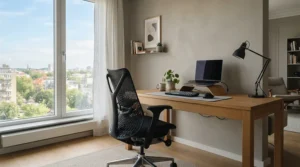
Not all mesh is equal, and breathable mesh material is the whole point of buying one. Premium mesh uses elastomeric or knit weaves, such as the elastomer-polyester blend in the Razer Fujin Pro or the 4-way stretch weave in the HON Ignition 2.0. These keep tension and return to shape. Cheap mesh is plain polyester that stretches and sags.
One retailer guide suggests mid-tier mesh holds up for three to five years of daily use, while budget mesh can show sag at six to twelve months. Treat that as a rough guide rather than gospel, but the logic holds: tension is durability.
Two caveats worth knowing. First, a flat mesh back with no lumbar contour can feel worse than a well-shaped leatherette seat. Mesh doesn’t replace support, it only handles temperature. Second, spills soak through mesh more readily than they sit on leatherette, so keep drinks off the armrest. Razer suggests wiping mesh with a slightly damp cloth.
If you have a cat, remember that claws and mesh don’t mix. A snagged weave won’t repair itself.
Mesh Gaming Chair vs Leather Gaming Chair for Summer
The mesh gaming chair vs leather gaming chair for summer debate comes down to heat, moisture and what happens at 3 a.m. during a raid.
| Factor | Mesh | Leatherette | Best For |
|---|---|---|---|
| Heat in July | Cool, airflow passes through | Traps heat and sweat | Mesh for hot rooms |
| Winter feel | Neutral | Cold to the touch | Mesh for basements |
| Spill cleanup | Soaks in | Wipes clean | Leatherette for snacks |
| Longevity | Depends on mesh grade | Can peel with age | Depends on quality |
| Look | Modern, office-like | Bold, racing style | Leatherette for gamer looks |
Mesh wins clearly on temperature, which is why it dominates summer recommendations. Leatherette wins on wipe-clean convenience and aesthetics, which matter if your desk doubles as a snack bar. In Canada, the winter feel tilts the scale further toward mesh, because a cold leatherette seat in a basement gets old fast. If you want leatherette for style, add a breathable seat cushion and run a fan.
Ventilated Seating: Full Mesh or Just a Mesh Back?
Ventilated seating is often misunderstood. A mesh back keeps your spine cool, but a foam seat still traps heat under your thighs and hips. Full mesh, like the Razer Fujin Pro and the Sihoo Doro C300, ventilates both surfaces.
The trade-off is comfort feel. Foam seats like the one on the Sihoo M18 are plusher in the first hour. Full mesh feels firmer and more supportive over time. If your gaming room runs hot, choose full mesh. If you’re more sensitive to pressure points, a mesh back with a quality foam seat can be the better compromise.
Don’t forget the room itself. A mesh gaming chair can’t beat a stuffy, sealed room. A fan pointed at your back, an open window or a ceiling circulator all work with mesh to dramatically improve comfort. Some premium chairs advertise active ventilation or heating, but verify specs and look for real reviews before paying extra.
How to Choose a Mesh Gaming Chair
Here’s a simple process, drawing on CCOHS guidance on chair adjustment, which stresses that no “average” person exists and that fully adjustable chairs fit the widest range of bodies.
- Check height and weight against the rating. A chair that’s too small for you will never feel right, however good the mesh.
- Pick full mesh or mesh back. Hot room and heavy sitter? Full mesh. Short sessions and cushion lovers? Mesh back.
- Prioritize adjustable lumbar. CCOHS recommends a backrest shaped to support the lower back, and an adjustable one beats a fixed bump.
- Confirm seat depth. You want a small gap behind the knees. Seat sliders help.
- Look at the recline mechanism. Synchro-tilt moves seat and back together, which feels more natural than a simple rocker.
- Test armrest range. Flip-up or 4D arms help if you switch between keyboard and controller.
- Check warranty and return terms. Mesh chairs fail in different ways than foam ones, so look for coverage on mesh and mechanisms.
For Canadian buyers, ask for ergonomic standards on the spec sheet. BIFMA testing is commonly cited, and Canada also has its own CSA office ergonomics standard (CSA Z412), which employers often reference. Neither guarantees a perfect fit, but they’re useful baselines.
Office Chair Alternatives: When a Mesh Gaming Chair Isn’t the Answer
Sometimes the best office chair alternatives aren’t gaming chairs at all. The HON Ignition 2.0 and Sihoo Doro C300 are essentially office chairs that happen to suit gamers, and that’s the point.
Compare the choices honestly:
- Mesh gaming chair: Best airflow plus gamer-friendly styling and recline.
- Ergonomic mesh task chair: Better build and adjustability per dollar, but less lounging.
- Leatherette racing chair: Great looks and wipe-clean, but hot and prone to peeling.
- Refurbished commercial chair: Often the best value for durability, but you’ll need to check condition, warranty and mesh tension carefully.
If you want maximum value, a task chair like the HON Ignition 2.0 usually beats a gaming-branded chair at the same price. If you want to recline, game on a couch-like angle or like a bit of flair, a mesh gaming chair is the more fun choice. Either way, prioritize fit and adjustability over branding.
Long-Term Cost & Maintenance
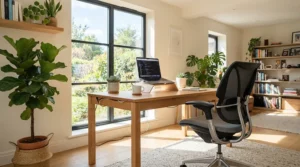
Cost per day tells a clearer story than sticker price. A C$600 chair used daily for five years works out to about C$0.33 per day. A C$1,450 chair used for eight years is around C$0.50 per day. A C$250 chair that sags after two years lands near C$0.34 per day, and then you buy another.
So the cheapest chair isn’t always the cheapest to own. The sweet spot is a chair whose mesh and mechanisms are built to last, which is why the HON Ignition 2.0 and Sihoo Doro C300 shine on paper.
Maintenance is light but real:
- Wipe the mesh with a slightly damp cloth monthly.
- Vacuum dust from the weave every few weeks.
- Check bolts and armrest screws quarterly.
- Wipe casters and clear hair and debris.
- Keep sharp objects and pet claws away from the mesh.
Warranty matters more with mesh than you’d think, since mesh and gas lifts are the usual failure points.
Practical Usage Guide: Setting Up Your Mesh Gaming Chair Right
Most discomfort comes from poor setup, not poor chairs. Follow the sequence recommended in the University of Guelph’s chair adjustment guide.
- Set seat height. Your seat should sit about knee height when standing beside it, with thighs roughly parallel to the floor and feet flat.
- Adjust seat depth. Leave a two-to-three finger gap between the back of your calf and the seat edge.
- Set backrest angle. Aim for roughly 90–110° between seat and back for upright work, with a slight recline for relaxed play.
- Position lumbar. It should fit into the small of your back, not your mid-back.
- Set armrests. Elbows near 90° with shoulders relaxed.
- Tune headrest and tilt tension. Do this last.
Common mistakes in the first 30 days: leaving everything on factory settings, cranking recline too far for typing, skipping a break every hour, and forgetting to re-check settings after a few weeks as the mesh settles. Mesh often feels firmer at first, so give it a week or two before judging.
Real-World Scenarios: Which Chair Fits Which Gamer?
The university student in a Montréal apartment (C$300 budget, 4 hours a day). The Sihoo M18 is the practical pick. The foam seat softens long study sessions, and the mesh back handles heat when the radiator won’t turn off.
The remote developer in a Toronto condo (C$700 budget, 8 hours a day). The Sihoo Doro C300 or HON Ignition 2.0. Full mesh favours the Sihoo Doro C300 for heat, while the HON Ignition 2.0 wins if you care about long-term durability.
The tall streamer with a basement setup (premium budget, 6+ hours a day). The Razer Fujin Pro or AutoFull G7. Both offer the adjustability and frame strength bigger bodies need, and mesh keeps stream lights from turning the room into a sauna.
The couch-style console gamer (C$400 budget). The ELABEST X100, mainly for the footrest and flip-up arms.
✨ Ready to stop sweating through your sessions? 🔍 Check current pricing and availability on the chairs that match your profile. A cooler, better-supported setup is one click away! 🪑❄️
Problem → Solution: Fixing Common Mesh Gaming Chair Complaints
“The mesh feels hard.” Full mesh is firmer by design. Give it two weeks, or choose a mesh back with a foam seat like the Sihoo M18.
“My lower back still hurts.” Mesh doesn’t fix posture. Set the lumbar properly using the steps above, and consider the AutoFull G7 if you need finer control.
“It’s still hot.” The chair can’t beat the room. Add airflow with a fan or open window.
“The armrests wobble.” This is a known complaint on the Sihoo Doro C300. Tighten the screws and check if the armrests lock where you set them.
“The mesh is sagging.” That points to a lower-grade weave. Stick to proven materials like those on the HON Ignition 2.0, and check warranty terms.

FAQ
❓ Is a mesh gaming chair good for back pain?
❓ How long does a mesh gaming chair last?
❓ Are mesh gaming chairs good for big and tall users?
❓ How much should I spend on a mesh gaming chair in Canada?
❓ Is mesh too cold in a Canadian winter?
Conclusion
A mesh gaming chair isn’t magic, but it solves the single biggest summer complaint: heat and sweat. If you want one rule of thumb, here it is. Buy for fit first, then for airflow, then for style.
For most Canadians, the Sihoo Doro C300 hits the best balance of full mesh, headrest and price. The HON Ignition 2.0 is the durable, no-nonsense choice. The Sihoo M18 and ELABEST X100 are the smart budget entries. If you sit all day or need extra adjustability, the Razer Fujin Pro and AutoFull G7 earn their premium, while the Razer Fujin is best for those who want Razer styling without the flagship price.
Whichever you pick, set it up properly, keep the room ventilated and give the mesh a couple of weeks to settle. Your back, and your shirt, will thank you.
✨ Ready to Cool Down Your Setup?
🔍 Click any highlighted chair above to check current pricing and availability. Pick the one that fits your body, your budget and your room, and enjoy longer, cooler, more comfortable sessions! 🪑🎮
Recommended for You
- Budget Fabric Gaming Chair: 7 Smart Buys For Canadians (2026)
- Breathable Fabric Gaming Chair For Hot Rooms: 7 Best Picks 2026
- 7 Best Suede Gaming Chairs For Home Office In 2026
Disclaimer: This article contains affiliate links. As an Amazon Associate, I earn from qualifying purchases. If you purchase products through these links, we may earn a small commission at no additional cost to you.
✨ Found this helpful? Share it with your friends! 💬🤗
