
In This Article
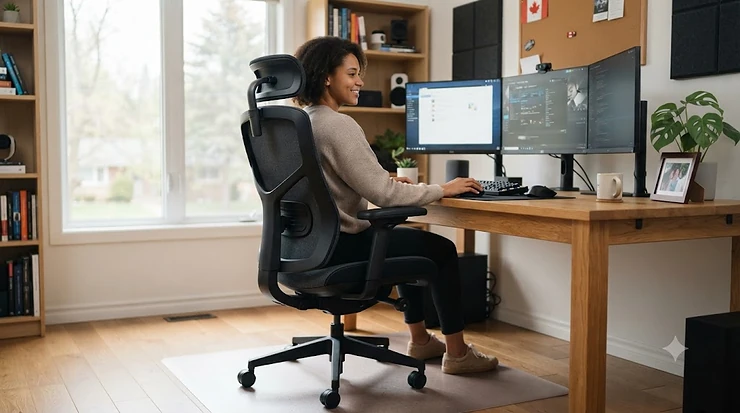
Somewhere around hour six of a Tuesday, your back files a formal complaint. It doesn’t matter if you’re deep in a spreadsheet or deep in a raid boss fight — a body that’s been folded into the same position since 9 a.m. starts sending signals you can’t ignore, and no amount of coffee fixes a pinched nerve. A work gaming chair is built specifically for that overlap: it’s a seat engineered to hold up through eight hours of Zoom calls and then, without missing a beat, cradle you through three more hours of ranked matches. The category exists because most people don’t own a “gaming room” and an “office” anymore. They own a desk, a monitor, and one chair that has to do everything.
So what actually makes a chair qualify? At minimum, expect adjustable lumbar support (built-in, not a loose pillow that migrates to the floor by Wednesday), 4D or better armrests, a recline range wide enough for both upright typing and a post-lunch slouch, and a frame rated to handle real, sustained daily use rather than the occasional weekend session. This guide breaks down seven real, currently available chairs — spanning budget, mid-range, and premium — with honest analysis of what each one gets right, where it falls short, and who should actually spend their money on it. We looked at manufacturer specs, verified pricing ranges in Canadian dollars, and aggregated review sentiment from real owners rather than inventing a single glowing testimonial.
One quick note before we dive in: Canadian workers spend roughly 60% of their waking hours in a seated position according to Statistics Canada’s own research, and a Conference Board of Canada study covered by CBC put a literal dollar figure on the cost of all that sitting — billions in lost productivity and preventable disease. The chair underneath you isn’t a vanity purchase. It’s infrastructure.
Quick Comparison Table
| Chair | Price Range (CAD) | Best For | Weight Capacity |
|---|---|---|---|
| Secretlab Titan Evo 2022 | C$650–C$950 | All-round work and play | 130 kg (Regular) |
| Razer Iskur V2 | C$599–C$899 | Adjustable lumbar precision | ~136 kg |
| Herman Miller x Logitech G Embody | C$1,870+ | Serious back issues, premium budget | 136 kg |
| AndaSeat Kaiser 3 | C$529–C$698 | Big & tall buyers | up to 180 kg (XL) |
| noblechairs HERO | C$440–C$700 | Mid-range office-first design | 150 kg |
| Corsair TC200 | C$300–C$350 | Tight budgets, first upgrade | ~121 kg |
| Vertagear SL5000 | C$370–C$390 | Budget with racing-chair looks | 150 kg |
Looking at the spread here, there’s a real gap between the sub-C$400 chairs and everything above C$600 — and that gap is mostly lumbar sophistication, not looks. Budget models like the Corsair TC200 and Vertagear SL5000 rely on a static built-in curve or a removable cushion, while the Razer Iskur V2 and Secretlab Titan Evo 2022 let you dial in height and protrusion independently, which matters enormously if you’re sitting more than six hours a day. The Herman Miller x Logitech G Embody sits in its own category entirely; it’s priced like a piece of ergonomic office furniture because that’s exactly its lineage, gaming branding aside.
💬 Found a chair that fits your setup already? Skip ahead to see current pricing and grab it before the next price shift.
Top 7 Work Gaming Chairs: Expert Analysis
Picking seven chairs for a category this crowded means drawing a hard line: real products, real specs, honest trade-offs. No invented reviews, no manufactured “I tested this for a year” stories — just what the spec sheets say, what verified owners report, and what that means for someone who’s going to sit in this thing five days a week.
1. Secretlab Titan Evo 2022 — best all-rounder for hybrid work-and-play days
The Titan Evo 2022 is the chair most reviewers reach for when they need one recommendation that works for everybody, and the reasoning holds up under scrutiny. Its steel internal frame rides on an aluminum wheelbase with a Class 4 hydraulic piston — Class 4 being the same commercial-grade rating used in serious office furniture, not a gaming-chair marketing invention. Available in Small, Regular, and XL, it’s rated for up to 130 kg on the Regular frame, and the cold-cure foam padding is noticeably denser than what you’ll find in sub-C$400 chairs, which translates to less “bottoming out” after a full workday.
What sets the Titan Evo apart from most gaming chairs is the built-in 4-way lumbar system, adjustable for both height and depth via two side dials, instead of a loose pillow that slides out of position by your second meeting. The magnetic headrest and CloudSwap armrests — which let you physically swap in memory-foam or gel armrest tops — are genuinely useful rather than gimmicky, since they solve the real complaint that stock PU armrests feel firm and unforgiving after hours of typing. Reviewers consistently note the chair’s exceptional build quality and near-zero wobble, though a few flag that the standard armrests feel underwhelming until upgraded. This is the chair for someone who wants one purchase that quietly disappears into the background of both their workday and their evening sessions.
Pros:
- ✅ Genuine 4-way adjustable built-in lumbar, not a pillow
- ✅ Commercial-grade Class 4 piston and steel frame
- ✅ Magnetic, swappable armrest system (CloudSwap)
Cons:
- ❌ Stock PU armrests feel firm until upgraded
- ❌ NAPA leather tier pushes price close to C$950
At around C$650–C$720 for the SoftWeave fabric version and up to C$950 for NAPA leather, the Titan Evo 2022 sits at the upper end of mid-range, but for buyers splitting time between spreadsheets and shooters, it’s hard to find a more balanced option at that price.
2. Razer Iskur V2 — best for dialed-in adaptive lumbar support
Razer built its reputation on peripherals, but the Iskur V2 is a legitimate ergonomics play, not a branding exercise. Its headline feature is a 6D adaptive and adjustable lumbar system: the support shifts left and right automatically as you move, while separate knobs let you fine-tune height (60 mm range) and protrusion (40 mm range) independently. That’s a meaningfully different approach from the Titan Evo’s static-but-adjustable curve — the Iskur actively responds to posture changes rather than waiting for you to readjust it manually.
Recline goes up to roughly 152–156 degrees depending on the specific model year, and the 4D armrests cover height, width, depth, and rotation. The chair supports users from about 160 cm to 200 cm tall, a wider range than many competitors publish. Reviewers who deal with chronic lower-back discomfort specifically call out the adaptive lumbar as the differentiator — it’s the kind of feature you don’t fully appreciate until you’ve sat in a chair without it for a week. On the flip side, some owners find the seat pan a touch narrow if you tend to sit cross-legged or shift positions frequently, and the recline mechanism has a firmer tilt-tension feel compared to the plusher Titan Evo.
Pros:
- ✅ Adaptive lumbar shifts automatically with posture
- ✅ Independently adjustable height and protrusion knobs
- ✅ Wide user height range (160–200 cm)
Cons:
- ❌ Seat pan runs narrow for cross-legged sitting
- ❌ Firmer recline tension than plusher rivals
Pricing runs C$599–C$899 depending on ongoing promotions, with the more affordable Iskur V2 X trimming the adaptive element down to a fixed integrated arch for roughly C$449 — a smart downgrade path if the full adaptive system is more than you need.
3. Herman Miller x Logitech G Embody — best for buyers who prioritize spine health over price
This is the chair to reach for if your budget genuinely has no ceiling and your back has a long memory. Herman Miller’s Embody line was already a benchmark in the ergonomic office furniture world, built with input from more than 20 physicians and PhDs across biomechanics, physical therapy, and vision science — this is not marketing copy, it’s the design brief the original chair shipped with. The gaming-specific version adds copper-infused cooling foam and an enhanced seat layer tuned for the more upright, active posture gaming sessions tend to produce.
The engineering that separates it from every other chair on this list is BackFit adjustment and PostureFit spinal support, which conform to your individual spine curvature rather than offering a one-size-fits-most lumbar bump. A dynamic matrix of roughly 150 individual pixels across the seat and back distributes weight and encourages the kind of small, constant micro-movements that reduce the pressure buildup responsible for that familiar mid-afternoon ache. Based on the spec comparison against every other chair here, this is the only model designed from the ground up as a medical-adjacent ergonomic tool that happens to also look sharp under RGB lighting. The trade-off is obvious: at C$1,870 and up (occasionally discounted toward C$2,520 for higher-tier finishes before promotions), it costs more than some people’s entire desk setup.
Pros:
- ✅ Designed with 20+ physicians and ergonomics PhDs
- ✅ PostureFit and BackFit adapt to individual spine shape
- ✅ Copper-infused cooling foam for long sessions
Cons:
- ❌ Price puts it out of reach for most budgets
- ❌ Overkill for casual or part-time home-office use
If you sit more than eight hours a day and back pain has already become a recurring problem, the math on this chair changes — it’s an investment in avoiding physiotherapy bills, not just a place to sit.
4. AndaSeat Kaiser 3 — best for big & tall buyers who need real capacity
Most gaming chairs quietly assume you’re under 6 feet tall and under 200 pounds, and then get uncomfortable fast once you’re not. The Kaiser 3 doesn’t make that assumption. It ships in Large (up to 120 kg / 260 lbs) and XL (80–180 kg / 175–395 lbs) configurations, with the XL specifically built for taller, heavier users who’ve bounced off smaller frames before. The seat base itself is unusually wide — around 20.8 inches on the XL — which matters more than most spec sheets let on, since a cramped seat pan is one of the top complaints among larger users of standard-size chairs.
Assembly uses AndaSeat’s MagClap system, a magnetic-connector approach that genuinely simplifies solo setup compared to the bolt-heavy assembly most competitors require. The 4-way adaptive lumbar is controlled by two side knobs (up/down and in/out), the magnetic neck pillow adjusts across a 20 cm range without straps, and the chair reclines from 90 to 165 degrees with an added 15-degree rocking mode for genuine relaxation between tasks. Reviewers who’ve owned it for months consistently praise the lumbar adjustability and magnetic headrest, though the lack of a footrest option draws repeated criticism from people who like to fully recline during breaks.
Pros:
- ✅ XL size supports up to 180 kg / 395 lbs
- ✅ Genuinely wide seat base for larger frames
- ✅ Magnetic MagClap assembly is fast and tool-light
Cons:
- ❌ No footrest option built into any configuration
- ❌ Bucket-seat design limits sideways shifting
Priced from around C$529 on sale up to C$698 at MSRP, the Kaiser 3 delivers big-and-tall accommodation most competitors simply don’t offer at this price tier.
5. noblechairs HERO — best mid-range pick for a more office-appropriate look
German-engineered and visibly less “gamer aesthetic” than most of this list, the HERO leans into a look that survives a video call with your manager without anyone asking questions. It’s built around a robust aluminum base with a Safety Class 4 gas lift, five 60 mm casters, and a steel inner frame wrapped in either PU vegan leather or top-grain real leather, backed by a 55% density cold foam core that’s noticeably firmer than plusher competitors.
The integrated lumbar support — a side-mounted rotary dial rather than a separate pillow — is the standout feature here, described by more than one reviewer as feeling like something borrowed from a luxury car interior rather than a typical gaming chair afterthought. Recline goes up to 125 degrees with an additional rocking mechanism that tilts the whole seat rearward, and the enlarged 4D armrests and wider seat base are specifically built to accommodate bigger users without upsizing to a separate XL model. What most buyers overlook about the HERO is how firm it sits compared to Secretlab or AndaSeat — that’s by design, aimed at people who find plush foam collapses under them by hour four, but it’s worth sitting in before committing if you’re used to softer chairs. Rated to 150 kg / 330 lbs.
Pros:
- ✅ Integrated rotary-dial lumbar support
- ✅ Understated design that reads as office-appropriate
- ✅ Rated to 150 kg with a solid aluminum base
Cons:
- ❌ Noticeably firmer seat than plusher competitors
- ❌ Real leather tier adds a meaningful price jump
Fabric and PU leather versions typically run C$440–C$550, with real leather editions climbing higher — a genuinely strong value pick for anyone who wants premium lumbar engineering without premium-tier pricing.

6. Corsair TC200 — best true budget option for a first upgrade
Not everyone needs — or can justify — spending C$600 on a chair, and the TC200 exists for exactly that buyer. Corsair kept the racing-inspired silhouette that defines the category while trimming the price down to something closer to a decent office chair. Available in soft fabric or plush leatherette, both versions include perforated cushioning sections aimed at reducing heat buildup, a steel tubular frame, and a Class 4 gas lift with 120 mm of height adjustment range.
Built-in foam lumbar support ships standard, paired with a detachable memory foam neck pillow rather than a permanently attached one — a small design choice that lets you skip the pillow entirely during work hours and add it back for evening gaming. The 4D armrests move in four directions, which is more adjustability than you’d expect at this price point, and recline runs a generous 90 to 180 degrees. The honest trade-off: this isn’t the chair for someone sitting ten hours a day for years on end. The foam is comfortable out of the box but reviewers report it softening faster than premium alternatives, and the lumbar support, while present, doesn’t offer the fine-tuned adjustability of the Titan Evo or Iskur V2. Max load sits around 121 kg / 266.8 lbs.
Pros:
- ✅ Genuinely low entry price for the feature set
- ✅ Detachable neck pillow adapts to work vs. gaming
- ✅ 4D armrests are unusual at this price tier
Cons:
- ❌ Foam softens faster than premium competitors
- ❌ Lumbar support isn’t finely adjustable
At roughly C$300–C$350, the TC200 is the chair to recommend to someone testing whether a “real” gaming-meets-office chair is worth the upgrade at all before they commit serious money.
7. Vertagear SL5000 — best budget pick for racing-chair styling with real hardware
The SL5000 occupies similar budget territory to the TC200 but leans harder into the traditional racing-chair look — high backrest, aggressive side bolsters, and a steel frame Vertagear backs with a 10-year structural warranty, which is unusually long for this price bracket. The PUC upholstery blends PVC durability with PU softness, a middle-ground material choice that ages better than pure PVC without the higher cost of full leather.
Included memory foam neck and lumbar cushions are removable rather than fixed, which lets you strip the chair down for a firmer feel during focused work and add support back for longer gaming stretches. The 4-direction armrests and 80–140-degree recline range are more limited than pricier competitors, and the tilt-tension system, while lockable in the upright position, feels noticeably less refined than the Iskur V2’s reactive tilt. Reviewers who’ve owned it for extended periods generally praise the one-person “slide-in” assembly and the frame’s structural solidity relative to price, while noting the bundled cushions are serviceable rather than exceptional — useful, but not something you’d keep if you later bought better aftermarket ones. Rated to 150 kg / 330 lbs.
Pros:
- ✅ 10-year frame warranty at a budget price
- ✅ Removable lumbar and neck cushions for flexibility
- ✅ Simple one-person slide-in assembly
Cons:
- ❌ Recline capped at 140 degrees, tighter than rivals
- ❌ Included cushions are basic, not premium-grade
Priced around C$370–C$390, the SL5000 is the pick for buyers who want the visual drama of a racing-style chair without paying premium-tier prices for it.
Practical Usage Guide: Setting Up Your Work Gaming Chair
A chair with excellent specs still won’t help you if it’s set up wrong on day one — and this is where most people quietly sabotage a good purchase. Start with seat height: your feet should sit flat on the floor (or a footrest) with knees at roughly a 90-degree angle, following the same guidance CCOHS lays out for adjusting any office chair. Next, dial in the lumbar support so it sits against the natural inward curve of your lower back — not your tailbone, not your mid-back — before you touch anything else, because every other adjustment is calibrated relative to that position.
Armrests come next: let your arms hang naturally at your sides, bend elbows to roughly 90 degrees, and raise or lower the armrests until they just touch the underside of your elbows without lifting your shoulders. If they can’t get low enough without shrugging you up, drop them out of the way entirely rather than fighting the geometry. In the first 30 days, the most common mistake is leaving the recline tension on the factory default — most chairs ship stiffer than most bodies prefer, and loosening the tilt-tension knob slightly makes leaning back for a call feel natural instead of like pushing against a spring. Maintenance-wise, wipe leatherette or PU surfaces with a damp cloth weekly to prevent the peeling that plagues cheaper synthetic covers, and re-check bolt tightness on the armrests and backrest connection points every few months — the constant motion of swiveling and reclining does gradually loosen hardware, gaming chair or not.
Real-World Scenarios: Who Should Buy Which Chair
The remote software developer, 9-to-11 daily user: Someone coding eight hours a day and gaming most evenings needs a chair that can survive genuinely long, continuous sitting without becoming a distraction. The Secretlab Titan Evo 2022 or Razer Iskur V2 both fit here — the deciding factor usually comes down to whether you specifically want an adaptive lumbar system (Iskur) or a plusher, more forgiving seat pan (Titan Evo). Either way, this is exactly the profile a gaming chair for work and play is designed around.
The budget-conscious student sharing a small apartment: Space and price both matter more than premium materials here. The Corsair TC200 or Vertagear SL5000 deliver most of the ergonomic fundamentals — adjustable lumbar, 4D armrests, reasonable recline — without asking for a C$600+ commitment on a chair that might get left behind at the next move.
The larger-framed remote worker who’s struggled to find a comfortable fit: Standard chairs that feel fine for a 5’8″ reviewer can be genuinely uncomfortable for someone 6’3″ or 250+ lbs, and this is where the AndaSeat Kaiser 3 XL earns its keep, with a wider seat base and a weight rating that actually covers real bodies rather than a marketing-friendly minimum. Someone managing chronic lower-back pain who has the budget for it, meanwhile, is the one buyer for whom the Herman Miller x Logitech G Embody‘s price tag genuinely makes sense — it’s less a gaming chair purchase and more a medical-adjacent investment.
Problem → Solution: Common Sitting Complaints Solved
Problem: Lower back aches by early afternoon. This is almost always a lumbar-positioning issue rather than a “wrong chair” issue — try repositioning the built-in lumbar higher or lower before assuming you need a different chair entirely. If the problem persists after correct positioning, chairs with adaptive systems like the Razer Iskur V2 or fully adjustable ones like the Secretlab Titan Evo 2022 solve this more reliably than static lumbar bumps.
Problem: Shoulders feel tense after long typing sessions. Nine times out of ten, this traces back to armrests set too high, forcing a subtle shrug that never fully relaxes. Drop the armrests until your shoulders sit naturally, even if that means removing them entirely for keyboard-heavy work.
Problem: The chair feels great for gaming but awkward on video calls. Recline tension is usually the culprit — a chair locked at a relaxed gaming angle puts your head lower in frame and your posture too casual for a professional call. Chairs with a lockable upright position, like the noblechairs HERO, solve this cleanly.
Problem: Overheating during long sessions in a warm home office. Look specifically for perforated foam or breathable fabric rather than solid PU leather — the Corsair TC200‘s perforated cushioning and the Razer Iskur V2‘s breathable fabric variant both address this directly, while full-leather chairs trap more heat.
Problem: The chair feels unstable or wobbly after a few months. This is typically loose hardware rather than a defective frame. Re-tighten the bolts connecting the backrest, seat, and armrests — a five-minute fix that resolves the vast majority of “my chair feels loose” complaints.
How to Choose a Work Gaming Chair
- Start with your actual sitting hours, not your ideal ones. Someone sitting four hours a day has very different needs than someone sitting ten — be honest about which one you are before comparing specs.
- Prioritize lumbar adjustability over recline range. Recline is fun to test in a showroom; lumbar support is what determines whether your back still feels fine at 5 p.m.
- Match weight capacity to your actual body, with margin. A chair rated right at your weight will feel less supportive and wear out faster than one with meaningful headroom above it.
- Consider the room it’ll sit in, not just the desk. A chair that looks purely gaming-branded can feel out of place if your home office doubles as a space clients or coworkers see on video calls.
- Check the armrest adjustment axes. 4D armrests (height, width, depth, rotation) accommodate far more body types and desk heights than fixed or 2D versions.
- Factor in material for your climate and habits. Fabric breathes better for warm rooms and heavy year-round use; leatherette wipes clean faster if you eat at your desk.
- Read the warranty terms, not just the number of years. A 3-year warranty with full parts coverage is often more useful than a 5-year warranty that excludes foam and upholstery.
Work Gaming Chair vs Traditional Office Chair
The core difference isn’t really aesthetics, even though that’s the first thing people notice — it’s design intent. Traditional ergonomic office chairs, the Aeron-style mesh chairs common in corporate settings, are typically engineered around a single upright working posture and adjusted once, then left alone for months. A dual purpose gaming chair, by contrast, is built assuming you’ll shift between an upright typing posture, a reclined call posture, and a leaned-back gaming posture within the same afternoon, which is why the recline range and lumbar adjustability tend to be more extensive on gaming-style chairs.
That said, traditional ergonomic chairs still win in a few specific areas: mesh backing generally breathes better than PU leather or even fabric over a full workday, and high-end office chairs from brands built purely around workplace ergonomics often include seat-depth adjustment, a feature surprisingly rare even on premium gaming chairs. On paper, this means the ideal buyer for a work gaming chair is someone whose day genuinely splits between focused work and relaxed gaming or entertainment, not someone who exclusively works eight hours and never touches the chair again after 5 p.m. If your evenings are just as sedentary as your workday but spent on a couch instead, a traditional ergonomic office chair might actually serve you better — the gaming-chair category earns its premium specifically through that dual-use flexibility.
Home Office Ergonomics: What the Research Says
It’s tempting to treat chair shopping as a comfort decision alone, but Canadian workplace guidance treats it as a health decision, and the data backs that framing up. CCOHS’s official guidance on sitting posture is explicit that no single sitting position is correct for extended periods — the goal is a chair flexible enough to support multiple neutral postures throughout the day, which lines up almost exactly with what separates a good work gaming chair from a mediocre one.
Statistics Canada’s own sedentary behaviour research has tracked how much time Canadians spend seated since the 1980s, and the trend has only moved in one direction as remote and hybrid work expanded. What most buyers overlook is that ergonomic chair specs aren’t just comfort marketing — CSA Z412, the Canadian standard for office ergonomics, specifically recommends alternating between sitting, standing, and varied postures like reclining or forward-tilting rather than locking into one position for eight hours straight. A chair that reclines smoothly and adjusts easily isn’t a luxury feature in this context; it’s the mechanism that actually lets you follow that guidance without needing to buy a separate standing desk.
Long Hours Sitting Comfort: The Real Cost Over Time
Here’s what the spec sheet won’t tell you: a C$300 chair that needs replacing every 18 months because the foam collapses and the gas lift starts sinking actually costs more over five years than a C$650 chair that’s still structurally sound after the same period. Run the simple math — two Corsair TC200s at roughly C$325 each over five years lands close to C$650, right in Titan Evo territory, except you’ve dealt with two assembly processes and two disposal headaches along the way instead of one.
Foam density is the biggest predictor of long-term comfort retention; cold-cure foam, used in the Titan Evo, Kaiser 3, and Embody, resists compression far better than the standard molded foam found in most sub-C$400 chairs. Gas lift quality matters almost as much — Class 4 piston ratings, present across most of this list, are rated for far more compression cycles than the unrated or Class 3 lifts sometimes found in bargain-bin alternatives. If you’re sitting more than six hours a day, five days a week, the long-term cost calculation genuinely favours spending more upfront on a chair engineered to hold its shape, rather than repeat-buying a cheaper one that quietly degrades every few months.
Multi-Purpose Furniture: Features That Actually Matter (And Those That Don’t)
RGB lighting kits, embroidered esports team logos, and elaborate stitching patterns look sharp in product photos and contribute nothing to how a chair performs across an eight-hour workday — they’re the marketing equivalent of alloy wheels on a car you’re buying for the commute. What actually matters for multi-purpose furniture doing double duty as both a desk chair and a gaming seat: adjustable lumbar support you can reposition without tools, a recline mechanism with a lockable upright setting for calls, and armrests that move in enough directions to match both a standard desk height and a lower gaming setup if your two setups differ.
Headrest cushions are a mixed bag — genuinely useful for gaming sessions where you lean back and relax, largely irrelevant during upright work, which is exactly why magnetic or detachable versions (Titan Evo, Kaiser 3) beat permanently strapped-on ones. Seat width and depth deserve more attention than most buyers give them; a seat that’s too shallow forces constant forward perching that undermines even the best lumbar system. The takeaway: judge a work gaming chair on the boring, invisible specs — foam density, lumbar mechanism, gas lift class — rather than the visually exciting ones that show up first in marketing photos.
Safety, Certifications & CSA Compliance for Canadian Buyers
Canadian workplace ergonomics guidance, including CCOHS’s chair-adjustment standards, doesn’t mandate a specific brand or certification for home office furniture the way it might for a formal corporate procurement process, but the underlying principles still apply directly to a home setup. A stable five-point base, a swivel mechanism, adjustable seat height and tilt, and a backrest shaped to support the lower back are the baseline features CCOHS lists for any workplace chair — every product reviewed above clears that bar, which is precisely why they made this list.
Weight capacity ratings deserve a closer read than most buyers give them: a chair “rated” for 300 lbs by the manufacturer typically performs best closer to 80% of that maximum over the long term, since ratings often reflect a short-term structural limit rather than a comfortable, sustainable daily-use figure. If you’re outfitting a home office that occasionally hosts family members or guests of varying sizes, checking the realistic comfortable-use range — not just the printed maximum — avoids an uncomfortable surprise down the line. None of the chairs on this list require special electrical certification or installation, but always check that any assembled unit is placed on a flat, stable surface, consistent with basic CCOHS workplace safety guidance for seated equipment.

Frequently Asked Questions
❓ Is a gaming chair actually bad for your posture?
❓ What's the difference between a work gaming chair and a regular office chair?
❓ How long should a good gaming chair last with daily use?
❓ Do I need a footrest with a work gaming chair?
❓ Is it worth paying over C$1,000 for a gaming chair?
Conclusion
There’s no single “best” work gaming chair, and honestly, be skeptical of any article that claims otherwise — the right pick depends entirely on how many hours you sit, how much your body weighs and how tall you are, and how much room your budget has to breathe. The Secretlab Titan Evo 2022 earns its reputation as the safest all-around recommendation, the Razer Iskur V2 wins for anyone whose lower back needs precision rather than a generic curve, and the Herman Miller x Logitech G Embody exists for the buyer who’s already decided their spine is worth a premium investment. On the budget end, the Corsair TC200 and Vertagear SL5000 prove that a genuinely functional chair doesn’t require a four-figure price tag, while the AndaSeat Kaiser 3 and noblechairs HERO fill the specific gaps — big-and-tall comfort and office-appropriate styling — that the others don’t fully cover.
Whatever you land on, treat the purchase the way CCOHS and CSA guidance both frame it: as infrastructure for your body, not a one-time aesthetic upgrade. Get the lumbar position right before anything else, give yourself a few weeks to adjust to a new recline feel, and revisit the setup periodically as your desk, monitor height, or work habits shift. A chair that’s dialed in correctly disappears into the background of your day — which, after all the specs and comparisons, is really the whole point.
Recommended for You
- Pedestal Gaming Chair: 7 Best Picks for 2026
- Rocker Gaming Chair 2026: 7 Best Picks With Speakers & Subwoofer
- Racing Style Gaming Chair: 7 Top Canadian Picks for 2026
Disclaimer: This article contains affiliate links. As an Amazon Associate, I earn from qualifying purchases. If you purchase products through these links, we may earn a small commission at no additional cost to you.
✨ Found this helpful? Share it with your friends! 💬🤗
