
In This Article
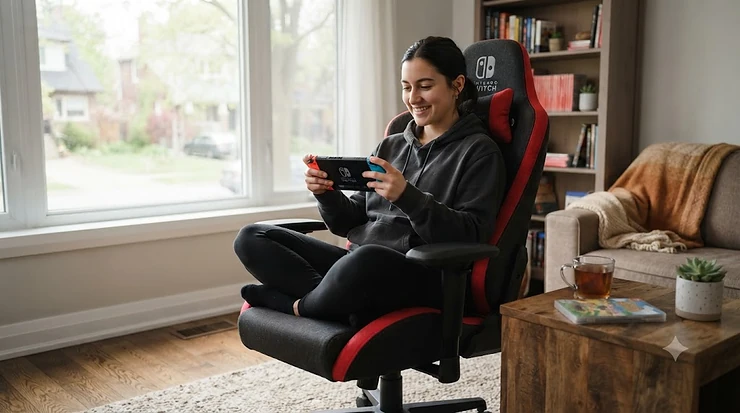
Your neck knows the truth before your brain admits it. Ten minutes into a Zelda dungeon, chin dropped, shoulders creeping toward your ears — that’s the tell. A nintendo switch gaming chair isn’t a novelty purchase; it’s damage control for a console that refuses to sit still, literally. In plain terms: a nintendo switch gaming chair is a seat built with adjustable armrests, lumbar support, and recline options that accommodate both handheld play (console in hand, elbows tucked) and docked TV play (leaned back, controller loose in your lap). That dual identity is what makes shopping for one weirdly tricky.
Most gaming chair guides assume you’re bolted to a desk with a monitor at eye level. The Switch laughs at that assumption. One evening you’re curled sideways on the same chair playing Animal Crossing in handheld mode; the next, you’ve docked it and you’re leaned back 140 degrees blasting through Mario Kart on the big screen. Few chairs are built with that shape-shifting in mind, which is exactly why we dug through real product specs, aggregated review sentiment, and Canadian ergonomics research to find seven that actually pull it off — from a budget floor rocker under two hundred dollars to a Secretlab that costs as much as a decent TV.
This guide covers real products sold through amazon.ca, spanning budget, mid-range, and premium tiers, plus the handheld-specific and TV-dock-specific details that most buying guides skip entirely. If you’re the kind of player whose thumbs ache faster than your Joy-Con batteries die, keep reading — this one’s for you.
Quick Comparison Table
| Product | Best For | Price Range (CAD) | Recline | Standout Feature |
|---|---|---|---|---|
| Secretlab Titan Evo 2022 | Best all-rounder for hybrid handheld/dock use | C$650-C$850 | 165° | 4D armrests |
| Razer Iskur V2 X | Set-and-forget lumbar support | C$450-C$550 | 152° | Built-in lumbar arch |
| Corsair TC100 Relaxed | Wide seat for cross-legged handheld play | C$300-C$370 | 150° | Detachable neck pillow |
| GTPLAYER Pocket Spring Chair | Dock TV mode lounging | C$200-C$280 | 155° | Built-in footrest |
| RESPAWN 110 | Budget footrest recliner | C$180-C$250 | 155° | Infinite-lock recline |
| Homall Gaming Chair | First chair on a tight budget | C$130-C$190 | 170° | Rocking function |
| X Rocker G-Force Floor Chair | No-desk TV floor seating | C$120-C$200 | Fixed recline | Built-in Bluetooth audio |
Looking at the spread above, the Secretlab Titan Evo 2022 earns its price by handling both handheld and docked sessions equally well, but if lumbar fatigue is your main complaint, the Razer Iskur V2 X solves it without you having to touch a single adjustment knob. Budget shoppers shouldn’t overlook the X Rocker G-Force Floor Chair either — it skips the desk entirely, which matters more than it sounds like if your setup lives in a living room.
💬 Just one click — help others make better buying decisions too!😊
Top 7 Nintendo Switch Gaming Chairs: Expert Analysis
1. Secretlab Titan Evo 2022 — best all-rounder for hybrid handheld and dock play
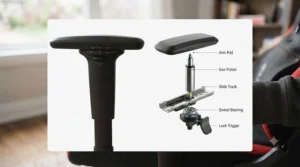
The 4D armrests are the whole story here, and they’re worth expanding on before anything else. Unlike fixed or single-direction armrests, they shift in, out, up, down, forward, and pivot — which matters more for Switch owners than for any other console crowd, because handheld posture keeps changing minute to minute.
The cold-cure foam seat holds its shape through multi-hour sessions, and the backrest reclines to 165° with a tilt-lock mechanism that holds any angle you pick, rather than snapping back to upright the second you let go. Add the magnetic head pillow and 4-way lumbar support, and you’ve got a chair that’s equally happy propping your elbows for handheld Zelda or leaned back for docked Mario Kart. Based on the spec comparison against every other chair on this list, nothing else matches its adjustment range.
This is the pick for someone who games often enough that C$700 amortizes into pennies per session — streamers, long-haul RPG players, or families investing in one shared “good chair” for the living room setup. Reviewers consistently praise the armrest adjustability and lumbar support for reducing end-of-session back fatigue, though a recurring theme in feedback is the price tag itself, plus occasional backorder waits during high-demand periods.
Pros:
- ✅ 4D armrests adapt to nearly any handheld elbow angle
- ✅ Tilt-lock recline holds position for docked lounging
- ✅ Comes in three sizes for different body types
Cons:
- ❌ Premium price is a real barrier for casual players
- ❌ Full 165° recline is more than most handheld sessions need
At around C$650-C$850 depending on size and upholstery, this is the splurge pick — justified if you’ll actually use the full range of adjustment on offer.
2. Razer Iskur V2 X — best for set-and-forget lumbar support
What most buyers overlook about lumbar pillows is that they slide, flatten, and eventually get ignored entirely. Razer skipped the pillow altogether and built a curved lumbar arch directly into the backrest, so support doesn’t depend on you remembering to adjust anything.
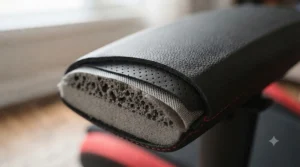
The high-density foam cushions hold shape better than the softer padding found in budget chairs, and the widened seat base gives real room for the cross-legged or side-slouched postures handheld players tend to fall into. The 2D armrests are simpler than Secretlab’s 4D setup — up/down and pivot only — which is the one meaningful compromise here.
This chair suits buyers who want ergonomic correctness without the fiddling: people who’ve tried adjustable lumbar pillows before and just never got around to using them properly. Aggregated reviewer sentiment consistently flags the built-in lumbar arch as genuinely supportive right out of the box, while a recurring critique notes the 2D armrests feel restrictive next to pricier 4D alternatives.
Pros:
- ✅ Built-in lumbar arch needs zero adjustment or memory
- ✅ Widened seat comfortably fits cross-legged handheld posture
- ✅ Breathable fabric resists overheating during long sessions
Cons:
- ❌ 2D armrests offer less fine control for handheld elbow angles
- ❌ Recline tops out at 152°, short of full lay-back position
Expect to pay in the C$450-C$550 range — a genuine mid-premium option for anyone prioritizing back health over adjustability for its own sake.
3. Corsair TC100 Relaxed — best wide seat for casual handheld positions
Here’s what the spec sheet won’t tell you outright: seat width matters enormously for handheld Switch play, because you’re rarely sitting bolt upright the way a desk chair assumes. The TC100 Relaxed’s wider seat surface and gentler seat curve give real room to tuck one leg under yourself or lean sideways, which is exactly how most people actually hold a handheld console for an hour-long session.
The included adjustable lumbar pillow pairs with a detachable memory foam neck pillow, the latter genuinely useful once you dock the Switch and lean back to watch a cutscene instead of gripping the console. A class 4 gas lift with 100mm of height adjustment covers a wide range of body types, and the 90°-150° recline splits the difference between upright handheld posture and reclined dock-mode lounging.
This is the value pick for someone who splits time between Switch, PC, and other consoles and wants one chair that handles all three reasonably well without premium pricing. Reviewers frequently highlight the seat width and pillow comfort as standout features, with a recurring complaint that the padding softens and compresses somewhat faster than firmer premium foams after a year or two of daily use.
Pros:
- ✅ Wider seat comfortably fits casual handheld sitting positions
- ✅ Detachable neck pillow adds real comfort in dock TV mode
- ✅ Strong mid-range value against pricier premium chairs
Cons:
- ❌ Padding compresses faster than firmer premium foam over years
- ❌ 150° recline cap is lower than several premium competitors
Pricing typically lands in the C$300-C$370 range, making it one of the more balanced mid-tier picks on this list.
4. GTPLAYER Gaming Chair with Pocket Spring Cushion & Footrest — best for dock TV mode lounging
A footrest changes the entire equation for docked Switch sessions, and that’s the standout feature worth expanding on first. Recline the backrest, extend the footrest, and a gaming chair session starts to resemble a recliner more than a desk chair — which is precisely what dock TV mode calls for.
The pocket spring cushion (individually wrapped coils, similar to a mattress core) provides a noticeably different feel than the single-density foam used in most budget and mid-range chairs, distributing weight rather than compressing uniformly under it. Linkage armrests move automatically as the backrest reclines, so your elbows stay supported through the transition rather than needing manual readjustment.
This is the pick for players who spend more time docked than handheld, or who want a chair that doubles as a general relaxation spot between gaming sessions. Reviewers consistently call out the footrest and spring cushion as the reasons they bought the chair in the first place, while a recurring theme in feedback notes the linkage armrests offer less fine-tuned positioning for handheld play than fully independent 4D designs.
Pros:
- ✅ Built-in footrest transforms dock TV sessions into lounging
- ✅ Pocket spring cushion adds sofa-like pressure distribution
- ✅ Linkage armrests track automatically through recline
Cons:
- ❌ Linkage design limits fine handheld elbow positioning
- ❌ Larger footprint needs more floor space than standard chairs
Price typically falls in the C$200-C$280 range — solid mid-range value if dock mode is your primary use case.
5. RESPAWN 110 — best budget footrest recliner
An infinite-lock recline mechanism sounds like a small thing until you realize what it actually solves: the ability to stop at any angle between 90° and 155°, rather than being limited to a handful of preset notches. That’s the standout feature worth leading with, because dock TV mode benefits from finding your exact angle rather than settling for “close enough.”
The extendable footrest pairs naturally with that recline range, and the adjustable lumbar and headrest pillows add a layer of customization uncommon at this price point. Built on a 275-pound weight capacity with bonded leather upholstery, it’s positioned by its manufacturer as a genuine hybrid of office and gaming use, not just a gaming-only product.
This chair suits budget-conscious buyers who still want footrest-plus-recline functionality without paying mid-range prices for it. Reviewers consistently mention straightforward assembly as a plus, while a recurring long-term complaint is that bonded leather upholstery tends to crack or peel with years of regular use — a known tradeoff of the material itself rather than a defect specific to this model.
Pros:
- ✅ Infinite-lock recline dials in an exact dock-mode angle
- ✅ Built-in footrest at a genuinely budget-friendly price
- ✅ Backed by a lengthy manufacturer warranty
Cons:
- ❌ Bonded leather can crack or peel after a few years of use
- ❌ Armrests are fixed rather than 4D-adjustable
Expect a price range of roughly C$180-C$250, making this one of the better footrest-equipped options for buyers on a tighter budget.
6. Homall Gaming Chair — best first chair on a tight budget
A rocking function is an unusual feature to lead with, but it’s genuinely what sets this chair apart at its price point — a gentle back-and-forth motion controlled by a knob beneath the seat, which suits the fidgety, shifting posture that comes naturally during casual handheld sessions.
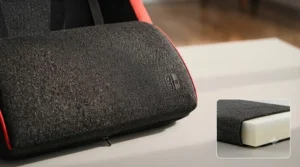
Beyond that, the spec sheet is fairly standard for the category: 90°-170° recline, adjustable headrest and lumbar pillows, and a 300-pound weight capacity wrapped in PU leather. What it lacks in sophistication, it makes up for in straightforward, no-surprises functionality — this isn’t a chair trying to be a premium product at a budget price, it’s honest about what it is.
This is the right call for students, dorm rooms, or anyone buying their first “real” gaming chair without wanting to commit real money to the category yet. Reviewer sentiment consistently praises the ease of assembly and overall value for the price, with a recurring complaint that the cushioning is thinner than pricier alternatives and shows compression wear sooner.
Pros:
- ✅ Gentle rocking function suits casual, shifting handheld posture
- ✅ Genuinely budget-friendly entry point into gaming chairs
- ✅ Straightforward assembly reported across reviews
Cons:
- ❌ Thinner cushioning wears and compresses faster over time
- ❌ Lacks the 4D or linkage armrest sophistication of pricier models
Typical pricing sits under C$200, often in the C$130-C$190 range — about as accessible as this category gets.
7. X Rocker G-Force Floor Gaming Chair — best for no-desk TV floor seating
No desk required — that’s the standout feature, and it’s a bigger deal than it sounds. This is a floor chair, not an office-style chair on wheels, meaning it sits directly on the ground facing a TV, which suits a docked Switch setup in a living room far better than any wheeled chair possibly could.
Built-in Bluetooth audio speakers connect wirelessly to consoles, TVs, or PCs, adding an immersive audio layer that no office-style gaming chair offers. The vegan leather upholstery and 300-pound weight capacity keep it durable, and the whole thing folds flat for storage — a genuine advantage in small apartments where a bulky gaming chair simply doesn’t fit the room.
This is the pick for players whose Switch lives primarily in dock mode pointed at a television, without a desk anywhere in the equation — plus families with younger players who prefer sitting low to the ground. It’s a weaker choice for extended handheld sessions, since there’s no desk surface or armrest support at a consistent height. Reviewer sentiment consistently highlights the built-in audio and foldability as favourites, while a recurring theme in feedback notes the back and arm support falls short of full office-style gaming chairs.
Pros:
- ✅ No desk needed — built for dock-mode TV seating
- ✅ Built-in Bluetooth audio adds real immersion
- ✅ Folds flat for storage in small spaces
Cons:
- ❌ Less back and arm support than office-style chairs
- ❌ Not ideal for extended handheld sessions without a desk
Pricing generally runs C$120-C$200, making it one of the most accessible — and most differently shaped — options on this list.
Practical Usage Guide: Setting Up Your Switch Gaming Chair
Getting a new chair right in the first 30 days prevents most of the complaints that show up in reviews months later. Start with height: set the seat so your feet sit flat on the floor (or footrest, where equipped) with knees roughly level with your hips — this is the same baseline the Canadian Centre for Occupational Health and Safety recommends for any seated task, gaming included.
For handheld mode specifically, adjust armrests inward and slightly forward so your elbows rest naturally at roughly 90°, rather than reaching down and out to support the console’s weight. This single adjustment eliminates most of the forearm fatigue people associate with “handheld cramp.” For docked TV mode, recline the backrest to somewhere between 120° and 150°, letting the chair support your upper back rather than your core muscles doing that work for hours.
Common first-month mistakes worth avoiding: leaving the lumbar support in its default position without testing a few adjustments, ignoring armrest height until wrist pain sets in, and skipping the maintenance schedule entirely. Tighten bolts after the first week of use (materials settle), check caster wheels for hair or debris monthly, and wipe down PU leather or leatherette surfaces with a damp cloth rather than harsh cleaners, which can crack the material prematurely.
Real-World Scenarios: Matching Your Setup to How You Play
If you’re a university student in a shared dorm room splitting time between assignments and handheld Zelda between classes, a budget option like the Homall Gaming Chair or the mid-range GTPLAYER makes more sense than a premium chair you’ll eventually leave behind at move-out. Portability and low upfront cost matter more here than five-year durability.
If you’re a parent setting up a family room where the Switch spends most of its life docked to the TV for Mario Kart tournaments and Animal Crossing visits, the X Rocker G-Force Floor Chair solves a problem wheeled chairs can’t: it lets kids and adults sit low, close to the screen, without needing a desk the living room was never designed to hold.
If you’re a remote worker who games for genuine hours after logging off — using the same chair for spreadsheets by day and Zelda by night — the Secretlab Titan Evo 2022 or Razer Iskur V2 X earns its higher price tag through daily double-duty. Amortized across years of both work and play, the cost-per-use math looks very different than it does for an occasional weekend gamer.
Problem → Solution: Fixing Common Switch Gaming Chair Complaints
Problem: Wrist and forearm ache during long handheld sessions. This usually traces back to armrests set too low or too far apart, forcing your arms to support the console’s weight unassisted. Raise the armrests until your elbows sit at roughly 90° with the console resting near your lap, not held out in front of you.
Problem: Lower back pain that builds through a play session. Often this means the lumbar support sits too high or too low relative to your specific spine curve. Reposition an adjustable lumbar pillow to sit right at your belt line, or check that a built-in lumbar arch (like the Razer Iskur V2 X) actually contacts your lower back when you sit fully upright against the backrest.
Problem: Overheating during summer gaming marathons. PU leather and bonded leather trap heat noticeably more than fabric upholstery. If this is a recurring issue, chairs like the Corsair TC100 Relaxed in fabric finish, or the breathable fabric Razer Iskur V2 X, address it directly rather than requiring a fan pointed at the chair.
Problem: The chair feels great in dock mode but awkward in handheld mode (or vice versa). This is the core tension of shopping for a nintendo switch gaming chair specifically. Chairs with a wide recline range and adjustable armrests — the Secretlab Titan Evo 2022 chief among them — handle both better than chairs optimized heavily for one or the other.
How to Choose a Nintendo Switch Gaming Chair
Picking the right chair comes down to a handful of decisions, roughly in this order of importance:
- Decide your primary play mode first. If you’re mostly docked to a TV, prioritize recline range and footrest options. If you’re mostly handheld, prioritize armrest adjustability over recline.
- Set a real budget band. Price ranges in this category run from around C$120 to C$850 — decide which tier fits your actual usage frequency before browsing, so premium marketing doesn’t pull you above what you need.
- Check armrest adjustability specifically. 4D armrests (in/out/up/down/forward/pivot) serve handheld posture far better than fixed or single-direction armrests.
- Confirm weight capacity and your body dimensions match. A chair rated for 275 lbs that’s genuinely comfortable for a 150 lb user often isn’t comfortable at 270 lbs — check sizing charts, not just the maximum rating.
- Consider your actual room, not an idealized one. A wheeled office-style chair needs a desk; a floor chair needs floor space in front of a TV. Match the chair type to the room you actually have.
- Weigh upholstery against your climate and habits. Fabric breathes better; PU leather and leatherette clean up easier from snack spills — a real consideration for family gaming rooms.
- Read aggregated review themes, not star ratings alone. A 4.3-star average hides a lot; look for recurring complaints about the specific feature you personally care most about.
Best Chair for Handheld Gaming: What Actually Matters
If handheld mode is genuinely your priority — you rarely dock the Switch — the calculus shifts noticeably. Recline range barely matters; you’re sitting upright regardless. What matters instead is armrest positioning (can it drop low and pull in close enough to support your forearms without reaching?), seat width (room to sit cross-legged or sideways), and overall chair weight if you plan to move it between rooms. On these criteria, the Razer Iskur V2 X and Corsair TC100 Relaxed outperform chairs optimized purely for TV-mode lounging.
What to Expect: Handheld Mode Comfort vs Dock TV Mode Setup
Handheld mode comfort and dock TV mode setup pull a chair in genuinely different directions, and no single feature satisfies both equally well. In handheld mode, your torso stays mostly upright, your hands stay busy gripping the console, and comfort hinges almost entirely on armrest position and seat width — recline is close to irrelevant since you’re rarely leaning back with a controller held two feet from your face.
Dock TV mode setup flips that priority list. Here, recline range, footrest availability, and lumbar support during a reclined (not upright) posture matter most, since your hands are free to rest and your body naturally wants to lean back toward the screen. A chair like the GTPLAYER Pocket Spring model, with its built-in footrest, genuinely shines in this mode in a way it can’t fully capitalize on during handheld sessions.
The practical takeaway: if your play time splits close to evenly between the two modes, prioritize chairs with both strong armrest adjustability and a generous recline range — the Secretlab Titan Evo 2022 remains the standout here specifically because it doesn’t sacrifice one mode for the other.
Portable Gaming Posture: Protecting Your Back, Neck, and Wrists
Portable gaming posture gets far less attention than desk ergonomics, largely because handheld consoles get used on couches, beds, and floors as often as in a dedicated chair — but the same underlying risks apply. The University of Guelph’s ergonomic guidelines note that a supportive chair should keep your back’s natural curve maintained rather than forcing a slouch, and that principle holds whether you’re typing or gripping a Joy-Con.
The most common portable gaming posture mistake is “turtle neck” — chin dropping forward to look down at a handheld screen instead of bringing the screen up closer to eye level. A chair with adjustable height, paired with simply holding the console slightly higher, corrects most of this without any special gear. The second most common mistake is one-sided slouching, common when playing cross-legged or curled to one side for long stretches; alternating which side you favour every 20-30 minutes reduces the asymmetric strain this creates.
Canada Safety Council research specifically flags handheld electronic devices as an under-studied ergonomic risk for younger players, noting that posture habits formed in childhood carry forward into adult computer and device use. For family gaming rooms, that’s a reasonable argument for investing in a properly adjustable chair sooner rather than later, rather than assuming kids will simply “grow out of” bad posture habits.
Nintendo Switch Gaming Chair vs Couch vs Standard Office Chair
A couch is comfortable for the first twenty minutes and then quietly works against you: no back support tailored to your spine, arms with nowhere consistent to rest, and cushions that compress unevenly over years of the same seating spot being used. It’s fine for casual, short sessions but a poor fit for anyone gaming multiple hours a week.
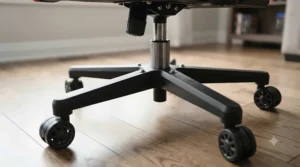
A standard office chair, borrowed from a home office setup, does better on adjustability but usually lacks the recline range and footrest options that dock TV mode benefits from — most office chairs cap recline around 110-130°, well short of the 150-165° range offered by dedicated gaming chairs like the Secretlab Titan Evo 2022 or RESPAWN 110.
A purpose-built nintendo switch gaming chair splits the difference deliberately: enough recline range for lounging, enough armrest adjustability for handheld precision, and (in several models here) a footrest that neither a couch nor an office chair typically offers. The tradeoff is cost and dedicated floor space — a real consideration if you’re working with a small apartment rather than a dedicated gaming room.
Common Mistakes When Buying a Switch Gaming Chair
The single most common mistake is buying based on recline range alone and ignoring armrest adjustability entirely — a chair that reclines beautifully but holds your arms rigidly in one position will frustrate handheld players within a week. The second is skipping weight capacity math; a chair rated at the very edge of your body weight will feel noticeably less supportive and wear out faster than one with meaningful headroom above your weight.
A third common error is choosing upholstery based on looks rather than climate and cleaning habits — glossy PU leather photographs well but runs hot in summer and shows scuffs faster than fabric. Fourth, buyers frequently skip measuring their actual room before ordering a wheeled office-style chair, only to discover it doesn’t fit the space they’d planned around a floor chair instead. Finally, many buyers ignore aggregated review themes about long-term durability in favour of the initial unboxing reviews, missing patterns like bonded leather cracking or padding compression that only show up in reviews written six months or more after purchase.
Long-Term Cost & Maintenance
Total cost of ownership varies more across this list than the sticker price alone suggests. The Homall Gaming Chair costs the least upfront but reviewer patterns suggest cushioning compression within 12-18 months of daily use, meaning a replacement purchase sooner than pricier alternatives. The Secretlab Titan Evo 2022, by contrast, costs roughly three to four times as much upfront but is built with materials — cold-cure foam, metal armrest frames — designed to hold shape for years rather than months, which meaningfully changes the cost-per-year math for frequent users.
Maintenance itself is fairly consistent across the category: tighten hardware periodically, wipe upholstery with mild soap and a damp cloth rather than harsh solvents, and check caster wheels for buildup every few months. Bonded leather chairs (like the RESPAWN 110) benefit from an occasional leather conditioner to slow cracking, while fabric chairs (the Razer Iskur V2 X, certain Corsair TC100 finishes) hold up well with basic vacuuming and the occasional fabric-safe spot cleaner.
For anyone gaming several hours a week for multiple years, the math generally favours paying more upfront for a chair built with premium foam and metal framing — the cost-per-use drops steadily the longer a well-built chair lasts, while budget chairs often mean a repeat purchase within two to three years.
Features That Actually Matter (And Those That Don’t)
Armrest adjustability, genuine lumbar support (whether pillow or built-in arch), and recline range matched to your actual play mode all matter enormously and should top any comparison. Weight capacity relative to your own body weight matters too, more than most buyers initially assume — a chair rated close to your weight limit simply won’t feel as supportive as one with real headroom.
RGB lighting, built-in massage motors, and cup holders, on the other hand, look impressive in product photos but rarely affect actual comfort during a gaming session — they’re the marketing equivalent of alloy wheels on a car that doesn’t need them to run well. Similarly, an extremely high maximum recline angle (170°+) sounds impressive but goes mostly unused by anyone who isn’t specifically trying to nap in the chair between sessions. Focus the budget on the features you’ll use every single session, not the ones that photograph well in an online listing.
FAQ
❓ What is the best chair for handheld gaming specifically?
❓ Do I need a gaming chair at all if I mostly play docked?
❓ Are floor gaming chairs actually comfortable for adults?
❓ How much should I actually spend on a switch gaming chair?
❓ Can kids safely use an adult-sized gaming chair?
Conclusion
There’s no single “best” nintendo switch gaming chair, and honestly, that’s good news — it means the right pick depends on how you actually play rather than which chair has the flashiest marketing photos. Mostly handheld on the couch between meetings? The Razer Iskur V2 X or Corsair TC100 Relaxed solve for that directly. Docked to a living room TV for family Mario Kart nights? The X Rocker G-Force Floor Chair or the footrest-equipped GTPLAYER make more sense than a wheeled office chair ever could. Splitting time evenly between both, with money to spare? The Secretlab Titan Evo 2022 remains the rare chair that doesn’t ask you to compromise on either mode.
What matters most, per the Canadian ergonomics research referenced throughout this guide, is simply that whatever you choose actually gets adjusted to fit your body rather than used straight out of the box on default settings. A C$150 chair set up correctly beats an C$800 chair left on factory defaults, every time. Check current pricing on any of the seven picks above before deciding, since availability and pricing shift regularly on amazon.ca.
✨ Don’t Miss These Exclusive Deals!
🔍 Take your nintendo switch gaming chair search to the next level with these carefully selected products. Click on any highlighted item to check current pricing and availability. These picks will help you build genuinely comfortable gaming sessions your whole household will enjoy!
Recommended for You
- Tournament Gaming Chair 2026: 7 Picks That Survive Marathon Sessions
- Best Work Gaming Chair Canada 2026: 7 Picks That Actually Deliver
- Pedestal Gaming Chair: 7 Best Picks for 2026
Disclaimer: This article contains affiliate links. As an Amazon Associate, I earn from qualifying purchases. If you purchase products through these links, we may earn a small commission at no additional cost to you.
✨ Found this helpful? Share it with your friends! 💬🤗
