
In This Article
Your chair is doing more work than you think. A gaming office chair is a hybrid seat that borrows the recline, bolsters, and headrest of a racing-style gaming chair while layering in the lumbar adjustability and posture support of a proper ergonomic office chair. That’s the forty-second version. The longer version is a little messier, because most of us don’t buy a chair — we inherit one. Maybe it came with the desk, maybe it was on sale at a big-box store during a Boxing Day rush, maybe it’s the same wheeled relic that’s been rolling across your basement floor since university. And then one day, somewhere around hour six of a work call that bled straight into a raid, your lower back sends a very clear memo: something has to change.
That’s the itch this article is here to scratch. Whether you’re splitting your day between spreadsheets and Warzone, or you just want one chair that looks sharp on a webcam and doesn’t leave you limping to the kettle, the gaming office chair category has genuinely matured over the last few years, and it’s increasingly built around the same ergonomic chair principles that occupational health experts have recommended for offices for decades. It’s no longer just neon stitching and a bucket seat. We’ve researched seven real, currently available models spanning budget, mid-range, and premium tiers, pulled from actual spec sheets and aggregated review sentiment, and we’ll walk through exactly how to match one to your body, your desk, and your wallet — in Canadian dollars, with Canadian context, and without a single invented five-star review.
Quick Comparison Table
Before the deep dive, here’s the condensed version for anyone who just wants the highlights before their coffee goes cold.
| Chair | Best For | Upholstery | Recline | Price Range (CAD) |
|---|---|---|---|---|
| GTRacing Pro Series | Tightest budget | PU leather | 90–170° | Under C$250 |
| ThunderX3 Solo 360 (Loft Air) | Budget mesh breathability | Woven mesh fabric | 90–125° | C$300–C$380 |
| Corsair TC100 Relaxed | Wide-frame all-day comfort | Fabric | 90–160° | C$270–C$350 |
| Razer Iskur V2 X | Simple fixed lumbar | EPU leather/fabric | Up to 152° | C$380–C$450 |
| Autonomous ErgoChair Pro | Office gaming chair combo | Mesh | 5-position lock | C$500–C$650 |
| Secretlab Titan Evo | Adjustable premium lumbar | SoftWeave / leatherette | 85–165° | C$650–C$750 |
| Herman Miller x Logitech G Vantum | Ergonomic pedigree splurge | Mesh/recycled fabric | Moderate, forward-leaning | C$1,050–C$1,350 |
Looking at the spread above, there’s a clear inflection point around the C$350 mark: below it, you’re mostly paying for foam and a frame, while above it, brands start layering in real adjustability — synchro-tilt mechanisms, dial-adjustable lumbar, 4D armrests. The Autonomous ErgoChair Pro is the outlier worth circling if “office gaming chair combo” is your actual search intent, since it was engineered as an office chair first and simply happens to game well. If your budget tops out under C$300, the ThunderX3 and GTRacing options are more honest bets than stretching for a chair you’ll return in three weeks.
💬 Just one click — help others make better buying decisions too! 😊
💬 Found a chair that fits your setup already? Scroll to our picks below and give this guide a share — it helps other Canadian gamers avoid the wrong purchase.😊
Top 7 Gaming Office Chairs: Expert Analysis
We built this list around three criteria: real specs verified through manufacturer pages and independent reviews, genuine aggregated customer sentiment, and honest value-for-money at each price tier. Every product below covers budget, mid-range, or premium territory, and every one of them is a real, currently sellable chair — no invented models, no rounded-up marketing copy.
1. GTRacing Pro Series — budget pick with a surprisingly deep recline
The GTRacing Pro Series has been the entry point into gaming chairs for a lot of Canadian desks, and the standout feature is its recline range, which stretches to roughly 170 degrees on some listings — deep enough to nap in, if you’re the napping type. The frame is steel with a Class 4 gas lift, and the seat is wrapped in PU leather with a removable lumbar pillow and headrest cushion strapped on rather than built in. What that spec sheet means in practice: this is a chair built for people under about 5’9″ and under 230 lbs, since the bladed seat edges run narrow and taller frames tend to outgrow it within a year. Based on the spec comparison against pricier chairs on this list, the trade-off is obvious — you’re getting adjustability on paper (3D armrests, tilt-lock, swivel) without the material quality to back it up over the long haul.
Reviewers consistently note that assembly is the first hurdle; the backrest-to-seat connection point is notoriously tight, and more than one buyer has reported minor PU leather tearing during setup. Once built, though, aggregated sentiment is warmer: people genuinely like the external pillows, which are height-adjustable via straps rather than fixed in place. This is a chair for a student desk, a first apartment, or anyone testing whether they even like a gaming-style chair before investing further.
Pros:
✅ Deep 170° recline for casual lounging sessions
✅ Adjustable 3D armrests at this price is unusual
✅ Removable, height-adjustable lumbar and neck pillows
Cons:
❌ Tight assembly tolerances risk minor upholstery tears
❌ Narrow seat unsuited to taller or larger frames
Expect this one in the under-C$250 range at the time of research; check current price before buying, since GTRacing rotates promotions often. For the money, it’s a reasonable stopgap, not a forever chair.
2. ThunderX3 Solo 360 (Loft Air) — best budget pick for a breathable mesh back
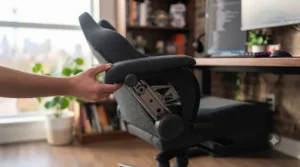
If breathable mesh back is your priority and your budget still has a ceiling, the ThunderX3 Solo 360 in its Loft Air fabric variant earns its spot here. The multi-layer woven fabric isn’t technically mesh in the see-through office-chair sense, but it’s engineered specifically for airflow and resists moisture in a way PU leather simply can’t. The chair’s SYNC4 mechanism moves the backrest and seat together during recline — what reviewers call a “synchronous tilt” — which in practice means less awkward gap between your back and the chair as you lean back, and a more natural range of motion than a simple hinge.
What most buyers overlook about this model is the armrest system: it rotates a full 360 degrees, which sounds gimmicky until you realize it lets you fold the armrests flush against the seat for cross-legged sitting, something budget chairs almost never allow. The lumbar support is fixed rather than adjustable, which is the chair’s honest limitation — reviewers with larger builds report it sitting a touch high, while average-height users find it lands close to ideal without any fiddling. Build quality at this price point is consistently praised as punching above its cost, particularly the moulded foam backrest, which holds its shape far longer than the loose-fill foam typical of sub-C$300 chairs.
Pros:
✅ Genuinely breathable multi-layer fabric for warm rooms
✅ 360° rotating armrests fold flush for cross-legged sitting
✅ Synchronous tilt keeps back support consistent while reclining
Cons:
❌ Lumbar support is fixed, not height-adjustable
❌ Nylon casters can mark hardwood or laminate flooring
Pricing tends to land in the C$300–C$380 range depending on the upholstery variant chosen; prices may vary by colourway. For anyone who runs warm at a desk, this is the best-value mesh-adjacent option on the list.
3. Corsair TC100 Relaxed — widest frame for all-day sitting comfort
Corsair took a different bet with the TC100 Relaxed: instead of chasing the aggressive bucket-seat aesthetic, it widened the seat pan, softened the bolster angles, and built a chair explicitly for people who don’t want to feel hugged by their furniture. The recline runs from 90 to roughly 160 degrees, and the included lumbar pillow plus detachable memory foam neck pillow do a genuinely good job of covering the two pressure points that matter most for all-day sitting comfort. Here’s what to weigh: the armrests are only 2D (height and width), not the 4D found on pricier chairs, so if you like to angle your elbows in and out while typing, you’ll feel that ceiling fairly quickly.
Aggregated review sentiment is unusually consistent across outlets — testers who sit 8+ hours a day report reduced hip and thigh pressure compared to narrower racing-style chairs, and the fabric option specifically gets credit for staying cooler than the leatherette alternative during long sessions. The frame accommodates larger body types comfortably, which is worth flagging since many “wide” gaming chairs are wide in marketing copy only. On the downside, more than one reviewer noted the chair arrived without printed assembly instructions, relying instead on a QR code — a minor annoyance, but one that shows up often enough in feedback to mention.
Pros:
✅ Notably wider seat base than most gaming chairs
✅ Softer bolsters reduce thigh pressure over long sessions
✅ Detachable memory foam neck pillow genuinely supports posture
Cons:
❌ Armrests adjust in only two directions, not four
❌ No printed assembly instructions included in the box
Look for the TC100 Relaxed in roughly the C$270–C$350 range in Canada; check current price, as Corsair runs frequent sales. It’s the strongest all-day comfort pick under C$350 on this list.
4. Razer Iskur V2 X — simplest fixed lumbar system under C$450
Razer built the Iskur V2 X as a stripped-down sibling to its flagship Iskur V2, and the trade is refreshingly transparent: you lose the adjustable dial lumbar system and the memory foam headrest, but you keep the wide seat base and the reclining range up to 152 degrees. The lumbar arch here is fixed and built into the backrest shape itself rather than a separate pillow — a design choice that reviewers are split on. On paper this means less customization; in practice, most testers around average height and build report the fixed curve lands correctly without any adjustment period, while taller or shorter users sometimes need a week or two to acclimate.
Reviewers consistently note the fabric upholstery, especially in the newer NewGen version, breathes noticeably better than the EPU leather used elsewhere in the lineup — a meaningful upgrade if you’ve been burned by a leather chair that turns into a sauna by hour three. The armrests are 2D rather than 4D, and several testers flagged that they rotate too freely, occasionally shifting out of position from a stray knee bump. Still, for a chair carrying Razer’s brand-name build quality and a multi-year warranty at roughly half the price of its flagship sibling, the value proposition holds up under scrutiny.
Pros:
✅ Wide seat base with genuinely comfortable dual-density foam
✅ Breathable fabric option keeps legs cooler than leather
✅ Backed by a multi-year limited warranty from Razer
Cons:
❌ Fixed lumbar arch isn’t adjustable for individual spine shape
❌ Armrests rotate loosely and shift with light knee contact
Pricing sits around the C$380–C$450 range; check current price, since Razer frequently bundles this chair with desk accessories during sales events. It’s the clearest budget-to-mid-range step up from the entry chairs above.
5. Autonomous ErgoChair Pro — the office gaming chair combo pick
If you searched for an office gaming chair combo specifically, this is the model built for that exact use case. The Autonomous ErgoChair Pro is, at its core, an ergonomic office chair — nine points of adjustment covering height, seat depth, armrest position, tilt tension, recline angle, and lumbar position — wrapped in a woven mesh back that happens to look sharp behind a gaming setup too. The mesh isn’t just a style choice; it’s the chair’s defining feature, keeping your back noticeably cooler than any foam-backed chair on this list, particularly during long summer gaming sessions without air conditioning.
What the spec sheet won’t tell you, but reviewers note repeatedly, is that the seat cushion is on the firmer side, and padding on the armrests is thinner than you’d expect at this price. That’s the honest trade for the mesh-and-adjustability formula: this chair prioritizes correct posture over plush lounging. Reviewers who’ve used it for years describe it as a “set it once and forget it” chair — dial in the nine adjustment points during setup, and you rarely need to touch them again. It’s lightweight too, at under 50 lbs, which matters if you’re the kind of person who drags a chair between a home office and a gaming corner.
Pros:
✅ Nine points of adjustment rival dedicated ergonomic office chairs
✅ Mesh back stays cool through multi-hour gaming sessions
✅ Lightweight frame makes repositioning around a room easy
Cons:
❌ Seat cushion and armrest padding run thinner than expected
❌ Some buyers report quality-control inconsistencies on arrival
Expect a price in the C$500–C$650 range depending on current promotions; prices may vary. For anyone who works from home and games in the same chair, this is the strongest hybrid on the list.
6. Secretlab Titan Evo — most adjustable premium lumbar system
Secretlab’s Titan Evo is the chair most gaming-chair conversations eventually circle back to, and the reason is its 4-way L-Adapt lumbar system — a built-in mechanism you can adjust for both depth and height while still seated, rather than fumbling with an external pillow. Reviewers who’ve logged years on this chair describe the lumbar system as noticeably more precise than competitors’ dial-adjustable pillows, since it contours with your posture rather than staying in one fixed position. The magnetic headrest pillow and magnetic armrest caps are a small but genuinely clever touch: no straps, no Velcro, just a satisfying snap into place, which also makes swapping in aftermarket covers simple.
Based on the spec comparison against the rest of this list, the Titan Evo’s biggest strength is sizing — it ships in Small, Regular, and XL variants, covering roughly 4’11” to 6’9″, which is a wider range than almost every competitor here manages. The trade-off is firmness: this is a genuinely firm chair, and reviewers who prefer plush, sink-in seating sometimes need a week or two to adjust. Canadian buyers benefit from Secretlab’s local distribution centre, which shortens delivery times and avoids cross-border duties — a detail that matters more than it sounds like on a chair this size and weight.
Pros:
✅ Adjustable 4-way lumbar system tunable while seated
✅ Available in three sizes covering a wide height range
✅ Magnetic headrest and armrest caps simplify customization
Cons:
❌ Firm seat cushion takes an adjustment period for some
❌ Premium price puts it well above budget alternatives
Canadian pricing lands around C$650–C$750 depending on upholstery (SoftWeave fabric versus leatherette); at the time of research, check current price as Secretlab runs seasonal sales. This is the chair to buy once and stop shopping.
7. Herman Miller x Logitech G Vantum — priciest option with genuine ergonomic pedigree
The Vantum is the collaboration between Herman Miller, a company that’s been shaping how the world thinks about seated posture since the Aeron launched in the 1990s, and Logitech G. The result borrows PostureFit-inspired lumbar support and a mesh suspension backrest rather than foam padding, and it forces an active, forward-leaning posture rather than the deep recline most gaming chairs encourage. Here’s what to weigh: reviewers are split on whether that forward-lean is a feature or a limitation. For desk-bound, upright gaming and work, testers report reduced slouching and less end-of-day back fatigue. For movie-watching, deep recline, or an all-afternoon RPG binge, the shallow seat depth and limited recline range feel restrictive compared to a racing-style chair.
Aggregated sentiment consistently flags the fabric quality as underwhelming relative to Herman Miller’s reputation — several reviewers note it feels like a downgrade compared to the brand’s flagship office chairs, which is a fair critique given the price. What most buyers overlook, though, is the 12-year warranty that comes standard, a coverage window no other chair on this list comes close to matching, and one that meaningfully changes the total cost of ownership math over a chair’s lifespan.
Pros:
✅ PostureFit-derived lumbar support from genuine ergonomic engineering
✅ Backed by an industry-leading 12-year warranty
✅ Mesh backrest stays cool through extended sessions
Cons:
❌ Shallow seat depth limits comfort for taller users
❌ Fabric quality feels inconsistent with Herman Miller’s reputation
Canadian pricing typically runs C$1,050–C$1,350 depending on colourway and current promotions; prices may vary, so check current price before purchasing. This is a splurge chair for buyers who value ergonomic pedigree over gaming-chair theatrics.
Office Gaming Chair Combo: Best of Both Worlds
The phrase “office gaming chair combo” gets searched constantly, and for good reason — most people don’t have room, or budget, for two chairs. The good news is you don’t need to compromise as much as you’d think. Based on the spec comparison across this list, the winning formula for a true combo chair is mesh or breathable fabric (so it doesn’t overheat during eight-hour workdays), a genuinely adjustable lumbar system (so it supports desk posture, not just gaming recline), and armrests that move in more than two directions (so typing and controller use both feel natural). The Autonomous ErgoChair Pro nails this formula almost by accident, since it was designed as an office chair first. The Secretlab Titan Evo and Herman Miller Vantum both work as combo chairs too, just at a steeper buy-in.
What most people get wrong is assuming a racing-style bucket seat automatically works for office tasks. It doesn’t. The high side bolsters that feel great when leaning into a corner in a racing sim actively restrict elbow movement during spreadsheet work, and the aggressive recline angle common in budget gaming chairs encourages the exact slouched posture ergonomists warn against. If your chair needs to survive a nine-to-five and a nine-to-midnight raid schedule, weight the adjustability and mesh breathability criteria more heavily than the aesthetic ones.
How to Choose an Ergonomic Gaming Office Chair
Choosing an ergonomic gaming office chair comes down to matching adjustability, materials, and sizing to your actual body and daily routine, not to marketing claims on the box. Here’s the reasoning, broken into steps:
- Measure your height and weight against the chair’s stated range first. Every chair on this list has a sweet spot, and sitting outside it — even by a few inches — undermines every other feature.
- Prioritize lumbar adjustability over lumbar padding. A firm, precisely positioned lumbar curve, according to CCOHS guidance on adjusting office chairs, matters more than how plush the cushion feels on day one.
- Check the recline range against your actual use case. Deep 165°+ recline matters for movie-night lounging; a narrower, locked recline matters more for maintaining desk posture during work.
- Test armrest adjustability, not just presence. 2D armrests cover height and width; 4D armrests add depth and pivot, which matters far more once you’re typing for hours.
- Weigh upholstery against your room’s temperature. Mesh and breathable fabric win in warm rooms or homes without air conditioning; leatherette wins on easy cleaning and a firmer aesthetic.
- Factor in warranty length as a proxy for expected lifespan. A one-year warranty on a C$200 chair and a twelve-year warranty on a C$1,200 chair are both honest signals about how long the manufacturer expects the materials to last.
- Sit in it, if you possibly can. Staples Canada and Canada Computers stock floor models of several mid-range chairs, and no spec sheet fully substitutes for five minutes in the seat.
Practical Usage Guide: Setup, Maintenance & Optimization
Getting a new chair home is only half the job — how you set it up in the first thirty days determines whether it actually fixes your posture or just becomes an expensive place to sit incorrectly. Start with height: your knees should sit roughly level with your hips, feet flat on the floor, with about a two-inch clearance between the seat’s front edge and the back of your knees. Next, dial in the lumbar support so it presses gently into the curve just above your beltline — not your mid-back, which is a common first-week mistake that leaves people wondering why “ergonomic” doesn’t feel any different.
Armrests should sit at a height where your shoulders stay relaxed and your elbows rest at roughly ninety degrees; if you find yourself hiking your shoulders up to reach the armrests, drop them down or remove them entirely rather than adjusting your posture around them. For maintenance, wipe down leatherette or PU leather weekly with a damp microfibre cloth to prevent the surface cracking that plagues cheaper chairs after a year or two, and vacuum mesh or fabric backs monthly to keep dust from clogging the weave and reducing breathability. Check the gas lift and caster wheels every few months by rolling the chair on a flat surface — a slow sink under weight or a wobbly base usually signals it’s time to tighten the base bolts, a five-minute fix that extends a chair’s usable life considerably. One optimization trick most owners never try: rotate your recline angle throughout the day rather than locking it in one position, since alternating between upright focus mode and a slight recline reduces the static loading on your lower back that a single fixed posture creates.
Real-World Scenarios: Which Chair Fits Your Life
The apartment-dwelling student on a tight budget: Sharing a small desk in a shared living space, gaming three to four hours a night between classes, moving apartments every year. The GTRacing Pro Series or ThunderX3 Solo 360 make the most sense here — light enough to move, cheap enough that a scuff or a move-out ding doesn’t sting, and comfortable enough for the actual hours logged.
The hybrid remote worker who games after hours: Eight hours at a desk on video calls, followed by two or three hours of gaming most evenings, working from a spare bedroom that runs warm in summer. The Autonomous ErgoChair Pro or Corsair TC100 Relaxed both fit this profile well, prioritizing breathability and all-day support over aggressive gaming aesthetics.
The competitive streamer building a permanent battlestation: Ten-plus hours a day in the chair, on camera regularly, with a budget that reflects the chair as a business tool rather than a luxury. The Secretlab Titan Evo or Herman Miller Vantum both suit this use case, offering the adjustability and warranty coverage that a daily, all-day workload demands.
All-Day Sitting Comfort: What to Expect
Specs on a page rarely translate directly into how a chair feels at hour six. Here’s the honest, real-world version of what all-day sitting comfort actually looks like across price tiers. Budget chairs under C$300 tend to feel great for the first ninety minutes, then start telegraphing pressure points around the hips and shoulder blades as the foam compresses under sustained weight — this is the thin-foam trade-off nearly every review in this category mentions eventually. Mid-range chairs in the C$350–C$650 bracket, particularly the mesh and wide-seat options on this list, hold their comfort curve much further into a session, typically without noticeable fatigue until the four-to-five-hour mark. Premium chairs above C$650 are less about eliminating discomfort entirely and more about extending that comfort curve toward a full workday, largely through more precisely tuned lumbar systems and higher-density foam that resists compression over months rather than weeks.
The pattern reviewers describe most consistently: comfort at hour one is almost entirely about initial cushioning, while comfort at hour eight is almost entirely about lumbar precision and material breathability. If your sessions regularly run past the four-hour mark, weight your buying decision toward the second category far more than the first.
Breathable Mesh Back vs Leatherette: Which Wins for Long Sessions
This is one of the most searched comparisons in the category, and the honest answer is: it depends on your room, not just your body. Mesh and breathable woven fabric, like what’s used on the Autonomous ErgoChair Pro, the Herman Miller Vantum, and the ThunderX3 Solo 360’s Loft Air variant, allow continuous airflow against your back, which matters enormously in warm rooms, un-air-conditioned apartments, or for anyone who simply runs hot. The trade-off is durability against spills and general griminess — mesh is harder to wipe clean and can sag slightly over years of heavy use.
Leatherette and PU leather, used on the GTRacing Pro Series and available as an option on the Secretlab Titan Evo, wipe clean in seconds and hold a firmer shape over time, but they trap heat noticeably, especially in leggings or shorts weather, and lower-quality PU leather is prone to cracking or peeling within one to two years. Reviewers consistently note that fabric upholstery, a middle ground used on the Corsair TC100 Relaxed and Razer Iskur V2 X’s NewGen version, splits the difference reasonably well — cooler than leatherette, easier to clean than mesh, though less breathable than true mesh at the extremes. If your gaming space lacks air conditioning, prioritize mesh or fabric; if you’re prone to spills near your desk, leatherette earns its keep.
Common Mistakes When Buying a Gaming Office Chair
The single most common mistake is buying based on aesthetics alone — racing stripes and RGB accents say nothing about lumbar support, and more than one reviewer across this research described regretting a visually striking chair that turned out ergonomically hollow. A close second is ignoring the manufacturer’s stated weight and height range; chairs rated for users under 5’9″ genuinely underperform for taller frames, no matter how many adjustment knobs they advertise. Buyers also frequently skip checking armrest adjustability, assuming “adjustable” always means 4D movement, when many budget and mid-range chairs only adjust height and width.
Another frequent misstep is prioritizing recline depth over lumbar precision — a chair that leans back 165 degrees but offers no real lower-back support will feel novel for a week and uncomfortable for a year. Finally, plenty of buyers skip reading the warranty terms closely; a “one-year warranty” on a chair rated for daily heavy use is a meaningful red flag about expected material lifespan, not just fine print to skim past.
Features That Actually Matter (And Those That Don’t)
Filtering marketing hype from genuine value takes some pattern recognition after comparing seven chairs side by side. Features that actually matter: adjustable lumbar depth and height (not just a static pillow), 4D or at minimum well-built 2D armrests, breathable upholstery matched to your room’s climate, and a weight capacity with real headroom above your actual weight rather than right at the ceiling. A wider seat base than you think you need also matters more than most buyers expect, since cross-legged and side-sitting are common postures that narrow bucket seats actively punish.
Features that generate excitement but deliver little real-world value: built-in speakers (a genuine but rarely used gimmick on some higher-end models), extreme recline angles past 160 degrees for anyone who isn’t regularly napping at their desk, and RGB lighting, which affects nothing about how the chair supports your spine. Magnetic accessory attachments, as seen on the Secretlab Titan Evo, sit in a middle category — a genuine quality-of-life improvement, but not worth paying a significant premium for on their own.
Long-Term Cost & Maintenance
Total cost of ownership rarely gets discussed honestly in gaming chair marketing, but it’s where the real value differences show up. A C$200 chair with a one-year warranty and an 18-month realistic lifespan works out to roughly C$133 per year of use, assuming you replace it promptly once it degrades — and most buyers don’t, they just keep sitting in a sagging, creaking chair well past its useful life. A C$700 chair like the Secretlab Titan Evo, backed by a five-year warranty and reviewer reports of five-plus years of daily use, works out closer to C$140 per year, which is a near wash against the budget option, but with dramatically better comfort throughout. The Herman Miller Vantum’s 12-year warranty pushes its effective annual cost below C$115 per year if the chair genuinely lasts that long, though its higher upfront price remains a real barrier for many buyers regardless of the long-run math.
Maintenance costs matter too: PU leather chairs occasionally need replacement caster wheels or seat cushions as the foam compresses, generally in the C$30–C$60 range per part, while mesh chairs rarely need cushion replacement but can require lumbar mechanism repairs if the tension spring wears out. Budgeting an extra C$50–C$100 over a chair’s lifespan for minor part replacements is a realistic expectation across every tier on this list.
Safety, Regulations & Ergonomics Compliance in Canada
Canada doesn’t regulate consumer gaming chairs directly the way it does, say, children’s furniture, but workplace ergonomics guidance from the Canadian Centre for Occupational Health and Safety notes that CSA Standard Z412-17, Office ergonomics – An application standard for workplace ergonomics, recommends alternating between sitting and standing postures rather than locking into any single position for extended periods, gaming chair included. That guidance is worth taking seriously if you’re logging eight or more hours a day in any chair, gaming or office — Canadian research reported by CBC News has linked prolonged daily sitting to measurable increases in diabetes, heart disease, and overall economic cost, regardless of how supportive the chair itself is. CCOHS also recommends that a fully adjustable chair is close to a “must” for anyone who can’t also invest in a fully adjustable desk, which reinforces why the adjustability criteria weighted throughout this guide aren’t just brand talking points — they’re aligned with actual Canadian occupational health guidance.
For remote workers claiming a home office setup as a business expense, keeping receipts and specs for an ergonomic chair purchase is also worth doing for tax purposes, though the specific eligibility rules change periodically and are worth confirming directly with the CRA rather than relying on secondhand advice. Beyond the paperwork, the practical safety takeaway is simple: check weight capacity ratings honestly, don’t exceed them, and inspect gas lift cylinders periodically, since a failing cylinder is a rare but real safety issue across all chair brands and price points.
Buyer’s Decision Framework
If you’re still torn, use this simplified framework: if your budget caps under C$300 and you’ll use the chair under three hours a day, choose the GTRacing Pro Series or ThunderX3 Solo 360, because material longevity matters less at that usage level. If you run warm and split time evenly between work and gaming, choose a mesh or breathable-fabric chair like the Autonomous ErgoChair Pro, because breathability compounds in value the longer you sit. If you sit eight-plus hours daily and treat your chair as a long-term investment, choose the Secretlab Titan Evo or Herman Miller Vantum, because the adjustability and warranty coverage pay for themselves across years rather than months. And if you’re simply unsure, the Corsair TC100 Relaxed or Razer Iskur V2 X occupy the safest middle ground — good enough materials, real adjustability, and a price that doesn’t demand total certainty upfront.
✨ Ready to Find Your Perfect Match?
🔍 Take your setup to the next level with one of the seven chairs above. Click through to check current pricing and availability on Amazon.ca, and give your back the upgrade it’s been asking for all year.
FAQ
❓ What is the difference between a gaming chair and an office chair?
❓ Is a mesh back better than leatherette for a gaming office chair?
❓ How much should I spend on a gaming office chair?
❓ Can a gaming chair fix bad posture?
❓ How long do gaming office chairs typically last?
Conclusion
There’s no single best gaming office chair — there’s only the best one for your body, your room’s temperature, and how many hours you’re actually planning to sit in it. What’s clear after comparing all seven, from the sub-C$250 GTRacing Pro Series to the four-figure Herman Miller Vantum, is that the meaningful differences aren’t really about racing stripes or recline angles past 160 degrees. They’re about lumbar precision, breathable materials matched to your space, and armrests that move the way your arms actually move. Buy for the hours you log, not the hours you imagine you’ll log, and revisit this guide’s decision framework if you’re still torn between two options.
Whichever chair you land on, remember the boring but true part: even the best chair benefits from getting up, stretching, and breaking up long sitting stretches throughout the day, something every piece of Canadian occupational health guidance keeps repeating for good reason. Your back will thank you either way.
✨ Don’t Miss Out on the Right Chair for You
🔍 Browse the full comparison above one more time, click through on the pick that fits your setup, and check current pricing on Amazon.ca before it changes. Your next all-day gaming or work session deserves better support than what you’re sitting on right now.
Recommended for You
- Xbox Gaming Chair 2026: 7 Picks That Actually Survive Long Sessions
- 7 Best PS5 Gaming Chairs in Canada (2026): Comfort Tested
- Best Budget Gaming Chair Canada 2026: 7 Top Picks Reviewed
Disclaimer: This article contains affiliate links. As an Amazon Associate, I earn from qualifying purchases. If you purchase products through these links, we may earn a small commission at no additional cost to you.
✨ Found this helpful? Share it with your friends! 💬🤗
