
In This Article
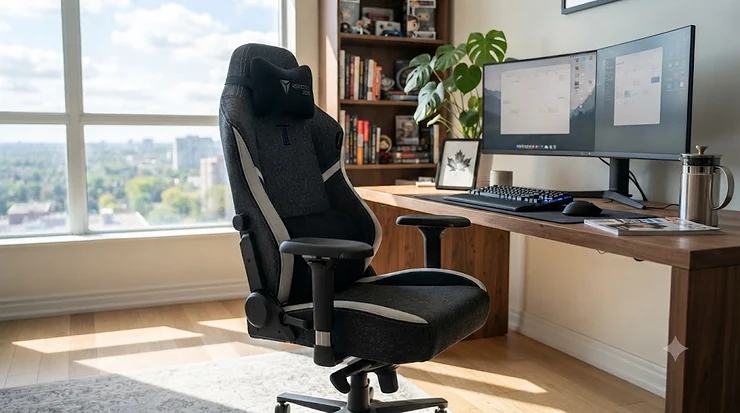
Somewhere around your third Zoom call of the day — the one where you’re slouched so far down that your camera is basically pointed at your ceiling fan — you start wondering if your chair is actively working against you. Then 9 p.m. rolls around, you boot up a raid, and that same chair suddenly feels like a plank with wheels. This is the exact gap a hybrid gaming chair is built to close. So, what is a hybrid gaming chair? It’s a seat engineered to blend office-grade ergonomics (adjustable lumbar, proper recline, breathable materials) with gaming-chair comfort features (deep padding, steep recline, wide bolstering), so one purchase covers both your workday and your play session. For Canadians juggling hybrid work schedules and long gaming sessions, that dual-purpose design isn’t a gimmick — according to Robert Half’s 2026 labour market data, a meaningful share of new Canadian job postings are now hybrid, meaning more of us are splitting our week between a home desk and an office one. That shift is exactly why a hybrid gaming chair earns its keep in a way a single-purpose chair never could. In this guide, we’ve researched seven real, currently available models on amazon.ca — spanning budget, mid-range, and premium tiers — and broken down what each one actually delivers once the marketing language is stripped away.
Quick Comparison Table
| Chair | Best For | Recline Range | Price Range (CAD) |
|---|---|---|---|
| Secretlab Titan Evo | Best overall hybrid pick | 165° | C$750–C$950 range |
| Boulies Master | Best restrained office look | 95°–165° | C$500–C$570 range |
| AndaSeat Kaiser 4 | Best lumbar system | 90°–135° | C$750–C$900 range |
| Sihoo Doro C300 Pro V2 | Best adaptive mesh comfort | Up to 135° | C$500–C$600 range |
| Autonomous ErgoChair Pro | Best minimalist task-chair crossover | 22° tilt range | C$600–C$700 range |
| Razer Iskur V2 X | Best budget gaming-brand pick | 152° | Under C$400 |
| Corsair TC100 Relaxed | Best budget wide-seat pick | 90°–160° | Under C$350 |
Looking at the spread above, there’s a clear pattern: recline range tends to track with price, but not always with comfort. The Boulies Master actually matches the pricier Secretlab Titan Evo‘s 165° ceiling despite costing a few hundred dollars less, which tells you recline hardware isn’t where the premium tier justifies its cost — build materials, lumbar precision, and warranty support are. Budget picks like the Corsair TC100 Relaxed and Razer Iskur V2 X sacrifice adjustability (fixed or 2D armrests, simpler lumbar) rather than recline angle, which is actually a smart trade-off for casual hybrid use.
💬 Just one click — help others make better buying decisions too!😊
Top 7 Hybrid Gaming Chairs: Expert Analysis
1. Secretlab Titan Evo — best all-around recline range for work and play
The Secretlab Titan Evo opens this list because it’s the chair most reviewers point to when they need one seat to do everything. Its full-length backrest reclines to 165°, with a multi-tilt lock that lets you park it upright for a spreadsheet, at 110°–130° for deskwork, or nearly flat for a cutscene — and that middle range isn’t arbitrary; Cornell University ergonomics research on lumbar disc pressure specifically flags 110°–130° as the sweet spot for reduced back-muscle strain during seated work. The 4-way built-in lumbar support adjusts vertically and in-and-out, targeting different points on your lower spine rather than offering one fixed curve. Based on the spec comparison with cheaper hybrid chairs, this is the difference between a chair that “has lumbar support” on paper and one that actually adapts to your torso length. Reviewers who’ve logged years of full-time use consistently report that the Softweave fabric option holds up to aggressive scrubbing without staining, though a subset note the armrest caps are a known wear point after roughly a year of heavy use — still generally covered under warranty. This chair suits hybrid workers who recline often through the day and want a single premium purchase rather than separate office and gaming setups.
Pros:
- ✅ 165° recline with locking multi-tilt for any posture
- ✅ 4-way adjustable lumbar targets multiple back positions
- ✅ Proven long-term durability from multi-year owner reports
Cons:
- ❌ Premium price puts it above most budget hybrid buyers
- ❌ Armrest caps are a documented long-term wear point
Expect to pay in the C$750–C$950 range depending on size and fabric; given the recline range and lumbar precision, it’s a strong value pick for anyone treating this as a five-year purchase rather than a quick fix.
2. Boulies Master — best subdued design for a shared home office
If the Secretlab Titan Evo looks a little too “gamer” for your living room corner, the Boulies Master solves that with a scalloped seat and understated silhouette that reads as an office chair first. Don’t let the restraint fool you on function, though — it reclines from 95° to 165° with a genuinely well-liked rocking mode, where 15° of body-weight-controlled lean lets you find your angle before locking it in place. The 4D aluminum armrests and 4-way built-in lumbar bring genuine office-chair-grade adjustability, not a stripped-down imitation of it. What most buyers overlook about this model is the sizing split: the standard Master fits users 155–180 cm and under 110 kg, while the Master Max stretches to 200 cm and 135 kg, so taller Canadians shouldn’t default to the standard size just because it’s listed first. Reviewers who’ve used it for extended 12-hour workdays report the mid-firm cushion holds its shape well over marathon sessions, though a recurring theme in feedback is that assembly takes noticeably longer than expected — set aside real time and ideally a second pair of hands.
Pros:
- ✅ Two size options accommodate a wider range of body types
- ✅ Rocking recline mode praised across multiple independent reviews
- ✅ Subtle styling blends into non-gaming rooms
Cons:
- ❌ Assembly is reported as slower and more involved than average
- ❌ Fewer colourway options than gaming-first competitors
At around C$500–C$570, this is arguably the sharpest value on the list for buyers who want Secretlab-tier adjustability without the Secretlab-tier price or aesthetic.
3. AndaSeat Kaiser 4 — best dedicated lumbar system for gaming-forward buyers
The AndaSeat Kaiser 4 takes a different approach: instead of spreading its budget evenly, it pours resources into one feature — a pop-out, 4-way internal lumbar system that multiple outlets single out as the standout of the entire chair. The recline tops out at a more modest 135°, paired with a 15° rocking mode, so this is less about reclining flat and more about upright support during long sitting blocks, which lines up with how most hybrid users actually spend their day. The 5D-to-6D armrests (depending on configuration) offer genuinely rare flexibility for wrist positioning, though it’s worth noting reviewers have flagged the armrests as fiddlier to dial in than the lumbar system. Cold-cure foam and a one-piece steel frame with an aluminum wheelbase give it a reported weight capacity up to 395 lbs (roughly 179 kg) on the XL size, which is well above the category average and makes it a genuine option for larger-framed users who’ve struggled to find a comfortable hybrid chair. On paper, this means the Kaiser 4 rewards buyers who prioritize spinal support above outright recline flexibility.
Pros:
- ✅ Pop-out lumbar system praised as best-in-class by multiple reviewers
- ✅ High weight capacity suits larger-framed users
- ✅ Durable cold-cure foam and one-piece steel frame
Cons:
- ❌ Armrests reported as awkward to fine-tune
- ❌ Recline caps at 135°, lower than most chairs on this list
Priced around C$750–C$900, the Kaiser 4 makes the most sense for buyers whose primary complaint with previous chairs was lower-back fatigue specifically, rather than a need for a fully reclined lounging position.
4. Sihoo Doro C300 Pro V2 — best adaptive mesh comfort for warm rooms
Mesh chairs often trade comfort for breathability, but the Sihoo Doro C300 Pro V2 is built around the idea that your posture shifts constantly, so a static lumbar pad is already outdated the moment you lean forward to type. Its BM (Body Movement) Tracking System moves the lumbar support automatically as you change position, and the 8D “bionic” armrests pivot, tilt, and flip in nearly every direction, including a rear flip-up section aimed at users who game with a controller in their lap. Reviewers consistently note that the Cloud Mesh 2.0 seat stays comfortable through eight-hour workdays without the numbness common in cheaper mesh seats, and the reported weight capacity — as high as 300 lb (136 kg) on some listings — is unusually generous for this price bracket. Here’s what to weigh: the whole-chair BIFMA certification (an independent furniture durability and safety standard) gives it long-term credibility that budget mesh competitors typically skip. The trade-off is a headrest that several reviewers found sits a touch low for users over 6’3″, and the white colourway reads more clinical than cozy in a home setting.
Pros:
- ✅ Automatic lumbar tracking adapts as you shift posture
- ✅ High weight capacity and BIFMA-certified durability
- ✅ Mesh construction stays cool through long sitting sessions
Cons:
- ❌ Headrest sits low for users taller than roughly 6’3″
- ❌ White colourway can look overly clinical in a home office
Expect the C300 Pro V2 to land around C$500–C$600, positioning it as one of the more sophisticated ergonomic mesh options available anywhere near this price point.
5. Autonomous ErgoChair Pro — best minimalist crossover for skeptics of “gamer” looks
The Autonomous ErgoChair Pro barely registers as a gaming chair at all, and that’s precisely its appeal for hybrid buyers who spend more waking hours in spreadsheets than in-game. Its German-engineered breathable mesh wraps the back, seat, and headrest, and the whole unit weighs a surprisingly light 22 kg thanks to a dense plastic frame — genuinely useful if you’re the one hauling furniture between a home office and a shared space. Nine-point adjustability covers armrests, headrest, and lumbar depth, run through a synchro-tilt mechanism designed to keep your spine aligned as you recline rather than just tipping the seat back. What the spec sheet won’t tell you, but reviewer consensus does, is that the seat cushion itself is on the firmer, thinner side; it’s well-suited to structured desk posture but less plush during a long, relaxed gaming session compared to foam-heavy chairs like the Titan Evo or Kaiser 4. Reviewers frequently describe it as “good, not great” for pure comfort, but consistently praise its build quality, low weight, and price-to-adjustability ratio for people prioritizing an office-first aesthetic.
Pros:
- ✅ Lightweight frame at roughly 22 kg for easy repositioning
- ✅ Nine-point adjustability across armrests, headrest, lumbar
- ✅ Neutral design blends into any professional home office
Cons:
- ❌ Seat padding is thinner than dedicated gaming chairs
- ❌ Less ideal for marathon reclined gaming sessions
Pricing generally falls in the C$600–C$700 range, making the ErgoChair Pro the pick for buyers who’ll use “gaming chair” features occasionally but need “office chair” looks every single day.
6. Razer Iskur V2 X — best budget entry from a recognized gaming brand
The Razer Iskur V2 X exists because Razer’s flagship Iskur V2 costs more than double, and this stripped-down version keeps the parts that matter most for everyday hybrid use. You still get the widened seat base with reduced-edge bolstering and a full 152° recline — genuinely close to what you’d get on chairs costing hundreds more — but the adjustable 6D lumbar knobs are gone, replaced with a single fixed lumbar arch. Reviewers consistently report the fixed arch works well for average torso lengths but becomes a point of contention for anyone outside that range, since there’s no way to dial it in further. The armrests drop from 4D to 2D (up/down and rotation only), which is a real limitation for controller-and-keyboard switching but a reasonable compromise at this price. What most buyers overlook is that the high-density foam cushioning was specifically upgraded over the original Iskur X, so the comfort gap versus the pricier V2 is smaller than the feature-list gap suggests. This is a genuinely solid pick for someone furnishing their first home office on a tighter budget who still wants a name-brand gaming chair.
Pros:
- ✅ 152° recline nearly matches chairs twice the price
- ✅ High-density foam upgrade over the previous generation
- ✅ Quick, tool-included assembly reported across multiple reviews
Cons:
- ❌ Fixed lumbar arch isn’t adjustable for different torso lengths
- ❌ 2D armrests limit positioning versus 4D competitors
At under C$400, the Iskur V2 X undercuts most of this list while still carrying real brand-backed engineering, making it a smart budget pick for students or first-time home-office buyers.
7. Corsair TC100 Relaxed — best budget wide-seat pick for casual hybrid use
Rounding out the list, the Corsair TC100 Relaxed leans into exactly what its name promises: a roomier seat with gentler bolster angles than the racing-style norm, aimed at comfort over aggressive gaming aesthetics. Recline runs from 90° up to 160° on a class-4 gas lift with 100mm of height adjustment, which is a wide range for a chair regularly seen discounted near or under C$300 around major sales events. Reviewers who’ve kept it in daily office rotation for over a year report it holds up to regular “bumper chairs between desks” abuse without squeaking or sagging, a decent proxy for real-world durability at this price. The included lumbar and memory foam neck pillows are a nice touch, though the headrest attachment straps are a recurring minor complaint — several reviewers note they’re short and limit how the pillow can be repositioned once attached. Reviewers consistently frame this as the best cheap gaming chair for someone who wants a stylish, comfortable seat without paying premium-chair money, provided they don’t need fine-grained ergonomic adjustment.
Pros:
- ✅ Wide 90°–160° recline range at a genuinely budget price
- ✅ Included lumbar and neck pillows add comfort out of the box
- ✅ Reported durability holds up over a year of daily office use
Cons:
- ❌ Headrest pillow straps are short and hard to reposition
- ❌ Limited armrest adjustability compared to higher-tier picks
Typically priced under C$350, and occasionally dipping lower during sales, this is the entry point on our list — a legitimately comfortable hybrid chair for anyone not ready to spend C$500-plus.
How to Choose a Hybrid Gaming Chair
Choosing between these seven comes down to matching your body, your room, and your actual daily routine to the chair’s strengths. Here’s a practical framework, in order of priority:
- Start with your body dimensions, not the reviews. Check each chair’s recommended height and weight range before anything else — a chair that’s “the best” on paper can still be the wrong fit if you fall outside its sizing window, as with the Boulies Master‘s standard-versus-Max split.
- Decide how much you actually recline. If you rarely go past 110°, spending extra for a 165° range like the Secretlab Titan Evo offers less real-world value than paying for lumbar precision instead.
- Weigh mesh versus foam by your room’s temperature. Mesh chairs like the Sihoo Doro C300 Pro V2 breathe better in warm rooms or homes without air conditioning; foam chairs like the AndaSeat Kaiser 4 feel plusher but trap more heat.
- Check the lumbar mechanism type. Fixed lumbar arches (Razer Iskur V2 X) are fine for average builds; adjustable or auto-tracking systems (Sihoo, Secretlab, AndaSeat) matter more if you have existing back issues.
- Factor in aesthetic fit for your space. A racing-style bucket seat can look out of place on a work video call; the Boulies Master and Autonomous ErgoChair Pro were specifically designed to blend into professional backgrounds.
- Confirm armrest configuration against your use case. Controller users benefit from armrests that flip or rotate out of the way; keyboard-and-mouse workers benefit more from precise height and depth control.
- Set a total budget that includes delivery and assembly time, not just the sticker price — several of these chairs (notably the Boulies Master and AndaSeat Kaiser 4) have longer, more involved assembly processes than buyers expect.
Hybrid Gaming Chairs vs Dedicated Office Chairs
The obvious question with any gaming chair for office and gaming use is whether it can genuinely replace a purpose-built ergonomic office chair like a Steelcase Leap or Herman Miller Aeron. The honest answer: for most home-office workers, yes — with caveats. Dedicated ergonomic office chairs are engineered almost entirely around upright, static desk posture, with precision lumbar systems that can be dialed to a specific vertebra. Hybrid gaming chairs trade some of that precision for a much wider range of motion, since they’re also expected to support a fully reclined gaming or relaxing posture that pure office chairs rarely accommodate well.
According to the Canadian Centre for Occupational Health and Safety, a well-designed chair should let the user sit in a balanced position with controls operable from a seated position, a seat that adjusts for height and tilt, and a backrest shaped to support the lower back — all criteria that chairs like the Secretlab Titan Evo and AndaSeat Kaiser 4 are specifically engineered to meet, not just gaming-specific extras like headrests and bold colourways. Where hybrid chairs genuinely fall short of top-tier office chairs is fine-grained lumbar height adjustment; the CSA Z412 workplace ergonomics standard notes there’s no single correct posture for extended periods, which is actually an argument in favour of hybrid chairs’ wider recline range rather than against it. If your job involves eight-plus hours of static desk work daily with no gaming component, a dedicated ergonomic office chair still edges out a hybrid pick on precision. For everyone else — which, per current hybrid-work trends, is a growing share of Canadians — a hybrid chair is the more efficient purchase.
Common Mistakes When Buying a Hybrid Gaming Chair
Even with solid research, buyers repeatedly make a handful of avoidable errors:
Ignoring the weight and height ranges. Every chair on this list lists a recommended height and weight window, and sitting outside it — even by a small margin — noticeably changes how the lumbar support and recline mechanism behave. A 6’4″ buyer on a standard-size Boulies Master will feel cramped no matter how good the reviews are.
Assuming “gaming chair” automatically means poor ergonomics. This was true a decade ago; it’s largely false today. Chairs like the Sihoo Doro C300 Pro V2 and Secretlab Titan Evo now carry independent durability certifications and adjustment ranges that rival dedicated office furniture.
Buying based on aesthetics alone. A racing-style bucket seat photographs well, but if your workday involves video calls, a more office-appropriate design like the Autonomous ErgoChair Pro may serve you better day-to-day, even if it’s less exciting in marketing photos.
Overlooking assembly complexity. Reviewers across multiple outlets flag both the Boulies Master and AndaSeat Kaiser 4 as more time-consuming to assemble than expected. Budget an hour or more, and ideally a second person, rather than assuming a quick 15-minute build.
Skipping the warranty fine print. Warranty length varies significantly across this list, and coverage for wear items like armrest caps or upholstery isn’t always automatic — it’s worth a five-minute check before checkout rather than a surprise a year in.
What to Expect: Real-World Performance During a Workday and a Gaming Session
Specs only tell part of the story — what actually changes in daily use? During a typical eight-hour hybrid workday, the biggest differentiator isn’t recline angle but lumbar consistency: chairs with adaptive or precisely adjustable lumbar support (the Sihoo Doro C300 Pro V2‘s auto-tracking system, the Secretlab Titan Evo‘s 4-way adjustment) tend to reduce the mid-afternoon slouch that static-lumbar budget chairs like the Razer Iskur V2 X can’t fully prevent. That said, the Iskur V2 X’s fixed arch is genuinely fine for users with an average torso length — the gap only shows up for people at either end of the height spectrum.
Switch to an evening gaming session and priorities flip. Recline range and rocking motion become far more relevant than they were during the workday — this is where the Boulies Master‘s rocking mode and the Secretlab Titan Evo‘s 165° range earn their keep, letting you lean back between rounds without leaving the chair. Heat becomes a bigger factor too during longer, more intense sessions; mesh-backed options like the Sihoo Doro C300 Pro V2 and Autonomous ErgoChair Pro stay noticeably cooler than PU-leather or leatherette chairs like the AndaSeat Kaiser 4 during hour three of a session. None of this means one chair “wins” across both contexts — it means the right choice depends on which part of your day you weight more heavily.
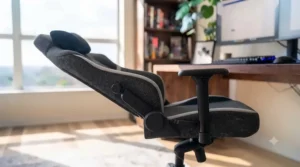
Real-World Scenarios: Gaming Chair Work From Home Case Studies
The hybrid office employee (in-office two days, home three days). Someone in this position needs a chair that photographs professionally on video calls and holds up to genuinely long stretches of desk time. The Autonomous ErgoChair Pro or Boulies Master both fit this brief well — neutral enough in appearance for a client call, adjustable enough for a full workday, without the aggressive gaming aesthetic that can look out of place in a professional setting.
The competitive gamer who also freelances from home. This person spends evenings in extended, high-focus gaming sessions and days doing freelance design or writing work at the same desk. The Secretlab Titan Evo or AndaSeat Kaiser 4 make more sense here — both provide the recline depth and lumbar precision needed for marathon sessions, while still offering enough adjustability to support focused desk work during the day.
The budget-conscious student setting up their first work-from-home setup. Balancing a tight budget against genuinely long study and gaming hours, this buyer benefits most from the Corsair TC100 Relaxed or Razer Iskur V2 X — both deliver a surprising amount of adjustability and comfort for the price, without locking a student into a purchase they’ll outgrow before graduation.
The larger-framed user who’s struggled to find a comfortable fit. For anyone who’s found standard-size chairs cramped or unstable, the AndaSeat Kaiser 4‘s XL size and reported 395 lb capacity, or the Boulies Master Max, are the more sensible starting points rather than settling for a standard-size chair and hoping for the best.
Your First 30 Days: Setup, Break-In, and Maintenance Guide
Getting a hybrid gaming chair dialed in properly takes more than unboxing it and sitting down. In the first week, resist the urge to leave every adjustment at its factory default — take ten minutes to set seat height so your elbows sit level with your desk surface, following the same basic principle CCOHS recommends for any office chair: controls should be operable from a seated position, and the seat should support both height and tilt adjustment. Set lumbar depth next, then armrest height, and only then worry about recline tension — doing it in this order avoids the common mistake of over-tightening recline tension to compensate for a lumbar position that’s actually just wrong.
Through the first 30 days, expect foam padding on premium chairs like the Secretlab Titan Evo or AndaSeat Kaiser 4 to soften slightly as it breaks in — this is normal and typically stabilizes within a few weeks, not a sign of premature wear. Mesh chairs like the Sihoo Doro C300 Pro V2 don’t have a comparable break-in period since there’s no foam compression to settle. A common first-month mistake is skipping caster maintenance: if you’re on carpet, confirm your chair shipped with carpet-rated casters rather than hard-floor wheels, since the wrong caster type makes the chair feel sluggish and can accelerate wear on both the flooring and the wheels themselves. For ongoing upkeep, wipe leatherette or PVC surfaces (AndaSeat Kaiser 4, Secretlab Titan Evo leatherette option) with a damp cloth and mild soap regularly rather than letting dust and oils build up, and vacuum mesh surfaces (Sihoo, Autonomous) periodically to prevent fibre buildup that can reduce breathability over time.
Problem → Solution: Fixing Common Hybrid Chair Complaints
Problem: The chair feels great for gaming but causes fatigue during long workdays. This usually means the lumbar support is positioned for a reclined posture rather than an upright one. Solution: readjust lumbar depth and height specifically for your desk-sitting posture each morning, rather than leaving it at your evening gaming setting — chairs with auto-tracking lumbar like the Sihoo Doro C300 Pro V2 solve this automatically, but manual-lumbar chairs need a quick daily reset.
Problem: Squeaking or wobbling after a few months of use. Most commonly caused by loose bolts that weren’t fully tightened during assembly, or a gas lift starting to fail. Solution: recheck all assembly bolts with the included tool kit before assuming a defect, since manufacturers including Boulies and AndaSeat specifically flag under-tightened hardware as the top cause of early wobble complaints.
Problem: Overheating during long gaming sessions on a leatherette chair. Solution: either switch to a fabric or mesh model like the Sihoo Doro C300 Pro V2 or Autonomous ErgoChair Pro, or improve room airflow — a small desk fan pointed at the lower back area meaningfully reduces the leatherette heat-trapping effect reviewers commonly describe.
Problem: Armrests that won’t hold a fixed position. Solution: this is typically a tension-adjustment issue on 4D-plus armrests rather than a defect; most manufacturers include a small tension screw specifically to address this, often overlooked because it’s not covered in the quick-start guide.
Problem: Chair feels too firm or too soft within the recommended weight range. Solution: check whether your specific size variant matches your body — as noted with the Boulies Master, buyers near the top of a “standard” size’s weight range often report better comfort after switching to the “Max” or “XL” variant, even if they technically qualify for the smaller size.
Long-Term Cost & Maintenance: True Cost of Ownership in CAD
Sticker price only tells part of the value story. A C$350 budget chair that needs replacing in two years costs more over five years than a C$700 chair backed by a five-year warranty and genuinely durable materials. Warranty length is the single best predictor available to buyers upfront: chairs like the Secretlab Titan Evo carry multi-year coverage backed by a company with over a decade in the category, while ultra-budget options sometimes offer just one year, after which any gas-lift or upholstery failure becomes an out-of-pocket repair.
Material choice also drives long-term cost. Leatherette and PVC surfaces (AndaSeat Kaiser 4, some Titan Evo configurations) resist spills better day-to-day but are more prone to cracking or peeling after several years of heavy use in sunlight or dry heating environments — a genuinely underappreciated concern in Canadian homes running forced-air heat through long winters. Fabric and mesh (Sihoo Doro C300 Pro V2, Autonomous ErgoChair Pro, Corsair TC100 Relaxed fabric option) avoid that cracking risk but require more frequent vacuuming to stay fresh. Weighed together, a mid-range chair with a mesh or high-quality fabric surface and a three-to-five-year warranty — the Sihoo Doro C300 Pro V2 and Boulies Master both fit this description — tends to offer the strongest cost-per-year value on this entire list, even though neither carries the lowest sticker price.
Multi-Purpose Furniture Design: Why Hybrid Seating Beats Single-Use Furniture
The broader trend behind hybrid gaming chairs is part of a larger shift in multi-purpose furniture design, driven directly by smaller Canadian living spaces and the rise of hybrid work. When a spare bedroom needs to function as both a home office and a gaming space — sometimes on the very same afternoon — furniture that only serves one purpose becomes dead weight the other half of the time. A hybrid gaming chair is a clean example of this design philosophy: rather than owning a stiff ergonomic office chair for work and a separate reclining gaming chair for evenings (and finding storage or space for both), one well-chosen chair absorbs both roles.
This isn’t just a space-saving trick, either — it’s genuinely aligned with how Canadians are actually living and working right now. With hybrid arrangements continuing to make up a meaningful share of new job postings across the country, furniture that adapts to shifting daily routines is doing real functional work, not just following a design trend. The best hybrid chairs on this list succeed specifically because they don’t compromise heavily on either use case: the Secretlab Titan Evo and Boulies Master both prove that a wide recline range and precise lumbar support aren’t mutually exclusive features, they’re complementary ones, when the underlying frame and mechanism are engineered well from the start.
Transitional Seating Style: Matching Your Chair to a Home Office Aesthetic
Not every buyer wants their chair to scream “gaming setup,” and that’s exactly where transitional seating style comes in — a middle ground between aggressive racing-bucket aesthetics and sterile corporate office chairs. Chairs like the Boulies Master and Autonomous ErgoChair Pro lean deliberately into this transitional look: clean lines, muted colourways, and a silhouette that reads as “quality office chair” at first glance, with the gaming-grade recline and cushioning only becoming apparent once you sit down and start adjusting it.
This matters more than it might seem for anyone doing regular video calls from their home setup, since a chair visible in your webcam frame becomes part of your professional presentation whether you intend it to or not. The Sihoo Doro C300 Pro V2‘s black colourway also splits the difference well, offering a technical, slightly futuristic look without tipping into overt gaming branding. On the opposite end, chairs like the AndaSeat Kaiser 4 and racing-styled leatherette options embrace the gaming aesthetic fully, which is the right call if your home office is a dedicated gaming room rather than a shared, camera-visible workspace.
Gaming Chair for Office and Gaming: Price and Value Breakdown
| Chair | Price Range (CAD) | Warranty (Typical) | Best Value For |
|---|---|---|---|
| Corsair TC100 Relaxed | Under C$350 | 2 years | Tightest budgets |
| Razer Iskur V2 X | Under C$400 | 2–3 years | Budget-conscious gamers |
| Sihoo Doro C300 Pro V2 | C$500–C$600 range | 2+ years, BIFMA-tested | Mesh comfort seekers |
| Boulies Master | C$500–C$570 range | 2 years | Best overall value |
| Autonomous ErgoChair Pro | C$600–C$700 range | Multi-year | Office-first design |
| AndaSeat Kaiser 4 | C$750–C$900 range | Multi-year | Larger-framed users |
| Secretlab Titan Evo | C$750–C$950 range | 5 years | Long-term premium buyers |
Reading this table against the earlier comparison, the value curve isn’t linear — the jump from the Corsair TC100 Relaxed to the Sihoo Doro C300 Pro V2 buys meaningfully better lumbar technology and certification, but the jump from the Boulies Master to the AndaSeat Kaiser 4 mostly buys a more dedicated gaming aesthetic and higher weight capacity rather than a proportionally better everyday sitting experience. For most hybrid buyers splitting time between work and gaming, the Boulies Master or Sihoo Doro C300 Pro V2 represent the strongest dollar-for-dollar value on this list.
✨ Don’t Miss These Exclusive Deals!
🔍 Take your home office setup to the next level with these carefully selected hybrid gaming chairs. Click on any highlighted item to check current pricing and availability on amazon.ca. These picks will help you build a genuinely comfortable space for both work and play.
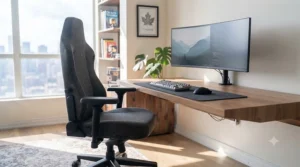
FAQ
❓ What is a hybrid gaming chair?
❓ Is a hybrid gaming chair worth it for a small home office?
❓ How long does a good hybrid gaming chair last?
❓ Do hybrid gaming chairs work well for tall or larger users?
❓ Mesh or leatherette: which is better for a hybrid gaming chair?
Conclusion
There’s no single “best” hybrid gaming chair here — there’s a best one for your body, your room, and how your week actually splits between work and play. If you want one chair to simply do everything well and you’re prepared to pay for it, the Secretlab Titan Evo remains the safest premium pick. If you want nearly the same adjustability for meaningfully less money and a more office-appropriate look, the Boulies Master is the strongest value on this entire list. Budget buyers shouldn’t feel like they’re settling, either — both the Razer Iskur V2 X and Corsair TC100 Relaxed deliver genuinely comfortable, well-reviewed seating for a fraction of the premium-tier price. As hybrid work continues to shape how Canadians actually use their homes, buying furniture that flexes with your day — rather than forcing you to choose between “office chair” and “gaming chair” — just makes practical sense. Whichever model fits your situation, check current pricing on amazon.ca before you buy, since availability and promotions shift regularly.
✨ Don’t Miss These Exclusive Deals!
🔍 Ready to upgrade your setup? Click through to check current prices on today’s top hybrid gaming chair picks and find the one that fits your space, your budget, and your body.
Recommended for You
- Console Gaming Chair 2026: 7 Picks That Actually Deliver
- PC gaming chair: 7 Best Picks for 2026 (Ergonomic amp; Pain-Free)
- Professional Esports Chair: 7 Best Picks Ranked for 2026
Disclaimer: This article contains affiliate links. As an Amazon Associate, I earn from qualifying purchases. If you purchase products through these links, we may earn a small commission at no additional cost to you.
✨ Found this helpful? Share it with your friends! 💬🤗
