
In This Article
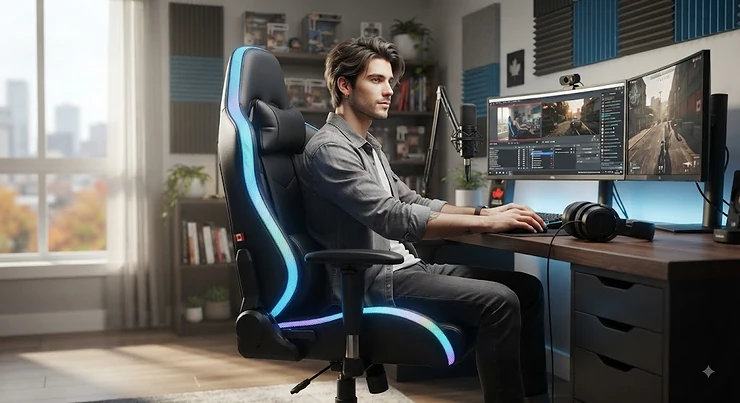
A LED gaming chair for streamers is a gaming seat with built-in RGB lighting — usually strips along the backrest and seat edges, controlled by a remote or app — that doubles as a comfort seat and a piece of on-camera set dressing. It is, in other words, furniture that also happens to be part of your lighting rig. Nobody plans to fall down this rabbit hole. You start out looking for something more comfortable than the dining chair you have been hunched over for eight months, and twenty minutes later you are three tabs deep comparing lumens, weight capacities, and which chairs sync their glow to your kick drum.
Here is the thing nobody tells you upfront: for anyone building a streaming background setup, the chair is not just a chair. It is the frame around your face for hours at a time, the thing that either disappears into your set or actively fights your webcam lighting for attention. Choose badly and you spend your first month on camera looking like you are being interrogated by a rogue disco ball. Choose well and the chair becomes part of the aesthetic your regulars recognize before you even say hello in chat.
This guide walks through seven real, currently available LED gaming chairs spanning roughly C$120 to well over C$500, with honest analysis of what the specs actually mean once you are sitting in the chair for a six-hour raid night. We will also get into the parts nobody puts in a product listing: how to keep RGB from wrecking your webcam exposure, which control method actually holds up under daily use, and where a “gaming chair” quietly overlaps with basic Canadian office ergonomics guidance from the Canadian Centre for Occupational Health and Safety. No invented reviews here — every claim about comfort, durability, or lighting quality is drawn from real specifications and aggregated, clearly-labelled review sentiment.
Quick Comparison Table
| Chair | RGB Control | Price Range (CAD) | Best For |
|---|---|---|---|
| GTPLAYER GT905 | Remote + app | around C$180–C$230 | All-round streaming setups |
| Homall RGB with APP & Remote | Remote + app | around C$150–C$200 | Massage + budget lighting combo |
| Bigzzia RGB Gaming Chair | Remote | under C$150 | Tightest budgets |
| HOFFREE Music Rhythm RGB | Remote, sound-reactive | around C$180–C$220 | Music-synced ambience |
| X Rocker Veleno 2.1 | Built-in preset | around C$180–C$230 | Small rooms, floor setups |
| Bestier RGB Gaming Chair | Remote | around C$140–C$190 | First-time streamers on a budget |
| AndaSeat Throne (RGB kit) | App-based add-on kit | C$500–C$700 range | Long-term, premium daily drivers |
Looking at the spread above, the split is less about “cheap versus expensive” and more about what each price band is actually paying for. Under roughly C$200, you are mostly buying the light strip itself and a decent recliner — comfort ceilings are real, and the Bigzzia RGB Gaming Chair and Bestier RGB Gaming Chair sit at that ceiling honestly rather than pretending otherwise. Once you cross into AndaSeat territory, the money shifts toward the seat foam, frame, and warranty, with lighting becoming an add-on rather than the headline feature — which matters a lot if you are sitting in this thing for work, too, not just for camera time.
💬 Just one click — help others make better buying decisions too!😊
Top 7 LED Gaming Chairs for Streamers: Expert Analysis
Coverage below spans budget floor-rocker options, mid-range remote-and-app chairs, and one genuinely premium pick, because “best” depends entirely on whether you are furnishing a first setup or upgrading a channel that already pays its own bills.
1. GTPLAYER GT905 — dual remote-and-app RGB with built-in Bluetooth speakers
The standout here is control redundancy: you get a physical remote for quick changes mid-stream and a companion app (LYNCK) for deeper customization, so you are never stuck fumbling with a phone during a boss fight. Specs-wise, the GT905 ships as part of GTPLAYER’s Aura RGB Series, with light strips tucked along the seat edges and backrest rather than slapped on top, a class-3 gas lift, and a frame most listings rate around the 300–350 lb range. In practice, that hidden-strip placement is the detail that separates a chair that looks designed from one that looks like an LED strip got glued on as an afterthought.
Based on the spec comparison with cheaper alternatives, the GT905’s real advantage for streamers is the Bluetooth speaker pairing — useful for ambient music on camera without adding another gadget to your desk, though it is not a replacement for dedicated stream audio. This is a solid mid-range pick for anyone who wants remote control lighting without babysitting a phone app every session, and it holds its own for viewers who spend more time gaming and less time fiddling with settings menus.
Reviewers consistently report that the RGB is “subtle but striking” rather than garish, and that assembly runs under an hour with clear instructions — a common theme across independent tests of the Aura RGB line. A recurring complaint centres on the light cable length, which some owners find just barely long enough depending on desk placement.
Pros:
- ✅ Dual control via remote and companion app
- ✅ RGB strips hidden in the build, not bolted on top
- ✅ Built-in Bluetooth speakers for ambient audio
Cons:
- ❌ Cable length can be tight for some desk layouts
- ❌ App requires a separate download and pairing step
The GT905 typically lands in the C$180–C$230 range, which is fair value for a chair that covers both lighting control methods most streamers actually want.
2. Homall RGB Gaming Chair with APP & Remote Control — massage lumbar paired with adjustable lighting
The headline feature is the two-motor massage lumbar cushion running alongside the RGB strips, which is a genuinely different pitch from most budget chairs that just glue lights on and call it a day. The backrest reclines through a 90–150 degree tilt range, and the RGB strips sit along the backrest and seat edges with brightness and mode adjustment through either the bundled remote or a companion app.
What most buyers overlook about chairs in this bracket is that “massage” usually means vibration motors for short-burst relief, not a spa-grade experience — and that is exactly what this delivers: a mild buzz aimed at loosening a stiff lower back after a long session, not a deep-tissue treatment. For streamers doing four-plus-hour broadcasts, that vibration option during ad breaks or loading screens is a legitimately useful extra that most competitors in this price tier skip entirely.
Aggregated review sentiment across Walmart and Amazon listings for Homall’s RGB line is largely positive on comfort and visual impact, with a recurring theme that assembly is straightforward and the chair “looks great visually” once lit. A consistent complaint is construction quality on some units running inconsistent — sturdy for most owners, but with enough reports of flimsier parts that this is worth flagging rather than glossing over.
Pros:
- ✅ Massage lumbar motors alongside RGB lighting
- ✅ Wide 90–150 degree recline range
- ✅ Both app and remote control included
Cons:
- ❌ Build quality reported as inconsistent across units
- ❌ Massage function is mild vibration, not deep therapy
Price typically sits around C$150–C$200, making this one of the stronger value plays if the massage feature actually matters to your setup.
3. Bigzzia RGB Gaming Chair — the tightest budget entry with BIFMA-rated base
The standout advantage is price-to-feature ratio: this is one of the few sub-C$150 chairs with a BIFMA-certified metal base, which matters more than it sounds because BIFMA is the North American furniture industry’s structural safety benchmark, not just a marketing sticker. The RGB lights run along the back and seat edges with remote-adjustable brightness and mode, the frame is rated to roughly 300 lbs, and the PU leather cushioning uses high-density foam rather than the thin padding common at this price.
Here’s what to weigh before buying at this tier: Bigzzia is explicit that assembly takes 10–20 minutes, which independent reviews largely confirm, and that speed comes from a simpler design with fewer moving parts than pricier competitors — fine for lighting and basic comfort, less fine if you were hoping for lumbar massage or Bluetooth extras. If your budget is the primary constraint and RGB presence matters more than bonus features, this is a defensible starting point rather than a compromise.
Reviewers frequently mention the chair “looks amazing” once lit and note the low-noise nylon casters as a pleasant surprise at this price. On the flip side, a recurring theme in feedback involves the USB connector for the lighting being the most fragile part of the build, with a handful of owners reporting lights failing shortly after purchase.
Pros:
- ✅ BIFMA-certified metal base at a budget price
- ✅ Fast 10–20 minute assembly
- ✅ Low-noise nylon casters
Cons:
- ❌ USB connector reported as a common failure point
- ❌ No massage or Bluetooth extras at this tier
Expect a price in the C$120–C$150 range, squarely the most affordable option on this list with real lighting hardware.
4. HOFFREE Gaming Chair with Music Rhythm RGB LED Lights and Bluetooth Speakers — sound-reactive lighting synced to your audio
The standout feature is genuinely rare at this price: RGB lighting that reacts to music or game audio in real time, alongside built-in Bluetooth 5.3 speakers rated for a stronger, more stable signal than older Bluetooth generations. The lights run along the seat edges with an effective remote range around 32 feet, paired with a two-motor massage lumbar pillow and carbon-steel legs for tip resistance.
On paper this means your chair’s glow can pulse along with a stream’s background music or in-game explosions, which is a neat trick for viewers watching through a webcam — though it is worth noting the reactive mode ties lighting to whatever audio source is playing nearby, so it works best when your speakers (not just headphones) are actually on. What the spec sheet won’t tell you, but reviewers note, is that the sound-reactive mode is genuinely the standout feature people mention first, more than the massage or the speakers themselves.
Customer sentiment aggregated from Wayfair listings runs around 4.5 out of 5, with buyers specifically praising the combination of lights, massage, and speakers together rather than any single feature. A consistent complaint across colour variants involves the chair skewing toward smaller or younger users, with several reviewers noting it feels tight or overly firm for larger adult frames.
Pros:
- ✅ Music-reactive RGB lighting mode
- ✅ Built-in Bluetooth 5.3 dual speakers
- ✅ 32-foot remote effective range
Cons:
- ❌ Sizing runs smaller, less ideal for larger frames
- ❌ Some reports of arm and legrest fragility
Pricing generally falls in the C$180–C$220 range, a fair ask for genuinely novel lighting behaviour.
5. X Rocker Veleno 2.1 eSports RGB Gaming Chair — vibrant floor-rocker lighting for tight streaming spaces
The standout feature is footprint: this is a floor rocker rather than a wheeled office-style chair, which makes it the pick for streamers working from a bedroom corner or a shared space where a full five-star base chair simply will not fit. Built-in 2.1 audio pairs two headrest speakers with a backrest subwoofer, and the RGB lighting is bright enough to be the first thing you notice on unboxing.
Based on independent testing coverage, the RGB is described as “brighter than expected” and genuinely eye-catching once set up, though the same coverage is honest that comfort here is built for smaller, lighter users rather than full-grown adults — a meaningful caveat if you are over roughly 5’8″ or on the heavier side. Reviewers consistently note the audio setup, with directional sound cues working well for younger or casual gamers, but this is not positioned as an ergonomic daily-driver seat the way the other chairs on this list are.
Aggregated sentiment places this around solid marks for younger users and small-space setups specifically, with the built-in RGB and audio combination cited as the main draw. A frequent limitation flagged across retailer reviews is that the lighting only activates when plugged into a wall outlet with a cord that some owners find frustratingly short for typical room layouts.
Pros:
- ✅ Compact floor-rocker footprint for tight spaces
- ✅ Built-in 2.1 audio with subwoofer
- ✅ Bright, eye-catching RGB out of the box
Cons:
- ❌ Best suited to smaller or lighter users
- ❌ Power cord length limits placement flexibility
Typical pricing runs C$180–C$230, positioning it as a specialty pick rather than a general-purpose office replacement.
6. Bestier RGB Gaming Chair with LED Lights — the mesh-back budget pick for warmer rooms
The standout advantage is the breathable mesh backrest paired with a spring cushion seat, a genuinely different construction than the PU-leather-over-foam approach used by most of the chairs above. RGB lighting runs along the frame with carbon-fibre-style trim accents, and remote control handles brightness and mode switching.
Here’s what to weigh: mesh backs run noticeably cooler over long sessions than leatherette, which matters if your streaming setup lives somewhere without great airflow or if you run hot during marathon broadcasts — the trade-off is that mesh generally offers less cushioned lumbar support than a padded backrest, so this leans toward comfort-for-heat rather than comfort-for-posture. Reviewers frame it as solid value rather than a showpiece, which tracks with its position as a genuinely budget-tier option carried by a major Canadian electronics retailer.
Aggregated retailer review data puts this around 4.2 out of 5 stars, with buyers citing comfort and adjustability as strong points relative to price and specifically praising the mesh’s cooling effect during long sessions.
Pros:
- ✅ Breathable mesh backrest for hot rooms
- ✅ Spring cushion seat construction
- ✅ Widely stocked through major Canadian retailers
Cons:
- ❌ Less lumbar cushioning than padded alternatives
- ❌ Mesh shows wear faster than leatherette over years
Expect pricing around C$140–C$190, making it one of the more accessible entries with genuinely different build materials.
7. AndaSeat Throne (with optional RGB lighting kit) — the premium daily-driver pick for full-time streamers
The standout feature is that this is fundamentally a serious ergonomic chair first and an RGB chair second — AndaSeat sells the Throne with an optional add-on lighting kit rather than building the whole product around lighting, which flips the priority order compared to every other entry on this list. The frame uses a five-star wheeled base, dual-stage 4D-style armrests, and cold-cure foam density that independent reviews describe as noticeably firmer and more supportive than budget cold-molded foam.
Based on the spec comparison with the rest of this list, what most buyers overlook about premium chairs like this is that you are not paying for brighter lights — the RGB kit here is genuinely a minor accent rather than a headline feature — you are paying for a frame and foam built to hold up daily for years rather than months. That matters enormously if streaming is not a hobby but closer to a job: eight-hour sessions on a C$150 chair and eight-hour sessions on a properly built frame are simply different physical experiences over time.
Reviewers across independent outlets consistently praise AndaSeat’s comfort and build quality on flagship models, while noting the RGB option specifically can complicate headrest cushion fitment on some units — a legitimate quirk worth knowing before ordering the lighting add-on. On the value side, this is the chair most likely to still be your daily seat in three years, not three months.
Pros:
- ✅ Premium cold-cure foam and steel frame
- ✅ RGB kit available as a genuine option, not gimmick-first
- ✅ Built for years of daily, full-time use
Cons:
- ❌ RGB headrest cushion fitment can be fiddly
- ❌ Significant price jump over the rest of this list
This sits in the C$500–C$700 range depending on configuration, positioning it as the investment pick for streamers treating this as full-time work rather than a weekend hobby.
Setting Up Your Streaming Background with an LED Gaming Chair
Getting the chair is the easy part. Making it actually look intentional on camera is where most first-time streamers stumble, and it usually comes down to placement, not the chair itself.
Start by positioning the chair so the RGB strips sit in your webcam’s frame without becoming the frame’s brightest object — if the lights read brighter than your face, your camera’s auto-exposure will darken everything else to compensate, and you will look like a silhouette in front of a rave. Angle the chair slightly rather than dead-centre behind you; a straight-on backrest reads flat on camera, while a subtle turn lets the light strip catch the lens at an angle that reads as depth instead of a flat glowing bar.
Next, match your chair’s RGB colour temperature to your key light rather than fighting it. If your main face light runs cool white around 5600K, a warm orange or red chair glow will fight your white balance and give your skin an odd tint; picking a complementary or matching hue keeps your whole frame looking like one coherent shot rather than two unrelated light sources awkwardly sharing a room.
Finally, run the chair on its lowest or medium brightness setting during actual broadcasts, saving full brightness for stream-starting or raid-ending moments where you want a visual pop. Most of the remotes on this list support at least three brightness tiers — use them. A common mistake in the first 30 days of ownership is leaving RGB maxed out permanently because it looked cool in the box; on camera, that same brightness usually reads as harsh and distracting rather than “premium setup.”
✨ Don’t Miss These Exclusive Deals!
🔍 Take your streaming setup to the next level with these carefully selected products. Click on any highlighted item to check current pricing and availability. These chairs will help you create an authentic on-camera look your viewers will actually remember!
Real-World Scenarios: Matching Your Chair to Your Content
The variety streamer on a starter budget. Someone running two-hour sessions a few nights a week, streaming from a shared apartment bedroom with limited floor space and a webcam propped on a monitor. For this profile, the X Rocker Veleno 2.1 or Bigzzia RGB Gaming Chair make the most sense — low cost, minimal footprint, and RGB presence without committing serious budget to a hobby still finding its audience.
The music-and-chat streamer building ambience. Someone whose content leans on mood and audio — lo-fi study streams, music reaction content, late-night chat shows — benefits specifically from the HOFFREE Music Rhythm RGB chair’s sound-reactive lighting, since the visual pulse directly reinforces the audio-first content rather than sitting there as decoration.
The full-time creator treating this as a career. Someone streaming five or six days a week, eight-plus hours per session, where the chair is also a work-from-home office seat outside of broadcast hours. This is a real and growing group in Canada — CBC’s coverage of Ottawa-area streamers profiles creators building genuine income and community around regular broadcasting, not just a casual hobby. For this profile, the math changes entirely: the AndaSeat Throne costs three to four times more upfront than the budget picks, but amortized across years of daily use rather than months, it is frequently the cheaper option per hour sat — a genuine long-term-value argument, not just premium-brand marketing.
Problem → Solution: Fixing Webcam Lighting Clashes and RGB Glare
Problem: Your RGB chair blows out your webcam’s auto-exposure. Most webcams meter for the brightest object in frame. A chair running bright RGB directly behind you will make the camera darken your face to compensate. Solution: switch your webcam to manual exposure and manual white balance if the software allows it, then set exposure based on your face, not the room — this stops the chair from hijacking the camera’s automatic decisions.
Problem: The chair’s colour clashes with your existing key light. A cool blue face light against a warm red chair glow creates two competing colour temperatures in one frame. Solution: pick one dominant colour family for your whole setup — chair, key light, and any bias lighting — and keep secondary colours as accents rather than equal partners.
Problem: RGB cables create visible clutter on stream. Remote-controlled chairs typically run a USB cable to a wall adapter or PC, and that cable is rarely designed with camera framing in mind. Solution: route the cable behind the chair’s frame or down a leg using cable clips, and keep the remote itself off-camera in a drawer or side pocket rather than sitting visibly on the armrest.
Problem: Lighting looks great in person but washes out on stream. What your eyes perceive in a dim room and what a webcam sensor captures are different things — cameras compress dynamic range far more aggressively than human vision. Solution: test your setup by actually recording a short clip and reviewing it, not just eyeballing the room live, since the two rarely match.
Problem: The chair’s RGB distracts viewers during serious or narrative content. Bright, colour-cycling lighting works for high-energy gaming content but reads as tonally wrong during story-driven or calm broadcasts. Solution: use the chair’s static single-colour mode rather than cycling or music-reactive modes when your content calls for a calmer visual tone, and save dynamic modes for high-energy segments.
How to Choose a Gaming Chair with Remote Controlled RGB Lighting
- Check the control method first, not the light count. A chair with fewer LEDs but reliable remote-and-app control beats one with more lights and a fragile single-button remote — you will interact with the controls constantly, so build quality there matters more than raw LED density.
- Confirm the cable length matches your desk layout. Remote-controlled RGB chairs almost universally run on USB power, and cable length varies wildly between three and roughly ten feet across brands — measure your actual setup before ordering.
- Prioritize hidden or recessed strip placement over surface-mounted lights. Recessed lighting, as seen on the GTPLAYER Aura series, produces a softer glow that reads better on camera than exposed LED strips, which tend to create harsh points of light a webcam struggles to expose correctly.
- Weigh app dependency against reliability. App-controlled lighting offers more colour customization, but it also means firmware updates, occasional connectivity bugs, and a phone requirement — a physical remote alone is less flashy but rarely breaks in ways software can.
- Match brightness range to your room, not your ambition. A chair advertising “ultra-bright” RGB is a liability in a small, dark room where you are also trying to expose a webcam correctly — check for a genuine dimming range, not just an on/off toggle.
- Factor weight capacity and frame rating into the decision, not just lighting specs. RGB is the feature that sells the chair, but the base BIFMA or class-3 gas lift rating is what determines whether it survives daily use — do not let lighting specs distract from structural ones.
- Read aggregated reviews for the specific control unit, not just the chair overall. Remote and app software quality varies chair to chair even within the same brand’s lineup, so search reviews specifically mentioning “remote” or “app” rather than general comfort feedback alone.
RGB Gaming Chair for Dark Room Setup: What Actually Works
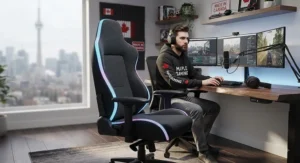
Streaming from a dark room changes the lighting math entirely. In a well-lit space, chair RGB is a subtle accent competing with ambient light; in a dark or blacked-out room, it becomes one of the two or three actual light sources in the frame, which raises the stakes considerably.
The spec sheet won’t tell you this, but reviewers across multiple chairs on this list note the same pattern: RGB that looks impressively vivid in marketing photos taken in bright showrooms often reads as overwhelming once the room lights go off entirely. In a genuinely dark setup, a single static colour at medium brightness typically outperforms cycling rainbow modes, since constant colour shifts pull viewer attention away from your face and toward the background — the opposite of what most streamers actually want.
Placement also matters more in dark rooms specifically because there is nothing else to balance the light against. Positioning the chair so its glow bounces softly off a nearby wall, rather than shining directly into the lens, diffuses the light naturally and avoids the harsh point-source glare that direct-facing RGB strips produce on camera. For streamers building a genuinely dark-room aesthetic — a popular look for horror, competitive shooter, or late-night content — chairs with dimmable, single-colour static modes like the GTPLAYER GT905 and Bigzzia RGB Gaming Chair tend to integrate more naturally than chairs built around bright, high-contrast cycling effects.
Common Mistakes When Buying an LED Gaming Chair
Buyers consistently overweight brightness and underweight control reliability, prioritizing “how vivid does this look in the product photo” over “will the remote still work in eight months.” Aggregated review data across nearly every chair on this list shows the same pattern: the USB connector or remote button, not the LEDs themselves, is the most common failure point.
A second frequent mistake is buying based on maximum weight capacity alone without checking seat width and depth. A chair rated for 350 lbs can still feel cramped for a taller or broader-framed person if the seat pan itself runs narrow — capacity and comfort-fit are two different specs that get conflated constantly in casual shopping.
Third, many buyers skip checking whether the chair’s power source is USB (drawing from a PC or wall adapter) versus battery-powered. USB-powered RGB means the lights typically only work while something is plugged in and often powered on, which matters if you want ambient lighting outside of active streaming hours.
Finally, and this one is honest common sense: buyers frequently underestimate assembly time and required tools. Listings advertising “10–20 minute assembly” are describing an experienced two-person job, not a solo first attempt — budget closer to 45 minutes to an hour realistically, and make sure you actually have a Phillips screwdriver on hand before the box arrives.
LED Gaming Chair vs Standard Ergonomic Office Chair
| Factor | LED Gaming Chair | Standard Ergonomic Office Chair |
|---|---|---|
| On-camera visual impact | High — built-in lighting | None — purely functional |
| Typical lumbar support | Add-on cushion, varies | Often built into frame design |
| Price range (entry) | C$120–C$230 | C$150–C$300 |
| Long-term ergonomic focus | Secondary to lighting/style | Primary design goal |
| Best For | Streamers prioritizing visual set design | Anyone prioritizing posture over camera presence |
A written comparison beyond the table: the honest trade-off is that most LED gaming chairs in the sub-C$250 range treat ergonomics as a secondary design goal behind visual flair, while dedicated ergonomic office chairs at a similar price point often skip lighting entirely to fund better lumbar engineering and adjustability. Neither is objectively better — a chair like the AndaSeat Throne actually splits the difference by starting from strong ergonomic bones and treating RGB as an optional add-on, which is precisely why it costs more than chairs built the opposite way around. If your channel genuinely depends on visual set design, a budget LED chair paired with proper posture adjustment (seat height, lumbar depth, armrest level) can close much of that ergonomic gap without the premium price tag.
What to Expect: Real-World Performance
On paper, every chair on this list promises “vibrant RGB” and “all-day comfort.” In practice, performance splits along predictable lines once you factor in actual daily use rather than an unboxing video.
Lighting brightness genuinely does fade in perceived intensity over the first hour of a session as your eyes adjust to the room, which is why chairs offering dimmer, adjustable brightness settings tend to earn better long-term satisfaction than chairs that only offer a single blazing-bright mode. Comfort, meanwhile, tends to degrade predictably with session length rather than staying flat — foam that feels great for the first ninety minutes on most budget chairs starts showing its limits by hour three or four, which is the single biggest differentiator between the sub-C$250 chairs and the AndaSeat pick on this list.
Remote and app reliability is the most commonly underestimated real-world factor. Across aggregated reviews, USB connector failures and app pairing issues appear far more often than complaints about the LEDs themselves burning out — the electronics controlling the lights, not the lights, are typically the weak point over an 18-to-24-month ownership window.
Safety, Certification & Regulations Guide
Because these chairs are USB- or wall-powered electrical products, basic Canadian safety certification is worth understanding before you buy, not after something goes wrong. Products carrying a CSA Group certification mark have been independently tested against recognized North American electrical safety standards — it is not a marketing badge, it is a genuine third-party testing outcome, and it is worth checking listings for that mark specifically when a chair’s electronics (RGB controller, massage motor, Bluetooth module) are involved.
Beyond electrical safety, basic furniture structural safety is covered by BIFMA ratings, which several chairs on this list — notably the Bigzzia RGB Gaming Chair — explicitly cite. BIFMA testing covers frame stability, weight capacity validation, and caster durability, which matters considerably more for a product you sit in for hours daily than most buyers initially realize.
Practically, this means checking two things before purchase: that the electrical components carry recognized certification, and that the base frame carries a structural rating from a body like BIFMA rather than relying purely on a manufacturer’s stated weight capacity with no third-party verification behind it.
Frequently Asked Questions
❓ Do LED gaming chairs need to stay plugged in to keep the lights working?
❓ Will RGB chair lighting mess up my webcam's white balance?
❓ How long does an LED gaming chair typically last?
❓ Can I add RGB lighting to a gaming chair I already own?
❓ Is a remote or an app better for controlling gaming chair RGB lighting?
Conclusion
Picking a LED gaming chair for streamers ultimately comes down to being honest about what you are actually optimizing for. If budget and floor space are the real constraints, the X Rocker Veleno 2.1 or Bigzzia RGB Gaming Chair get real RGB presence in front of your camera without a serious financial commitment. If you want lighting that reacts to your content rather than just sitting there, the HOFFREE Music Rhythm RGB chair’s sound-reactive mode is a genuinely distinct feature worth the mid-range price. And if streaming has moved from hobby to actual work — the kind where you are sitting eight hours a day, five or six days a week — the AndaSeat Throne is the pick that treats your body as seriously as it treats your on-camera look.
None of these chairs will fix a bad webcam angle or a badly white-balanced key light on their own. But paired with the setup advice above — dimmed brightness during broadcasts, matched colour temperatures, and cable routing that keeps the remote out of frame — the right chair becomes one more deliberate piece of a set that looks intentional rather than accidental. That is really the whole goal here: not the brightest chair in the room, but the one that makes your actual content look like the main event.
Recommended for You
- 7 Best Surround Sound Gaming Chairs for Console Gaming in 2026
- Bluetooth Gaming Chair With Speakers: 7 Real Picks for 2026
- Gaming Chair With Built-In Speakers: 7 Top Picks for 2026
Disclaimer: This article contains affiliate links. As an Amazon Associate, I earn from qualifying purchases. If you purchase products through these links, we may earn a small commission at no additional cost to you.
✨ Found this helpful? Share it with your friends! 💬🤗
