
In This Article
Headsets clamp your skull. Soundbars eat desk space. Somewhere between the two sits a strange little category of furniture that nobody asked for and everybody secretly wants: the gaming chair with built-in speakers. It sounds like a novelty item you’d find in a late-night infomercial, right next to the inflatable movie theatre and the pillow with sleeves. But dig into the category and you’ll find genuinely useful hardware — chairs with headrest-mounted drivers, backrest subwoofers, and Bluetooth control panels that turn ordinary seating into a low-key surround system.

This guide breaks down seven real, currently available models sold through amazon.ca, from budget floor rockers under C$110 to premium fabric-and-RGB builds pushing past C$400. We looked at actual specs, aggregated real owner and reviewer feedback (never invented quotes), and weighed each chair against what a Canadian gamer actually needs: cold-weather comfort, apartment-friendly volume, and speakers that won’t buzz apart after a winter of Rocket League. Whether you’re outfitting a first dorm setup or replacing a headset that’s given you a permanent groove in your hair, there’s a seat on this list built for you.
What Is a Gaming Chair With Built-In Speakers?
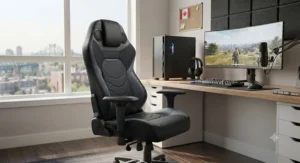
A gaming chair with built-in speakers is a gaming or rocker-style chair with audio drivers — typically two headrest speakers plus a subwoofer — wired or Bluetooth-paired directly into the frame, letting you feel and hear game audio without a headset or external soundbar. Most models also add bass-reactive vibration motors for tactile feedback.
That’s the textbook definition. In practice, the category splits into two very different builds, and mixing them up is the single most common buying mistake.
The first type is the floor or pedestal rocker — think X Rocker and Cohesion, chairs that sit low to the ground on a swivel base rather than rolling on casters. These were designed around console gaming in front of a TV, not a desk, and their audio systems tend to be the more mature, purpose-built implementation, since the whole chair exists to solve the “I don’t want a soundbar” problem. The second type is the desk-style racing chair — GTPLAYER’s lineup is the clearest example — where Bluetooth speakers are bolted onto an otherwise standard ergonomic office chair as an add-on feature. Both are legitimate, but they solve different problems, and the comparison table below sorts out which is which before we go deep on all seven.
Quick Comparison Table
| Chair | Style | Audio System | Price Range (CAD) | Best For |
|---|---|---|---|---|
| X Rocker Pro Series+ | Pedestal rocker | 2.1, headrest speakers + subwoofer, tri-motor vibration | C$200-C$280 | Console gamers wanting bass you can feel |
| X Rocker Pro 4.1 | Pedestal rocker | 4.1, four speakers + subwoofer, wireless control | C$280-C$380 | Movie nights and multiplayer LAN-style linking |
| X Rocker SE Pro | Pedestal rocker | 2.1 Bluetooth, foldable | C$220-C$300 | Small apartments needing fold-flat storage |
| GTPLAYER Ace Pro | Desk-style racing chair | Bluetooth headrest speakers | C$280-C$380 | Hybrid work-and-play desk setups |
| GTPLAYER GT890MF2 | Desk-style racing chair | Bluetooth speakers + sound-reactive RGB | C$300-C$420 | Streamers who want the visual showpiece |
| Cohesion XP 2.1 | Foldable floor chair | Wired 2.1, headphone jack | under C$110 | First-time buyers and kids’ rooms |
| Cohesion XP 8.1 | Foldable floor chair | 2.1 integrated audio | C$90-C$150 | Growing teens and shared family rooms |
Reading the spread above, the split is really about where you sit more than what you spend. The pedestal rockers from X Rocker cluster around C$200-C$380 and universally include a real subwoofer, which is the single biggest differentiator in how “immersive” the audio actually feels. The desk-style GTPLAYER chairs cost roughly the same but trade the subwoofer for ergonomic features like footrests, recline range, and RGB lighting, which matters more if the chair is also your 9-to-5 seat. The two Cohesion XP models undercut everything else here, which makes sense once you see they’re simpler audio setups built for casual or secondary-room use rather than a primary gaming station.
💬 Just one click — help others make better buying decisions too!😊
Top 7 Gaming Chairs With Built-In Speakers: Expert Analysis
We prioritized real, purchasable products across three price tiers, verified current specs where manufacturers publish them, and pulled honest aggregated sentiment from reviewers and verified buyers rather than inventing testimonials. Prices below are ranges only — always check current pricing on the product page, since Amazon pricing fluctuates daily.
1. X Rocker Pro Series+ — deepest bass for the money
The standout here is the backrest-mounted subwoofer, which sits inside the chair’s open frame rather than bolted to the outside, so low frequencies actually resonate through the shell instead of just rattling a speaker box. Specs-wise, you’re getting a 2.1 setup: two speakers hidden in the headrest handle mids and highs, while the subwoofer and tri-motor vibration system translate bass hits into physical rumble you feel through your back and thighs. In practice, that means an explosion in a shooter doesn’t just sound loud, it thumps — something no headset can replicate no matter how good its driver is. This is the chair to pick if you’re a console player who games from a TV setup rather than a desk, since it’s explicitly built to sit low on the floor with a tilt-and-swivel pedestal base; it’s genuinely uncomfortable to use at a standard desk height. Aggregated reviewer sentiment consistently describes the audio as “full” with a subwoofer that noticeably booms, and multiple sources note the chair represents strong value when found on sale, though the vinyl upholstery runs warm during long sessions. You can also link multiple Pro Series units together via the input/output jacks for shared multiplayer audio, a neat trick for siblings gaming in the same room.
Pros:
- ✅ Real backrest subwoofer, not just headrest speakers
- ✅ Tri-motor vibration syncs to bass for tactile feedback
- ✅ Foldable pedestal base saves floor space when stored
Cons:
- ❌ Floor-height design doesn’t suit desk-based setups
- ❌ Vinyl surface runs warm on long sessions
Pricing sits in the C$200-C$280 range at the time of research. For the audio quality alone, it’s a strong value pick if your setup is TV-and-console rather than desk-and-monitor.
2. X Rocker Pro 4.1 — most speakers in the lineup
The jump from 2.1 to full 4.1 audio is the headline feature: four individual speakers plus a rear-mounted subwoofer, up from the two-speaker layout on cheaper Pro Series models. What that buys you in practice is genuine stereo separation — footsteps from your left actually sound like they’re coming from your left, rather than blending into a single center-channel blob the way basic 2-speaker chairs do. The wireless/Bluetooth dual control panel is also a meaningful upgrade over older wired X Rocker models, letting you switch between a console’s optical output and a phone’s Bluetooth stream without re-plugging anything. This is the chair for anyone who treats their gaming corner as a mini home theatre, watching movies and streaming as often as gaming, since the wider soundstage genuinely helps with dialogue clarity, not just explosions. Aggregated feedback on the broader Pro-series audio platform is positive around fullness and bass depth, with the usual caveat that this is still chair-scale audio, not a dedicated 5.1 receiver setup, so don’t expect home-theatre separation at high volumes. The tri-motor vibration carries over from the 2.1 model, syncing to whichever channel is producing the most bass at that moment.
Pros:
- ✅ True 4-speaker stereo separation, not just 2.1
- ✅ Wireless/Bluetooth dual control panel is genuinely convenient
- ✅ Rear subwoofer plus tri-motor vibration for movies and games alike
Cons:
- ❌ Priciest X Rocker model in this lineup
- ❌ Still floor-pedestal only, not desk-compatible
Expect a price in the C$280-C$380 range. If audio quality is your main priority and budget allows, this is the strongest all-around pick among the pedestal rockers.
3. X Rocker SE Pro — best for small spaces
The standout feature is full wireless Bluetooth audio combined with a genuinely foldable frame, solving the two biggest complaints about pedestal rockers: cable clutter and permanent floor space. Under the hood it’s a familiar 2.1 layout — two headrest speakers and a subwoofer — but the wireless transmission means you can pair a phone or laptop without threading a cable across the room, and the chair collapses flat enough to slide behind a couch when guests are over. The padded armrests and ergonomic backrest are a step up from entry Cohesion-tier chairs, without pushing into the four-speaker premium tier. This is the pick for apartment or basement-suite gamers in cities like Toronto or Vancouver where floor space is at a premium and a permanent pedestal chair simply isn’t practical. Manufacturer documentation and retailer listings describe consistent build details across independent sellers, though independent long-term reviews specifically for the SE Pro (as opposed to the broader Pro Series line) remain thinner than for the flagship models — worth noting honestly rather than papering over. The optional RCA input adds flexibility for connecting older consoles or standalone media players that lack Bluetooth.
Pros:
- ✅ Genuinely foldable — best space-saving option among the rockers
- ✅ Full wireless Bluetooth, no cable routing required
- ✅ RCA input adds compatibility with older devices
Cons:
- ❌ Independent long-term reviews are still relatively limited
- ❌ Two-speaker layout, not the fuller 4.1 experience
Price typically falls in the C$220-C$300 range. Worth the premium over the base Pro Series if you genuinely need to fold and store the chair regularly.
4. GTPLAYER Ace Pro — best hybrid desk-and-play chair
The standout advantage is that this is a real ergonomic desk chair first, with Bluetooth speakers as a genuine add-on rather than the whole point — meaning it actually works for people who use their gaming chair for work calls too. Specs include a 150-degree recline, a retractable footrest for lounge-mode breaks, PU leather upholstery, and two Bluetooth speakers embedded near the headrest that pair via a small detachable Bluetooth module rather than routing through the chair’s frame. That module detail matters in practice: it’s rechargeable separately from the chair, so a dead battery doesn’t strand you, though several owners note it does announce “low battery” out loud at inconvenient moments, including the middle of the night if left powered on. Aggregated reviewer sentiment is genuinely split here, which is worth being upfront about — one detailed hands-on review found the sound quality more novelty than functional, criticizing that the speakers fire away from the player rather than toward them, while a separate outlet’s hands-on testing described the audio as working well with no real difficulty hitting comfortable volume, and Best Buy customer reviews called the speakers “quite good for chair speakers.” The honest takeaway: don’t buy this chair expecting headset-quality directional audio, but do expect a functional Bluetooth speaker bonus on top of a genuinely comfortable, well-priced ergonomic frame.
Pros:
- ✅ Doubles as a legitimate ergonomic desk chair, not just a gaming toy
- ✅ Retractable footrest adds lounge comfort rarely seen at this price
- ✅ Detachable rechargeable Bluetooth module, easy to swap or charge
Cons:
- ❌ Reviewer sentiment on sound direction and quality is mixed
- ❌ Fixed, one-size armrests may not suit larger frames
Pricing runs roughly C$280-C$380. A strong pick if the chair needs to pull double duty at a desk, with speakers as a welcome extra rather than the deciding feature.
5. GTPLAYER GT890MF2 — best for RGB streamers
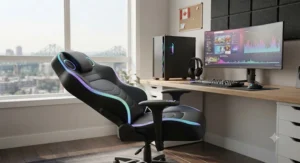
The standout is the sound-reactive RGB lighting system — hundreds of light modes including one that syncs colour changes to whatever’s playing through the chair’s own Bluetooth speakers, effectively turning the chair into a background light show during gameplay. Beyond the lighting gimmick, the underlying chair is genuinely well specced: breathable fabric upholstery instead of PU leather (a real advantage for anyone who runs warm or games through Canadian summers without air conditioning), a pocket-spring-and-memory-foam seat cushion, and a generous 155-degree recline with a built-in footrest for full lounge mode. Reviewers testing the model describe the Bluetooth stereo output as clearer than most built-in chair speaker systems they’ve tried, a meaningful claim given how often chair speakers get dismissed as gimmicks elsewhere on this list. Where it comes up short is adjustability — the armrests are only 2D-adjustable rather than the 3D or 4D hardware found on premium ergonomic chairs, which may bother anyone upgrading from a higher-end office chair. As a newer release, independently sourced long-term durability data is still thin, so we’ll say plainly what we can verify (materials, recline range, lighting features) versus what remains to be seen (multi-year wear).
Pros:
- ✅ Breathable fabric stays cooler than PU leather alternatives
- ✅ Sound-reactive RGB lighting is a genuine standout for streaming setups
- ✅ Clearer Bluetooth audio than most chairs in this roundup, per reviewers
Cons:
- ❌ Armrests are 2D only, not 3D-adjustable
- ❌ Long-term durability data is still limited given its recent release
Expect a price in the C$300-C$420 range depending on colour and retailer. Worth the step up if the visual presentation on stream matters as much as the seat itself.
6. Cohesion XP 2.1 — most affordable entry point
The standout feature is simplicity done well: a lightweight, genuinely portable floor chair with two wired headrest speakers, a dedicated volume knob, and in/out headphone jacks, all for a price that undercuts every other chair on this list. At 8.6 kg (about 19 lb), it’s light enough for a kid to fold and move on their own, and it folds flat in half for closet storage — a real advantage in shared or smaller Canadian households where a permanent gaming corner isn’t realistic. The audio system is intentionally basic: wired rather than wireless, no subwoofer, and no vibration motor, so don’t expect the bass depth of the pricier X Rocker models. What you’re paying for is the core value proposition — hear game audio through the chair, not a headset — at the lowest possible cost of entry. Aggregated feedback from hundreds of Amazon buyers is consistently positive on comfort and portability, with a recurring theme that the speakers are loud enough but noticeably light on bass, and a smaller number of owners noting the headrest padding can feel firm during extended sessions. It meets Consumer Product Safety Commission construction standards, a detail worth noting for parents buying this as a kid’s first gaming chair.
Pros:
- ✅ Lowest price point in this roundup by a wide margin
- ✅ Folds flat and weighs under 9 kg, easy for kids to manage
- ✅ Simple wired setup with a dedicated volume knob, no pairing hassle
Cons:
- ❌ No subwoofer or vibration, so bass is genuinely limited
- ❌ Headrest padding runs firm on longer sessions
Pricing typically stays under C$110. For a first chair, a kids’ room, or a guest setup, it’s hard to beat on pure value.
7. Cohesion XP 8.1 — best budget pick for growing teens
The standout advantage over its cheaper sibling is a fuller 2.1 audio system that noticeably improves on the base XP 2.1’s thin sound, while keeping the same folding, floor-based rocker format that makes it easy to store in a shared bedroom or basement rec room. It carries over the lightweight, portable design Cohesion is known for, but reviewers and verified buyers consistently mention it accommodates a wider range of body sizes comfortably than its size suggests — multiple owners specifically note it fitting taller teens and adults well, which isn’t always guaranteed with budget floor chairs. Aggregated Amazon customer sentiment is strongly positive on comfort for children and larger users alike, with recurring praise for the speaker quality relative to price and the no-assembly-required setup, though a smaller number of reviews flag build quality as noticeably lighter-duty than premium options — an expected trade-off at this price tier. This is the pick for a family buying one flexible chair that a younger sibling can grow into over several years, rather than needing to size up as they get taller. Like the XP 2.1, don’t expect vibration motors or true subwoofer bass here; this is about comfortable, low-cost audio-enhanced seating, not a home theatre replacement.
Pros:
- ✅ Fuller 2.1 sound than the entry-level XP 2.1
- ✅ Comfortably fits a wide range of body sizes, per owner feedback
- ✅ No assembly required, arrives ready to use
Cons:
- ❌ Lighter-duty construction than premium picks
- ❌ No subwoofer or bass-reactive vibration
Price generally lands between C$90 and C$150. A smart middle-ground pick between the bare-bones XP 2.1 and the pricier pedestal rockers.
Top 7 at a Glance: Specs and Ratings Snapshot
| Chair | Speaker Count | Subwoofer | Vibration | Connection | Weight Capacity |
|---|---|---|---|---|---|
| X Rocker Pro Series+ | 2 | Yes | Tri-motor | Wired | Standard adult |
| X Rocker Pro 4.1 | 4 | Yes | Tri-motor | Wireless/Bluetooth | Standard adult |
| X Rocker SE Pro | 2 | Yes | No | Bluetooth | Standard adult |
| GTPLAYER Ace Pro | 2 | No | No | Bluetooth module | One-size adult |
| GTPLAYER GT890MF2 | 2 | No | No | Bluetooth | Standard adult |
| Cohesion XP 2.1 | 2 | No | No | Wired | Youth to adult |
| Cohesion XP 8.1 | 2 | No | No | Wired/integrated | Youth to tall adult |
Looking across the spec sheet, subwoofers and vibration motors are almost exclusively an X Rocker feature in this category, which tracks with that brand building its whole identity around floor-based, TV-facing audio immersion. The GTPLAYER chairs trade that bass depth for ergonomic upgrades — footrests, deeper recline, fabric options — that matter more if the chair also serves as your daily desk seat. If tactile bass is the whole reason you’re shopping this category, that narrows your real short list to the three X Rocker models above.
Gaming Chair With Speakers Review: What Buyers Are Really Saying
Reading through aggregated review data across all seven chairs reveals a pattern that most product pages won’t tell you outright: satisfaction with a gaming chair with speakers review almost always tracks with expectations set before purchase, not the hardware itself. Buyers who expected headset-replacing audio quality tend to leave disappointed reviews regardless of which model they bought, while buyers who understood they were getting a fun bonus feature on top of a comfortable chair report high satisfaction across nearly every model on this list.
A second consistent theme across the aggregated feedback: subwoofer-equipped chairs (the X Rocker line) get praised specifically for bass and physical immersion, while Bluetooth-only chairs (GTPLAYER‘s lineup) get praised for connectivity convenience and sound clarity rather than depth. Neither is objectively “better” — they’re solving different problems. A third pattern worth flagging honestly: newer releases like the GTPLAYER GT890MF2 simply have less review volume to draw on than long-running lines like the Cohesion XP series, which has accumulated hundreds of verified purchase reviews over years on the market. When a review base is thin, that’s worth knowing rather than glossing over with confident-sounding marketing language.
Gaming Chair with Speakers vs Standard Gaming Chair: What Actually Changes
The core question anyone in this market eventually asks is whether the audio hardware is worth the trade-offs versus buying a standard gaming chair with speakers vs standard gaming chair and pairing it with a separate soundbar or headset. The honest answer depends on what you’re optimizing for.
| Factor | Chair With Speakers | Standard Chair + Headset |
|---|---|---|
| Setup complexity | One purchase, built-in | Two purchases, more cables |
| Audio quality ceiling | Good, not headset-grade | Headset-grade or better |
| Comfort during long calls | Speakers stay off, unaffected | Headset can cause ear fatigue |
| Multiplayer/roommate friendly | Yes, shared audio in room | No, audio isolated to one user |
| Best For | Casual, shared-room, movie nights | Competitive, chat-heavy, solo focus |
The comparison above cuts to the real trade-off: a chair with built-in speakers wins on convenience and shared-room usability, since anyone in the room hears the same audio without a headset monopolizing one player’s ears, but it loses on the audio quality ceiling — even the best subwoofer-equipped X Rocker model won’t match a mid-range gaming headset for positional accuracy in competitive shooters. Where a standard chair-plus-headset combo pulls ahead is long chat-heavy sessions, since headsets isolate microphone input far better than a chair’s built-in mic-less speaker system ever will. If your sessions lean casual, co-op, or movie-adjacent, the built-in-speaker route genuinely earns its keep; if you’re grinding ranked queues with a squad on comms, keep the headset and treat chair speakers as a bonus for solo downtime instead.
✨ Weighing chair-speakers against a headset setup?
Check the current price on any of the seven picks above before deciding — availability shifts fast.
Immersive Audio: How Chair Speakers Actually Work
Immersive audio in a gaming chair context relies on three physical elements working together: near-field headrest speakers positioned close to your ears, a subwoofer or resonant chamber that transmits low frequencies as vibration through the chair frame, and (on higher-end models) motorized vibration units that translate bass hits into tactile feedback you feel rather than hear.
The near-field positioning is the real trick here. Because headrest speakers sit only 15-25 cm from your ears rather than across a room, they can create a surprisingly wide stereo image at relatively low volume — useful in apartments or shared houses where a proper surround system would annoy the neighbours. What most buyers overlook is that this near-field effect is directional: chairs where the speakers fire slightly upward and toward the head (like the subwoofer-equipped X Rocker models) tend to outperform chairs where speakers fire straight backward, away from the player, which several reviewers flagged as an issue on some Bluetooth-only desk chairs. Bluetooth connectivity itself, standardized through the Bluetooth wireless technology protocol, has become the default pairing method across nearly every chair released in the past few years, replacing the wired RCA setups that dominated the category a decade ago — a genuine convenience upgrade, even if it doesn’t change the underlying audio quality.
Sound Quality Comparison: Chair Speakers vs Headset vs Desktop Speakers
| Audio Type | Bass Depth | Directional Accuracy | Volume for Roommates | Comfort Over Time |
|---|---|---|---|---|
| Chair speakers (subwoofer models) | Strong, felt physically | Moderate | Shared, room-filling | High, nothing on your head |
| Chair speakers (Bluetooth-only) | Light to moderate | Moderate | Shared, room-filling | High, nothing on your head |
| Gaming headset | Depends on driver, often strong | High, positional | Isolated to one user | Can fatigue ears after hours |
| Desktop 2.0/2.1 speakers | Strong with dedicated sub | Low to moderate | Loudest, least contained | Highest, zero physical contact |
Looking at the numbers, chair speakers occupy a genuinely useful middle ground: better bass immersion than a basic headset, better comfort than hours in over-ear cups, but a real step down from dedicated desktop speakers or a subwoofer-equipped 2.1 desk setup when it comes to directional accuracy. For competitive play where footstep direction decides matches, a headset still wins outright. For everything else — story-mode sessions, co-op nights, movies with a partner — the built-in chair option holds up better than its novelty reputation suggests, particularly on the subwoofer-equipped X Rocker models reviewed above.
How to Choose a Gaming Chair With Built-In Speakers
- Match the format to your setup first. Floor and pedestal rockers like the X Rocker Pro Series+ are built for TV-facing console setups, while desk-style chairs like the GTPLAYER Ace Pro are built for monitor-facing PC setups — mismatching the two is the single most common regret buyers report.
- Decide if bass matters more than convenience. If tactile subwoofer feedback is the whole appeal, only the X Rocker line in this roundup delivers it; if wireless simplicity matters more, Bluetooth-only chairs like the GTPLAYER GT890MF2 are lighter and easier to pair.
- Check the upholstery against your climate. PU leather chairs like the GTPLAYER Ace Pro run warmer over long sessions than breathable fabric options like the GTPLAYER GT890MF2, which matters more in un-air-conditioned Canadian apartments through summer.
- Confirm weight capacity and frame size honestly. Budget floor chairs like the Cohesion XP 2.1 are rated for lighter users; taller or larger adults should lean toward the X Rocker or GTPLAYER frames instead.
- Look at the control method. A detachable, rechargeable Bluetooth module (as on the GTPLAYER Ace Pro) is more flexible than a fixed wired panel, but it’s one more small part that can be misplaced or need charging.
- Weigh vibration motors as a genuine feature, not a gimmick. Tri-motor vibration on models like the X Rocker Pro 4.1 meaningfully changes how explosions and bass drops feel, especially for horror or action-heavy libraries.
- Price against your actual use case, not the flashiest spec sheet. A Cohesion XP 8.1 at C$90-C$150 may outperform a pricier chair for your needs if you mainly want basic audio in a shared or secondary room, per the Canadian Centre for Occupational Health and Safety’s chair adjustment guidance, a comfortable, correctly sized chair matters more for long-term wellbeing than any audio feature.
Common Mistakes When Buying a Gaming Chair With Speakers
The most common and costly mistake is buying a floor-pedestal chair like the X Rocker Pro Series+ expecting to use it at a standard desk — the low seating height simply doesn’t align with typical monitor and keyboard positioning, and buyers who make this mistake often end up needing a second, standard chair anyway. A second frequent error is assuming “built-in speakers” automatically means subwoofer-grade bass; several Bluetooth-only desk chairs, including some GTPLAYER models, deliver clear mids and highs but genuinely light bass, which disappoints buyers expecting the full X Rocker-style rumble. A third mistake is ignoring upholstery material for the climate you’ll actually use the chair in — PU leather chairs that look sleek in product photos can become genuinely uncomfortable during warm months without air conditioning, a trade-off breathable fabric options like the GTPLAYER GT890MF2 were specifically designed to avoid. Finally, buyers frequently skip checking whether the Bluetooth module is detachable and separately rechargeable versus hardwired into the frame — a detachable module, as on the GTPLAYER Ace Pro, is far more forgiving if it eventually needs replacing, while a hardwired system can mean the whole audio feature dies with a single failed component.
Practical Usage Guide: Setting Up and Maintaining Your Chair’s Audio
Getting the most out of a gaming chair with built-in speakers starts before you even sit down. On first setup, fully charge any detachable Bluetooth module (common on chairs like the GTPLAYER Ace Pro) for at least two to three hours before first use, since shipping charge levels are typically low and can cause pairing to fail on the first attempt. Pair the module to one device at a time initially — most chair speaker systems support single-device pairing, and trying to pair to a phone and console simultaneously is a frequent source of the “can’t find device” complaint in buyer feedback.
For wired systems like the Cohesion XP 2.1, route the audio cable along the chair frame rather than letting it dangle loose near the base, since repeated flexing at the same point is the most common cause of a snapped internal wire within the first year. On subwoofer-equipped models like the X Rocker Pro Series+, start the bass and vibration controls at their lowest settings and increase gradually — cranking both to maximum immediately is the single most common first-week mistake, since it can mask dialogue and voice chat entirely under bass rumble. A quick monthly maintenance habit worth building: wipe down PU leather surfaces with a slightly damp cloth to prevent the cracking that faux leather is prone to after repeated sweat exposure, and check that any detachable Bluetooth pouches or modules are seated firmly, since loose connections are the leading cause of intermittent audio dropouts reported across nearly every model in this category. Within the first thirty days, most buyers who stay happy with their purchase are the ones who took ten minutes to actually read the control panel legend rather than guessing at button functions — a small step that avoids the accidental factory-reset complaints that show up in a surprising number of reviews.
Real-World Scenarios: Matching the Chair to the Player
The dorm-room console gamer. Budget is tight, space is tighter, and the setup needs to fold away when a roommate needs the floor. The Cohesion XP 2.1 fits this scenario almost perfectly: it’s under C$110, weighs under 9 kg, and folds flat into a closet, all while still delivering the core value of hearing game audio without waking a roommate through a TV soundbar at full volume.
The hybrid work-from-home streamer. This player needs a chair that looks professional on video calls by day and delivers audio flair by night, with a footrest for long streaming sessions. The GTPLAYER GT890MF2 is built for exactly this — breathable fabric that won’t look sweaty on camera, sound-reactive RGB for stream aesthetics, and a 155-degree recline for downtime between segments.
The basement co-op family setup. Multiple family members of different ages and sizes share one chair in a shared basement or rec room, and durability under repeated use matters more than premium features. The Cohesion XP 8.1 matches this well, with reviewers specifically noting it comfortably fits both kids and taller adults, at a price point that doesn’t sting if it gets some rough treatment from younger siblings.
Gaming Setup Upgrades: What to Pair With Your New Chair
A gaming chair with built-in speakers is rarely the only gaming setup upgrade worth making at the same time, and a few complementary pieces genuinely change how much value you get from the chair itself. If you’re going the subwoofer-equipped X Rocker route, pairing it with a simple HDMI audio splitter lets you keep a TV’s own speakers active for room-filling sound while the chair handles the bass and vibration layer — a combination several long-time owners report as their preferred setup over chair-only audio. For the Bluetooth-only GTPLAYER chairs, a cheap USB Bluetooth transmitter (roughly C$15-C$25) is worth budgeting for if your desktop PC lacks native Bluetooth, since console and phone pairing tends to work out of the box but PC pairing usually doesn’t without one.
Lighting is the next logical upgrade for anyone who picked the GTPLAYER GT890MF2 specifically for its RGB sync feature — a basic smart bulb or LED strip behind the monitor extends that same sound-reactive aesthetic beyond just the chair itself. And regardless of which chair you choose, a proper monitor arm or adjustable desk pairs well with any of the desk-style options here, since chair audio quality means little if your neck and wrists are fighting bad monitor height at the same time.
✨ Don’t Miss These Exclusive Deals!
🔍 Take your gaming corner to the next level with the picks above. Click through to check current pricing and availability on any model. These chairs turn an ordinary gaming setup into an authentic, room-filling experience your whole household will actually enjoy!
Safety, Hearing Health, and Canadian Considerations
Built-in chair speakers sit close enough to your ears that volume habits matter more than with room-filling desktop speakers, and this is worth taking seriously rather than treating as a footnote. According to Health Canada’s guidance on protecting hearing health, turning volume down even slightly and taking regular listening breaks are simple, effective habits for reducing long-term hearing risk, particularly relevant for near-field audio sources like headrest speakers that sit closer to your ears than typical desktop setups. None of the chairs in this roundup publish independent decibel output ratings, so treat manufacturer volume claims with the same healthy skepticism you’d apply to any spec sheet, and rely on your own comfort level rather than pushing a chair’s speakers to their maximum.
On the furniture side, most of these chairs are sold by companies that reference meeting general North American consumer product safety construction standards, though shoppers who want chair-specific ergonomic guidance beyond the audio features should also weigh basic seating posture principles — feet flat, thighs supported, lumbar contact maintained — the same fundamentals covered in general workplace seating guidance from Canadian occupational health resources, since a chair with excellent speakers but poor back support is still a poor long-term choice for hours-long sessions.
FAQ
❓ Do gaming chairs with built-in speakers work with Xbox and PlayStation?
❓ Are gaming chair speakers loud enough to skip a soundbar entirely?
❓ Can I connect a gaming chair with speakers to my PC via Bluetooth?
❓ How much does a good gaming chair with speakers cost in Canada?
❓ Do gaming chair speakers replace the need for a gaming headset?
Conclusion
Across all seven chairs, the real decision isn’t which model has the “best” speakers in isolation — it’s matching the chair’s format and audio style to how you actually game. If you want physical, felt bass and you game from a TV setup, the subwoofer-equipped X Rocker lineup, especially the X Rocker Pro 4.1 for its four-speaker spread, is the clear direction. If your chair also needs to function as a legitimate desk seat for work and streaming, the GTPLAYER Ace Pro and GTPLAYER GT890MF2 trade subwoofer depth for ergonomic footrests, recline range, and in the GT890MF2’s case, a genuinely fun RGB showpiece. And if budget or a shared household is the deciding factor, both Cohesion XP models prove that the core appeal of this whole category — game audio you feel through the chair, not clamped to your head — doesn’t require a premium price tag to deliver real value.
Whichever direction you land on, the honest throughline across every review we synthesized here is that built-in chair speakers are a genuine, functional bonus feature on top of a comfortable seat, not a headset replacement and not a gimmick either. Treat the expectations accordingly, check current pricing before you buy, and pick the format — floor rocker or desk chair — that actually matches your setup, and any of these seven picks should earn its keep
Recommended for You
- Gaming Chairs With Footrest: 7 Best Picks for Canada in 2026
- Reclining Chair With Footrest for Tall Gamers: 7 Picks (2026)
- 7 Best Gaming Chairs With Retractable Footrest in Canada (2026)
Disclaimer: This article contains affiliate links. As an Amazon Associate, I earn from qualifying purchases. If you purchase products through these links, we may earn a small commission at no additional cost to you.
✨ Found this helpful? Share it with your friends! 💬🤗
