
In This Article
There’s a very specific kind of disappointment that comes from cranking up a boss fight on a pair of C$20 desktop speakers. You feel nothing. The explosion that should rattle your ribcage just sort of… plinks. A gaming chair with speakers exists to fix exactly that problem, tucking real audio hardware — sometimes with a subwoofer, sometimes with haptic vibration — directly into the seat you’re already sitting in. Instead of buying a soundbar, clearing desk space for bookshelf speakers, or annoying your roommate with a subwoofer on the floor, the sound comes from the chair itself, aimed straight at your head and back.
That said, “has speakers” and “sounds good” are two very different claims, and the market is full of chairs that nail one but not the other. Some deliver genuinely rich audio with real bass response; others bolt on a pair of tinny Bluetooth drivers and call it immersion. We dug into real product specs, verified availability, and aggregated review sentiment across seven genuine models — budget, mid-range, and premium — to help you sort the ones worth your money from the ones that just look good in a product photo. Whether you’re outfitting a bedroom, a dorm room gaming setup, or a small apartment where a full surround system simply won’t fit, there’s a real option below that matches your space and your wallet.
Quick Comparison Table
| Chair | Audio System | Best For | Price Range (CAD) |
|---|---|---|---|
| X Rocker Pro Series H3 | 4.1 surround + subwoofer + vibration | Deepest bass, home theatre feel | C$230–C$380 |
| X Rocker Gamma Recliner | 2.1 Bluetooth + backrest subwoofer | Recliner comfort with footrest | C$270–C$340 |
| GTPLAYER Ace Pro | Bluetooth 5.0 headrest speakers | Tight budgets, first-time buyers | around C$300 |
| GTRACING GT890M | 2 Bluetooth speakers | Small rooms, desk-and-chair combos | C$220–C$280 |
| X Rocker CXR3 | 2.1 dual audio, Bluetooth + wireless | Dorm rooms, desk chair with wheels | C$200–C$270 |
| X Rocker Eclipse | Built-in headrest Bluetooth speakers | Folding storage, smallest footprint | C$160–C$210 |
| X Rocker Prism RGB Pedestal | Wireless Bluetooth audio + RGB lighting | Style-focused premium pick | C$270–C$340 |
A quick scan of that table tells you most of what you need to know before you go deeper: budget and mid-range chairs cluster around Bluetooth-only audio, while the X Rocker Pro Series H3 stands alone with a true 4.1 speaker array and a dedicated subwoofer. If floor space or dorm rules are your main constraint, the X Rocker CXR3 and X Rocker Eclipse solve that with foldable, desk-friendly builds rather than the bulkier floor-rocker shape. Price alone won’t tell you which chair is right for you — the “Best For” column matters more than the dollar figure, since a C$270 recliner and a C$270 desk chair are built for completely different rooms.
💬 Just one click — help other Canadian golfers make a smarter bag choice too!😊
Top 7 Gaming Chairs With Speakers: Expert Analysis
Before jumping into individual reviews, here’s the full spec-and-price breakdown side by side so you can see exactly what separates the seven picks.
| Chair | Speaker Count | Recline / Movement | Weight Capacity | Price Range (CAD) | Best For |
|---|---|---|---|---|---|
| X Rocker Pro Series H3 | 4 + subwoofer | Fixed rocker, no recline lock | 125 kg (275 lb) | C$230–C$380 | Bass-heavy immersion |
| X Rocker Gamma Recliner | 2 + subwoofer | Full recliner with footrest | ~135 kg (300 lb) | C$270–C$340 | Movie-and-game lounging |
| GTPLAYER Ace Pro | 2 (Bluetooth 5.0) | 150° recline | ~135 kg (300 lb) | around C$300 | Entry-level all-rounder |
| GTRACING GT890M | 2 (Bluetooth) | 90–170° recline, swivel | ~135 kg (300 lb) | C$220–C$280 | Compact desk setups |
| X Rocker CXR3 | 2.1 (Bluetooth + wireless) | Tilt, flip-up arms | ~115 kg (250 lb) | C$200–C$270 | Dorm desk chair |
| X Rocker Eclipse | 2 (Bluetooth) | Foldable, no swivel | ~135 kg (300 lb) | C$160–C$210 | Storage-friendly small rooms |
| X Rocker Prism RGB Pedestal | 2 (Bluetooth) | Tilt, pedestal swivel | ~135 kg (300 lb) | C$270–C$340 | RGB aesthetic + audio |
What jumps out here is that speaker count doesn’t map cleanly onto sound quality — the X Rocker Pro Series H3‘s dedicated subwoofer does more for bass response than any number of small satellite drivers could. Meanwhile weight capacity is fairly consistent across the lineup at roughly 115–135 kg, so for most adult buyers that spec won’t be the deciding factor; recline style and footprint will matter more day to day. If you’re weighing this against a totally different route — building your own compact desktop 2.1 system instead — Wirecutter’s guide to computer speakers is a useful outside reference for what “good” sounds like at a given price point.
1. X Rocker Pro Series H3 — deepest bass with true 4.1 surround
The Pro Series H3 is the loudest argument on this list for why “gaming chair with speakers” and “cheap plastic gimmick” aren’t the same thing. It’s built around Ace Bayou’s Audio Force Modulation Technology, which places four headrest-mounted speakers and a genuine backrest subwoofer inside open cavities in the frame rather than just bolting drivers to the surface — the difference shows up as noticeably fuller low-end than the two-speaker Bluetooth chairs further down this list. Sound-reactive vibration motors sync to bass tones, so a grenade going off in-game produces an actual physical thump through the backrest, not just volume. Based on the spec comparison, this is the chair to buy if audio quality is your primary decision factor and you’re willing to trade recline flexibility for it — the H3 is a fixed-position rocker, not a full recliner. Reviewers consistently note that the sound is genuinely rich for a chair-integrated system, with clear mids and surprisingly present bass, though a handful mention the vinyl upholstery runs warm during long sessions. At around C$230–C$380 depending on retailer promotions, it’s priced like a mid-tier chair but performs closer to a home-theatre accessory.
Pros:
- ✅ Real subwoofer delivers noticeably deeper bass than rivals
- ✅ Vibration motors add tactile feedback synced to audio
- ✅ Multi-chair audio linking for co-op or LAN sessions
Cons:
- ❌ No recline lock — fixed rocking motion only
- ❌ Vinyl surface can feel warm after extended sessions
Value verdict: for the price, no other chair on this list matches its raw audio output — check current price before buying, as promotions on this model shift often.
2. X Rocker Gamma Recliner — best recliner comfort with footrest
If the H3 is about bass, the X Rocker Gamma Recliner is about comfort — this is the chair for someone who wants to sink into a proper recliner, flip out the footrest, and let the 2.1 Bluetooth audio system with backrest subwoofer handle the rest. The headrest-mounted speakers sit close enough to your ears that dialogue and directional cues come through clearly without needing a headset clamped on for hours. What most buyers overlook about this model is the built-in cup holder and the input/output jack pairing option, which lets you daisy-chain multiple X Rocker chairs into the same audio source for local co-op nights. Aggregated review sentiment points to strong marks for the recline mechanism and footrest smoothness, with occasional mentions that the Bluetooth pairing can be finicky on older phones. At roughly C$270–C$340, it sits squarely mid-pack, and it earns that price with genuine lounging comfort rather than flashy extras.
Pros:
- ✅ Full recliner motion with built-in footrest
- ✅ Backrest subwoofer adds real low-end punch
- ✅ Multi-chair audio linking via input/output jacks
Cons:
- ❌ Bluetooth pairing reported as occasionally inconsistent
- ❌ Bulkier footprint than upright desk-style chairs
Value verdict: strong pick for movie-and-game dual use, though check current price and confirm your room has space for its fully-reclined footprint.
3. GTPLAYER Ace Pro — best budget pick under C$300
Among entry-level gaming chairs with integrated audio, the GTPLAYER Ace Pro punches well above its price bracket. Two Bluetooth 5.0 speakers sit inside the headrest pillow, paired with light vibration motors that add a bit of tactile feedback during bass-heavy scenes — a feature set you’d normally expect on something twice the price. The 150-degree recline and included footrest give it lounge-chair versatility that budget picks often skip entirely. Here’s what to weigh: the padding is noticeably firmer than premium chairs, and the fixed armrests won’t suit every body type, but for shorter gaming sessions or a secondary room setup, that trade-off is easy to justify. Reviewers consistently note the speakers “sound good for chair speakers” — a fair, honest bar to set — and that assembly is straightforward, typically under 20 minutes. At around C$300 (MSRP roughly US$250 before exchange and promotions), it’s one of the more approachable entry points into rated audio gaming chairs as a category.
Pros:
- ✅ Bluetooth 5.0 speakers with tactile vibration sync
- ✅ Retractable footrest rare at this price point
- ✅ Fast, straightforward assembly under 20 minutes
Cons:
- ❌ Firmer padding than premium competitors
- ❌ Fixed, non-adjustable armrests
Value verdict: the strongest speakers-per-dollar ratio on this list — check current price, as multiple colourways often run different promotions.
4. GTRACING GT890M — most compact desk-style build for tight rooms
Not every gamer wants a bulky floor rocker eating up half a bedroom, and the GTRACING GT890M is built for that reality. It’s a standard office-chair silhouette rather than a recliner, with two Bluetooth speakers built into the headrest and a swivel base that takes up dramatically less floor space than the rocker-style chairs on this list. What the spec sheet won’t tell you, but the design makes clear, is that this shape works equally well as a desk chair for schoolwork and a gaming chair with speakers at night — you’re not dedicating a corner of the room to a single-purpose seat. The 90–170 degree reclining range is generous for the price tier, and the smooth-rolling casters make it easy to shift around a cramped layout. Reviewer feedback is mixed on speaker volume ceiling — loud enough for casual listening, not loud enough to fill a large room — but for a desk-adjacent setup that’s rarely a real drawback. Priced around C$220–C$280, it’s a genuinely sensible gaming chair with speakers for small rooms where every square foot counts.
Pros:
- ✅ Standard office-chair footprint saves floor space
- ✅ Wide 90–170° recline range for the price
- ✅ Smooth swivel base works well on desks
Cons:
- ❌ Speaker volume ceiling is modest for larger rooms
- ❌ Less dramatic bass than subwoofer-equipped models
Value verdict: the practical choice when square footage is the limiting factor — check current price before buying, as GTRACING rotates colour-specific promotions frequently.
5. X Rocker CXR3 — best dorm-friendly desk chair with wheels
The X Rocker CXR3 was clearly designed with exactly one buyer in mind: someone moving into a dorm room who needs a chair that does double duty as a desk chair and a gaming seat, without looking out of place doing either job. It runs a 2.1 dual-audio system with headrest-mounted speakers, offering both Bluetooth and wireless connectivity so it can pair with a phone for music between classes or a console for evening sessions. Flip-up arms are a small but genuinely useful detail — tucking a desk chair under a dorm desk gets a lot easier when the arms aren’t in the way. Based on the spec comparison, this is one of the more sensible dorm room gaming setup purchases on the list precisely because it doesn’t try to be a home-theatre chair; it’s a practical rolling office chair with real speakers built in. Reviewers frequently mention it as a popular gift for incoming students, and the foldable design helps with the inevitable end-of-year move-out. At C$200–C$270, it undercuts most of the recliner-style options while still delivering usable, clear audio.
Pros:
- ✅ Flip-up arms for tight desk clearance
- ✅ Dual Bluetooth and wireless connectivity options
- ✅ Foldable for easy dorm move-in and move-out
Cons:
- ❌ Less cushioning than dedicated recliner models
- ❌ No subwoofer, so bass is noticeably lighter
Value verdict: the most practical dorm room gaming setup chair here — check current price, since campus-season promotions can move it below its usual range.
6. X Rocker Eclipse — lightest foldable floor chair for storage
For genuinely tight quarters — a shared bedroom, a studio apartment, a dorm room without space for a rolling chair — the X Rocker Eclipse solves the problem differently than the CXR3 does. It’s a floor chair rather than a desk chair, with built-in headrest Bluetooth speakers, but it folds flat and stores in a fraction of the space a standard gaming chair needs. What most buyers overlook is that this isn’t a downgrade dressed up as a feature: for anyone who games occasionally rather than for marathon sessions, a floor chair that disappears into a closet is genuinely more practical than a permanent recliner. The vegan leather surface wipes clean easily, and the 135 kg weight rating is generous given the compact build. Aggregated review sentiment is positive on portability and setup speed, with the expected trade-off being less back support than a full recliner during multi-hour sessions. At around C$160–C$210, it’s the most budget-friendly entry-level gaming chair with real speakers on this list, and arguably the best gaming chair with speakers for small rooms where floor space is at an absolute premium.
Pros:
- ✅ Folds flat for closet or under-bed storage
- ✅ Easy-clean vegan leather surface
- ✅ Lowest price point of the seven picks
Cons:
- ❌ Less back support on long multi-hour sessions
- ❌ No swivel base, limiting positioning flexibility
Value verdict: hard to beat for occasional use in a small footprint — check current price, as this model frequently sees seasonal discounting.
7. X Rocker Prism RGB Pedestal — best RGB ambiance pick with pedestal swivel
Rounding out the list, the X Rocker Prism RGB Pedestal targets a buyer who wants their setup to look as good as it sounds. Wireless Bluetooth audio pairs with Neo Motion RGB LED lighting across the chair’s surface, offering more than 30 colour and pattern combinations controllable at the touch of a button — a genuine point of differentiation from the more utilitarian chairs above it. The pedestal swivel base gives it a sturdier, more “real chair” feel than the floor-rocker designs, while still tilting for a relaxed viewing angle. Here’s what to weigh: the RGB lighting is a genuine highlight for streamers or anyone building a themed setup, but it’s also the reason this chair costs more than similarly speaker-equipped competitors without earning meaningfully better audio in return. Reviewer sentiment is enthusiastic about the lighting quality specifically, describing it as vivid and genuinely varied rather than a single flat glow. Priced around C$270–C$340, it’s a style-first premium pick rather than an audio-first one.
Pros:
- ✅ Vivid, multi-pattern RGB lighting across the chair
- ✅ Sturdy pedestal swivel base, not just a floor rocker
- ✅ Folds down for storage despite the pedestal design
Cons:
- ❌ Audio quality doesn’t outperform cheaper Bluetooth rivals
- ❌ Premium price is driven by lighting, not sound
Value verdict: worth the premium only if RGB aesthetics genuinely matter to your setup — check current price and compare against the Gamma Recliner if audio is your real priority.
Practical Usage Guide: Setup, Care, and Getting the Sound Right
Unboxing day matters more than most buyers expect. Most of these chairs arrive partially disassembled, and the single biggest first-30-days mistake is over-tightening the bolts on the backrest-to-base connection before the chair has been sat in and settled — leave them slightly loose during assembly, then snug everything down after your first session once the frame has seated properly. For audio setup specifically, pair the Bluetooth module before you plug in power where possible; several models default to a discoverable state only during the first power cycle, and missing that window means digging through a manual to trigger pairing mode again. Once connected, resist the urge to max out the volume on day one. Chair-integrated speakers sit inches from your ears rather than several feet away like desktop speakers, so a volume level that feels quiet on a soundbar can already be pushing towards the 85-decibel threshold Health Canada flags for hearing risk over prolonged exposure — start around 40% and adjust up gradually.
Maintenance is straightforward but easy to neglect. Wipe vegan leather or PU surfaces with a damp (not wet) cloth monthly to prevent the cracking that comes from dried-out sweat and oils building up in the material — this is the single most common cause of premature wear reported across review platforms. Check the bolts on rocking or reclining joints every few months, since repeated motion loosens hardware faster than static office chairs experience. If your model includes a wireless transmitter, keep it within line-of-sight range of the chair rather than tucked behind a TV, as obstructed signal is the most common cause of audio dropout complaints across this entire product category.
Real-World Scenario: Matching a Chair to Your Room
Picture three different buyers, because “best gaming chair with speakers” genuinely depends on who’s asking. First, a first-year university student moving into a shared dorm room with a roommate three feet away and zero tolerance for a subwoofer rattling the wall at midnight — this is exactly the dorm room gaming setup scenario the X Rocker CXR3 was built for, combining a rolling desk chair silhouette with headphone-level Bluetooth audio that won’t carry through drywall. Second, a remote worker turned weekend gamer with a spare bedroom and an actual budget for a centrepiece chair — here the X Rocker Pro Series H3 or X Rocker Gamma Recliner make more sense, since there’s room for a proper recliner and nobody nearby to disturb with real bass. Third, a gamer in a studio apartment where the “gaming corner” is really just a corner, with no dedicated floor space to spare — the X Rocker Eclipse answers that directly, folding away when guests come over and unfolding again for a Saturday session.
The through-line across all three: room constraints should drive your shortlist before audio specs do. A chair with objectively better sound is the wrong purchase if it physically doesn’t fit where you live, and that’s a mistake that’s expensive to reverse once you’ve already paid return shipping on an oversized recliner.
🔍 Compare These Picks Side-By-Side
Click through on any chair above to check current availability and pricing before you commit — matching your room size to the right model now saves a return-shipping headache later.
How to Choose a Gaming Chair With Speakers
Sorting through rated audio gaming chairs gets a lot easier with a short checklist. Here’s what actually matters, in order of impact:
- Speaker count and placement — headrest-mounted pairs handle dialogue and directional cues well; a dedicated backrest subwoofer, like the H3’s, is what actually delivers noticeable bass.
- Connection type — Bluetooth is the most universal option across phones, PCs, and consoles, but wireless RF transmitters (as used by several X Rocker models) avoid Bluetooth’s occasional latency on fast-paced games.
- Room footprint — floor rockers need clear space to tilt back; desk-style chairs with wheels suit tighter rooms and double as a work chair.
- Recline range and lock — decide whether you want a lounging recliner or an upright desk posture, since not every chair offers both.
- Weight capacity and frame material — most chairs here cluster around 115–135 kg; check this against your own needs before assuming “one size fits all.”
- Battery life on Bluetooth models — several budget chairs cap out around 6 hours of playback per charge, which matters for all-day sessions.
- Return policy and warranty length — with chair-integrated electronics, a longer warranty window is worth more than it looks, since speaker failures are harder to diagnose than a torn seam.
Working through that list in order filters out most bad purchases before you even open a product page, because it forces the room-and-budget questions first and the flashy-feature questions last.
Gaming Chair With Speakers for Small Rooms: What Actually Fits
Small-room shopping has its own logic, and it’s worth separating from the general buying advice above. The floor-rocker chairs — the X Rocker Pro Series H3 and X Rocker Gamma Recliner — both need meaningful clearance behind them to recline or rock without hitting a wall or desk; if your available space is under roughly a metre of clearance behind the chair’s resting position, both become impractical regardless of how good their audio is. Desk-style options solve this by keeping the footprint essentially identical to a normal office chair: the GTRACING GT890M and X Rocker CXR3 both swivel and roll rather than reclining backward into open floor space, making them the more realistic gaming chair with speakers for small rooms where a desk already dominates the layout.
The X Rocker Eclipse takes a third approach entirely — rather than minimizing footprint while in use, it minimizes footprint when not in use, folding flat enough to slide under a bed or into a closet. That’s arguably the better solution for genuinely tiny rooms, since it means the chair only occupies space during active gaming sessions rather than permanently claiming a corner. Whichever route fits your room, measure the actual available clearance before ordering — chair dimensions listed by retailers describe the folded or resting state, not the fully reclined footprint, which can be 30–40 centimetres deeper than the box suggests.
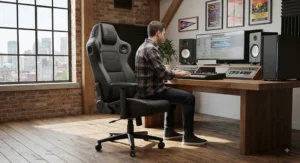
Budget Audio Gear: What C$150 vs C$350 Actually Buys You
Budget audio gear built into a chair follows a predictable pattern once you’ve compared enough models: the jump from roughly C$150 to C$250 buys you real Bluetooth speakers with decent mid-range clarity instead of tinny placeholder drivers, while the jump from C$250 to C$350+ is where a genuine subwoofer and vibration motors typically appear. Below that first threshold, expect speakers that handle voice and mid-frequency game audio reasonably well but flatten out bass almost entirely — fine for casual use, noticeably thin for anything explosion-heavy.
| Price Tier | What You Typically Get | Example |
|---|---|---|
| Under C$220 | Basic Bluetooth speakers, no subwoofer | X Rocker Eclipse |
| C$220–C$300 | Bluetooth speakers, wider recline range | GTRACING GT890M, GTPLAYER Ace Pro |
| C$300+ | Subwoofer and/or vibration motors added | X Rocker Pro Series H3, X Rocker Gamma Recliner |
Reading that table honestly: don’t expect a C$180 chair to compete on bass with a C$350 one, but do expect diminishing returns above roughly C$350 for audio specifically — beyond that price, you’re typically paying for comfort features, RGB lighting, or brand premium rather than materially better sound, as the X Rocker Prism RGB Pedestal‘s pricing illustrates.
Entry-Level Gaming Chairs: What Beginners Should Actually Prioritize
If this is your first gaming chair purchase of any kind — audio-equipped or not — resist the instinct to chase the most feature-dense option on the page. Entry-level gaming chairs succeed or fail on fit and comfort long before speaker quality enters the picture, because you’ll notice poor lumbar support within a week and forgive mediocre bass indefinitely. The GTPLAYER Ace Pro and X Rocker Eclipse are reasonable starting points precisely because neither asks you to commit to a large financial outlay while you figure out whether a chair-integrated speaker system is even a feature you’ll use regularly. A meaningful share of aggregated reviews across this entire product category mention buyers who stopped using the built-in Bluetooth speakers within the first month in favour of a headset — worth knowing before you pay a premium for audio hardware specifically. First-time buyers should also budget mentally for a short adjustment period: firmer padding on budget models can feel stiff for the first week before it breaks in, which is normal rather than a sign of a defective unit.
Common Mistakes When Buying a Gaming Chair With Speakers
The single most frequent mistake is buying based on the audio spec sheet alone, without checking recline footprint against actual room dimensions — a chair with excellent sound is useless if it can’t physically open in the space you have. The second is assuming Bluetooth range will cover a whole living room; most chair-integrated Bluetooth modules are optimized for the few feet between the seat and a nearby phone or console, not cross-room streaming. Third, buyers frequently skip checking battery life on Bluetooth-only models, then discover mid-session that a 6-hour charge doesn’t survive a weekend LAN party without a mid-point recharge. Fourth is ignoring weight capacity — most chairs here cap around 115–135 kg, and exceeding that consistently accelerates wear on both the frame and the speaker mounts. Finally, a genuinely common regret reported in reviews is choosing a floor-rocker style chair for a room that would have suited a wheeled desk chair better, simply because the floor-rocker looked more “gamer” in product photography.
Gaming Chair With Speakers vs a Separate Speaker Setup
It’s worth asking honestly whether an integrated chair is even the right category, versus buying a standalone 2.1 desktop speaker system or a soundbar instead.
| Factor | Chair-Integrated Speakers | Separate Desktop Speakers |
|---|---|---|
| Space required | None extra — built into seat | Desk or shelf space needed |
| Audio quality ceiling | Limited by chair frame size | Can scale much higher |
| Portability | Moves with the chair | Fixed to desk location |
| Cost to upgrade later | Requires new chair | Swap components independently |
| Roommate/dorm friendliness | Generally quieter, more contained | Can project further into room |
The honest answer is that neither option strictly beats the other — a chair-integrated system wins on convenience and roommate-friendliness, since sound stays contained near your body rather than filling the room, which matters enormously for a dorm room gaming setup. A separate speaker system wins on raw audio ceiling, since even a modest standalone 2.1 setup can outperform the best chair-integrated subwoofer on this list. If you already own decent desktop speakers or a headset you’re happy with, the case for paying a premium for integrated audio weakens considerably; the strongest case for a gaming chair with speakers is when you’re starting from zero audio setup and want one purchase to solve both seating and sound at once.
Long-Term Cost & Maintenance
Total cost of ownership on these chairs extends beyond the sticker price in two directions worth budgeting for. First, Bluetooth-only models with rechargeable batteries will eventually need that battery replaced or accept reduced runtime after roughly 18–24 months of regular charging cycles — a known trade-off with any built-in lithium battery, not a defect specific to any one brand. Second, upholstery wear is the most commonly reported long-term issue across review platforms, particularly on PU leather and vinyl surfaces exposed to regular use; budgeting roughly C$20–C$40 every year or two for a leather conditioner or protective cover meaningfully extends the usable life of the chair. On the value side of the ledger, a chair in the C$250–C$350 range that lasts three to four years of regular use works out to roughly C$0.20–C$0.30 per day of ownership — genuinely competitive against buying a cheap chair every year that needs replacing, once you factor in the audio hardware you’d otherwise be paying for separately.
Features That Actually Matter (And Those That Don’t)
Cutting through the marketing copy: a genuine subwoofer matters, RGB lighting mostly doesn’t. Vibration motors synced to bass are a real, tangible feature that reviewers consistently rate positively — it’s one of the few “gamer” gimmicks that actually changes the experience rather than just the look of the chair. Multi-chair audio linking matters specifically for households with more than one gamer, and barely at all otherwise. On the other hand, RGB lighting, while genuinely appealing to some buyers as the X Rocker Prism RGB Pedestal demonstrates, adds nothing to audio performance and is purely an aesthetic upsell — factor it in only if it’s a feature you’d pay extra for on its own merits. Similarly, headline “surround sound” claims on two-speaker Bluetooth chairs are worth reading skeptically; true surround requires more than two drivers positioned correctly, which is precisely what separates the X Rocker Pro Series H3‘s genuine 4.1 setup from marketing language attached to simpler two-speaker chairs.
Safety, Certification & Noise Regulations Guide
A few practical safety notes apply specifically to Canadian buyers. Electrical components — battery packs, wireless transmitters, charging cables — should carry a recognized Canadian certification mark such as CSA, cUL, or ETL with a “C,” which indicates the product has been tested against Canadian electrical safety standards rather than only US ones; this is worth checking on the product listing or packaging before buying from a third-party marketplace seller. On the hearing-health side, CCOHS guidance on ergonomic seating and general noise-exposure standards both point to the same practical takeaway for chair-integrated audio: because the speakers sit so close to your ears, it’s easier than you’d expect to cross into a volume range associated with hearing risk during long sessions without noticing, simply because the ambient room noise is low. Building in short breaks every 60–90 minutes, and keeping volume at a level where you could comfortably hold a conversation over it, are simple habits that cost nothing and meaningfully protect long-term hearing health — particularly relevant for a dorm room gaming setup where sessions can easily run several hours at a stretch.
Frequently Asked Questions
❓ Do gaming chairs with speakers actually sound good?
❓ Are gaming chairs with speakers good for small rooms?
❓ How long does the Bluetooth battery last on a gaming chair speaker?
❓ Can I use a gaming chair with speakers as a regular desk chair?
❓ Is a gaming chair with speakers worth it over a headset?
Conclusion
Choosing among rated audio gaming chairs really comes down to answering two questions honestly before you look at a single spec sheet: how much room do you actually have, and how much do you care about bass versus comfort versus price. The X Rocker Pro Series H3 wins on raw audio for anyone with the floor space and budget to match. The X Rocker Gamma Recliner splits the difference between comfort and sound for a mid-range price. Buyers working with a tighter budget or a first-ever gaming chair purchase get real value from the GTPLAYER Ace Pro, while small-space and dorm room gaming setup buyers are better served by the GTRACING GT890M, X Rocker CXR3, or X Rocker Eclipse depending on exactly how little space is available. And if aesthetics genuinely matter as much as audio, the X Rocker Prism RGB Pedestal delivers a look none of the others attempt.
None of these are the wrong choice in isolation — they’re built for genuinely different rooms and different priorities, and the comparison table near the top of this guide is worth a second look once you’ve settled on your own constraints. Whichever you land on, remember that a price listed today may shift by the time you check out, so always confirm current pricing before finalizing a purchase.
✨ Don’t Miss These Exclusive Deals!
🔍 Take your gaming chair with speakers search to the next level — click through on any pick above to check current pricing and availability before it changes.
Recommended for You
- Reclining Gaming Chair for Napping: 7 Best Picks in Canada (2026)
- Reclining Gaming Chair: 7 Top Picks for Canadians in 2026
- Heated gaming chair for cold home offices: 7 Picks That Actually Warm You (2026)
Disclaimer: This article contains affiliate links. As an Amazon Associate, I earn from qualifying purchases. If you purchase products through these links, we may earn a small commission at no additional cost to you.
✨ Found this helpful? Share it with your friends! 💬🤗
