
In This Article
The best office chairs for work from home in Canada combine adjustable lumbar support, breathable mesh or padded seating, and a sturdy five-point base that holds up through long workdays and Canadian winters spent indoors. A solid pick typically costs between $150 and $1,000 CAD on Amazon.ca, depending on adjustability and build quality.
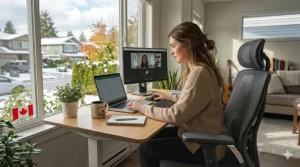
If you’ve been working from your kitchen table since the pandemic reshuffled everyone’s routine, you already know the cost of a bad chair — it shows up as a sore lower back around 3 p.m. and a stiff neck the next morning. I’ve spent a lot of time testing, returning, and re-testing chairs for Canadian home offices, from cramped Toronto condos to finished basements in Calgary, and the lesson is always the same: comfort isn’t a luxury line item, it’s a productivity tool.
This guide walks through seven real chairs you can buy on Amazon.ca right now, broken down by budget, mid-range, and premium tiers, with practical notes on how each one actually performs during an eight-hour day — not just what the spec sheet promises. We’ll also cover how to choose based on your body type and workspace, common buying mistakes, and what Canadian ergonomics guidelines actually recommend, courtesy of the Canadian Centre for Occupational Health and Safety (CCOHS).
A quick note before we dive in: as an Amazon Associate, I earn from qualifying purchases made through links in this article, at no extra cost to you.
Quick Comparison Table
| Chair | Best For | Price Range (CAD) | Weight Capacity | Amazon.ca |
|---|---|---|---|---|
| Amazon Basics Puresoft Mid-Back | Tightest budgets | $110–$160 | 275 lbs (125 kg) | ✅ Prime eligible |
| SIHOO M18 | Best value ergonomic | $160–$230 | 330 lbs (150 kg) | ✅ Prime eligible |
| FlexiSpot C7 | Mid-range adjustability | $280–$380 | 300 lbs (136 kg) | ✅ Sold by FlexiSpot |
| HON Ignition 2.0 | Commercial-grade durability | $350–$480 | 300 lbs (136 kg) | ✅ Prime eligible |
| Branch Ergonomic Chair | Small spaces, shorter users | $380–$460 | 275 lbs (125 kg) | ✅ Prime eligible |
| Autonomous ErgoChair Pro | “Set it and forget it” comfort | $550–$700 | 300 lbs (136 kg) | ✅ Prime eligible |
| Steelcase Series 2 | Long-term investment | $900–$1,100 | 400 lbs (181 kg) | ✅ Prime eligible |
Looking at the spread above, there’s a clear pattern: every jump in price tier buys you either a wider weight-bearing range, a longer warranty, or finer adjustability — rarely all three at once below the $500 CAD mark. If you’re under 5’4″ or over 220 lbs, pay closer attention to the weight capacity and seat depth columns rather than price alone, since an “ergonomic” chair that doesn’t fit your frame won’t actually be ergonomic for you.
💬 Just one click — help others make better buying decisions too! 😊
✨ Don’t Miss These Exclusive Deals!
🔍 Take your home office setup to the next level with these carefully selected chairs. Click on any highlighted item to check current pricing and availability on Amazon.ca. A better chair pays for itself in fewer sick days and better focus. 🇨🇦
Top 7 Office Chairs for Work From Home in Canada — Expert Picks
1. Amazon Basics Puresoft Mid-Back Office Chair
The Amazon Basics Puresoft Mid-Back Office Chair is the chair I point budget-conscious readers to when they just need to stop sitting on a kitchen chair this week. It uses PU-padded upholstery over a metal frame, with basic pneumatic height adjustment and a tilt-lock control — nothing fancy, but functional. The 275 lb (125 kg) capacity and lack of adjustable lumbar support mean it’s genuinely a starter chair, not a long-term ergonomic solution; I’d treat it as a one-to-two-year placeholder rather than something you build a home office around.
Customer feedback on Amazon.ca consistently praises the easy assembly and low price, with the most common complaint being that the padding compresses noticeably within the first year of daily use.
✅ Lowest price point in this list
✅ Simple, tool-light assembly
✅ Widely available with Prime shipping
❌ No adjustable lumbar support
❌ Foam tends to flatten with daily 8-hour use
Best for: students, occasional WFH days, or anyone furnishing a home office on a tight budget who plans to upgrade later.
Price: around $110–$160 CAD — check current price on Amazon.ca, as pricing shifts often.

2. SIHOO M18 Ergonomic Office Chair
The SIHOO M18 is where most Canadians should actually start if back comfort matters even a little. It’s BIFMA-tested, supports up to 330 lbs (150 kg), and includes dual-adjustable lumbar support that moves both vertically and horizontally — a feature you typically don’t see until well above this price point. The breathable mesh backrest is worth highlighting for anyone working from a warmer upstairs room in the summer, since airflow matters more than people expect once you’re sitting for six-plus hours.
What most buyers overlook about the M18 is the headrest: it adjusts and rotates 45°, which genuinely helps if you take video calls reclined slightly rather than bolt upright. Reviewers across Amazon and Reddit frequently mention it as a “first real ergonomic chair” purchase, with the main knock being that the headrest can feel a bit wobbly at full extension.
✅ Dual-adjustable lumbar support at a low price
✅ 330 lb capacity, BIFMA tested
✅ Breathable mesh keeps you cool through long sessions
❌ Headrest can feel less stable at maximum height
❌ Armrests aren’t height-adjustable on this model
Best for: remote workers wanting genuine ergonomic features without premium pricing.
Price: around $160–$230 CAD on Amazon.ca.
3. FlexiSpot C7 Premium Ergonomic Office Chair
The FlexiSpot C7 earns its mid-range reputation through its 3D adjustable armrests and a dynamic lumbar mechanism that flexes automatically as you shift posture, rather than locking you into one position. It’s SGS and CA Prop 65 certified, with a DuPont mesh backrest that’s noticeably more durable than the mesh found on entry-level chairs — the kind of detail that matters more in year three than on day one.
In my experience comparing chairs in this bracket, the C7’s recline-and-tilt combination is what separates it from the SIHOO and Amazon Basics options: it actually supports leaning back to think through a problem without your lower back losing contact with support. The trade-off is assembly, which takes longer than the SIHOO due to the additional adjustment hardware.
✅ Dynamic, auto-adjusting lumbar support
✅ Durable DuPont mesh backrest
✅ Backed by a long manufacturer warranty
❌ Longer assembly time than simpler chairs
❌ Bulkier footprint — measure your space first
Best for: home offices with a dedicated desk setup where you’ll be sitting most of the workday.
Price: around $280–$380 CAD on Amazon.ca.
4. HON Ignition 2.0 Mid-Back Ergonomic Office Chair
HON built its reputation supplying commercial offices, and the Ignition 2.0 brings that same engineering home. The 4-way stretch mesh back, advanced synchro-tilt control, and height-and-width adjustable arms put it firmly in “this was designed by people who study sitting for a living” territory. Rated to 300 lbs (136 kg) and backed by HON’s limited lifetime warranty, it’s the chair I’d recommend to someone who wants commercial-grade reliability without buying directly from a furniture dealer.
The practical upside Canadians will appreciate: the seat-slide feature lets you adjust seat depth independently of recline, which matters if you’re petite or tall and have struggled with chairs that only fit “average” body types. Feedback consistently flags the synchro-tilt as the standout feature — it moves with you rather than fighting your posture changes.
✅ Commercial-grade synchro-tilt mechanism
✅ Independent seat depth (slide) adjustment
✅ Backed by HON’s lifetime warranty
❌ Heavier and bulkier to ship/return than smaller chairs
❌ Premium mesh feel, but fewer colour options than newer DTC brands
Best for: anyone who wants office-furniture-dealer quality without the dealer markup.
Price: around $350–$480 CAD on Amazon.ca.
5. Branch Ergonomic Chair
The Branch Ergonomic Chair has built a loyal following among Canadian condo dwellers for one specific reason: it adjusts low enough for shorter users to keep feet flat on the floor, a detail many “universal” ergonomic chairs miss entirely. With eight points of adjustment, a breathable mesh backrest, and a furniture-forward design that doesn’t scream “office,” it blends into small living spaces better than most commercial-style chairs.
The spec sheet won’t tell you this, but the manual, high-touch adjustment style suits people who already know exactly how they like their seat depth and tilt tension dialled in — it rewards a bit of fiddling on day one rather than offering a single “set and forget” weight-activated mechanism.
✅ Excellent low-height range for shorter users
✅ Aesthetic that fits a home, not just an office
✅ Eight points of manual adjustment for a precise fit
❌ Lower weight capacity (275 lbs / 125 kg) than commercial rivals
❌ Manual tilt tension takes more trial and error to dial in
Best for: smaller home offices, condos, and users under 5’6″ who’ve struggled to find a properly fitting chair.
Price: around $380–$460 CAD on Amazon.ca.

6. Autonomous ErgoChair Pro
The Autonomous ErgoChair Pro takes the opposite philosophy from the Branch: configure it once across its nine adjustment points — lumbar height, seat depth, armrest position, tilt tension, recline angle, and headrest — then leave it alone. The synchronized recline mechanism keeps your knees at a consistent typing angle even as the backrest reclines, which is the kind of detail that matters during a long afternoon of back-to-back video calls.
What stands out for Canadian buyers specifically is the 12-hour-session design target; if you’re managing time zones with overseas clients and occasionally pulling longer days, this is built with that in mind rather than a standard 9-to-5. Reviewers consistently note that the “lock it and forget it” approach genuinely works once the initial setup is dialled in — the trade-off is a steeper learning curve during that first setup.
✅ Nine points of adjustment for a precise, lasting fit
✅ Synchronized recline keeps typing angle consistent
✅ Built and warrantied for extended daily sessions
❌ Initial setup takes longer than simpler chairs
❌ Pricier than the Branch or HON for similar adjustability
Best for: people who sit long, irregular hours and want to set the chair up once, properly.
Price: around $550–$700 CAD on Amazon.ca.
7. Steelcase Series 2 Office Chair
The Steelcase Series 2 is the chair I’d point to if you’re done replacing chairs every 18 months and want to actually solve the problem. Its weight-activated mechanism removes the guesswork entirely — sit down, and the recline tension automatically calibrates to your body weight, no dial-twisting required. The Air LiveBack technology flexes with movement rather than locking your spine into one shape, which is the kind of engineering detail that separates legacy commercial manufacturers from newer direct-to-consumer brands.
What most buyers overlook about Series 2 is that it doesn’t have a lockable recline — the back springs back once pressure lifts, which some people love for active sitting and others find mildly annoying in video calls. Backed by Steelcase’s long commercial warranty and a 400 lb (181 kg) capacity, it’s built to outlast almost everything else on this list, which is exactly how its higher upfront CAD price should be framed: cost-per-year, not cost-per-chair.
✅ Weight-activated mechanism removes manual guesswork
✅ Highest weight capacity on this list (400 lbs / 181 kg)
✅ Long commercial warranty backed by a legacy manufacturer
❌ No lockable recline angle
❌ Highest upfront price on this list
Best for: anyone sitting 8+ hours daily who wants a chair that lasts a decade, not a year.
Price: around $900–$1,100 CAD on Amazon.ca.
Top 7 Chairs: Specification Comparison
| Chair | Lumbar Support | Recline | Headrest | Warranty |
|---|---|---|---|---|
| Amazon Basics Puresoft | Fixed | Tilt-lock only | No | Limited |
| SIHOO M18 | Dual-adjustable | 126° | Yes, adjustable | 3 years |
| FlexiSpot C7 | Dynamic, auto-adjust | Recline + tilt | Optional | 10 years |
| HON Ignition 2.0 | Adjustable + seat-slide | Synchro-tilt | No (mid-back) | Lifetime |
| Branch Ergonomic | Two-way adjustable | Manual tilt tension | Optional add-on | 2 years |
| Autonomous ErgoChair Pro | Height-adjustable | Synchronized recline | Adjustable | 2–5 years |
| Steelcase Series 2 | Air LiveBack (flexes) | Weight-activated | Optional | 12 years |
The warranty column tells its own story here: FlexiSpot and Steelcase bookend the list with the longest coverage, but for very different reasons — FlexiSpot is betting on component durability at a mid-range price, while Steelcase is backing a chair built for a decade-plus of daily commercial use. If warranty length is your deciding factor, those two deserve a closer look before you default to whichever chair has the flashiest marketing copy.
How to Choose the Right Home Office Chair in Canada
- Measure your height against the seat range, not the chair’s marketing. A chair advertised as “universal” may not drop low enough for users under 5’4″ — the Branch and SIHOO M18 both perform well here.
- Check the weight capacity with margin, not exactly to your weight. A chair rated right at your body weight will wear out its gas lift and tilt mechanism faster than one with 30–50 lbs of headroom.
- Decide if you need lockable recline. If you take video calls all day, a chair like the Steelcase Series 2 that springs back on its own can feel distracting; FlexiSpot and SIHOO offer lockable positions.
- Match material to your room’s climate. Mesh backs (SIHOO, FlexiSpot, HON) breathe better in upstairs rooms that get warm in summer; padded seats (Amazon Basics, Branch) feel warmer in a cool basement office through a Canadian winter.
- Budget for the floor, not just the chair. Hard flooring needs soft casters; carpet needs hard casters — using the wrong type on hardwood is a common source of scratches and damage claims.
- Confirm Amazon.ca availability and shipping timelines if you’re in a rural or northern community, since delivery windows can run longer than in major metro areas.
- Read the return policy before assembly, not after — several of these chairs are easiest to return unassembled within Amazon.ca’s standard window.
Real-World Scenarios: Which Chair Fits Your Setup
The Toronto condo dweller working from a 250-square-foot home office nook: Space and aesthetics matter as much as ergonomics here. The Branch Ergonomic Chair’s smaller footprint and furniture-style design fit a shared living space without looking like it was lifted from a call centre, and its low-height range suits the smaller-format desks common in condo builds.
The Ottawa public servant doing hybrid work two days a week from home: You don’t need (or want) to spend $900 CAD on a chair that sits unused three days a week. The SIHOO M18 or FlexiSpot C7 cover genuine ergonomic needs at a price that makes sense for part-time home use, while your office chair handles the rest.
The Calgary freelancer logging 9–10 hour days year-round: This is exactly the use case the Steelcase Series 2 or Autonomous ErgoChair Pro are built for. At this sitting volume, the cost-per-year math favours the higher upfront price — a $1,000 CAD chair lasting a decade costs less annually than replacing a $150 CAD chair every 18 months.
Setting Up and Maintaining Your Chair Through Canadian Winters
Getting the ergonomics right starts before you sit down. Set seat height so your elbows rest level with your desk surface, then adjust the backrest until it fills the curve of your lower back — both CCOHS and most manufacturer guides agree this is the order to follow, height first, then lumbar.
A few maintenance habits matter more in a Canadian home office than people expect:
- Watch for dry winter air affecting mesh and foam. Forced-air heating in many Canadian homes dries out cushion foam faster over a cold season; rotating your sitting position and avoiding direct proximity to heating vents helps it last.
- Vacuum casters monthly if you have pets or a finished basement office, since dust and pet hair build-up in caster wheels is one of the most common causes of squeaking.
- Re-torque visible bolts every six months, especially on chairs with manual adjustment mechanisms like the Branch or FlexiSpot — normal use loosens fasteners gradually.
- Keep your chair away from direct sunlight through south-facing windows, which fades mesh and PU upholstery faster than most owners realize.
Common Mistakes Canadians Make When Buying an Office Chair
- Buying based on price alone, then re-buying within a year. The CCOHS specifically notes that a chair only becomes “ergonomic” when it suits the individual user’s body and tasks — a cheap universal chair that doesn’t fit you isn’t actually ergonomic, regardless of its marketing.
- Ignoring caster-to-flooring mismatch. Using hard casters on hardwood (instead of soft ones) is a frequent and avoidable source of floor damage in condos and rentals.
- Skipping the armrest check. If armrests can’t drop low enough or be removed, they can elevate your shoulders and cause exactly the strain they’re meant to prevent.
- Assuming warranty coverage extends to use outside Canada-specific terms. Cross-border warranty service can be slower for some direct-to-consumer brands; check the manufacturer’s Canadian support policy before assuming US service times apply.
- Overlooking weight capacity margin. Buying right at the stated limit shortens the lifespan of the gas cylinder and tilt mechanism.
Office Chair vs. Standing Desk: Do You Need Both?
A great chair solves comfort while seated; it doesn’t solve the separate problem of prolonged static sitting itself. CCOHS guidance is explicit that no single posture — sitting or standing — should be held for an extended period, and recommends alternating positions throughout the day. In practice, that means a well-adjusted chair like the ones above paired with the option to stand periodically (even without a powered standing desk) covers more ground than either solution alone. If your budget only stretches to one upgrade this year, prioritize the chair — it’s the surface you’ll spend more total hours in contact with.
Long-Term Cost and Maintenance in Canada
Run the math in CAD, not just the sticker price. A $150 chair that needs replacing every 18 months costs roughly $100/year and offers no real lumbar adjustment the whole time. A $900–$1,100 chair like the Steelcase Series 2, backed by a 12-year warranty, works out closer to $75–$90/year — while actually supporting your back the entire time. The mid-range options (FlexiSpot C7, HON Ignition 2.0, Autonomous ErgoChair Pro) sit in between, typically landing in the $50–$80/year range over a realistic 5–7 year lifespan. Canadian shoppers should also factor in that premium commercial brands sometimes price slightly higher here than in the US due to exchange rate and import costs — a trade-off that still avoids cross-border shipping delays and customs complications.
Features That Actually Matter (And Those That Don’t)
Matters: independently adjustable lumbar support, a seat depth adjustment (or slide) for your leg length, a weight capacity with real margin above your body weight, and casters matched to your flooring.
Matters less than marketing suggests: built-in massage functions (rarely used after the novelty wears off), an excessive number of colour options, and “gaming chair” styling cues that add bulk without adding ergonomic function for desk work specifically.
Canadian Regulations and Safety Standards
Look for chairs that reference BIFMA testing (a North American furniture industry standard covering stability and durability) — several chairs on this list, including the SIHOO M18 and FlexiSpot C7, cite BIFMA certification directly. For workplace-specific guidance, the Canadian Centre for Occupational Health and Safety publishes detailed standards on chair selection and adjustment, including reference to the CSA Z412 office ergonomics application standard. If you’re outfitting a home office that doubles as a registered business space, it’s worth a quick read — particularly the CCOHS guide to adjusting office chairs, which walks through the correct order of adjustments step by step. For general background on the underlying science, Wikipedia’s overview of ergonomics is a solid starting point.

Frequently Asked Questions
❓ What is the best office chair for working from home in Canada?
❓ Do Amazon.ca office chairs ship for free?
❓ How long should a home office chair last?
❓ Is it worth spending over $500 CAD on an office chair?
❓ Can office chairs ship to rural or northern parts of Canada?
Conclusion
There’s no single “best” office chair for every Canadian home office — the right pick depends on your height, your sitting hours, your room’s climate, and how much manual fiddling you’re willing to do versus wanting a chair that adjusts itself. If you only take one thing from this guide, let it be this: match the chair to your actual sitting habits, not the most impressive spec sheet. Start with the SIHOO M18 if you want genuine ergonomic value on a budget, the HON Ignition 2.0 or Autonomous ErgoChair Pro if you’re upgrading a serious daily setup, or the Steelcase Series 2 if you’re done buying chairs and want to solve this once.
✨ Found a chair that fits your setup?
🔍 Check current pricing and availability on Amazon.ca before you commit, and remember — the right chair is the one that fits your body, not just your budget.
Recommended for You
- 7 Best Office Chairs for Short People in Canada (2026)
- 7 Best Office Chairs for Tall People in Canada (2026 Guide)
- 7 Best Saddle Chairs for Dentists in Canada 2026
Disclaimer: This article contains affiliate links. As an Amazon Associate, I earn from qualifying purchases. If you purchase products through these links, we may earn a small commission at no additional cost to you.
✨ Found this helpful? Share it with your friends! 💬🤗
